Best CRM Systems for Small Business in 2026
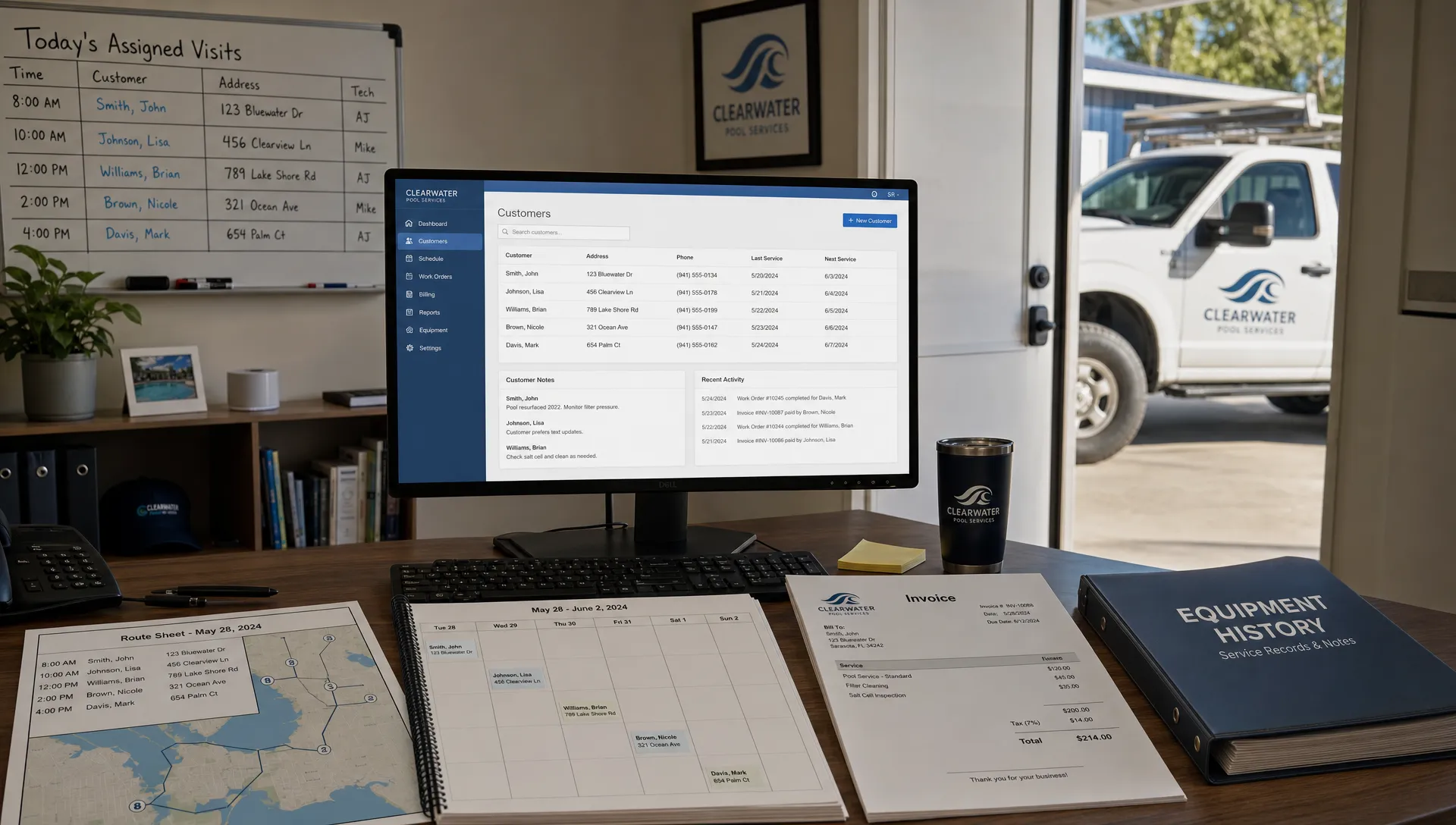
Small business CRM buying used to be simple: pick a place to store contacts, track deals, and remind yourself to follow up. In 2026, that is no longer enough. The best CRM systems for small business now act more like operating hubs, connecting sales, scheduling, service delivery, communication, reporting, and payments.
That shift matters most for service businesses. A pool service company, HVAC contractor, landscaper, or cleaning company does not just need a list of customers. It needs to know who called, which property needs work, what was promised, which technician is assigned, what happened on site, what equipment was touched, and whether the customer paid.
The right CRM depends on your workflow, your team size, and how much industry-specific depth you need. Below is a practical comparison of the top CRM options for small businesses in 2026, including general-purpose CRMs, home service platforms, and a pool-service-specific option.
Quick answer: the best CRM systems by use case
| CRM system | Best fit | Why it makes the shortlist | Be careful if |
|---|---|---|---|
| SplashIQ | Pool service companies | Combines CRM with scheduling, water-quality logs, equipment tracking, field operations, homeowner communication, and payments | You need a generic sales CRM for a non-service business |
| HubSpot CRM | Small teams that want sales and marketing in one ecosystem | Strong contact management, email tools, pipelines, forms, and broad integrations | You may outgrow the free tier or add complexity as hubs expand |
| Zoho CRM or Bigin | Budget-conscious small businesses | Flexible CRM options, automation, and a large business software suite | Setup can feel configurable rather than instantly simple |
| Pipedrive | Sales-driven teams | Clean pipeline management, strong deal visibility, and sales activity tracking | Field operations usually require integrations or separate tools |
| Salesforce Starter Suite | Small businesses planning for scale | Large ecosystem, strong reporting potential, and room to grow | Can require more admin discipline than very small teams expect |
| monday sales CRM | Visual teams that like customizable workflows | Easy-to-understand boards and flexible process tracking | It can feel more like work management than a true service CRM |
| Freshsales | Inside sales teams | Contact management, lead scoring, email, phone, and automation capabilities | Service scheduling and field workflows may need other tools |
| Jobber | Home service businesses | Scheduling, quoting, invoicing, and customer communication for field teams | Pool-specific logs and equipment workflows may be limited |
| Housecall Pro | Small home service contractors | Dispatching, job management, payments, and customer communication | Deep customization varies by workflow and plan |
| ServiceTitan | Larger trade and home service businesses | Robust operations platform for complex contractor businesses | May be more platform than a very small company needs |
What changed in small business CRM in 2026
The biggest CRM change is that small businesses no longer want a separate tool for every task. Owners are tired of contacts in one app, jobs in another, text messages on personal phones, invoices in accounting software, and route notes on paper.
That frustration shows up constantly in Reddit discussions. In threads across communities like r/smallbusiness, r/sales, r/sweatystartup, and trade-specific subreddits, CRM recommendations often come down to the same practical questions: Will the team actually use it? Is the mobile app reliable? Does it reduce admin work, or does it create another place to enter data? Reddit is anecdotal, but it is useful because it exposes the real reasons CRM projects fail.
In 2026, a good small business CRM should do five things well: capture leads, organize customer data, guide follow-up, support the work your team actually performs, and make the next step obvious. If it only stores names and emails, it is probably not enough.
Customer expectations have changed too. People expect transparent communication, accurate records, and fast answers. That expectation is visible far beyond business software. Civic technology projects focused on technology-driven participation and accountability show how digital tools can make decisions and communication more transparent. For small businesses, the lesson is practical: customers trust companies that can clearly show what happened, when it happened, and what comes next.
How to evaluate CRM systems before you choose
Before comparing logos, define the workflow you want your CRM to support. A restaurant supplier, a marketing agency, and a pool service business may all search for “best CRM,” but they need very different systems.
For a small business, the best CRM should fit your daily reality, not an idealized sales process. If your team works from trucks, mobile access matters more than dashboard polish. If you handle recurring service, scheduling matters more than campaign automation. If you sell complex projects, pipeline stages and follow-up reminders may matter most.
| Evaluation factor | What to ask before buying |
|---|---|
| Ease of use | Can a busy employee learn the basics in one afternoon? |
| Mobile workflow | Can field staff update records without returning to the office? |
| Industry fit | Does the CRM understand your jobs, visits, properties, or assets? |
| Lead management | Does every inquiry get captured, assigned, and followed up? |
| Customer communication | Can you track calls, texts, emails, photos, and notes in one place? |
| Scheduling | Does it connect customer records to actual work on the calendar? |
| Payments | Can customers pay without extra back-and-forth? |
| Reporting | Can you see what is working without building reports from scratch? |
| Integrations | Does it connect with accounting, email, forms, or other tools you already use? |
| Long-term cost | What happens to pricing as users, contacts, or features grow? |
If you run a service company, it is worth reading more about what a CRM app should do for service teams in 2026 before you commit to a generic tool. Service businesses need CRMs that connect customer records to real-world work, not just sales activities.
The best CRM systems for small business in 2026
SplashIQ: best CRM for pool service companies
SplashIQ is built for pool service businesses that need more than a contact database. For pool companies, the customer record is only one piece of the puzzle. The business also needs property details, recurring service schedules, water-quality logs, equipment history, technician notes, before-and-after photos, billing, payments, and homeowner communication.
That is where a pool-specific CRM makes sense. Instead of forcing a generic pipeline tool to behave like a field service system, SplashIQ brings CRM, smart route scheduling, field operations, water-quality logging, equipment tracking, homeowner billing, and payments into one workflow. The platform also supports an offline field app, homeowner portal, before-and-after photos, homeowner financing, and technician scorecards.
For a pool service company, SplashIQ’s pool service CRM is a strong fit because it organizes customer and property information around the actual work technicians perform. That matters when a homeowner calls about cloudy water, a gate code changes, a pump was serviced last month, or a technician needs the equipment history before arriving.
Choose SplashIQ if your small business is specifically in pool service and you want one operating system for office staff, technicians, and homeowners. Consider a broader CRM if your business is not service-based or if your CRM needs are mostly email marketing and traditional sales pipeline management.
HubSpot CRM: best general CRM for sales and marketing alignment
HubSpot remains one of the most familiar names for small businesses because it combines CRM, marketing, sales, service, and content tools in a single ecosystem. For startups, agencies, consultants, and B2B companies that rely heavily on inbound leads, email nurturing, landing pages, forms, and sales follow-up, HubSpot can be a strong starting point.
Its biggest advantage is accessibility. Many teams can get contact records, pipelines, email tracking, forms, and basic follow-up running quickly. As the business grows, HubSpot offers more advanced capabilities through its paid hubs.
The tradeoff is that costs and complexity can increase as you add users, automation, reporting, marketing features, and service tools. For a field service business, HubSpot can manage relationships and deals, but it may not replace job scheduling, route management, field notes, or service-specific reporting without integrations.
Zoho CRM or Bigin: best value-focused CRM for flexible small businesses
Zoho offers several CRM paths for small businesses. Zoho CRM is the broader, more configurable platform, while Bigin is designed as a simpler pipeline-focused CRM for smaller teams. Both can make sense for companies that want solid CRM functionality without immediately committing to a more expensive enterprise-style platform.
Zoho is especially appealing if you want one software ecosystem for CRM, email, finance, help desk, forms, projects, and other business functions. It gives small teams room to build a more connected back office over time.
The main caution is setup. Flexible systems reward teams that are willing to define fields, stages, permissions, automations, and reporting rules. If your team wants a CRM that already understands your trade or field workflow, Zoho may require more customization than an industry-specific platform.
Pipedrive: best CRM for simple, visual sales pipelines
Pipedrive is a strong option for small businesses that live and die by sales follow-up. Its pipeline view is simple, visual, and focused on moving deals from one stage to the next. For consultants, agencies, B2B service providers, brokers, and sales-led local businesses, that clarity can be valuable.
Pipedrive works best when your core problem is deal visibility. If leads are slipping through the cracks, proposals are not being followed up, or salespeople need reminders to take the next action, Pipedrive keeps the workflow focused.
The limitation is operational depth. A pool service company, HVAC contractor, or cleaning business may still need scheduling, dispatching, job notes, payments, and customer portals elsewhere. Pipedrive can be part of that stack, but it is usually not the whole operating system for field service.
Salesforce Starter Suite: best CRM for small businesses planning to scale
Salesforce is best known for enterprise CRM, but its small business offerings are aimed at companies that want to start simpler while keeping access to a large ecosystem. Salesforce can be a strong choice for small businesses that expect more complex sales processes, multiple teams, detailed reporting, and future customization.
The advantage is longevity. A business can start with a lighter Salesforce setup and expand into more advanced capabilities as it grows. The ecosystem of integrations, consultants, and apps is also extensive.
The caution is administrative discipline. Even a smaller Salesforce implementation benefits from clear ownership, clean data rules, defined pipeline stages, and ongoing maintenance. For a five-person team that simply needs to schedule service visits and collect payments, Salesforce may be heavier than necessary.
monday sales CRM: best for teams that like visual workflows
monday sales CRM is built on the monday.com work management platform, which makes it attractive for teams that want visual boards, custom statuses, and flexible workflow tracking. It can work well for companies that manage sales pipelines, client onboarding, projects, and internal handoffs in a visual way.
Its biggest strength is adaptability. Teams can create boards that reflect their process, whether that is lead tracking, account management, implementation, renewals, or task management. This is helpful for businesses that do not fit a rigid CRM template.
The tradeoff is that flexibility can become ambiguity. If no one defines the process clearly, boards can multiply and data can get messy. For field service operations, monday may need additional tools or integrations to handle dispatching, route planning, technician notes, and payments.
Freshsales: best for inside sales teams that want built-in communication tools
Freshsales, part of Freshworks, is a good fit for small businesses with inside sales teams that rely on phone, email, lead scoring, and automation. It is especially relevant for companies that want CRM and customer communication features without building a complicated software stack.
Its strength is helping salespeople manage conversations and prioritize leads. For teams that respond to inbound inquiries, qualify prospects, and move deals through a defined process, Freshsales can provide a practical balance of usability and sales functionality.
Like other general-purpose CRMs, it may not be the best standalone system for field operations. If your business needs route scheduling, equipment history, recurring service records, or on-site job documentation, you will likely need to pair it with another platform.
Jobber: best CRM-adjacent platform for general home service businesses
Jobber is not just a CRM. It is a home service management platform that includes customer management alongside quoting, scheduling, invoicing, and payment workflows. That makes it a strong option for many small field service companies, especially those that want one system for jobs and customers.
For businesses like landscaping, cleaning, lawn care, pressure washing, and general home services, Jobber can be a practical step up from spreadsheets and disconnected apps. It helps teams manage the customer lifecycle from request to quote to scheduled work to payment.
For pool service companies, the question is whether a general home service tool captures enough pool-specific detail. If water chemistry logs, equipment records, route optimization, homeowner portals, and technician scorecards are central to your operation, compare it carefully with a pool-specific platform.
Housecall Pro: best for home service contractors that need dispatch and payments
Housecall Pro is another popular platform for home service businesses. It supports workflows around scheduling, dispatching, estimates, invoicing, payments, and customer communication. For many small contractors, it can replace a patchwork of calendars, spreadsheets, and payment tools.
It is a strong candidate when your business runs on one-off jobs, recurring appointments, customer messages, and mobile field updates. Contractors that want to professionalize their operations often include Housecall Pro on their shortlist.
As with Jobber, industry depth is the key question. A general home service platform may be a good fit for broad service operations, while a vertical CRM may be better when the details of the trade are central to every visit.
ServiceTitan: best for larger contractor businesses with complex operations
ServiceTitan is widely associated with trade and home service companies that need a robust operations platform. It is often considered by larger or fast-growing contractors that want deep capabilities across dispatch, call booking, reporting, marketing, and business operations.
For a small business with multiple departments, high call volume, or aggressive growth plans, ServiceTitan may be worth evaluating. It can support more sophisticated processes than a basic CRM.
The tradeoff is fit. A very small team may not need a platform of that scale. If your main goal is to organize customer records, schedule routes, log service visits, and collect payments without overcomplicating the business, a lighter or more vertical tool may be a better match.

Best CRM recommendations by business type
There is no single winner for every small business. The best choice depends on what your CRM must control.
| Business type | Best CRM shortlist | Why |
|---|---|---|
| Pool service company | SplashIQ, Jobber, Housecall Pro | You need CRM connected to routes, field notes, homeowner communication, and payments |
| B2B startup | HubSpot, Pipedrive, Salesforce Starter Suite | Sales pipeline, inbound marketing, and reporting are usually the priority |
| Solo consultant | HubSpot, Pipedrive, Zoho Bigin | Simplicity and follow-up reminders matter more than complex operations |
| Home service contractor | Jobber, Housecall Pro, ServiceTitan | Scheduling, dispatching, estimates, invoices, and payments are core workflows |
| Agency or professional services firm | HubSpot, Pipedrive, monday sales CRM | Lead management, proposals, client onboarding, and project handoff matter |
| Budget-conscious small team | Zoho CRM, Bigin, HubSpot | Flexible starting points with room to expand |
| Fast-growing contractor | ServiceTitan, Housecall Pro, SplashIQ for pool service | Operations, reporting, team accountability, and customer communication become more important |
If you run a pool business and your biggest problem is missed opportunities, review these CRM lead management tips to stop leaks in your pipeline. A CRM only works if every inquiry is captured, assigned, followed up, and converted into a clear next step.
Common CRM mistakes small businesses should avoid
Most CRM failures are not caused by choosing a “bad” product. They happen because the business chooses a tool that does not match the way work actually gets done.
Avoid these mistakes when evaluating CRM systems:
- Choosing the most popular CRM instead of the best-fit CRM for your workflow.
- Ignoring mobile usability when technicians or salespeople work outside the office.
- Keeping customer notes in texts, paper forms, or personal email after adopting a CRM.
- Creating too many required fields, which makes employees avoid updates.
- Buying advanced automation before the basic sales or service process is clean.
- Failing to define who owns data quality, follow-up, and reporting.
The best CRM implementation starts small. Define your customer stages, required fields, follow-up rules, and reporting needs before you turn on every feature. A clean process in a simple CRM usually beats a messy process in a powerful one.
How to make your final CRM decision
A good CRM shortlist should have no more than three options. If you are comparing ten tools in detail, you probably have not defined your needs clearly enough.
Start with your primary business model. If you sell projects, prioritize pipeline management. If you perform recurring service, prioritize scheduling, customer history, mobile field updates, and payments. If you rely on inbound marketing, prioritize forms, email, segmentation, and campaign tracking.
Then run a real-world test. Do not evaluate CRM software only through a demo. Take three recent leads, three existing customers, and three completed jobs or deals. Try to enter them into the CRM and answer practical questions: What is the next step? Who owns it? What happened last time? What does the customer need to know? Can someone in the field update the record easily?
Finally, check adoption risk. If your team already avoids admin work, a highly configurable CRM may not solve the problem. You may need a system that fits your industry closely enough that the workflow feels natural from day one.
Frequently Asked Questions
What is the best CRM system for small business in 2026? The best CRM system depends on your business model. HubSpot, Zoho, Pipedrive, Salesforce Starter Suite, and monday sales CRM are strong general options. Service businesses should also consider platforms like SplashIQ, Jobber, Housecall Pro, or ServiceTitan depending on their industry and size.
What is the best CRM for a pool service company? A pool service company should look for a CRM that connects customer records with routes, service history, water-quality logs, equipment tracking, photos, technician notes, homeowner communication, billing, and payments. SplashIQ is built specifically around that pool service workflow.
Should a small business choose a general CRM or an industry-specific CRM? Choose a general CRM if your main need is sales pipeline, marketing, or account management. Choose an industry-specific CRM if your customer data must connect directly to jobs, properties, equipment, field notes, scheduling, or payments.
Are free CRMs good enough for small businesses? Free CRM tools can be useful for very small teams that need basic contact and pipeline management. As soon as you need automation, reporting, team permissions, field workflows, payments, or deeper integrations, you will likely need a paid plan or a more specialized platform.
How long does CRM implementation take for a small business? A simple CRM can be usable within days if your process is clear. A more complex setup can take weeks or longer, especially if you are migrating data, training field staff, connecting integrations, or rebuilding sales and service workflows.
Can Reddit help me choose a CRM? Reddit can help you identify common complaints and real-world adoption issues, such as clunky mobile apps, confusing pricing, or tools that are too complex for small teams. Use Reddit as qualitative input, but validate everything with demos, trials, references, and your own workflow test.
Run your pool service business from one connected system
If you operate a pool service company, your CRM should not stop at contacts and deals. It should help your office, technicians, and homeowners stay aligned from the first lead to the final invoice.
SplashIQ brings CRM, scheduling, water-quality logs, equipment tracking, field operations, homeowner communication, photos, billing, and payments into one platform built for pool service businesses. If your team is ready to replace spreadsheets, paper checklists, and disconnected apps, visit SplashIQ to see how a pool-specific operating system can support your next stage of growth.