What a CRM App Should Do for Service Teams in 2026
A CRM app used to mean a digital Rolodex with notes, reminders, and maybe a pipeline. For service teams in 2026, that is no longer enough.
If your technicians are driving from property to property, your office is juggling calls and invoices, and your customers expect quick answers, the CRM has to do more than store contacts. It needs to connect the customer record to the actual work: scheduling, route planning, field notes, photos, equipment, billing, and follow-up.
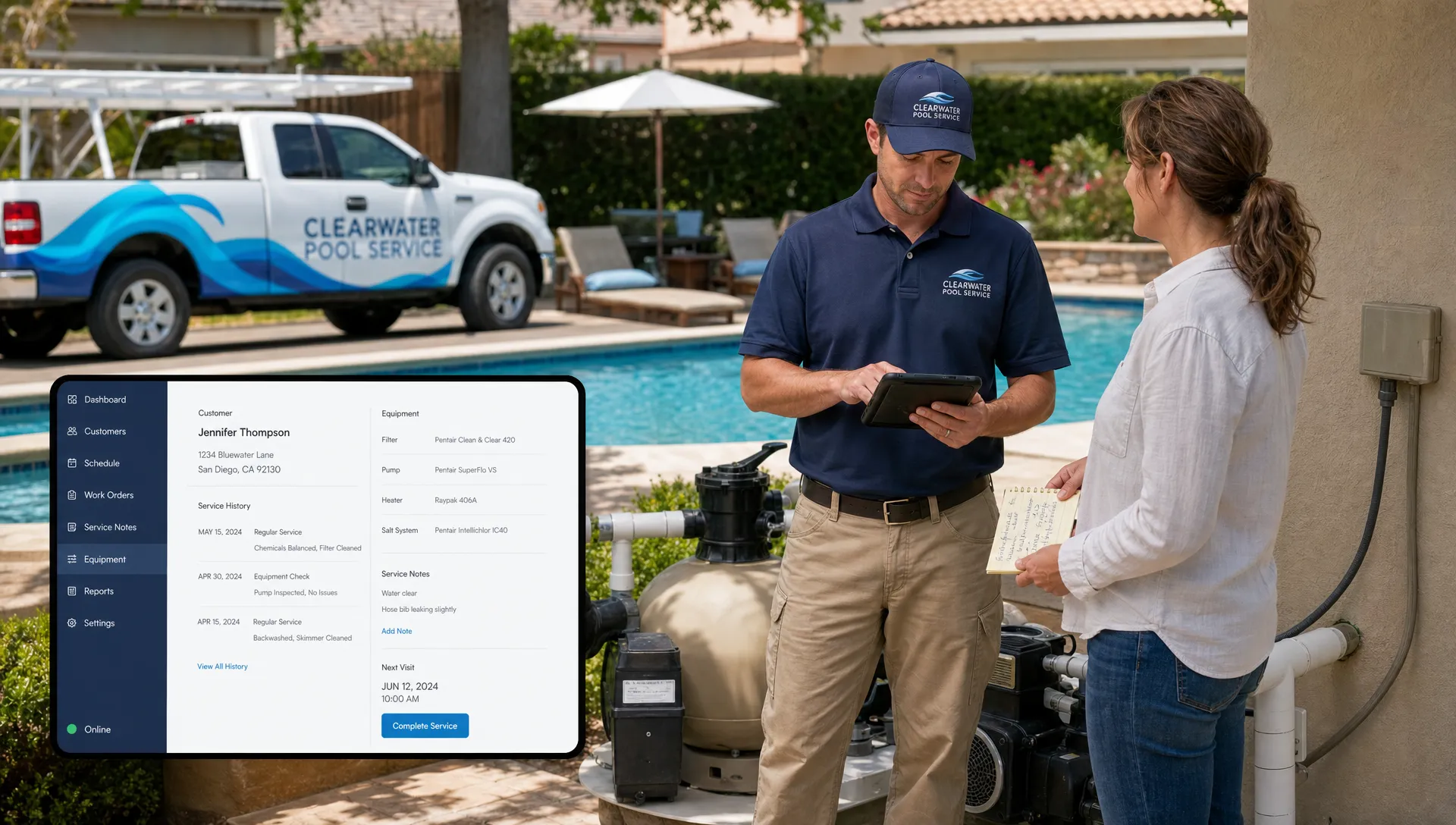
This is especially true for pool service companies. A homeowner is not just a name and phone number. They have a property, access instructions, pool equipment, service history, water-quality trends, repair requests, billing preferences, and expectations about communication. If all of that is scattered across spreadsheets, paper checklists, text threads, and one technician’s memory, the business becomes harder to scale.
Reddit posts in communities like r/smallbusiness, r/fieldservice, and r/pools often surface the same complaints from service operators: the software is too generic, technicians do not update it, dispatching happens somewhere else, and the office still has to chase down photos or job notes. Reddit is anecdotal, but it is useful voice-of-customer research because it reveals what software buyers are frustrated with after the demo is over.
So, what should a CRM app do for service teams in 2026? It should act less like a sales database and more like the operating layer for the entire service workflow.
A modern CRM app should be built around the job, not just the customer
Traditional CRMs were designed for salespeople. They track leads, calls, deals, and next steps. That matters, but service businesses need a deeper record because the revenue happens in the field.
For a pool service company, the customer profile should connect to the property and the work performed there. That means technicians and office staff should be able to see the details that affect every visit, not just the homeowner’s email address.
A strong service CRM should organize information such as:
- Customer and property details
- Lead source, estimate status, and follow-up history
- Service plan, frequency, and preferred visit windows
- Gate codes, access notes, and pet instructions
- Pool equipment, parts, serial numbers, and installation notes
- Visit history, photos, chemical readings, and technician notes
- Open repair requests, unpaid invoices, and customer communication
For pool companies, this is where a purpose-built system is different from a generic CRM. SplashIQ’s pool service CRM software is designed to keep customer, property, equipment, visit, and follow-up details connected, which is the foundation for cleaner operations.
The 2026 CRM app checklist for service teams
A CRM app should reduce friction for both the office and the field. If it only helps one side of the business, the other side will create workarounds.
Use this checklist when evaluating whether a CRM can support a real service operation, not just a sales pipeline.
| CRM capability | What it should solve | Why it matters for service teams |
|---|---|---|
| Customer and property records | Keeps all job context in one place | Reduces repeat questions and missed details |
| Smart scheduling | Assigns work based on routes, availability, and service needs | Cuts drive time and improves daily capacity |
| Mobile field app | Lets technicians complete work from the property | Keeps the office updated without end-of-day paperwork |
| Offline access | Supports field work in areas with poor signal | Prevents lost notes, skipped steps, and delayed updates |
| Photos and checklists | Documents work before, during, and after the visit | Builds trust and protects against disputes |
| Water-quality and equipment logs | Tracks recurring service data over time | Helps diagnose issues and standardize service quality |
| Customer communication | Centralizes messages and updates | Prevents missed calls, duplicate replies, and confusion |
| Billing and payments | Connects completed work to invoices and payment collection | Speeds up cash flow and reduces admin work |
| Reporting and scorecards | Shows team performance and service consistency | Helps managers coach technicians and spot process gaps |
The point is not to buy the software with the longest feature list. The point is to choose the CRM app that keeps work moving from first contact to final payment with the fewest handoffs.
Scheduling must be part of the CRM, not a separate puzzle
For service companies, scheduling is not an administrative detail. It is one of the biggest drivers of profitability.
A CRM that stores customer data but does not connect to routes creates a constant back-and-forth. The office has to check who is nearby, who knows the property, what equipment is needed, whether the customer requested a time window, and whether there is enough room in the day for a repair.
In 2026, service teams should expect scheduling to be smarter than a shared calendar. The CRM should help managers group work by geography, balance technician workloads, and adjust when weather, traffic, emergency repairs, or no-access visits disrupt the plan.
For pool routes, density matters. Every unnecessary drive between properties reduces the number of profitable stops a technician can complete. If route planning is a recurring bottleneck, this guide to smart scheduling tactics that cut drive time goes deeper into practical ways pool service companies can improve route efficiency.
The CRM does not need to make every decision automatically, but it should give dispatchers and managers enough context to make better decisions quickly.
The field app has to work in real field conditions
A service CRM fails when technicians do not use it. Usually, that is not because technicians dislike software. It is because the software is slow, confusing, or built for office work instead of job-site work.
A technician standing in a backyard with wet hands, bright sunlight, limited cell service, and a full route does not have time to fill out a complicated form. The mobile experience has to be simple, fast, and relevant to the task.
A field-ready CRM app should let technicians see the day’s schedule, review property instructions, document the visit, add photos, update equipment notes, record water-quality details, and flag follow-up work without calling the office after every stop.
Offline access is also important. Many residential neighborhoods, rural properties, and equipment rooms have inconsistent signal. If a CRM only works when the connection is perfect, technicians will fall back to paper notes or memory. That creates the exact data gap the software was supposed to fix.
The best field systems make the right action the easiest action. When the checklist is clear, the customer record is available, and photos or readings can be captured in the moment, the company gets better data without making technicians feel like they are doing extra admin work.
Service quality should be visible, not assumed
In many service businesses, quality problems are discovered too late. A customer calls about a missed step. A repair history is incomplete. A new technician takes over a route and does not know what has been happening at the property. A manager cannot tell whether a recurring issue is caused by chemistry, equipment, access, or inconsistent service.
A CRM app should make service quality visible while the work is happening.
For pool service teams, this is where water-quality logs, equipment tracking, before-and-after photos, and visit notes become more than documentation. They create a timeline. Over time, that timeline helps the company understand what changed, when it changed, and who handled it.
For example, a cloudy pool complaint is easier to investigate when the CRM shows recent chemical readings, filter notes, equipment photos, service dates, and customer messages in one record. Without that context, the office has to reconstruct the story from texts, paper forms, and technician memory.
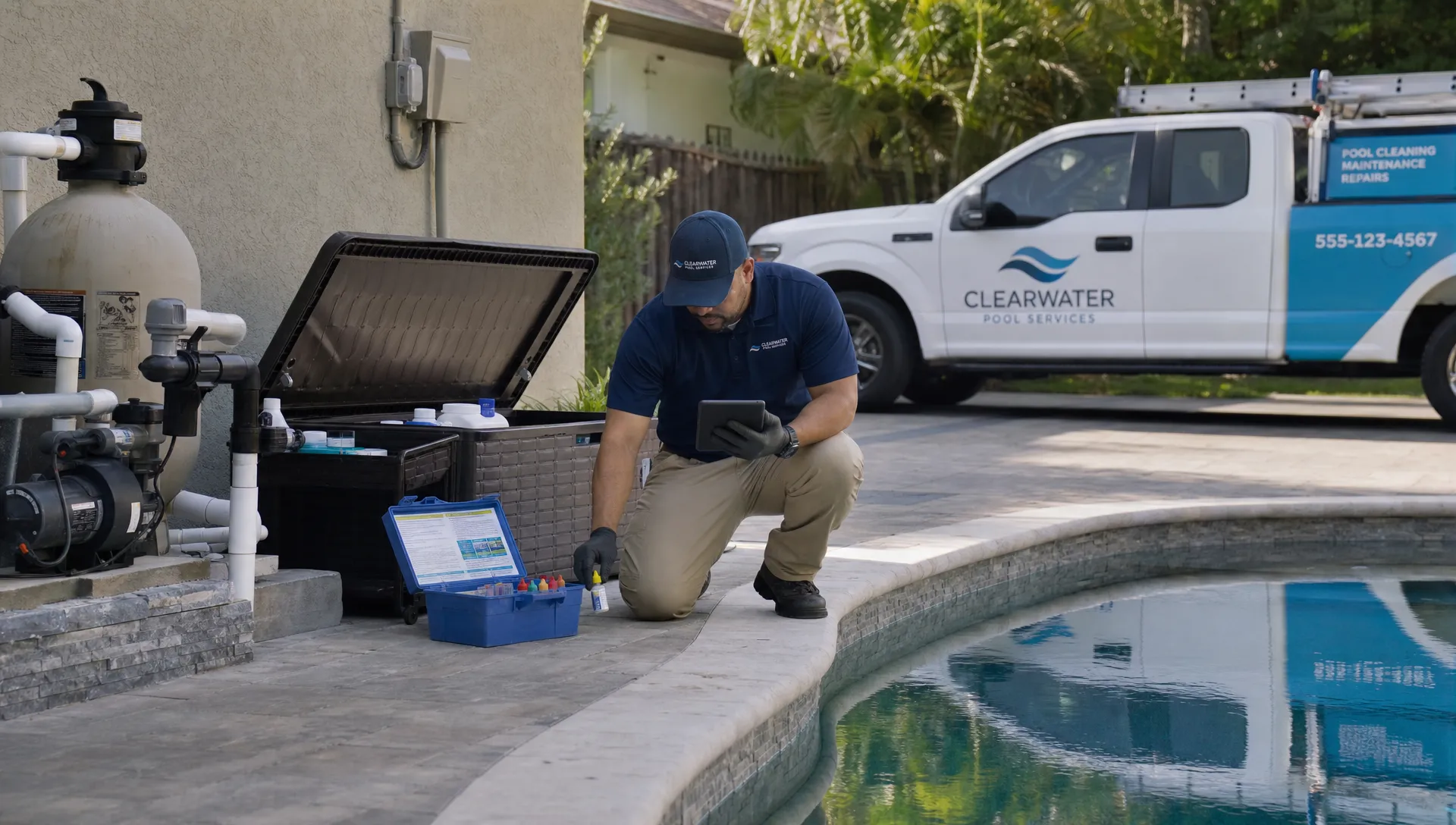
This visibility also improves customer communication. Instead of saying, “We serviced the pool,” the company can show what was done, what was observed, and what needs attention next.
Communication should become a workflow, not an interruption
Customers in 2026 expect updates. They want to know when someone is coming, what was done, whether a repair is needed, and how to pay. If they cannot get answers from your company, they will look elsewhere, ask neighbors, search online, or post questions in forums.
Customer-facing content can reduce some repetitive questions. For example, a Phoenix appliance repair blog shows how many homeowner service questions start with practical symptoms, such as refrigerator, dishwasher, washer, or garbage disposal issues. Pool companies see the same pattern with cloudy water, noisy pumps, leaks, heaters, and recurring algae.
A CRM app cannot replace good education, but it can make communication more consistent. When the customer record includes service history, photos, notes, and billing status, the office can respond with context instead of guessing.
The CRM should also reduce fragmented conversations. If one customer message is in email, another is in a technician’s text thread, and another is written on a paper route sheet, the company loses control of the customer experience. Centralized communication helps everyone see what was promised, what was approved, and what still needs follow-up.
For pool service teams, a homeowner portal can also reduce office workload by giving customers a clearer place to view service information, invoices, and updates, depending on how the company chooses to use it.
Billing should start when the work is completed, not days later
One of the most expensive gaps in a service business is the delay between completed work and collected payment.
If technicians finish jobs in the field but invoices are created later from paper notes, the office has to interpret handwriting, chase missing photos, verify parts, confirm pricing, and then send the invoice. Every delay increases the chance of errors, disputes, and slow cash flow.
A 2026 CRM app should connect field completion to billing. When a technician records the work, adds photos, updates equipment, and marks the job complete, the office should have the information needed to invoice quickly and accurately.
For larger pool repairs, financing can also matter. Homeowners may be more likely to approve necessary work when payment options are easier to understand. A CRM should support the company’s sales and service process from the initial lead or repair request through billing and payment, without forcing the team to re-enter the same data in multiple systems.
That is the larger shift: service businesses are no longer looking for isolated tools. They need connected workflows. SplashIQ’s broader approach to managing pool service and repairs reflects that need by tying customer records, scheduling, field notes, water-quality logs, equipment details, and payments into a more unified operating process.
Technician scorecards should coach, not punish
A CRM app that tracks technician performance can be powerful, but only if the data is used correctly.
Scorecards should help managers identify where support is needed. If one technician has more callbacks, the issue might be training, route difficulty, unclear checklists, equipment problems, or too many stops in a day. If another technician consistently captures complete notes and photos, that workflow can become a model for the rest of the team.
Good scorecards look at patterns, not isolated mistakes. They can help answer practical questions such as:
- Are visits being completed with the required notes and photos?
- Are certain routes generating more callbacks or complaints?
- Are technicians consistently logging water-quality readings?
- Are repair opportunities being documented and followed up?
- Are some team members overloaded compared with others?
The goal is accountability with context. A CRM should give managers enough visibility to improve the system, not just blame the person closest to the problem.
AI should assist the workflow, not hide bad data
By 2026, buyers expect software to include some level of AI or automation. That expectation is reasonable, but service teams should be cautious about tools that promise intelligence without fixing the underlying workflow.
AI is only useful when the CRM has clean, complete, and timely data. If technician notes are missing, customer records are outdated, and job outcomes are unclear, automation will not solve the problem. It may simply make bad information move faster.
For service teams, the most practical role for AI is to assist with repetitive work, surface patterns, and help teams act faster. But the foundation still has to be disciplined operations: accurate customer records, consistent field documentation, connected scheduling, and clear billing.
When evaluating a CRM app, ask whether the system makes your core workflow stronger even before any AI features are considered. If the answer is no, the technology may not solve the real bottleneck.
Red flags to watch for in CRM app demos
A polished demo can make any CRM look organized. The real test is whether the tool fits the day-to-day reality of a service company.
Watch for these red flags:
- The CRM is built mainly for sales teams and treats field service as an add-on.
- Technicians need too many taps to complete a standard visit.
- Scheduling, invoicing, and customer communication happen in separate systems.
- The app requires perfect cell service to capture field notes.
- Customer records do not connect property, equipment, photos, and visit history.
- Reports look impressive but do not help managers make operational decisions.
- The system requires heavy customization before it can handle normal service workflows.
A CRM app should simplify operations. If it requires your team to design an entire operating system around it, the implementation may become more work than the problem it was supposed to solve.
Questions to ask before choosing a CRM app
Before buying, service business owners should pressure-test the CRM against real scenarios from their company. Do not only ask what features exist. Ask how the system handles messy, everyday situations.
| Scenario to test | What to ask |
|---|---|
| A technician has no cell signal | Can they still see the route and capture notes, photos, and readings? |
| A homeowner disputes a service visit | Can the office quickly pull up photos, timestamps, notes, and history? |
| A route needs to change mid-day | Can dispatch adjust the schedule without losing context? |
| A repair opportunity is found during maintenance | Can the technician document it and trigger follow-up? |
| A new technician takes over a pool | Can they understand the property history without calling the previous tech? |
| A customer wants to pay online | Can payment be handled without creating a separate manual process? |
These questions reveal whether the CRM supports the full service loop or only one piece of it.
What this means for pool service companies
For pool service teams, the best CRM app is not just the one with contact management. It is the one that helps the business operate with less guesswork.
It should help the office schedule smarter, help technicians complete visits consistently, help managers see quality trends, help customers understand what happened, and help the company get paid faster.
That is a higher standard than old-school CRM. But it is also where the market is going. Homeowners expect professional communication. Technicians expect tools that do not slow them down. Owners need visibility without micromanaging every stop.
If a CRM app cannot connect the customer, property, route, field work, and invoice, it may not be enough for a modern service team.
Frequently Asked Questions
What is a CRM app for service teams? A CRM app for service teams is software that stores customer information and connects it to operational work such as scheduling, field notes, job history, communication, invoices, and payments.
How is a service CRM different from a sales CRM? A sales CRM focuses mainly on leads, deals, and follow-ups. A service CRM also needs to manage properties, routes, technicians, job documentation, equipment, photos, recurring visits, and billing workflows.
What should pool service companies look for in a CRM app? Pool service companies should look for customer and property records, smart route scheduling, mobile field access, offline functionality, water-quality logs, equipment tracking, photos, homeowner communication, online payments, and useful team reporting.
Why do technicians resist using CRM software? Technicians often resist CRM software when it is too slow, too complex, or not built for field conditions. A good field app should make documentation fast and useful, not feel like extra paperwork.
Does every service business need an industry-specific CRM? Not always, but industry-specific software is often easier to adopt when the business has specialized workflows. Pool service companies benefit from tools that understand routes, water testing, equipment tracking, homeowner access notes, and recurring maintenance.
Run your pool service workflow from one connected system
A CRM app in 2026 should do more than store contacts. It should help your pool service company manage the full workflow from lead to invoice, including scheduling, field operations, customer communication, service documentation, and payments.
SplashIQ is built for pool service businesses that want to replace spreadsheets, paper checklists, and scattered tools with one operating system for the office, technicians, and homeowners.