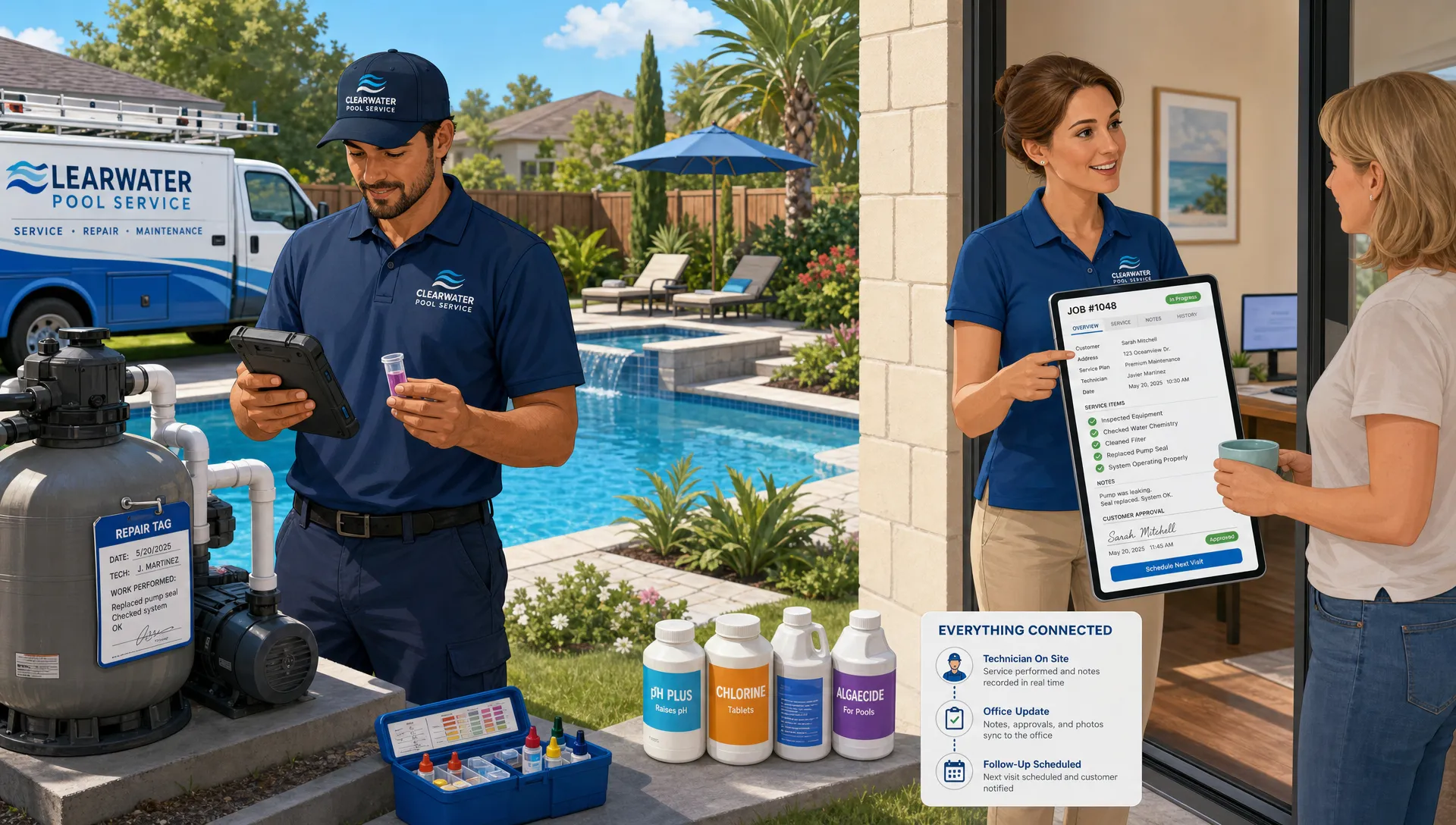
For many pool service companies, the work is not the problem. The chaos around the work is.
A technician can test water, clean a pool, spot a failing pump seal, and take care of a customer. An office manager can answer calls, schedule visits, send invoices, and follow up on approvals. But when those tasks are split across paper route sheets, text messages, spreadsheets, accounting tools, sticky notes, and memory, small details start slipping.
That is when pool service and repairs become harder than they need to be. A repair note gets buried in a technician text thread. A customer calls twice because they never received a photo. A route is built without considering drive time. A filter issue is noticed for three weeks, but no one creates the repair follow-up. The company is busy, but revenue leaks through the gaps.
A better way to manage pool service and repairs is to connect the full workflow: customer records, scheduling, field notes, water-quality logs, equipment history, approvals, billing, and homeowner communication. The goal is not just to digitize paperwork. It is to create a reliable operating system for the business.
Why the traditional pool service workflow breaks down
Most pool service companies do not start with a complex system. They start with a route, a truck, and a promise to do good work. That can work for a while. But as the business grows, the old process becomes fragile.
The common problem is not that teams lack effort. It is that information lives in too many places. Customer details may be in one spreadsheet. Gate codes may be in a technician's phone. Repair history may be in an inbox. Photos may be buried in text messages. Chemical readings may be written on paper, if they are recorded at all.
When service and repair information is scattered, every handoff creates risk. The office cannot confidently answer customer questions. Technicians do not always have the full context at the property. Owners struggle to see which routes are profitable, which repairs are pending, and which customers need attention.
There is also a timing problem. Pool service is recurring, but repairs are event-driven. A weekly maintenance visit may reveal a motor issue, a leaking filter, cracked plumbing, a heater error, or worn equipment. If that observation does not turn into a documented repair workflow quickly, the company may lose the opportunity, or worse, the issue may become an emergency call.
For companies trying to grow, lead handling adds another layer. Calls, website forms, referrals, neighborhood groups, and online conversations all create potential work. If you use channels outside your website, including community monitoring or lead-finding tools like Redditor AI, those opportunities still need to land in a single process so no estimate or follow-up gets missed.
What better management actually looks like
A better system does not make pool work more complicated. It makes the work visible, repeatable, and easier to hand off.
The ideal workflow starts before the first visit. A new lead becomes a customer record. That record includes the homeowner, property, pool details, equipment, service expectations, access instructions, and communication history. When the office schedules a visit, the technician sees the relevant context without asking someone to resend it.
During the visit, the technician logs the service performed, records water-quality readings, notes equipment condition, captures before-and-after photos, and flags anything that requires repair. The office can then review the information, communicate clearly with the homeowner, and move the repair toward approval and payment.
After the job, billing should not depend on someone retyping handwritten notes. The final invoice should connect back to the completed work. If the homeowner has a portal, they can review visit details, see photos, and pay online. If the repair is larger, homeowner financing may help reduce friction.
This connected flow matters because pool service is both operational and trust-based. Homeowners want to know their pool is safe, clean, and being watched closely. Pool companies need a process that proves the work was done and makes the next step obvious.
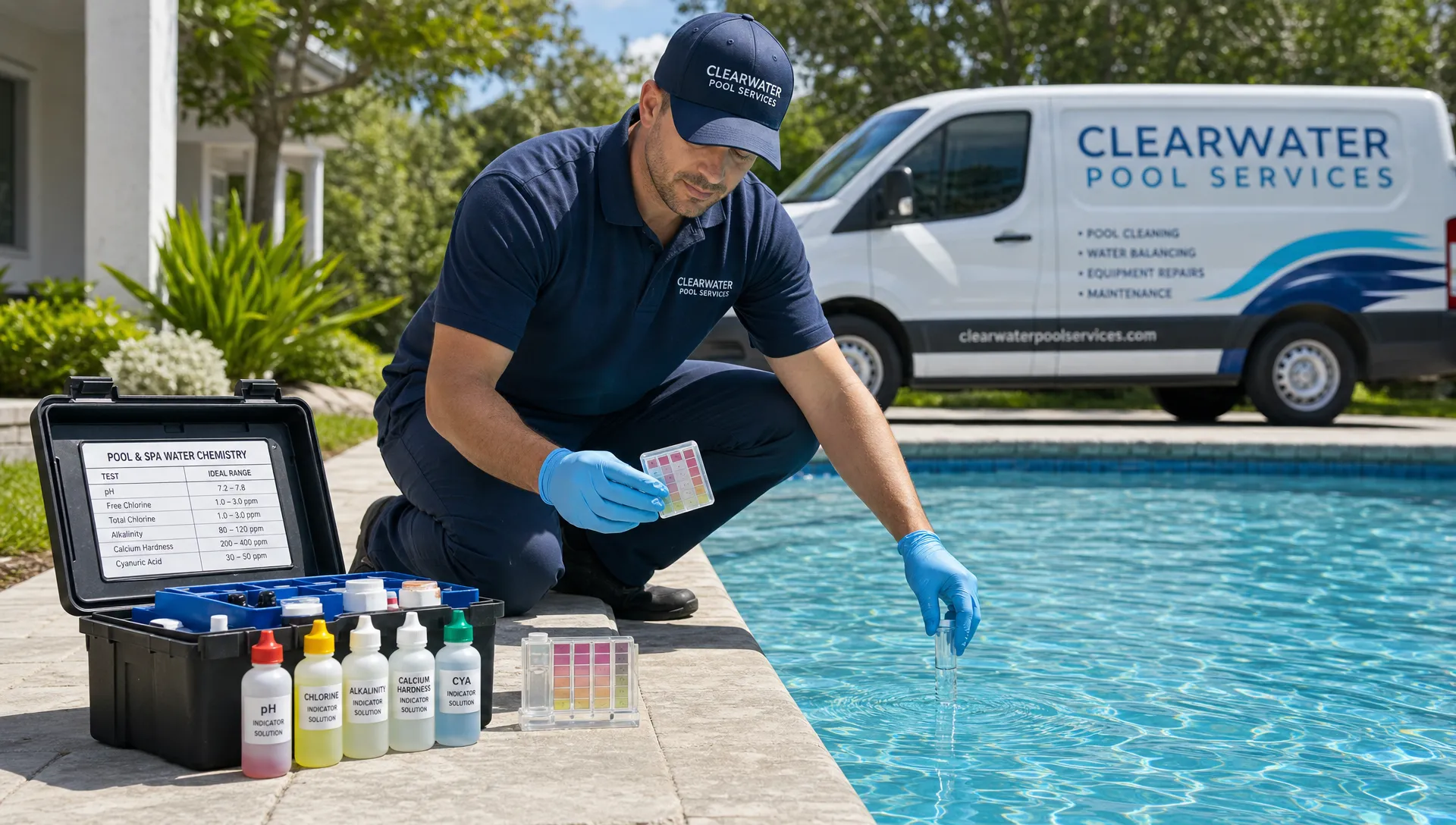
For water care in particular, recordkeeping is not just administrative. The CDC Model Aquatic Health Code emphasizes the importance of operational practices and water-quality monitoring for aquatic facilities. Residential service companies may not face the same requirements as commercial operators, but consistent water-quality logs still help teams spot trends, explain service decisions, and protect customer relationships.
The core system every pool company needs
Managing pool service and repairs well requires more than a calendar. At minimum, the business needs a connected way to manage five things: customers, routes, field work, repair follow-up, and payments.
A modern pool service operation should be able to answer simple questions quickly. Who is the customer? What equipment is on site? What happened during the last visit? Which technician was there? What readings were recorded? What repair was recommended? Was the homeowner notified? Has the invoice been paid?
If answering those questions requires searching across five tools, the process is too fragile.
This is where a pool-specific platform can make a real difference. SplashIQ brings customer CRM, smart route scheduling, water-quality logs, equipment tracking, an offline field app, homeowner communication, online payments, homeowner financing, before-and-after photos, and technician scorecards into one operating system for pool service businesses.
For example, a dedicated pool service CRM helps keep customer, property, equipment, gate code, visit history, lead, and follow-up information organized in one place. That foundation makes every downstream process cleaner, from scheduling to invoicing.
Here is the difference between a scattered workflow and a connected one:
| Area of the business | Scattered workflow | Connected workflow |
|---|---|---|
| Customer records | Details live in spreadsheets, phones, and memory | Property, contact, and service history stay organized in one system |
| Scheduling | Routes are adjusted manually and often reactively | Visits are planned with route efficiency and field context in mind |
| Service visits | Notes and photos are inconsistent | Technicians log readings, work performed, and photos during the visit |
| Repairs | Issues are mentioned in texts or delayed until a customer calls | Repair needs are documented, reviewed, and followed up on quickly |
| Billing | Invoices depend on office follow-up and manual reconciliation | Completed work can move toward homeowner billing and online payment |
| Accountability | Performance is judged mostly by complaints or owner observation | Technician scorecards create more visibility into team execution |
Service and repairs should not be managed separately
One of the biggest operational mistakes pool companies make is treating weekly service and repair work as separate worlds.
In reality, maintenance is often where repair revenue begins. A technician sees low flow, rising pressure, a noisy pump, a salt cell issue, a small leak, or air in the system. The quality of the business process determines what happens next.
If the technician simply tells the homeowner in person, the office may never know. If the technician sends a text to the owner, it may get lost. If the note is written on paper, it may not be reviewed until days later. If there is no photo, the homeowner may not understand the urgency.
A better process connects the maintenance visit directly to repair follow-up. The technician records the condition, adds photos, notes the affected equipment, and flags the issue. The office can then evaluate the next step, communicate with the homeowner, and schedule the work if approved.
This is especially valuable for issues that start small. For instance, proactive filter attention can reduce emergency calls when teams catch pressure, flow, leak, or debris problems early. If that is a recurring pain point in your business, this guide on pool filter repairs that help avoid emergency calls explains what to watch for and how early documentation helps.
The repair handoff is where profit is often won or lost
Repair work can be profitable, but only when the handoff is tight. The moment between identifying a problem and getting approval is where many companies lose momentum.
A strong repair workflow should make the next step clear. The technician identifies the issue. The office sees the note and supporting photos. The customer receives a clear explanation. The approved work gets scheduled. The completed repair gets documented. The invoice goes out promptly.
That sounds simple, but it requires discipline. The company should define what a complete repair note includes. At minimum, it should identify the equipment involved, describe the symptom, explain the recommended next step, include photos when helpful, and indicate whether the issue is urgent.
Equipment tracking is especially useful here. If the system shows the make, model, age, and service history of major components, the team has better context when discussing repair or replacement. The office can have a more informed conversation with the homeowner, and technicians can avoid rediscovering the same information on every visit.
Before-and-after photos also reduce confusion. A homeowner may not understand a written note about cracked plumbing or a dirty filter cartridge, but a clear image makes the issue easier to approve. Photos also protect the company when questions come up later about what was done.
Better scheduling means fewer fires
Scheduling pool service is harder than it looks. A route is not just a list of addresses. It is a balance of geography, technician capacity, service frequency, job type, customer expectations, weather, repair urgency, and drive time.
When scheduling is manual, the company often reacts instead of plans. A technician may cross town unnecessarily. A repair may be squeezed into the wrong day. A customer may be promised a window the team cannot realistically hit.
Smart route scheduling helps pool companies build more efficient days and reduce wasted time. For recurring maintenance, route density has a direct impact on profitability. For repairs, better scheduling helps match the right job to the right day without disrupting the entire service route.
An offline field app matters too. Pool technicians do not always have reliable service near equipment pads, backyards, rural properties, or large homes. If the field workflow depends on perfect connectivity, documentation suffers. A field app that supports offline work helps crews keep moving without falling back to paper.
Homeowner communication should be part of the workflow
Most homeowner frustration comes from uncertainty. Did the technician arrive? What was done? Were the chemicals balanced? Why is there an extra charge? What repair is needed? When will someone follow up?
Clear communication reduces calls, improves trust, and makes approvals easier. A homeowner portal can give customers a place to see visit details, photos, invoices, and payments without relying on scattered messages. It also gives the office a more consistent way to manage expectations.
This is important because pool service is often invisible work. If the homeowner is not home, they may not see the technician. Visit notes, water-quality logs, and photos help show the value of the service. Over time, that transparency can improve retention.
Online payments also remove friction. The easier it is for homeowners to pay, the faster revenue can come in. For larger jobs, offering homeowner financing can make repairs more accessible while helping the company move approved work forward.
Technician accountability without micromanagement
Pool service owners need visibility, but technicians do not want to feel watched every second. The goal is not micromanagement. The goal is a consistent standard of work.
Technician scorecards can help create that standard. When performance is visible, owners can identify coaching opportunities, recognize strong work, and spot patterns before they become customer complaints. Scorecards can also support fairer conversations because they are based on documented activity, not just isolated feedback.
The best teams use scorecards as a training tool. If one technician consistently records complete notes and another skips photos, the company can address the gap. If certain routes produce more callbacks, the owner can investigate whether the issue is scheduling, training, equipment condition, or customer expectations.
Accountability works best when the process is simple. If documenting a visit takes too long, technicians will resist it. If the app is designed around pool service work, adoption becomes much easier.
A practical roadmap for improving your operation
You do not need to fix every process in one week. The best approach is to tighten the workflow in stages, starting with the places where information gets lost most often.
Use this sequence to build a stronger operating rhythm:
- Centralize customer and property records: Make one system the source of truth for contact details, access notes, equipment, service history, and follow-ups.
- Standardize field documentation: Decide what every completed visit should include, such as service notes, water readings, photos, and repair flags.
- Define the repair handoff: Create a clear process for moving a technician observation into office review, homeowner communication, scheduling, and billing.
- Improve route planning: Review recurring routes for unnecessary drive time, overloaded days, and opportunities to group work more efficiently.
- Make payment easier: Use online payments and a consistent billing workflow so completed work turns into collected revenue faster.
- Review team performance regularly: Use technician scorecards and visit history to coach the team, improve consistency, and reduce callbacks.
The key is to build a workflow that your team can actually use. A system only works if the office and field both trust it. That means it should reduce double entry, make information easy to find, and support the way pool companies really operate.
What to look for in pool service software
If you are evaluating software for pool service and repairs, avoid choosing based only on a feature checklist. Look at the workflow.
Can a lead become a customer without retyping everything? Can the office schedule efficiently? Can technicians see property and equipment details in the field? Can they log water-quality readings and photos easily? Can repair issues be flagged from the visit? Can the homeowner understand what happened? Can billing happen without chasing paperwork?
The best software should help the whole business run more smoothly, not just one department. Office staff, technicians, owners, and homeowners all interact with the service experience. When the system supports each of them, the company becomes easier to manage.
For pool businesses, that means choosing software built around recurring service, field documentation, equipment history, repair follow-up, customer communication, and payments. Generic tools can help with parts of the job, but pool companies often outgrow them because the workflow is specific.
Frequently Asked Questions
What is the best way to manage pool service and repairs? The best approach is to use one connected workflow for customer records, scheduling, field notes, water-quality logs, equipment tracking, repair follow-up, billing, and payments. This reduces missed details and helps the office and field team stay aligned.
Why do repair opportunities get missed during routine pool service? Repair opportunities are often missed because technician observations are not documented in a structured way. If notes, photos, and equipment details are scattered across texts or paper forms, the office may not follow up quickly enough.
How can pool service companies improve homeowner communication? Companies can improve communication by sharing clear visit notes, before-and-after photos, water-quality information, repair recommendations, invoices, and payment options through a consistent homeowner experience.
Does pool service software help reduce emergency calls? It can help by making routine observations more visible. When technicians document early signs of equipment problems and the office follows up quickly, companies can address issues before they become urgent.
What should technicians document after each pool visit? A strong visit record usually includes the work completed, water-quality readings, equipment observations, repair concerns, photos when useful, and any access or customer notes that matter for future visits.
Run pool service and repairs from one connected system
If your team is still relying on spreadsheets, paper checklists, disconnected calendars, and text threads, the business is working harder than it should.
SplashIQ gives pool service companies a single operating system for CRM, smart route scheduling, water-quality logs, equipment tracking, offline field work, homeowner communication, online payments, homeowner financing, before-and-after photos, and technician scorecards.
To see how a connected workflow can help your office, technicians, and homeowners stay aligned, visit SplashIQ and explore a better way to run your pool service business.