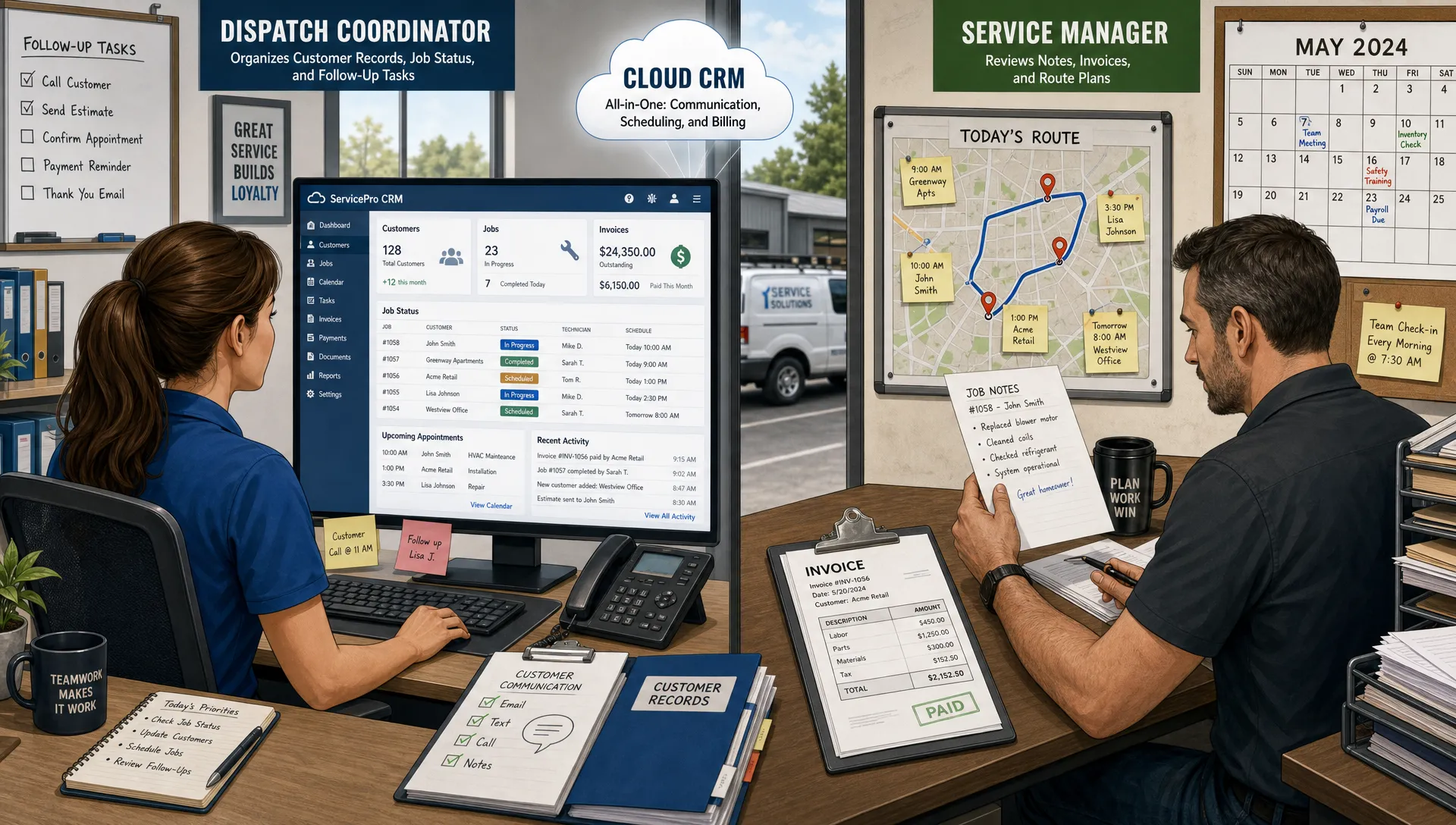
Growth is exciting until the admin load starts stealing hours from the work that actually earns revenue. A service business can often survive its first stage with spreadsheets, paper work orders, shared inboxes, and a few experienced people who remember every customer detail. But as soon as routes multiply, technicians turn over, and customers expect faster updates, those informal systems begin to crack.
That is where a cloud based CRM becomes more than a digital address book. For growing service businesses, it can become the operational center for customers, jobs, schedules, field notes, billing, and follow-up. The biggest benefits are not abstract software perks. They show up as fewer missed appointments, cleaner handoffs between office and field teams, better customer communication, and more predictable cash flow.
For pool service, HVAC, landscaping, pest control, cleaning, and other route-based companies, the right CRM should support how work actually happens: on-site, across multiple properties, often from a truck, and under time pressure.
What a cloud based CRM actually does
A cloud based CRM stores customer and operational data online instead of locking it inside one computer, one filing cabinet, or one employee's memory. Team members access the system through a web browser or mobile app, with permissions that match their roles.
The NIST definition of cloud computing describes cloud services as on-demand network access to shared computing resources. In practical terms for a service business, this means the office can update a customer's record, a technician can see the latest job details in the field, and a manager can review activity without waiting for paperwork to come back at the end of the day.
A modern CRM for service businesses often connects customer records with scheduling, job history, communication, equipment details, photos, invoices, and payments. That connection is what makes it valuable. A name and phone number are useful, but a full operational history is what helps a growing company deliver consistent service.
Why service businesses outgrow spreadsheets
Spreadsheets are flexible, familiar, and cheap. They are also fragile when many people need to update the same information quickly. The more your business grows, the more risk you carry when customer notes, route changes, chemical readings, job photos, and billing status live in separate places.
The pain usually appears in small, expensive moments. A technician arrives without the gate code. A customer calls about a recurring issue, but the office cannot find the last service note. A lead asks for a quote, but nobody follows up because it was buried in an inbox. An invoice is delayed because the job details were not entered cleanly.
| Operational area | Spreadsheet or paper workflow | Cloud based CRM workflow |
|---|---|---|
| Customer information | Scattered across files, inboxes, and staff memory | Stored in one shared customer record |
| Scheduling | Manual edits, duplicate calendars, frequent confusion | Routes and jobs updated in a shared system |
| Field notes | Paper forms or texts that need re-entry | Notes, photos, and logs captured from the field |
| Billing | Invoices depend on manual handoffs | Job completion data can support faster invoicing |
| Management visibility | Reports require manual cleanup | Activity and performance are easier to review |
The core problem is not that spreadsheets are bad. It is that they were not designed to run a mobile service operation at scale.
Cloud based CRM benefits that matter most
1. One reliable customer record
The first major benefit is centralization. Every service business depends on details that seem small until they are missing: preferred contact method, property access instructions, equipment type, service history, open estimates, payment status, and recurring issues.
When those details live in one CRM record, the team does not have to ask the same questions repeatedly or rely on the one person who knows the account. New office staff can respond faster. Technicians can arrive better prepared. Managers can spot patterns across customers instead of solving the same problem repeatedly.
For pool service companies specifically, the customer record often needs to include property details, visit history, equipment, gate codes, leads, and follow-ups. SplashIQ's pool service CRM software is designed around those operational details, so customer information is tied to the realities of field service rather than treated as a simple contact list.
2. Faster lead response and follow-up
Growing companies do not only lose money from bad service. They also lose money from slow follow-up. When inquiries come in through phone calls, emails, website forms, referrals, and messages, it is easy for leads to disappear.
A cloud CRM helps by giving the team a shared place to capture leads, assign next steps, and track status. The owner can see whether a quote was sent. The office can schedule reminders. A salesperson or manager can review open opportunities without digging through inboxes.
Speed matters because many service customers contact multiple providers. If your team responds while the need is fresh and the next action is clear, you improve the odds of winning the job without relying on memory or luck.
3. Better scheduling and route coordination
Scheduling is where growth gets complicated. More customers create more route density, but they also create more exceptions: weather delays, urgent repairs, absent homeowners, locked gates, staff callouts, and last-minute add-ons.
A cloud based CRM that connects customer records with scheduling gives dispatchers and managers a clearer view of the day. Instead of updating a calendar in one place and texting job details separately, teams can coordinate around the same information. When routes change, everyone has a better chance of seeing the update before it becomes a missed visit.
For route-based businesses, this is especially important because time lost between jobs compounds quickly. A few inefficient stops each day can become hours of lost capacity every week.
4. Cleaner field documentation
Field service work depends on proof. Customers want to know the job was done. Managers want to know what happened on-site. Technicians need a simple way to document conditions without spending their evening on admin.
A cloud CRM can support field documentation through notes, photos, logs, and job completion records. In a pool service business, that might mean water-quality logs, before-and-after photos, equipment observations, and visit history. In HVAC or pest control, it might mean system notes, treatment records, parts used, or recommended follow-ups.
The key benefit is reducing the gap between the job being completed and the office knowing what happened. When field data is captured where the work happens, customers get better answers and billing can move faster.

5. A more consistent customer experience
Customers judge service companies on reliability as much as technical skill. They want appointments to be clear, billing to be simple, and communication to feel professional. A CRM helps create that consistency by giving the team access to the same context.
If a homeowner calls about a previous visit, the office should be able to see what happened. If a technician notices an equipment issue, the company should be able to communicate next steps without losing the detail. If a customer needs to pay, the payment process should not require multiple reminders and manual reconciliation.
Consistency becomes harder as the business grows because customers interact with more people. A cloud CRM reduces the odds that service quality depends on which employee answers the phone.
6. Stronger cash flow and fewer billing delays
Billing problems often start upstream. If job completion is unclear, if photos are missing, or if notes have to be retyped, invoices slow down. A CRM that connects service records to billing workflows can help the office move from completed work to customer payment with less friction.
For service businesses, faster billing is not only an accounting improvement. It affects payroll, inventory, vehicle costs, growth planning, and owner stress. Online payments can also make it easier for customers to act immediately instead of waiting to mail a check or call during office hours.
The CRM does not replace financial discipline, but it gives your team cleaner operational data to support that discipline.
7. Better accountability without micromanagement
As a business adds technicians, managers need visibility into work quality, route completion, customer issues, and follow-up. Without a system, accountability can feel personal and reactive. With a CRM, it becomes more objective.
Technician scorecards, service history, photo documentation, and completion records can help leaders identify coaching opportunities. The goal is not to watch every move. The goal is to understand where processes are working and where the team needs support.
For example, if callbacks are increasing on one route, the issue might be training, route overload, unclear job notes, or equipment problems. A shared CRM gives managers a better chance of diagnosing the cause instead of guessing.
8. Easier scaling across teams and locations
A business that depends on tribal knowledge is hard to scale. Every new technician requires more shadowing. Every new office hire has to learn where information is hidden. Every new route increases the chance that something falls through the cracks.
Cloud based CRM systems make growth more repeatable because they turn daily operating habits into shared workflows. Customer intake, scheduling, service documentation, follow-up, billing, and reporting become less dependent on one person's memory.
This matters even more if you plan to expand into new service areas, add managers, or prepare the business for acquisition. Buyers and senior leaders value companies that can prove how work gets done.
What to look for in a cloud based CRM for service businesses
Not every CRM fits field service. Many general CRMs were built for sales teams that spend most of their day at a desk. A growing service business needs customer management, but it also needs operational depth.
| Evaluation area | Why it matters for service businesses |
|---|---|
| Mobile field access | Technicians need job details and documentation tools while on-site |
| Offline capability | Field teams may work in areas with weak or inconsistent signal |
| Scheduling and routes | Daily efficiency depends on clear dispatching and route coordination |
| Service history | Repeat visits require context from past work |
| Photos and logs | Visual proof and structured records reduce disputes and confusion |
| Payments | Easier payment options can shorten the time from service to cash |
| Customer communication | Homeowners or clients expect timely updates and clear next steps |
| Reporting | Managers need visibility into performance, workload, and follow-up |
The right choice depends on the business model. A residential pool service company has different needs than a commercial HVAC contractor. The CRM should match your workflow closely enough that employees see it as a tool that helps them, not as extra admin.
Implementation matters as much as software selection
The benefits of a cloud based CRM only appear when the team uses it consistently. A messy implementation can turn good software into another abandoned tool.
Start by defining the few workflows that matter most. For many service businesses, those are lead capture, scheduling, job completion, customer communication, and billing. Then clean up core customer data before migration. It is better to move accurate, useful information than to import years of duplicate or outdated records.
Training should focus on daily habits rather than every feature. Office staff should know how to update customer records, assign follow-ups, and review schedules. Technicians should know exactly what to check before a visit, what to record during the job, and what counts as complete documentation.
Adoption is especially important as more tools add AI-assisted features. If recommendations, automations, or summaries are introduced without trust and clear workflow fit, employees may ignore them. For teams building or rolling out AI-enabled operational tools, the AI Product Adoption Deck offers a useful framework for thinking through trust, retention, and the moments where adoption breaks.
A CRM rollout should feel like a practical operations upgrade, not a technology project for its own sake.
Cloud based CRM benefits by growth stage
A small business and a multi-route operation may use the same CRM differently. The value changes as the company matures.
| Growth stage | Common pain point | CRM benefit |
|---|---|---|
| Owner-operator | Too much information lives in the owner's head | Creates a central record for customers and jobs |
| First hires | New staff need context and consistency | Standardizes notes, schedules, and follow-up |
| Multiple routes | Dispatching and documentation become harder | Improves coordination between office and field |
| Growing customer base | Communication and billing delays increase | Supports faster updates, cleaner records, and payments |
| Management layer | Leaders need performance visibility | Provides reporting, scorecards, and service history |
This is why many companies wait too long. The best time to implement a CRM is before the operation becomes chaotic, not after. A clean system gives the business room to grow without turning every new customer into more administrative strain.
Common mistakes to avoid
The first mistake is choosing a CRM based only on price. Low-cost tools can be useful, but a poor fit often creates hidden costs through manual workarounds, duplicate data entry, and low adoption.
The second mistake is migrating bad data without cleaning it. Duplicate customers, old addresses, inconsistent naming, and incomplete records make the new system feel unreliable from day one.
The third mistake is overcomplicating the rollout. A growing service business does not need to use every feature immediately. It needs a clear operating rhythm. Start with the workflows that reduce missed work, improve communication, and speed up payment. Add more sophistication once the team has built good habits.
The fourth mistake is ignoring the field team. If technicians see the CRM as a burden, documentation quality will suffer. If they see that it gives them accurate job details, fewer unnecessary calls, and less end-of-day paperwork, adoption becomes much easier.
Frequently Asked Questions
Is a cloud based CRM worth it for a small service business? Yes, if the business is already struggling with missed follow-ups, scattered customer notes, scheduling confusion, or billing delays. A small team may not need a complex system, but it does need reliable customer and job records before growth makes the problem harder to fix.
How is a cloud based CRM different from scheduling software? Scheduling software focuses mainly on appointments, calendars, and dispatching. A CRM connects scheduling to customer records, service history, communication, follow-up, and often billing or payments. For service businesses, the connection between these workflows is where much of the value comes from.
What data should be moved into a CRM first? Start with active customers, properties or service locations, contact details, recurring service schedules, open leads, unpaid invoices, key service notes, and any access or equipment information technicians need before arriving on-site.
Can field technicians use a cloud CRM when internet service is weak? Some platforms include offline field functionality, while others require a live connection. If your team works in areas with poor signal, offline access should be a major buying criterion.
How long does it take to see results from a CRM? Many teams see early improvements once customer records, schedules, and job notes are centralized. Larger benefits, such as cleaner reporting and better performance management, usually depend on consistent usage over time.
Run your service business with less operational drag
A cloud based CRM gives growing service businesses the structure they need to move faster without losing control. It centralizes customer information, improves scheduling, strengthens field documentation, supports better communication, and helps teams turn completed work into revenue more efficiently.
If you run a pool service company, SplashIQ brings CRM, smart route scheduling, water-quality logs, equipment tracking, an offline field app, homeowner communication, online payments, and technician scorecards into one operating system built for pool service workflows.