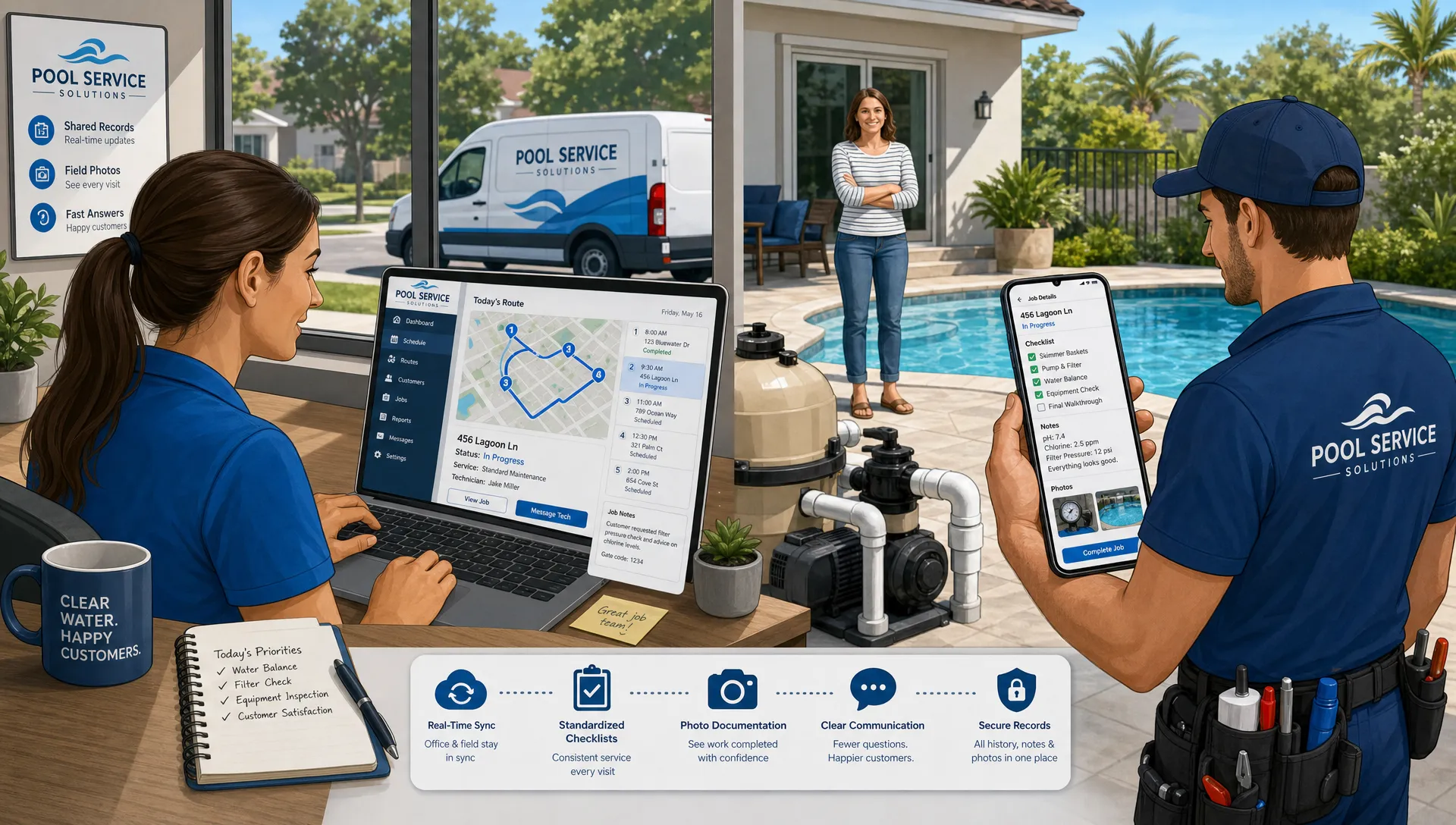
Field teams do not lose time only because a route is long or a job is complicated. They lose time when the office has one version of the truth, the technician has another, and the customer is waiting for an answer that nobody can confirm quickly.
That is why cloud based CRM software has become such a strong fit for field service companies. For pool service teams in particular, the customer record is not just a name, phone number, and invoice history. It is the property, gate access, pool equipment, water readings, service photos, recurring tasks, open issues, and the next promised follow-up.
When that information lives in the cloud and is usable from the field, teams can make better decisions at the job site. When it is paired with high contrast app interfaces and AI powered field notes, technicians can also produce clearer documentation with less friction, even when they are working in bright sun, tight equipment pads, and back-to-back service windows.
Cloud based CRM software is built for moving work
A traditional CRM was designed around office users. It helped sales, support, and admin teams manage contact records from a desk. Field service work is different. The work happens in driveways, backyards, truck cabs, pump rooms, and equipment closets. A CRM has to travel with the technician.
Cloud computing, as defined by NIST, is built around on-demand network access to shared computing resources. In plain terms, that means the data does not need to sit on one office computer or in one local file. Authorized users can access the current version from wherever work is happening.
For a field team, that shift matters because the day changes constantly. A customer calls with a gate code update. A dispatcher rearranges routes after an emergency repair. A technician adds a photo of a cracked filter tank. The office needs that information now, not at the end of the day when a paper checklist gets dropped on a desk.
Cloud CRM turns the customer record into a shared operating record. Instead of asking, “Who has the latest note?” the team can ask, “What should happen next?”
Why field teams outgrow spreadsheets and paper checklists
Spreadsheets and paper can work when a company is small, routes are simple, and the owner remembers every pool. The problem is that field service knowledge becomes fragile as soon as the team grows.
A spreadsheet can show that a stop exists, but it usually does not give the technician the full field context. A paper checklist can prove that a visit happened, but it may not connect the work to equipment history, chemical trends, photos, or billing. A group text can solve an urgent question, but it is hard to search months later when a homeowner asks, “When did you first notice this issue?”
Pool service companies need more than a general contact database. A purpose-built system should connect customers, properties, equipment, visits, notes, and follow-ups in one place, which is why SplashIQ’s pool service CRM software is designed around the way pool companies actually operate.
The real cost of disconnected systems is not only admin time. It is inconsistent service quality. One technician documents a visit in detail. Another writes a short note that only they understand. One office user updates an address. Another keeps using the old route sheet. Over time, these small inconsistencies create customer confusion and make it harder to manage quality at scale.
What field teams gain from a cloud CRM
The strongest CRM systems for field teams do not simply store data. They improve the rhythm of the workday. For pool service businesses, that means helping the office, technicians, and homeowners stay aligned from the first lead to the final invoice.
One record for the customer, property, and service history
Field teams need property-specific information. Two customers may have the same billing contact but different pools, equipment setups, access instructions, and service histories. A cloud CRM helps keep that context connected so the technician is not relying on memory or a printed note from last month.
This matters when a tech is standing beside the pool and needs to know which pump was installed, what the last chlorine reading was, whether the heater has had repeat issues, or what was promised during the last customer call. The faster the technician can see the history, the better they can explain the next step.
Route and schedule updates without phone tag
Field service schedules change. Weather, traffic, locked gates, sick technicians, and emergency repairs can all force the office to adjust the plan. If route changes live in a whiteboard or static spreadsheet, everyone has to be manually updated.
Cloud based CRM software with scheduling support helps reduce that coordination burden. When dispatchers adjust a route, field users can work from the updated schedule instead of relying on a morning printout. The result is fewer missed updates and less time spent calling the office for clarification.
Better documentation at the point of service
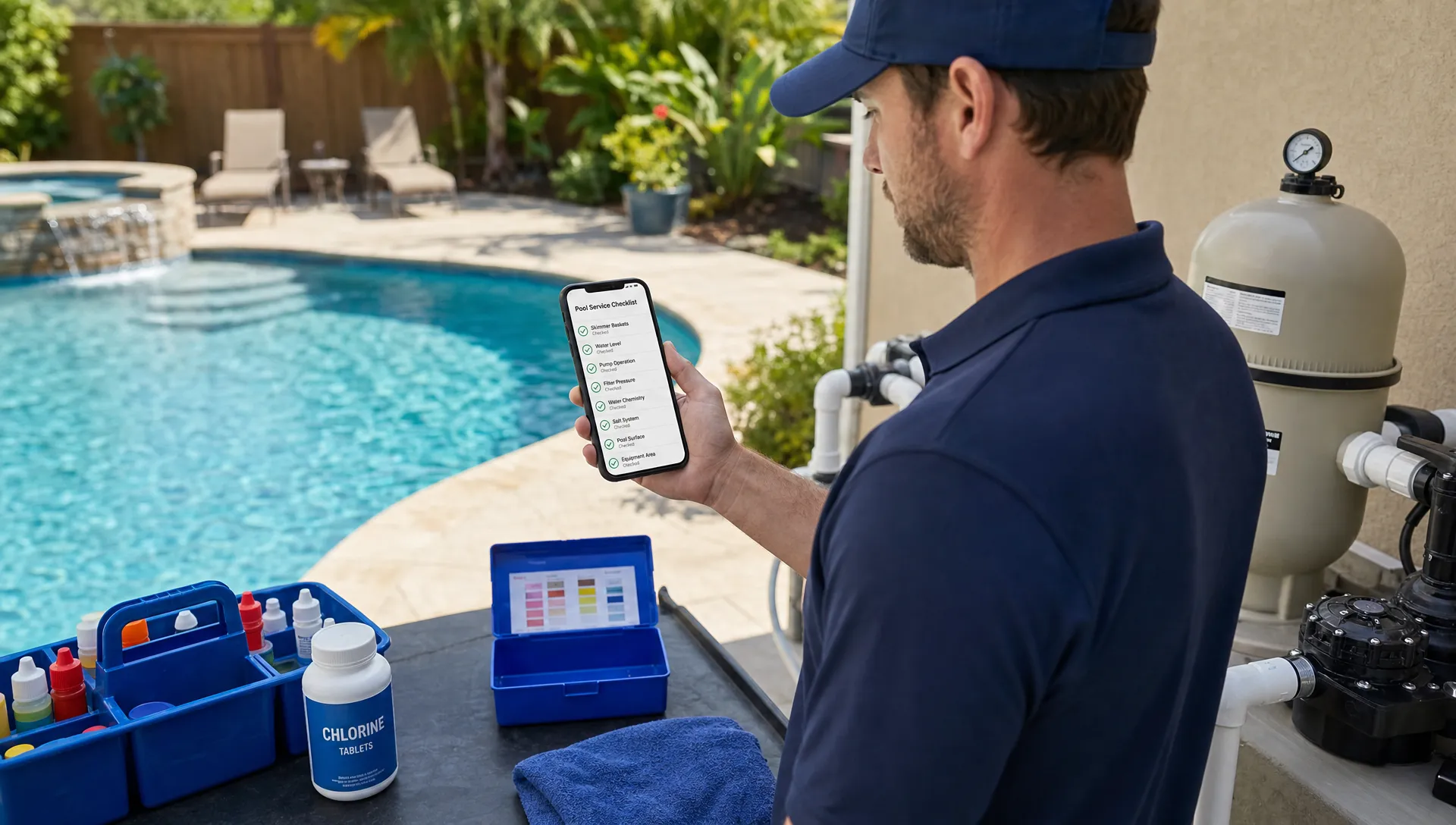
Documentation is strongest when it is captured while the work is still fresh. For pool service, that can include water-quality logs, before and after photos, equipment notes, and customer-facing explanations. If technicians have to wait until the end of the day, details get compressed, forgotten, or written in shorthand that is hard for the office to interpret.
A cloud CRM lets documentation happen at the job site, where the evidence is visible. A technician can record readings, attach photos, log equipment details, and leave a note before moving to the next stop. That creates a cleaner handoff to billing, customer communication, and future service visits.
High contrast interfaces are a field quality feature
High contrast app design is often discussed as an accessibility topic, but for field teams it is also an operational quality feature. Technicians are not using software in a controlled office environment. They may be looking at a phone in direct sunlight, wearing gloves, standing near reflective water, or trying to finish a checklist before the next appointment.
The WCAG guidance on contrast exists because contrast affects readability. In field service, readability affects execution. If a technician cannot quickly distinguish labels, buttons, warnings, or required fields, the app becomes a source of friction.
A high contrast field interface can help teams by making key information easier to see in real-world conditions. That includes the next stop, access instructions, service tasks, chemical readings, required photos, and submit buttons. The goal is not to make the app look flashy. The goal is to make the right action obvious.
For owners and operations managers, this is worth paying attention to during software evaluation. A CRM that looks clean on a laptop demo may not perform well on a phone beside a bright pool deck. Field usability should be tested in the conditions where the team actually works.
AI powered field notes improve the quality of documentation
Field notes are one of the most valuable parts of a service record, but they are also one of the hardest to standardize. Technicians vary in writing style, speed, and comfort with documentation. Some write detailed notes. Others write fragments that make sense only in the moment.
AI powered field notes can help close that gap when they are implemented responsibly. The goal is not to replace technician judgment. The goal is to help technicians turn quick observations into clear, structured records that the office and homeowner can understand.
For example, a rough note like “pump loud, baskets packed, psi high, advised clean” can be turned into a more useful service summary: “Technician observed unusual pump noise, clogged baskets, and elevated filter pressure. Customer was advised that cleaning and further inspection may be needed.” The technician should still review and approve the note, but the AI assistance can make the final record easier to read.
AI powered notes can also support consistency. If the company wants every equipment issue documented with the observed problem, action taken, customer recommendation, and follow-up need, the note-taking workflow can encourage that structure. Over time, better notes create better service history, better customer communication, and better coaching data for managers.
| Field reality | What the CRM should support | Quality impact |
|---|---|---|
| Bright sun and outdoor work | High contrast mobile screens and clear task states | Technicians can read and complete work faster with fewer missed fields |
| Fast-moving service routes | Cloud access to current schedules, notes, and property details | Teams rely less on calls, texts, and outdated printouts |
| Complex pool equipment | Equipment tracking, service history, and photo documentation | Future visits start with better context |
| Short technician notes | AI assisted structure and human review | Records become clearer for the office and homeowner |
| Billing after field work | Connected visit records, photos, and payments | Invoices are easier to explain and support |
Better service quality becomes measurable
A major advantage of moving field operations into the cloud is that quality becomes easier to measure. Paper checklists can tell you that work was completed. A connected system can show patterns.
Managers can review whether visits include water-quality logs, whether photos are being captured, whether follow-ups are completed, and whether specific equipment problems are recurring. If the business uses technician scorecards, those records can support coaching conversations based on real field activity rather than vague impressions.
This is especially important for pool companies because service quality is visible to homeowners. Water clarity, equipment performance, communication speed, and billing accuracy all affect trust. Better documentation helps the company show what happened, not just say that it happened.
| Quality area | What to track | Why it matters |
|---|---|---|
| Visit completion | Completed tasks, timestamps, and notes | Confirms that scheduled work was performed |
| Water care | Chemical readings and service recommendations | Builds a history of pool health over time |
| Equipment | Repairs, parts, photos, and recurring issues | Helps diagnose problems across multiple visits |
| Communication | Customer notes, follow-ups, and portal updates | Reduces misunderstandings and missed promises |
| Payment workflow | Invoices, approvals, and online payments | Shortens the path from completed work to collected revenue |
The point is not to monitor technicians for the sake of monitoring. The point is to create a feedback loop. If documentation is thin, managers can coach. If certain stops repeatedly run long, routes can be adjusted. If homeowners ask the same questions after every visit, the customer-facing summary can be improved.
What to look for in a CRM for field teams
Not every CRM that says “mobile” is ready for field service. A mobile-responsive contact database is not the same as an operating system for field work. Before choosing software, field service owners should evaluate how the system performs during the actual workday.
Look for capabilities that connect the office and the field without adding unnecessary admin work:
- Customer and property records that include service history, access details, and follow-ups.
- Scheduling that supports route changes and field visibility.
- Water-quality logs, photos, and equipment tracking for stronger documentation.
- Offline field access for areas with weak connectivity.
- Homeowner communication and payment tools that connect back to the service record.
- Interfaces that are easy to read outdoors, including high contrast screens and clear required actions.
- Note workflows that help technicians create consistent, homeowner-ready documentation.
The best test is simple: can a technician open the app at a stop and understand what to do, what happened last time, what needs to be documented, and what the customer needs to know next? If the answer is yes, the CRM is supporting the field team. If the answer is no, the software may be creating another admin layer.
Where SplashIQ fits for pool service companies
SplashIQ is built as an operating system for pool service businesses, bringing CRM, smart route scheduling, water-quality logging, equipment tracking, an offline field app, homeowner billing, online payments, homeowner financing, before and after photos, and technician scorecards into one workflow.
That combination matters because pool service work does not happen in separate departments. A lead becomes a customer. A customer has a property. A property has equipment. A technician performs a visit. That visit creates notes, photos, readings, recommendations, invoices, and future follow-ups.
When those pieces stay connected, the team can deliver a more professional customer experience without forcing the office to chase information from five different places.
Frequently Asked Questions
What is cloud based CRM software for field teams? It is CRM software that stores customer and service information in a cloud system so authorized office and field users can access current records from different locations. For field teams, it typically supports mobile access, scheduling, notes, photos, and service history.
Why is cloud CRM better than spreadsheets for pool service companies? Spreadsheets can track basic information, but they are hard to maintain across office staff, technicians, routes, equipment records, photos, and billing. A cloud CRM keeps more of the workflow connected and makes the latest information available to the team.
Do field teams still need offline access? Yes. Cloud software is valuable, but field teams often work in areas with weak signal. An offline field app helps technicians keep working when connectivity drops and sync information when access returns.
How do AI powered field notes help technicians? AI powered field notes can turn short technician observations into clearer, more structured summaries. The technician should review the final note, but AI assistance can improve consistency and make documentation easier for the office and homeowner to understand.
What should pool service companies prioritize when choosing a CRM? Prioritize field usability, property and equipment history, route scheduling, water-quality logs, photos, offline access, customer communication, and payment workflows. The CRM should make the technician’s job easier while giving the office better visibility.
Run your field team from one connected system
If your pool service business is outgrowing spreadsheets, paper checklists, and scattered text threads, it may be time to move to software built for the full service workflow. SplashIQ helps pool companies connect CRM, scheduling, field operations, customer communication, and payments so teams can deliver cleaner documentation and more consistent service from the office to the backyard.