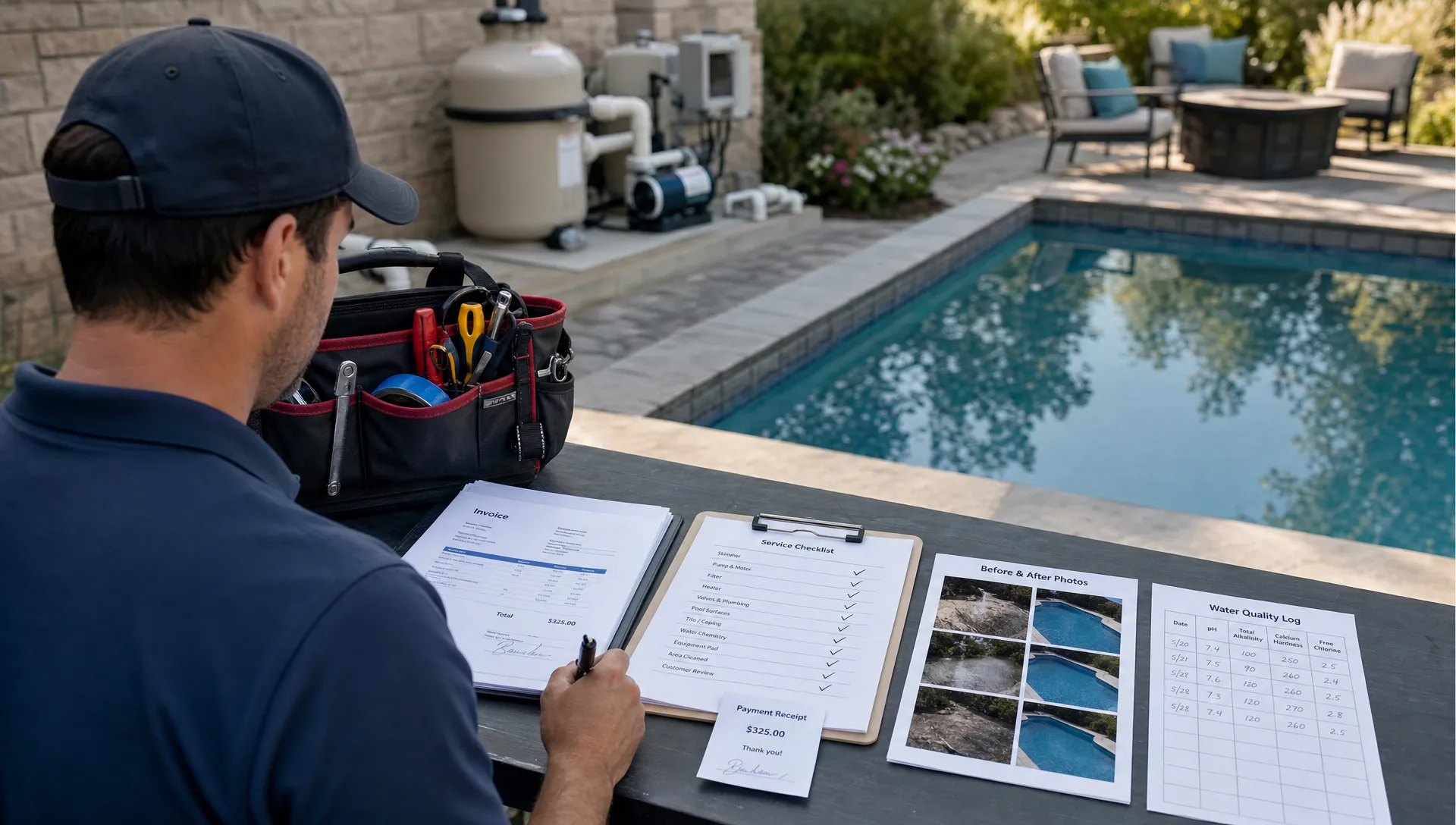
Pool service companies rarely lose control in one dramatic moment. It usually happens through small handoffs spread across too many tools.
A lead comes in through a form. The office adds the homeowner to a spreadsheet. The route lives in a calendar. A technician texts photos from the driveway. Chemistry readings sit on a paper checklist. An invoice gets created later, after someone reconstructs what happened from memory.
Each tool may work on its own. The problem is the switching. When your team has to jump between apps to answer a simple question, the business slows down and mistakes become easier to miss. All-in-one pool service software solves that by giving the office, field team and homeowner one shared operating workflow instead of a patchwork of disconnected systems.
Why app switching is so expensive in a pool service business
App switching creates a real productivity cost. The American Psychological Association describes this as task switching costs, the mental friction that shows up when people move back and forth between tasks. In pool service, the cost is not just cognitive. It becomes operational.
A technician is not sitting at a desk with unlimited time to reconcile notes. They are moving from house to house, dealing with gates, pets, equipment pads, variable cell service, chemical readings and homeowner questions. If they need one app for the route, another for notes, another for pictures, another for equipment history and another for payment status, every visit gets heavier than it needs to be.
The office feels the same drag. When a homeowner calls about a missed service notification or a pump quote, the answer may be split between text messages, a CRM, a calendar, an email inbox and a billing system. That makes the company look less organized even when the work was done correctly.
You can see this frustration in trade and small business communities too. Reddit threads in places like r/smallbusiness and field service searches often include owners asking how to replace spreadsheets, calendars, notes apps and payment tools with something their crews will actually use. Reddit is not a formal research source, but it is useful because business owners describe the operational pain in plain language: too many tabs, duplicate entry, lost customer history and no reliable source of truth.
| Disconnected app stack | All-in-one pool service workflow |
|---|---|
| Customer details in a spreadsheet | Customer, property and visit history in one record |
| Routes built in a calendar | Route scheduling connected to field work |
| Chemistry logs on paper or in notes | Water-quality logs attached to each visit |
| Photos sent by text | Before and after photos stored with the job |
| Invoices created from memory | Billing tied to completed service work |
| Homeowner updates handled manually | Arrival and service notifications built into the workflow |
What all-in-one pool service software should actually connect
The phrase all-in-one can sound broad, so it helps to define it by workflow instead of feature count. Good pool service software should connect the work that already happens every day: lead intake, customer records, routing, service visits, equipment notes, homeowner communication, billing and payments.
That does not mean every company needs every feature on day one. A solo operator and a multi-route team have different levels of complexity. But both need clean handoffs. When a lead turns into a customer, the property details should not be retyped. When a visit is completed, the office should not have to chase the technician for photos. When a homeowner asks what was done, the answer should be easy to find.
For pool companies, the most important connected pieces usually include:
- CRM records for homeowners, properties, gate codes, service preferences and follow-ups
- Smart route scheduling that reflects how field teams actually move through neighborhoods
- Water-quality logs, service notes, equipment tracking and photos captured during the visit
- Homeowner notifications, homeowner portal access and communication history
- Invoicing, online payments and financing options tied to the customer workflow
- Offline field access for routes where cell service is unreliable
- Technician scorecards so managers can coach consistency across routes
SplashIQ was built around this kind of connected operating model. If you are comparing options for a route-based team, the product page for pool service software for route-based pool companies gives a clear view of how scheduling, field operations and homeowner communication fit together.
Follow the work from first lead to final payment
The value of all-in-one pool service software becomes clearer when you follow one job through the business.
A homeowner reaches out after buying a house with a neglected pool. In a disconnected setup, that lead may start in email, move to a spreadsheet, get scheduled in a calendar and then become a text thread with the technician. If the homeowner approves weekly service plus a filter cleaning, someone still has to make sure that approval becomes a scheduled job, a completed field visit and an invoice.
In a connected workflow, the lead becomes a customer record. The office can attach the property, equipment details, service plan and follow-up tasks. The visit lands on the route. The technician sees what matters before arriving, logs the water quality, records equipment notes and captures photos. The homeowner receives the right notification. The office has the information needed to bill without rebuilding the story later.
That flow matters because pool service is repetitive by nature, but it is not generic. Two customers may both receive weekly service, yet their property access, equipment age, chemical history and repair opportunities can be completely different. Software that only stores the calendar misses much of the business context.
CRM is the backbone, not just a contact list
For many contractors, CRM software becomes useful when the business grows beyond what the owner can personally remember. Jobber makes a similar point in its field service CRM guide, where customer history, follow-ups and job context are treated as part of scaling a service business, not just sales administration.
Pool companies have an even stronger reason to take CRM seriously because each customer record is tied to a physical property. A homeowner profile alone is not enough. The business also needs property notes, equipment records, recurring service history, gate codes, chemical trends, photos and open follow-ups.
This is where a pool-specific CRM has an advantage over a generic contact database. A generic CRM may track leads and calls, but it rarely understands that a single homeowner may have multiple properties, each with different equipment, service frequency and access instructions. SplashIQ's pool service CRM software is designed around those relationships, which helps keep customer and property context available to both the office and field team.
The data you stop losing when the tools are connected
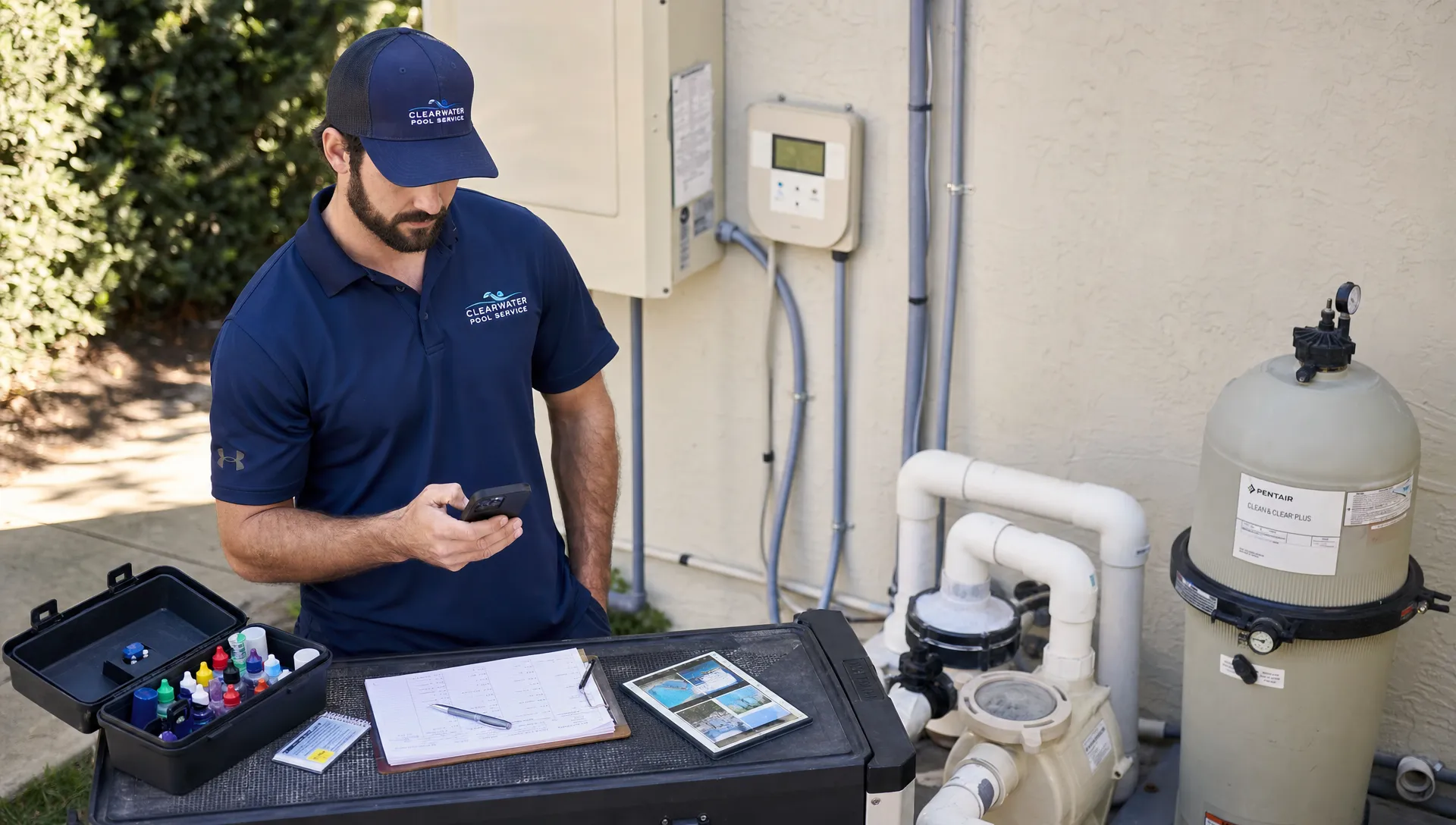
The largest benefit of eliminating app switching is not just saving clicks. It is keeping operational data from leaking out of the business.
Photos stuck in a technician's text messages are hard to use later. Paper chemistry logs may never reach the office. Equipment notes buried in a notes app do not help the next technician. A homeowner's approval in an email thread can be missed when the invoice is prepared.
When all of those items live inside the same service workflow, they become usable business information. Managers can spot recurring service issues, verify what happened on site, coach technicians and follow up on repair opportunities. Homeowners get clearer communication because the team is not piecing together answers from scattered systems.
This is especially important as a pool service business adds routes. One owner can keep a surprising amount in their head for the first few dozen accounts. Once there are multiple technicians, seasonal surges and more repair work, memory stops being a system. A shared record becomes the system.
How all-in-one software helps teams scale without adding office chaos
Growth does not only mean more customers. It means more handoffs. Every new technician, neighborhood, service plan and repair quote creates another chance for information to fall between tools.
Contractor growth articles often make the same core point: scaling requires repeatable processes, not just more labor. CRM and field service software help when they turn individual owner knowledge into team-wide workflows. For a pool business, that means the office can schedule confidently, technicians can complete visits consistently and homeowners can receive timely updates without every message being typed by hand.
The difference shows up in everyday situations:
- A new technician can follow standardized visit steps instead of relying on tribal knowledge
- The office can answer homeowner questions without interrupting the person in the field
- Repair recommendations can be tied to equipment history and photos
- Route changes can be managed without rebuilding the whole day manually
- Billing can happen closer to the completed work because the visit record is complete
If your biggest bottleneck is routes plus billing, SplashIQ has a deeper breakdown of how those pieces connect in pool service software for teams that need routes and billing.
What to compare before replacing your app stack
Switching software is not only a feature decision. It is an operating decision. The right platform should reduce admin work for the office while making life easier for technicians. If the field app is clunky, adoption will suffer. If the office view is incomplete, the team will keep using spreadsheets on the side.
Use the evaluation process to test real workflows, not demo highlights. Bring examples from your own business: a green pool cleanup, a weekly service visit with special access notes, a repair recommendation, a homeowner billing question and a route change during a busy day.
| Evaluation area | What to look for | Why it matters |
|---|---|---|
| Field usability | Fast mobile workflows, offline access and simple visit completion | Technicians will not adopt software that slows down the route |
| Customer records | Homeowner, property, equipment and visit history in one place | The office needs full context when customers call |
| Route scheduling | Scheduling that supports route density and day-to-day changes | Efficient routes protect margins and technician time |
| Service documentation | Water-quality logs, notes and before and after photos | Better records reduce disputes and improve continuity |
| Homeowner communication | Arrival notifications, service updates and portal access | Proactive updates reduce manual calls and texts |
| Payments | Online payments and billing workflows tied to service completion | Faster, cleaner billing improves cash flow |
| Management visibility | Technician scorecards and consistent service data | Owners can coach the team instead of guessing |
If you are already comparing vendors, a structured checklist helps prevent shiny-feature decisions. The pool service software buyer checklist is useful for organizing demo questions around field workflows, homeowner communication, billing and migration.
Signs your pool company has outgrown disconnected apps
Some companies can operate with basic tools for a while. The warning signs appear when the owner or office team becomes the glue holding every process together.
You may be ready for all-in-one pool service software if technicians regularly ask where to find customer details, homeowners call before the office knows a visit was completed or invoices are delayed because service notes are incomplete. Another sign is when you keep adding new apps to fix small problems, but each new app creates another place to check.
A practical test is to choose one customer and answer these questions in less than two minutes: What equipment is on site? When was the last visit? What were the most recent chemical readings? Are there photos? Is there an open repair recommendation? Has the homeowner paid the latest invoice? If those answers require several systems and messages, the team does not have a workflow problem alone. It has a visibility problem.
Frequently Asked Questions
What is all-in-one pool service software? All-in-one pool service software connects the main workflows of a pool service business, including CRM, scheduling, route management, field service notes, water-quality logs, equipment tracking, homeowner communication, billing and payments.
How does it reduce app switching for technicians? It gives technicians one field workflow for route details, property notes, service tasks, photos, water readings and visit completion. That reduces the need to jump between calendars, text messages, paper forms and separate note-taking tools.
Is all-in-one software only for large pool companies? No. Smaller companies can benefit when they want cleaner records from the start, and larger teams often need it to standardize service across multiple routes. The right time to switch is usually when disconnected tools start causing delays, missed follow-ups or billing friction.
Should pool companies still use a CRM? Yes, but the CRM should understand pool service operations. A pool company needs more than contact names. It needs customer, property, equipment, visit and follow-up history in one place.
What should I ask during a software demo? Ask the vendor to walk through a complete workflow from lead to scheduled visit to field documentation to homeowner update to payment. Use real examples from your business so you can see whether the software removes handoffs or just adds another system.
Run your pool service business from one workflow
Eliminating app switching is not about having fewer icons on a phone. It is about giving your team one reliable place to run the business.
SplashIQ brings CRM, smart route scheduling, water-quality logging, equipment tracking, homeowner outreach, an offline field app, before and after photos, online payments, homeowner financing and technician scorecards into one operating system for pool service companies.
If your team is tired of chasing notes, rebuilding invoices and answering homeowner questions from scattered tools, explore how SplashIQ can help you replace the patchwork with one connected workflow.