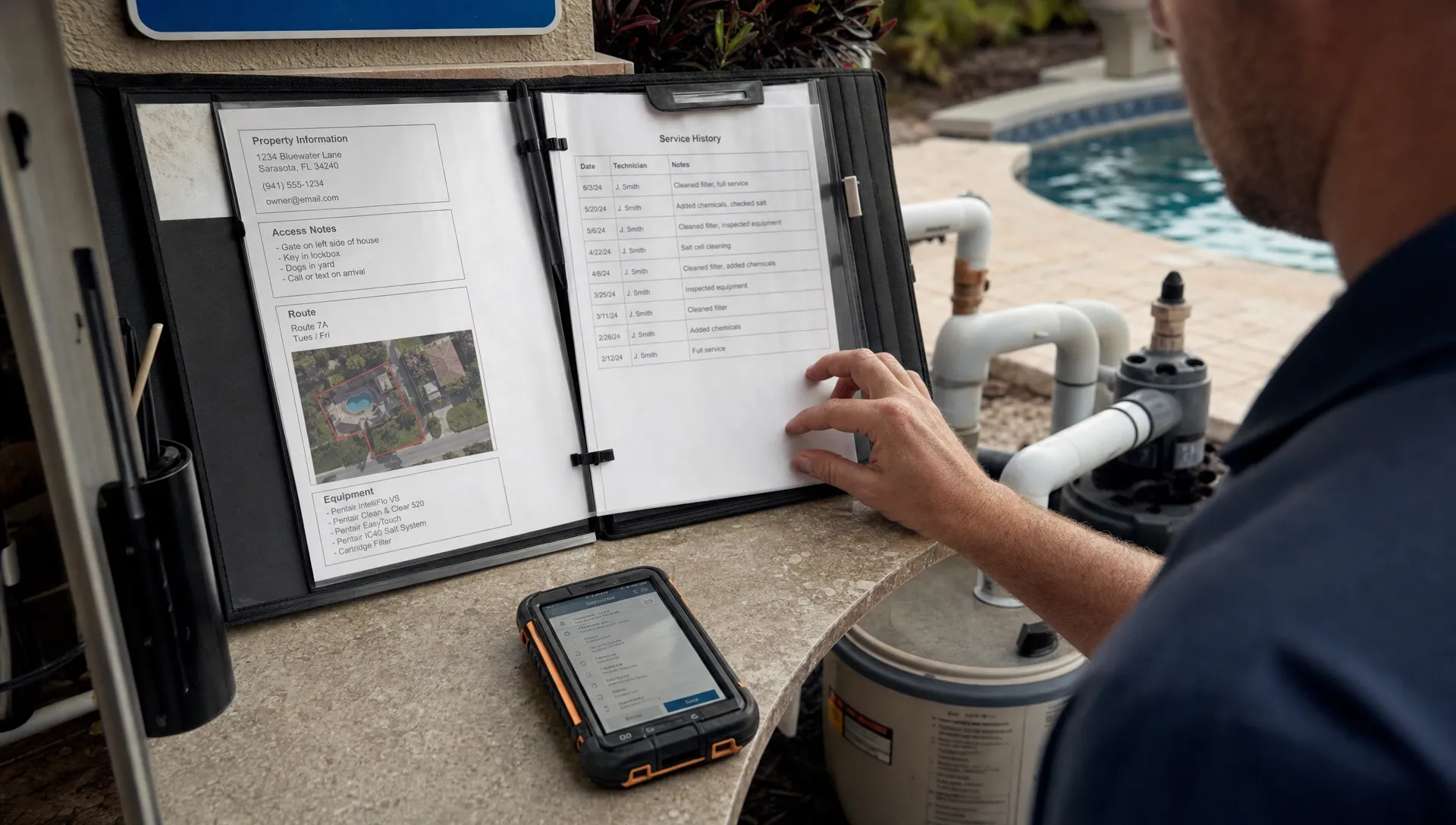
Pool service growth gets messy the moment a customer is no longer the same thing as a property. A CRM database should connect the homeowner, rental manager, billing contact, gate code, equipment history, service photos and invoice trail to the specific pool your team is visiting. If those pieces live in separate spreadsheets, paper checklists or text threads, your office and technicians spend too much time rebuilding context.
For pool service companies, the goal is not just storing more contacts. The goal is building a working record that tells your team who is involved, where the work happens, what has happened there before and what needs to happen next. That structure turns customer relationship management into an operating system for daily service.
Why a CRM Database Should Start With the Property
Many generic CRMs are built around a person or company first. That works well for a simple sales pipeline, but pool service is different. A homeowner can own several properties, a property manager can represent several homeowners and one address can have a tenant, service contact, billing contact and emergency contact.
The best CRM database for a pool business treats the property as the operational center. The customer matters, but the work happens at a physical location with its own access details, equipment, water chemistry patterns, service history and billing rules.
Salesforce defines CRM as technology for managing customer relationships and interactions. That definition is useful, but pool companies need to take it one step further. They need customer relationships connected to assets, routes and repeat visits.
Reddit can be a good place to hear the unfiltered version of this problem. Searches in communities like r/smallbusiness and r/Contractor often surface posts from contractors asking how to stop losing notes as they add crews. Those threads are anecdotal, not research, but the pattern is familiar: the pain usually starts when customer data and job-site data are separated.
The Core Data Model: People, Properties and Relationships
A useful CRM database has at least three connected record types: people, properties and relationships. This model keeps the office from duplicating the same homeowner five times and keeps technicians from guessing which note belongs to which pool.
| Record type | What it stores | Why it matters |
|---|---|---|
| Customer or contact | Names, phone numbers, emails, communication preferences and role | Helps the office know who to call, text, notify or bill |
| Property | Address, access notes, pool details, equipment, route zone, service history and water-quality logs | Gives technicians the operational context for the visit |
| Relationship | Owner, tenant, property manager, billing contact, emergency contact or HOA contact | Explains how each person is connected to the property |
This structure is especially important for recurring service. A one-time repair can sometimes survive with a basic contact record. Weekly maintenance cannot. Every repeat visit adds data, and that data needs a permanent home.
Customer records should describe people
Customer records should answer human questions. Who approves work? Who receives arrival notifications? Who prefers email over text? Who should not be contacted unless there is an emergency?
Do not overload the customer record with every detail about the pool. If the homeowner moves, sells the house or adds another property, that data becomes hard to clean up. Keep people data on people records.
Property records should describe work sites
Property records should answer field questions. Where is the pool? How does the technician enter? What equipment is on site? What chemical readings were logged last month? Are there before and after photos from a previous green-to-clean job?
If you want a deeper look at how owners, properties and service history fit together, SplashIQ covers that foundation in its guide to CRM contact management for every pool property and owner.
Relationship records prevent duplicate chaos
Relationship records are the glue. They tell your team that Jordan is the owner, Priya is the tenant, Lakeside Management handles approvals and the owner’s assistant receives invoices.
Without relationship records, teams tend to create duplicate contacts with slightly different notes. One record says call owner first. Another says tenant has the gate code. Another says invoices go to a business email. Nobody knows which record is current.
What Every Connected Record Should Capture
A CRM database becomes valuable when each record has enough structure to support real work. Free-form notes are still useful, but they should not be the only place where critical details live.
For pool service companies, the property record usually needs operational fields such as address, service type, route zone, access notes, pets on site, pool size or type, equipment details, recurring tasks, water-quality history and service photos. These fields help technicians arrive prepared instead of calling the office from the driveway.
The customer record needs communication and account fields such as preferred contact method, notification permissions, billing contact, estimate approval contact and homeowner portal access. These fields reduce confusion when more than one person is involved.
The relationship record should identify the person’s role at that property. Use clear labels such as owner, tenant, property manager, billing contact or emergency contact. A single person can have more than one role, but the role should be visible to both office and field teams.
This is where generic contact management often breaks down. A contact list can tell you who someone is. A connected structure tells you why that person matters for that specific pool.
Build the Database From the Field Out
When a CRM database is designed only by the office, it often misses the details technicians rely on. When it is designed only by technicians, it may miss billing, communication and follow-up requirements. Build it from both directions.
Start by reviewing the last 30 to 60 days of completed jobs. Look for the questions your team asked repeatedly. Which gate code is current? Who approves filter replacement? Where are the equipment photos? Was the homeowner notified before arrival? Which card or payment method should be used?
Then turn recurring questions into standard fields. A standard field is easier to search, report on and train against than a note buried in a paragraph.
A practical build process can look like this:
- Audit spreadsheets, paper checklists, text threads and technician notes for repeated data points.
- Separate people data from property data before importing anything.
- Create required fields only for information that truly affects scheduling, service, safety, billing or communication.
- Use dropdowns for repeatable values such as service type, contact role, pool type and route zone.
- Review duplicate addresses before assigning recurring service.
Contractor CRM articles from Jobber, ServiceTitan and HubSpot often return to the same scaling lesson: software only helps if the business standardizes how jobs enter, move through and close out of the system. Pool companies should apply that lesson at the property level, not just the lead level.
Connect Your CRM Database to Daily Operations
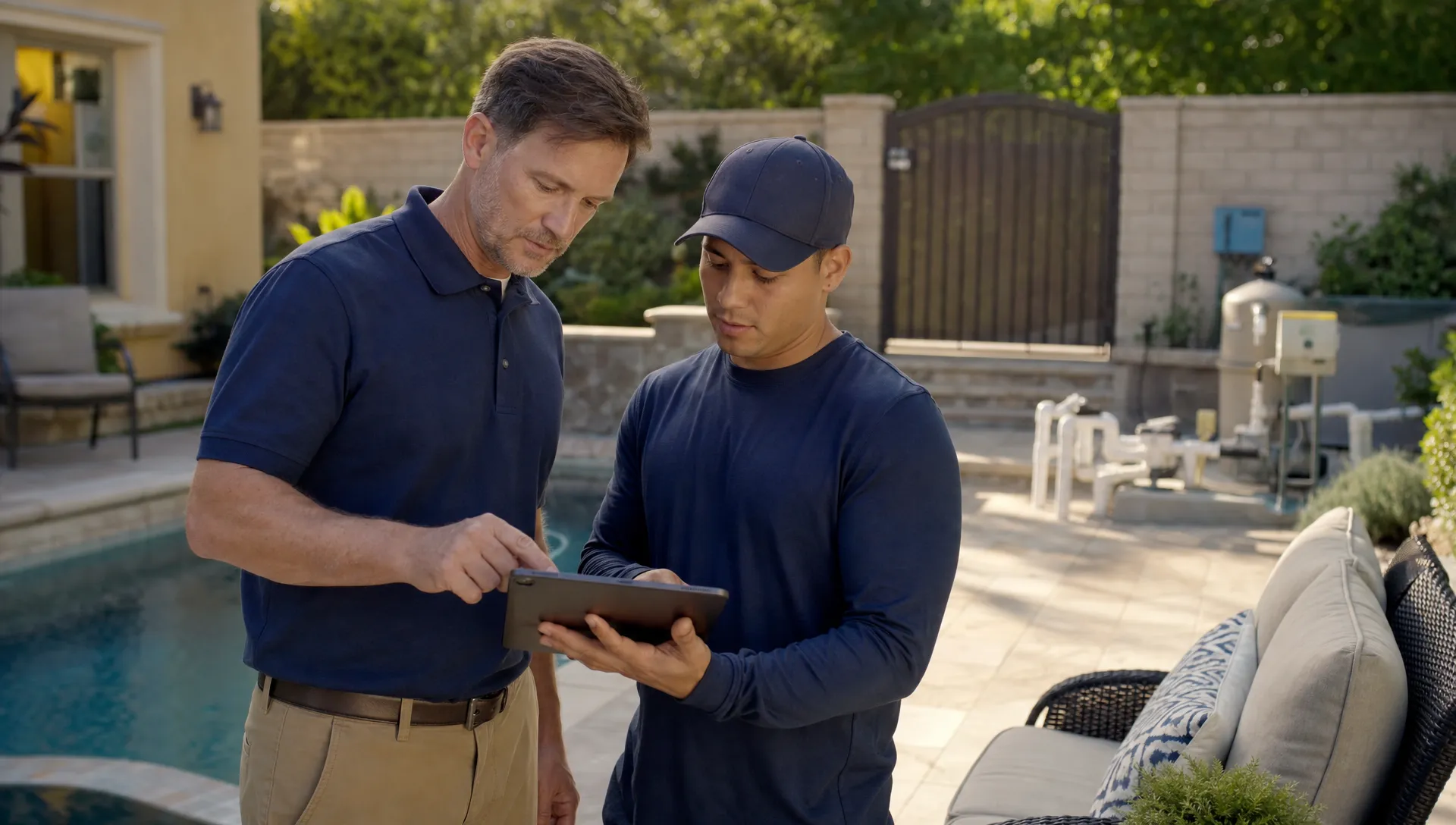
Your CRM database earns its keep when it powers the workday. If it only stores names and phone numbers, it becomes another address book. If it connects to scheduling, field documentation, homeowner communication and billing, it becomes the shared source of truth.
For example, a scheduler should see property access notes before assigning a technician. A technician should see equipment history before recommending a repair. The office should see service photos and water-quality logs before answering a homeowner question. Billing should know whether the invoice goes to the homeowner, a property manager or another contact.
SplashIQ is built for that connected workflow. Its pool service CRM feature organizes customers, properties, equipment, gate codes, visit history, leads and follow-ups in one place. The broader platform also supports smart route scheduling, water-quality logs, equipment tracking, homeowner notifications, a homeowner portal, before and after photos, online payments and technician scorecards.
The value is not just convenience. Connected records reduce handoff mistakes between the office and the field. SplashIQ explains that operational angle in more detail in its article on how CRM integration connects office and field teams.
Use Data Quality Rules Before the Team Grows
A CRM database decays when no one owns data quality. Duplicate contacts, stale access notes and inconsistent property names may seem harmless at five employees. At 25 employees, they become expensive.
Set rules before your company needs them. Decide who can create new properties, who can merge duplicates, who can edit billing contacts and how technicians should flag incorrect information from the field.
| Data issue | Rule to prevent it | Operational result |
|---|---|---|
| Duplicate properties | Require address search before creating a new property | Cleaner history and fewer split records |
| Outdated access notes | Let technicians flag access changes after a visit | Fewer missed appointments and callbacks |
| Unclear billing contact | Require a billing role on every active property | Faster invoicing and fewer payment delays |
| Stale equipment data | Update equipment records after repair or replacement | Better estimates and more accurate service history |
| Notes hidden in texts | Require service notes and photos in the field app | Easier handoffs and stronger documentation |
Data quality is not an administrative luxury. It is part of service delivery. A technician with the wrong access note is late. An office admin with the wrong billing contact delays cash flow. A salesperson without property history may quote the wrong scope.
A Pool Service Example: One Address, Many Relationships
Consider a vacation rental with a pool. The property owner lives out of state. A local property manager handles guest issues. A tenant or guest may be on site. The owner’s assistant receives invoices. The technician needs a gate code, equipment notes and a warning that service must be completed before check-in on Fridays.
A flat contact list cannot handle that cleanly. It usually turns into multiple contacts with overlapping notes. This is where a CRM database connected around the property creates clarity. The address becomes the operational record, while each person is linked to that address with a specific role.
Now the scheduler can route the visit correctly, the technician can access the pool without calling the office, the homeowner can receive service confirmation, the property manager can get relevant updates and billing can send the invoice to the right person.
The same model works for homeowners with multiple pools, commercial accounts with several locations, HOAs with board contacts and builders who refer new maintenance accounts after installation.
How a Connected Database Supports Scaling
A connected CRM database helps a pool service company grow without relying on the owner’s memory. That matters because growth adds complexity before it adds profit. More routes create more handoffs. More technicians create more documentation needs. More homeowners create more communication expectations.
When customer and property data are connected, new employees can learn the business faster. The office can answer homeowner questions without interrupting technicians. Managers can review technician scorecards and service history with better context. Sales can follow up on repair opportunities tied to real equipment records instead of scattered notes.
This is also where contractor scaling advice becomes practical. Articles about contractors using CRM software to scale usually focus on repeatable process: capture the lead, document the job site, schedule the work, communicate clearly, invoice quickly and follow up. Pool service companies should adapt that process to recurring properties.
If you are shaping a broader growth plan, SplashIQ also has a guide to building a practical CRM strategy for growing pool service companies.
Common Mistakes to Avoid
The most common mistake is importing every spreadsheet column into a new system without redesigning the structure. That moves clutter from one place to another. Clean the model first, then migrate the data.
Another mistake is treating notes as a substitute for fields. Notes are good for context, but not for information the team needs to filter, route, automate or report on. If a detail affects service repeatedly, it probably deserves a field.
A third mistake is ignoring the homeowner experience. A connected database should improve communication. Arrival notifications, service summaries, photos, billing details and portal access all depend on knowing which person should receive which update for which property.
Finally, avoid making every field required. Too many required fields slow down the team and encourage bad data. Require the fields that protect service quality, safety, scheduling and cash flow.
Frequently Asked Questions
What is a CRM database for a pool service company? A CRM database is the structured set of customer, property, service, communication and billing records your team uses to manage relationships and daily work. For pool companies, it should connect people to the specific properties they own, manage, rent or pay for.
Why should customers and properties be separate records? Customers are people or organizations. Properties are work sites. Separating them allows one customer to have multiple pools, one property to have multiple contacts and every service visit to stay tied to the correct address.
Can I build this in a spreadsheet first? You can sketch the model in a spreadsheet, but spreadsheets become fragile as routes, technicians and homeowners increase. They lack reliable permissions, field workflows, service photos, homeowner notifications and connected billing.
What data should technicians see in the field? Technicians should see the property address, access notes, service tasks, equipment history, water-quality logs, safety notes, previous photos and communication details that affect the visit. Sensitive billing details should only be visible when needed.
How often should CRM records be cleaned? Review duplicates, stale access notes, inactive contacts and missing billing roles at least monthly. Fast-growing teams may need weekly cleanup until the intake and field update process becomes consistent.
Build Your Pool CRM Around the Property
If your CRM database does not connect customers and properties, your team will keep filling the gaps with memory, text messages and manual follow-up. That may work for a small route, but it breaks as soon as you add crews, service areas and more homeowner expectations.
SplashIQ helps pool service businesses replace scattered notes and spreadsheets with one operating system for CRM, scheduling, water-quality logging, equipment tracking, homeowner communication and payments. Build the record once, connect it to the property and give every team member the context they need to do the job right.