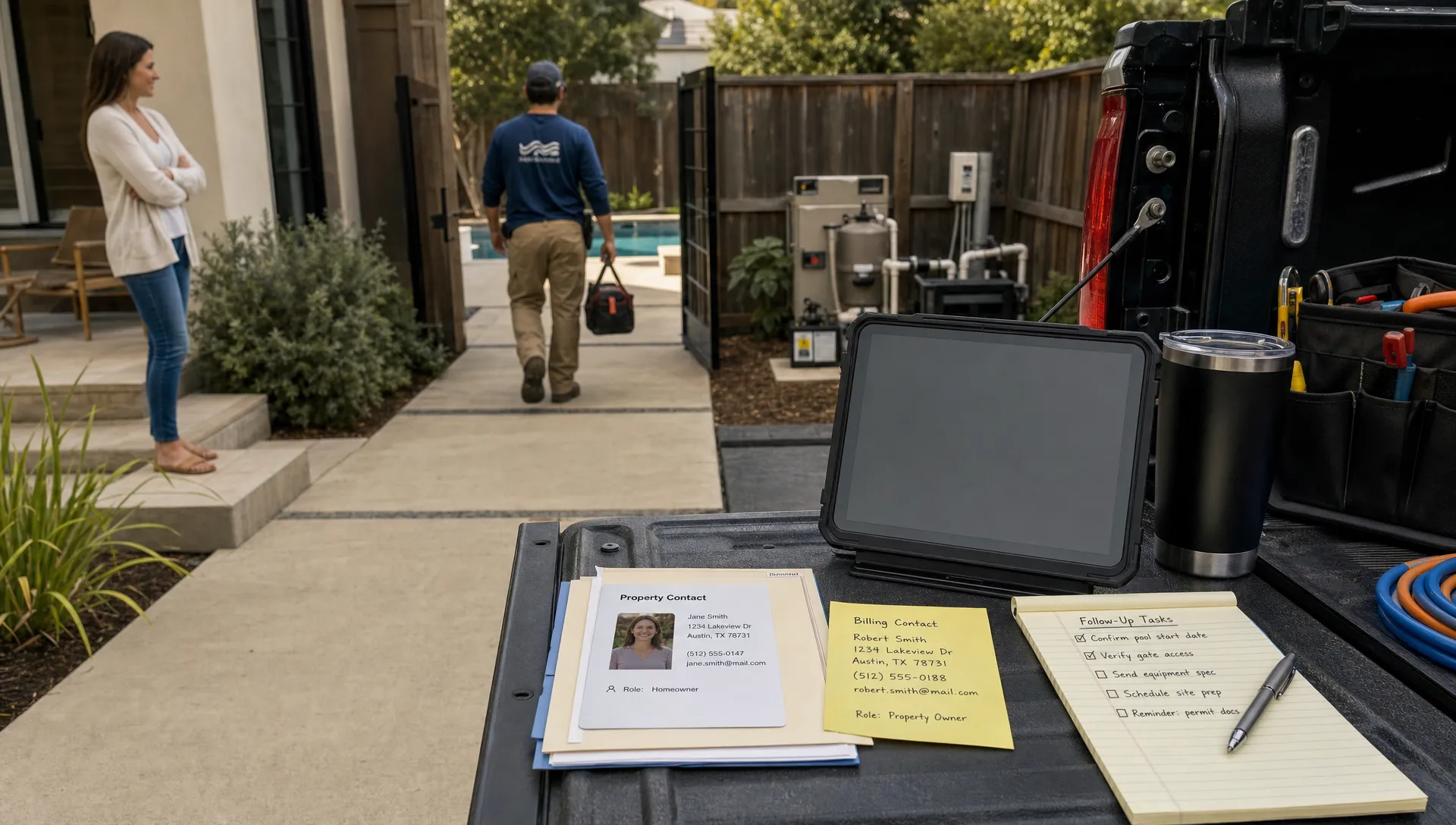
A pool service business rarely manages one simple contact at a time. It manages homeowners, rental properties, property managers, tenants, gate codes, pets, service preferences, equipment history, recurring visits, one-off repairs, invoices, and follow-ups. That is why CRM contact management for a pool company has to go far beyond names, phone numbers, and email addresses.
For a growing route, the real question is not “Do we have the customer saved?” It is “Can the office, technician, and homeowner all see the right context for this property before the next visit?”
That context is what keeps a missed gate code from wasting a truck roll, prevents billing confusion when one owner has multiple properties, and helps technicians understand what happened last time without calling the office from the driveway.
In 2026, homeowners expect the same level of visibility they get from delivery apps, healthcare portals, and home services marketplaces. Pool service companies that still rely on spreadsheets, paper route sheets, or scattered phone notes often feel the gap first through repetitive calls, slow follow-up, and preventable mistakes.
Why ordinary contact lists fail pool service teams
A generic contact database assumes the contact is the center of the relationship. In pool service, the property is just as important as the person.
One homeowner may have a primary residence, a vacation rental, and an investment property. One property may involve an owner, a tenant, a property manager, and a billing contact. One pool may have equipment that was installed by a previous company, recurring water balance issues, or access instructions that change seasonally.
When all of that lives in freeform notes, personal phones, or technician memory, the company becomes fragile. A dispatcher cannot confidently reschedule work. A new technician cannot easily understand the property. A manager cannot quickly review service history before calling an upset customer.
Reddit posts from pool owners and service professionals often reveal the same pattern: customers are not only frustrated by the problem itself, they are frustrated when no one can explain what was done, when it was done, or who is responsible for the next step. Those complaints are usually described as communication issues, but behind the scenes they are often contact management issues.
The difference between CRM contact management and simple customer storage
Basic customer storage answers simple questions: Who is the customer, and how do we reach them?
CRM contact management for a pool business answers more operational questions: Which property does this request belong to? Who approves repairs? Who receives invoices? What equipment is onsite? What did the technician report last visit? What follow-up is still open?
That distinction matters because pool service is recurring, field-based, and property-specific. The customer record needs to support daily work, not just marketing or billing.
A strong pool service CRM should connect the customer profile to the work being performed. SplashIQ, for example, offers pool service CRM software designed around customers, properties, equipment, gate codes, visit history, leads, and follow-ups, which is the kind of structure a pool route needs as it scales.
What every pool property record should include
The best contact records are easy to read, easy to update, and specific enough to guide field decisions. They should not become a dumping ground for random notes, but they should give every team member the context needed to serve the homeowner professionally.
| CRM layer | What it should capture | Why it matters |
|---|---|---|
| Owner information | Name, phone, email, communication preferences | Helps the office contact the right person quickly |
| Property details | Address, access notes, gate codes, pets, parking notes | Reduces delays and failed visits |
| Service history | Past visits, notes, before and after photos, water-quality logs | Gives technicians and managers a reliable timeline |
| Equipment profile | Pumps, filters, heaters, automation, install details when known | Helps quote repairs and troubleshoot faster |
| Billing relationship | Invoice recipient, payment status, financing interest when applicable | Prevents confusion between service contact and payer |
| Follow-up status | Open estimates, repair approvals, customer questions | Keeps work from slipping through the cracks |
This structure also makes the company less dependent on any single employee’s memory. If a technician is out sick, the replacement technician should still be able to service the property with confidence.
Contact roles matter more than most teams think
One of the most common CRM mistakes is treating every person attached to a property as the same type of contact. That works for a tiny route, but it breaks quickly as the customer base grows.
A pool company may need to distinguish between several roles:
- Primary homeowner: The person who owns the relationship and expects service updates.
- Billing contact: The person or business entity that receives invoices and payment reminders.
- Onsite contact: The tenant, caretaker, or property manager who can answer access questions.
- Repair approver: The person who must approve equipment work before the job is scheduled.
- Emergency contact: The best person to reach for leaks, access problems, or urgent equipment issues.
When those roles are unclear, small problems become time-consuming. A technician may call the tenant about a repair they cannot approve. The office may send an invoice to the wrong person. A homeowner may miss an important equipment recommendation because it was buried in a text thread with someone else.
Good CRM contact management makes roles visible. Great contact management also ties each role to the correct property, because the same owner may want different billing or access instructions for different pools.
Every visit should improve the customer record
A CRM is not only an office tool. For a pool service company, it should become more accurate every time a technician completes a visit.
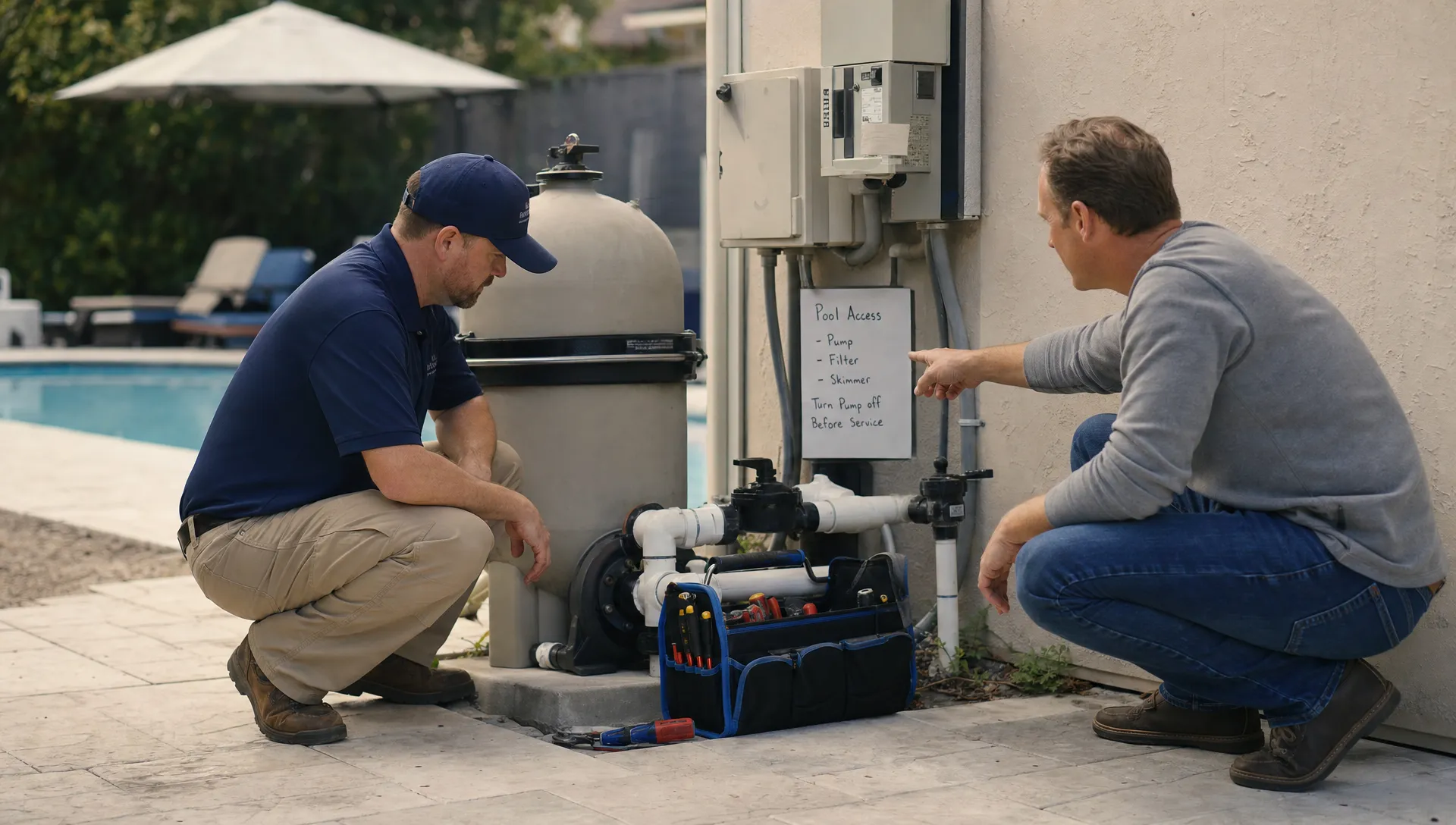
That means the field team should be able to log service notes, water-quality readings, before and after photos, equipment observations, and repair recommendations in a consistent place. If a technician notices a failing pump seal, cloudy water, damaged tile, or a heater issue, that detail should become part of the property history rather than disappearing into a private text message.
This is where CRM contact management overlaps with field operations. The office needs visibility into what happened onsite, and the technician needs visibility into what the customer has asked for. If those two views are disconnected, follow-up slows down.
SplashIQ’s workflow is built around this connection, with features such as scheduling, water-quality logs, equipment tracking, an offline field app, customer communication, and payments. For a deeper look at how shared records help office and field teams stay aligned, see this guide on how CRM integration connects office and field teams.
How clean contact management improves follow-up
Follow-up is where many pool companies lose revenue and trust. A homeowner asks about a heater repair. A technician recommends replacing a filter cartridge. A property manager requests a quote for a green-to-clean service. Everyone intends to follow up, but the note is not tied to a task, property, contact, or due date.
A CRM contact management system helps prevent those leaks by giving every open item a place to live. The customer profile shows who needs to be contacted, the property profile shows what the issue is, and the activity history shows what has already been said or done.
Clean records also reduce duplicate work. If one office employee already answered a homeowner’s question, another employee should not have to search email, texts, and paper notes to figure that out. If a technician already documented a repair recommendation, the service manager should not need to call the technician after hours to reconstruct the details.
This is why data hygiene matters. Duplicate customers, inconsistent naming, old phone numbers, and vague property notes slowly reduce trust in the CRM. If your team is struggling with messy records, SplashIQ has a related guide on how CRM data management keeps customer records clean.
Homeowner visibility reduces repetitive communication
Pool companies often assume customers want more calls. In reality, many homeowners simply want easier access to accurate information.
If a homeowner can see service schedules, visit summaries, photos, water-quality information, invoices, and payment options in a portal, they may not need to call the office at all. That does not replace personal service. It supports it by removing repetitive questions so the team can focus on higher-value conversations.
This also helps with expectation setting. A homeowner who can see that a visit was completed, view notes from the technician, and understand the next recommended step is less likely to feel ignored. A property manager overseeing multiple homes can review status without sending separate messages for every address.
The same trend is happening across service industries. Event companies, for instance, are moving toward all-in-one systems that connect clients, contracts, scheduling, teams, invoices, and payments through platforms like Foundation Vibes for event professionals. The lesson for pool service is similar: customers and teams benefit when the relationship, the work, and the payment flow are connected.
For pool companies specifically, a CRM with portal functionality can significantly reduce administrative back-and-forth. SplashIQ explains this further in its article on CRM with customer portal features.
Common contact management mistakes pool companies should avoid
Even with a CRM in place, poor habits can recreate the same chaos the software was meant to solve.
The first mistake is letting technicians, office staff, and managers all store customer information in different places. If one person updates a gate code in a text thread but not the CRM, the next technician may still be locked out.
The second mistake is relying too heavily on freeform notes. Notes are useful, but key information should live in structured fields whenever possible. Gate codes, billing contacts, equipment types, and communication preferences should be easy to find, not hidden in a long paragraph from two years ago.
The third mistake is failing to define who owns record updates. If nobody is responsible for cleaning duplicates, confirming contact roles, and closing old follow-ups, the CRM gradually becomes less reliable.
A simple operating rule can help: if the information affects service, billing, scheduling, access, or follow-up, it belongs in the CRM.
A practical CRM contact management workflow for pool companies
The most effective systems follow a consistent path from first inquiry to long-term service.
A new lead should enter the CRM with the contact’s name, preferred communication method, property address, service interest, and source. Once the lead becomes a customer, the team should complete the property profile with access notes, equipment details, recurring service schedule, billing contact, and any special instructions.
During each visit, the technician should update the property record with service notes, photos where useful, water-quality logs, and equipment observations. If the visit creates a follow-up, such as a quote, repair approval, billing question, or customer concern, that task should be assigned before the job is considered fully complete.
Over time, this creates a valuable operational history. Managers can review patterns across properties. Technicians can understand recurring issues before arriving. Office staff can answer questions without interrupting the field team. Homeowners receive a more organized, professional experience.
Why this becomes a competitive advantage
Many pool companies compete on reliability, trust, and responsiveness. CRM contact management supports all three.
Reliability improves because the team knows where to go, who to contact, what equipment is onsite, and what was promised. Trust improves because homeowners receive consistent answers and documented service history. Responsiveness improves because follow-ups are visible instead of scattered across inboxes and phones.
This matters even more as a company grows. The owner may personally remember every customer in year one. By year five, that memory-based system becomes a bottleneck. A well-structured CRM lets the company keep the personal feel of a small business while operating with the consistency of a larger one.
Frequently Asked Questions
What is CRM contact management for a pool service company? CRM contact management is the process of organizing homeowners, properties, communication details, service history, equipment records, billing contacts, and follow-ups in one system so the team can manage each account accurately.
How is pool CRM contact management different from a normal contact list? A normal contact list stores people. A pool service CRM needs to store people, properties, equipment, service visits, water-quality logs, access notes, billing relationships, and open tasks tied to each pool.
Why should each pool property have its own record? Each property can have different equipment, access instructions, service history, billing details, and repair needs. Separate property records help technicians and office staff avoid confusion when one owner has multiple locations.
Can better contact management reduce customer calls? Yes. When homeowners can access accurate visit information, schedules, photos, invoices, and service notes, they often need fewer status-update calls and emails.
What should a pool company clean up before moving to a CRM? Start by removing duplicate contacts, confirming property addresses, identifying billing contacts, standardizing access notes, and separating active customers from old leads or inactive accounts.
Bring every owner, property, and visit into one workflow
Pool service companies do not need more scattered spreadsheets, paper notes, or disconnected text threads. They need a reliable way to connect every homeowner, property, technician visit, water-quality log, equipment note, invoice, and follow-up.
SplashIQ helps pool service businesses manage that workflow in one operating system for the office, field team, and homeowners. If your team is ready to replace scattered contact records with a clearer way to run service, scheduling, communication, and payments, explore SplashIQ and see how a pool-focused CRM can support your next stage of growth.