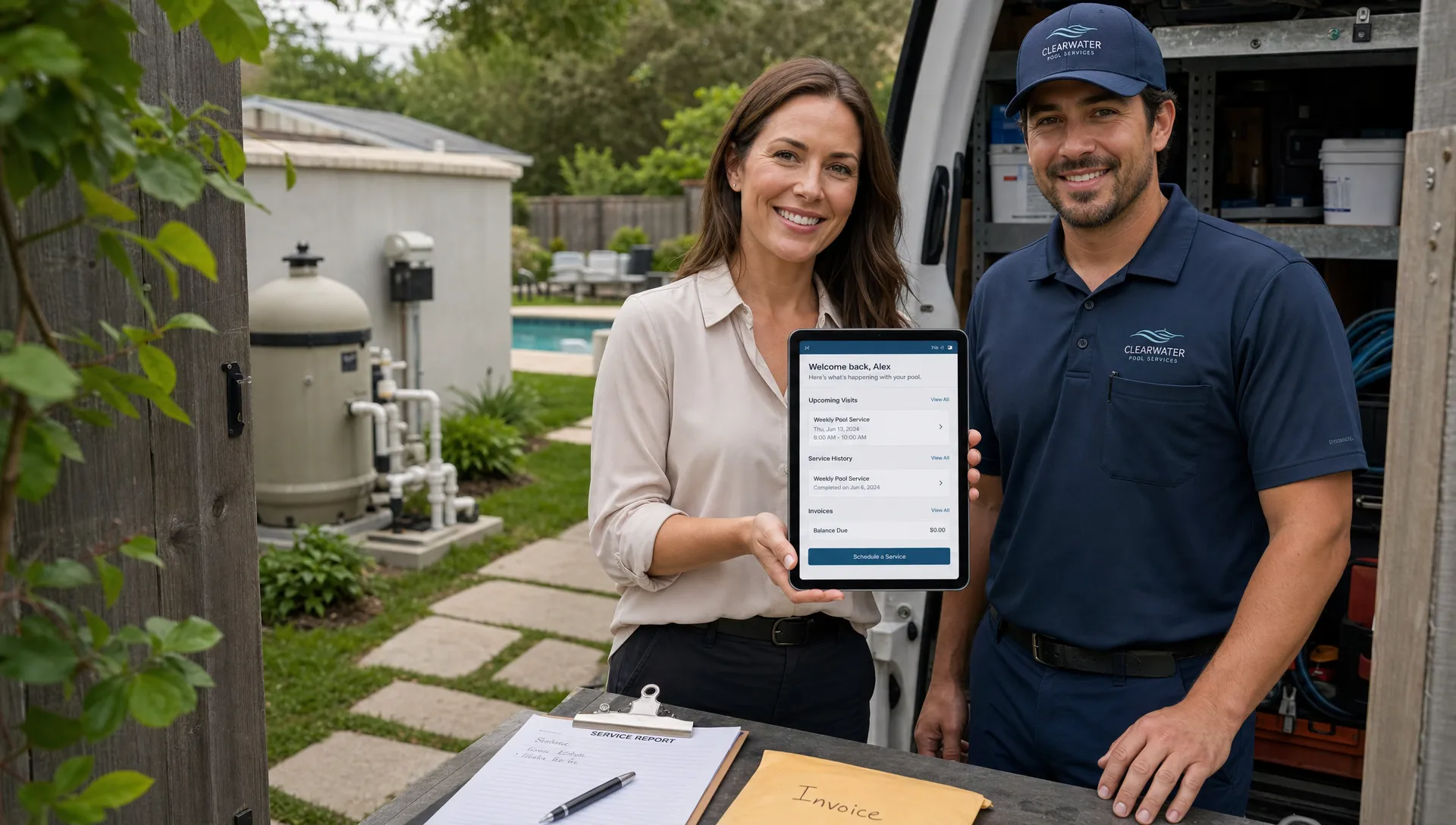
For pool service companies, “back-and-forth” rarely looks dramatic in the moment. It looks like a homeowner asking when the technician will arrive, the office resending the same invoice, a tech texting for a gate code, or a manager trying to confirm whether a filter cartridge was already replaced.
One message is harmless. Hundreds of messages per week are not. They slow down dispatch, pull technicians away from work, delay payments, and make the company feel less organized than it really is.
That is where a CRM with customer portal capabilities becomes more than a database. The CRM keeps your team aligned internally, while the portal gives homeowners a self-service place to find the answers they would otherwise request by text, email, or phone.
For pool service businesses, the best version is not a generic client portal bolted onto a sales CRM. It is a customer-facing layer connected to routes, service visits, water-quality logs, equipment, photos, invoices, and payments.
Why back-and-forth grows as pool service companies scale
Back-and-forth usually starts as a customer service advantage. Owners answer quickly, technicians text updates, and the office knows most homeowners by name. That personal touch helps win early accounts.
The problem appears when the company grows. A few recurring routes become dozens. One technician becomes a field team. The person who sold the customer is no longer the person servicing the pool. Suddenly, every unanswered question requires detective work.
Common questions include:
- “Did anyone come by today?”
- “What were the chlorine and pH readings?”
- “Can you resend the invoice?”
- “Which pump do I have?”
- “Why is there an extra charge this month?”
- “Can the technician use the side gate instead?”
These questions are reasonable. Homeowners want visibility into work happening at their property, especially when service occurs while they are not home. The issue is not that customers ask. The issue is that your team has to manually reconstruct the answer every time.
If you browse Reddit discussions in communities such as r/smallbusiness, r/Entrepreneur, and trade-specific service threads, a recurring theme shows up: owners do not want “more software” for its own sake. They want fewer status-check messages, cleaner records, and a way for customers to see basic information without creating another interruption. Reddit is anecdotal, not a formal study, but it is useful buyer-language research because it reveals how operators describe the pain in their own words: too many texts, scattered notes, missed follow-ups, and no single source of truth.
What a CRM with customer portal should actually do
A CRM is the internal system of record. It should organize customers, properties, contact details, service history, lead status, billing details, and follow-ups. A customer portal is the homeowner-facing window into selected parts of that system.
The key phrase is “selected parts.” A good portal does not expose everything. It gives customers the information they need, while keeping internal notes, technician scorecards, routing logic, pricing rules, and operational details private.
For a pool service company, the portal should answer the questions that create repeat interruptions. That means it should connect directly to the work your team is already doing.
| Customer portal feature | Question it reduces | Operational benefit |
|---|---|---|
| Upcoming service visibility | “When are you coming?” | Fewer scheduling calls and texts |
| Visit summaries | “What did the tech do?” | Less manual explanation after each stop |
| Water-quality logs | “Are my chemicals balanced?” | Clearer proof of service and care quality |
| Before and after photos | “Was the pool actually cleaned?” | Stronger trust, fewer disputes |
| Equipment records | “Which filter or pump do I have?” | Faster repair quoting and parts planning |
| Online invoices and payments | “Can you resend my bill?” | Faster collections and fewer office tasks |
| Homeowner profile details | “Did you remember the gate code?” | Fewer technician delays on-site |
This is why a pool-specific CRM matters. The portal is only useful if the underlying customer record understands properties, equipment, recurring service, and field visits. SplashIQ’s Pool Service CRM, for example, is built around the realities of pool service accounts rather than a generic sales pipeline.
The portal features that reduce the most back-and-forth
Not every portal feature has the same impact. Some are nice to have. Others immediately remove repetitive work from the office and field.
1. A homeowner view of upcoming service
Scheduling questions are one of the biggest sources of unnecessary contact. Homeowners want to know whether service is happening today, whether weather affected the route, and whether they need to unlock a gate or move furniture.
A customer portal should make the next scheduled visit easy to find. For the office, this reduces routine “when are you coming?” messages. For homeowners, it creates confidence that they are still on the schedule.
The important part is that this information should come from the same schedule your dispatch team uses. If the portal shows one thing and the office calendar shows another, you have created a new source of confusion.
2. Service visit summaries that are created from field work
A visit summary should not be a separate writing assignment. If technicians have to type one note for the office, another for the customer, and a third for billing, adoption will suffer.
The better workflow is simple: technicians complete the visit in the field app, capture the necessary details, and the customer-facing summary is generated from approved information. This can include tasks completed, visible issues, photos, and chemical readings.
For pool companies, visit summaries are especially valuable because much of the work happens when the homeowner is away. A concise record reassures the customer that service occurred and gives the office a documented answer if questions come up later.
3. Water-quality logs homeowners can understand
Water chemistry is one of the clearest examples of information that customers care about but often do not fully interpret. A homeowner may not know the ideal range for every reading, but they do want reassurance that the pool is being monitored.
A useful portal makes water-quality logs accessible without overwhelming the homeowner. It should show relevant readings and service context in a way that supports trust. Internally, those logs also help managers review consistency, spot recurring issues, and protect the company if a service dispute appears.
This is where a CRM with customer portal features becomes more powerful than a messaging tool. Instead of saying, “Let me ask the technician,” the office can rely on logged visit data.
4. Before and after photos tied to the service record
Photos reduce ambiguity. If a storm left debris in the pool, a before photo helps explain the condition on arrival. If the technician cleaned the pool, an after photo provides visual confirmation.
The portal should connect those photos to the specific visit, not scatter them across text threads. That way, the office, technician, and homeowner are all looking at the same context.
Photos are also useful for repairs and upsells. A cracked lid, leaking valve, worn cleaner hose, or corroded component is much easier to discuss when the homeowner can see what the technician saw.
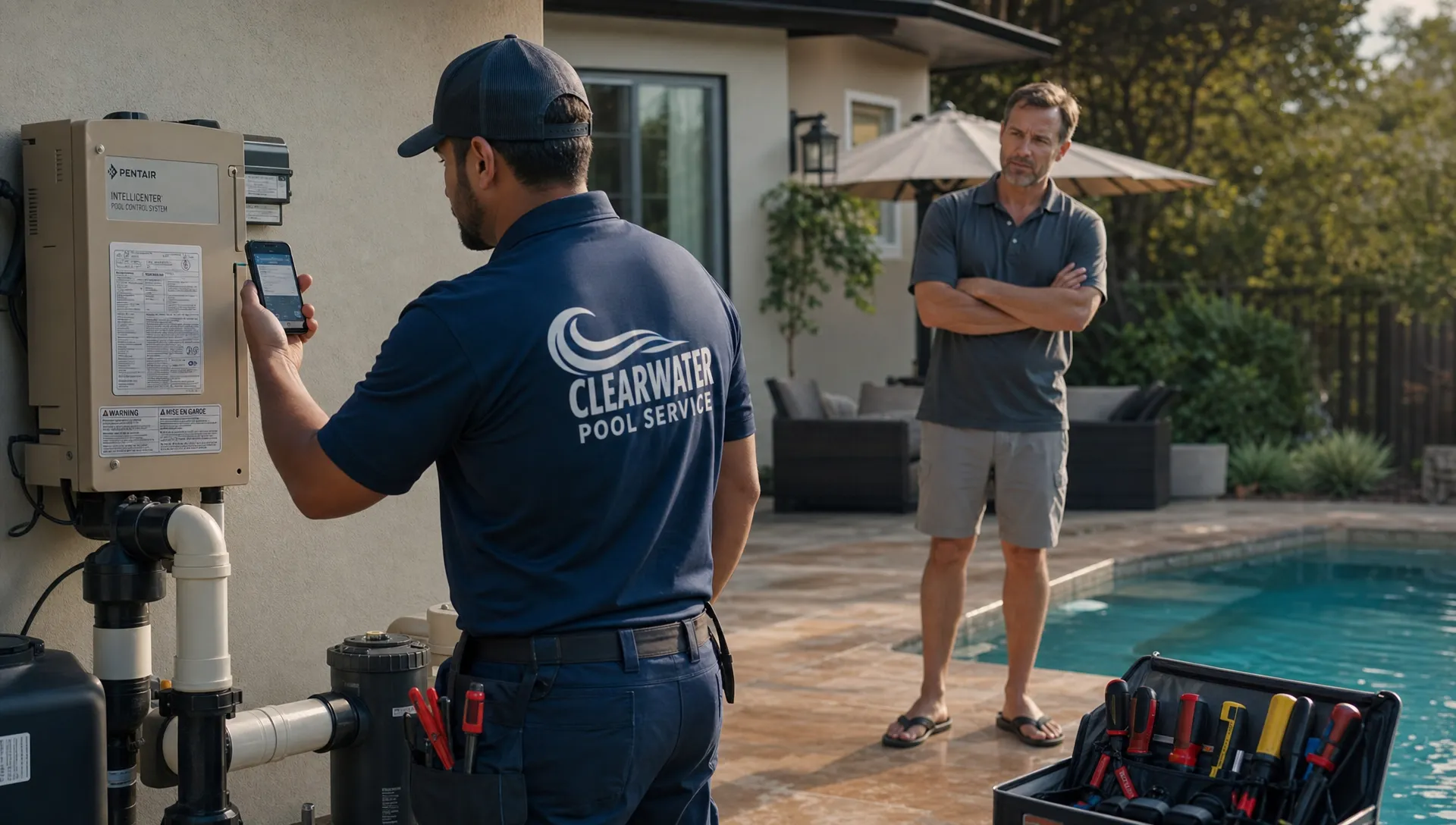
5. Equipment tracking that supports faster decisions
Many pool service delays happen because equipment details are missing or outdated. The customer might not know the pump model. The technician may remember replacing a part last season, but the office cannot confirm it quickly. A repair coordinator may need to ask for photos that were already taken.
A CRM with equipment tracking reduces those loops by keeping property-specific equipment records attached to the customer account. When the customer portal includes appropriate equipment visibility, homeowners can better understand recommendations and approve work with less confusion.
This is especially useful for companies that handle both weekly maintenance and repair work. The more complete the equipment record, the easier it is to move from “something is wrong” to “here is the recommended next step.”
6. Billing, online payments, and financing options in one place
Billing questions create a surprising amount of back-and-forth. Customers ask for invoice copies, payment links, balance clarification, and due dates. Office teams lose time resending information that should be self-service.
A customer portal should let homeowners view invoices and make online payments without hunting through email. For larger repairs or replacements, financing options can also reduce friction by helping customers understand how to move forward without a long phone chain.
The goal is not to remove human support. It is to reserve human support for questions that actually need judgment.
7. A clean communication history
A portal should not create yet another channel that fragments customer communication. It should centralize the record.
When customer messages, visit notes, photos, invoices, and follow-ups are connected to the same account, the next person who opens the record can understand what happened. This matters when an office manager is out, a technician changes routes, or a customer calls months later about the same issue.
If your company is trying to make communication more proactive without sounding robotic, it is worth studying how customer experience automation can still feel personal when it is based on real service context.
The customer portal is also a trust signal
Customers are increasingly used to self-service visibility in every part of their lives. They can track deliveries, manage appointments, review past purchases, and pay bills online. Local service businesses are judged against those expectations, even when the work itself happens offline.
That expectation is not limited to home services. Appointment-based businesses, from pool care to wellness studios, increasingly use digital touchpoints to make the customer experience feel organized before and after the visit. For example, a service brand such as Lumina Skin Sanctuary presents its treatments, products, and customer experience online so clients can understand the service before taking the next step.
Pool companies do not need to copy other industries, but they should recognize the broader expectation: customers want clarity without always having to ask.
A homeowner portal supports that expectation in practical ways. It shows that your company has a process. It makes the invisible work visible. It gives customers confidence that their property details, service history, and billing information are not living in someone’s memory or inbox.
Why the CRM underneath matters more than the portal design
A polished portal cannot compensate for messy internal data. If customer names are duplicated, property notes are outdated, gate codes live in text messages, and water readings are inconsistently logged, the portal will simply expose operational gaps.
Before choosing a CRM with customer portal functionality, look closely at how the system handles the data that powers the experience.
Strong CRM foundations include accurate customer and property records, clear ownership of follow-ups, structured service history, and reliable field inputs. If your records are already messy, improving CRM data management should be part of the rollout, not an afterthought.
The portal should be the output of a cleaner workflow, not a separate destination where staff manually upload information.
How to evaluate a CRM with customer portal features
When comparing options, focus less on the length of the feature list and more on the number of manual loops the system removes.
Ask practical questions such as:
- Can homeowners see upcoming service information without calling the office?
- Are visit summaries created from technician workflows instead of retyped later?
- Can water-quality logs, photos, and notes be tied to the correct property and visit?
- Does the system support online payments from the same customer experience?
- Can technicians use the field app when connectivity is poor?
- Are customer-facing details separated from internal notes and management information?
- Can the CRM support multiple properties, recurring service, repairs, and billing history?
The offline question is especially important for pool service teams. Technicians often work in backyards, gated communities, rural areas, or places with unreliable signal. If field data cannot be captured at the point of service, the portal will not stay current.
A simple workflow example
Consider a weekly maintenance visit for a homeowner who is not home.
The technician arrives, checks the gate note, completes the service, logs chemical readings, takes an after photo, and notes that the filter pressure is unusually high. The office can see the completed visit. The homeowner can view the summary and photo through the portal. If a filter cleaning is recommended, the equipment record and service history help the team explain why.
Without a connected CRM and portal, that same workflow may produce several separate interactions. The tech texts a photo to the office. The homeowner asks whether anyone came. The office asks the tech for details. The invoice is sent later. A repair note gets buried.
The difference is not just convenience. It is operational control.
Mistakes to avoid when adding a customer portal
A portal can reduce back-and-forth, but only if it is implemented thoughtfully. The most common mistake is launching a portal without deciding what information customers should see and what staff should keep internal.
Another mistake is assuming customers will use the portal automatically. They need simple prompts, consistent links, and a reason to trust that the information there is current. If they log in once and see outdated information, they will go back to texting.
Pool service companies should also avoid overcomplicating the experience. Homeowners do not need a complex dashboard. They need clear answers: upcoming service, completed work, chemical readings, photos, invoices, payments, and relevant property information.
Finally, do not treat the portal as a replacement for relationships. It should reduce repetitive messages so your team has more time for high-value conversations, like explaining repairs, calming concerns, and advising homeowners on equipment decisions.
The real ROI: fewer interruptions and better follow-through
The value of a CRM with customer portal features is not only measured in software efficiency. It shows up in the daily rhythm of the business.
Office staff spend less time resending information. Technicians receive fewer avoidable calls while on route. Customers feel informed without chasing updates. Managers have cleaner records when reviewing quality, billing, and follow-up.
Over time, this can improve the entire customer experience. A pool company that communicates clearly is easier to trust. A company that documents service consistently is easier to scale. A team that spends less time searching for answers has more time to do the work that actually grows the business.
Frequently Asked Questions
What is a CRM with customer portal? A CRM with customer portal functionality combines an internal customer management system with a customer-facing area where clients can view selected information, such as service history, appointments, invoices, payments, and updates.
Why does a customer portal matter for pool service companies? Pool service often happens when homeowners are not present. A portal gives them visibility into completed visits, water-quality logs, photos, billing, and upcoming service, which reduces routine calls and texts.
Should every customer detail be visible in the portal? No. Internal notes, technician performance information, routing details, and private operational data should stay internal. The portal should show helpful customer-facing information only.
Can a customer portal replace texting and phone calls? It should reduce repetitive messages, not eliminate personal communication. Customers will still need help with repairs, special requests, and unusual situations, but the portal can handle routine status and billing questions.
What should pool companies look for first when choosing this type of CRM? Look for a system that connects the portal to real field workflows, including scheduling, visit summaries, photos, water-quality logs, equipment records, and payments. If the portal requires duplicate data entry, it will be harder to maintain.
Reduce customer back-and-forth with SplashIQ
SplashIQ is built for pool service companies that want one operating system for the office, technicians, and homeowners. With CRM, scheduling, water-quality logs, equipment tracking, before and after photos, online payments, and a homeowner portal, your team can keep customers informed without creating more manual work.
If your company is ready to replace scattered texts, spreadsheets, and paper checklists with a connected workflow, explore SplashIQ and see how a pool-focused platform can help you run service with less back-and-forth.