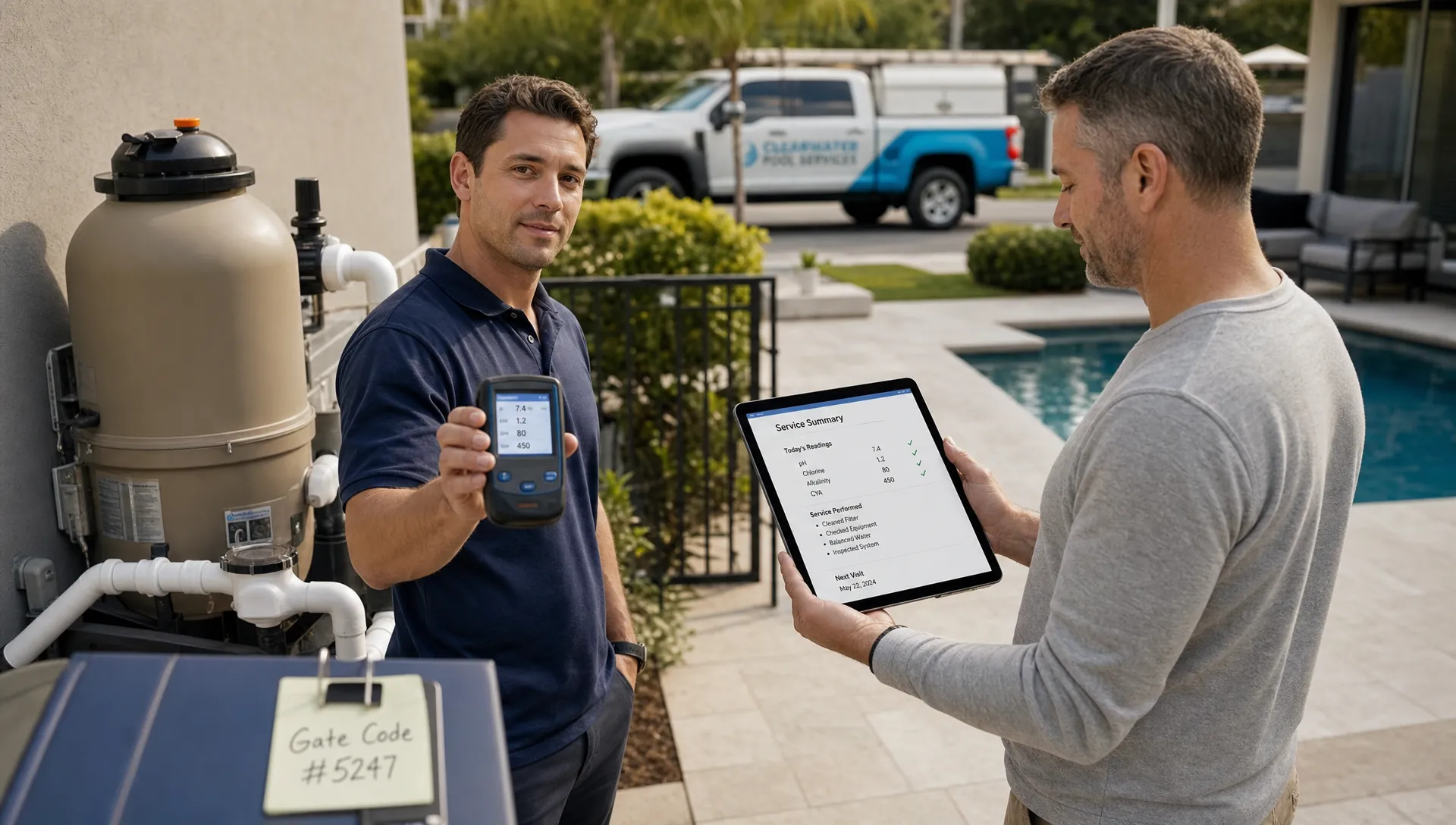
The best customer experience automation is almost invisible. Homeowners do not think, Wow, that was a great automated workflow. They think, They remembered my gate code, they told me what happened, and paying the bill was easy.
That distinction matters for pool service companies. A pool route is operationally repetitive, but the customer experience is personal: someone is entering a backyard, handling expensive equipment, balancing water chemistry, recommending repairs, and often doing it while the homeowner is not there. If your communication feels generic, trust erodes. If your automation is powered by accurate context, it can make every customer feel more informed and better cared for.
Customer experience automation should not replace personal service. It should remove the missed calls, delayed updates, forgotten follow-ups, and vague invoices that make customers wonder what is happening.
What customer experience automation should mean for pool service businesses
In a pool service company, customer experience automation is the use of connected systems to trigger the right communication, task, update, or payment step at the right time. The key word is connected. A reminder that says the technician is coming tomorrow is useful. A reminder that also reflects the correct property, service day, access notes, and recent repair context feels personal.
This is where many small service businesses go wrong. They start with message templates instead of customer context. They automate emails before cleaning up customer records. They send the same update to every homeowner even though one customer needs weekly chemistry visibility, another needs repair approvals, and another just wants a payment link.
For pool companies, the customer record should carry the personalization. That record may include the homeowner, property, service history, equipment, gate code, water-quality logs, photos, invoices, and open follow-ups. When that information is organized, automation becomes less robotic because it reflects what is actually happening in the backyard.
If your team is still hunting through texts, paper notes, spreadsheets, and memory, your first automation project should not be another email sequence. It should be a cleaner operating system for customer information. SplashIQ’s pool service CRM is built around that idea, organizing customer, property, equipment, lead, and follow-up details in one place for pool service teams.
Why personal still matters when the work is recurring
Recurring service can make companies complacent. The route is set, the visit is routine, and the invoice goes out at the end of the month. But from the homeowner’s perspective, the experience is built from small trust signals.
They want to know whether the technician came. They want confidence that the pool is safe. They want proof when a part needs replacement. They want clear billing. If there is a storm, algae bloom, access issue, equipment failure, or holiday schedule change, they want proactive communication before they have to ask.
You can see this clearly in Reddit posts in communities like r/pools, r/HomeImprovement, and local homeowner forums. Reddit is not formal market research, but it is useful voice-of-customer material because people describe frustrations in plain language. Common themes include not knowing if a pool tech showed up, confusion over chemical readings, surprise repair bills, missed callbacks, and poor communication after a problem is reported.
Those complaints are rarely about automation itself. They are about uncertainty. Good customer experience automation reduces uncertainty by making the service visible, timely, and easy to act on.
The four jobs of automation that still feels human
Before choosing tools or templates, define what your automation must accomplish. For a pool service business, most customer-facing automation falls into four jobs.
| Automation job | What the customer experiences | What makes it feel personal |
|---|---|---|
| Respond quickly | The homeowner gets confirmation that their request was received | The message references the request type, property, or next step |
| Set expectations | The homeowner knows when service is scheduled and what to prepare | The update includes access notes, pets, gates, or timing details when relevant |
| Prove the work | The homeowner sees what was done after the visit | Photos, water readings, and technician notes match the actual service |
| Remove friction | The homeowner can approve, pay, or reply easily | The action is tied to the right repair, invoice, or account |
A personal experience does not require every message to be hand-written. It requires the automation to be accurate, useful, and grounded in the customer’s real situation.
Build automation around moments, not messages
Many companies ask, What emails should we send? A better question is, What moments create anxiety, delay, or confusion for our customers?
For pool service, those moments are predictable. A lead asks for a quote. A customer needs to know when the tech is arriving. A technician finds a leaking pump. A water test shows an issue. An invoice is ready. A card fails. A homeowner asks whether the pool is safe for the weekend.
When you build around these moments, your automation becomes service design, not spam.
| Customer moment | Helpful automation | Personal detail to include | What to avoid |
|---|---|---|---|
| New inquiry | Auto-confirm the request and create an office follow-up | Service address, requested service, expected response window | A generic reply that gives no next step |
| Upcoming visit | Send a reminder before the scheduled service | Route day, access instructions, gate or pet notes if appropriate | Overpromising exact arrival times if routes may shift |
| Completed visit | Send a service summary | Work completed, photos, water-quality readings, technician notes | Vague messages like service completed with no proof |
| Repair recommendation | Notify the homeowner and prompt approval | Equipment involved, photo evidence, reason for repair | Sending a price with no context or documentation |
| Invoice or payment | Send a clear payment request | Invoice number, property, service period, payment link | Confusing balances or surprise charges |
This is also where daily follow-up becomes a customer experience issue, not just an office productivity issue. If open estimates, callbacks, and repair approvals are not tracked, homeowners feel ignored. For a deeper look at that operational layer, see how a customer management system improves daily follow-up across service visits, leads, invoices, and customer communication.
Make automation feel human with better field data
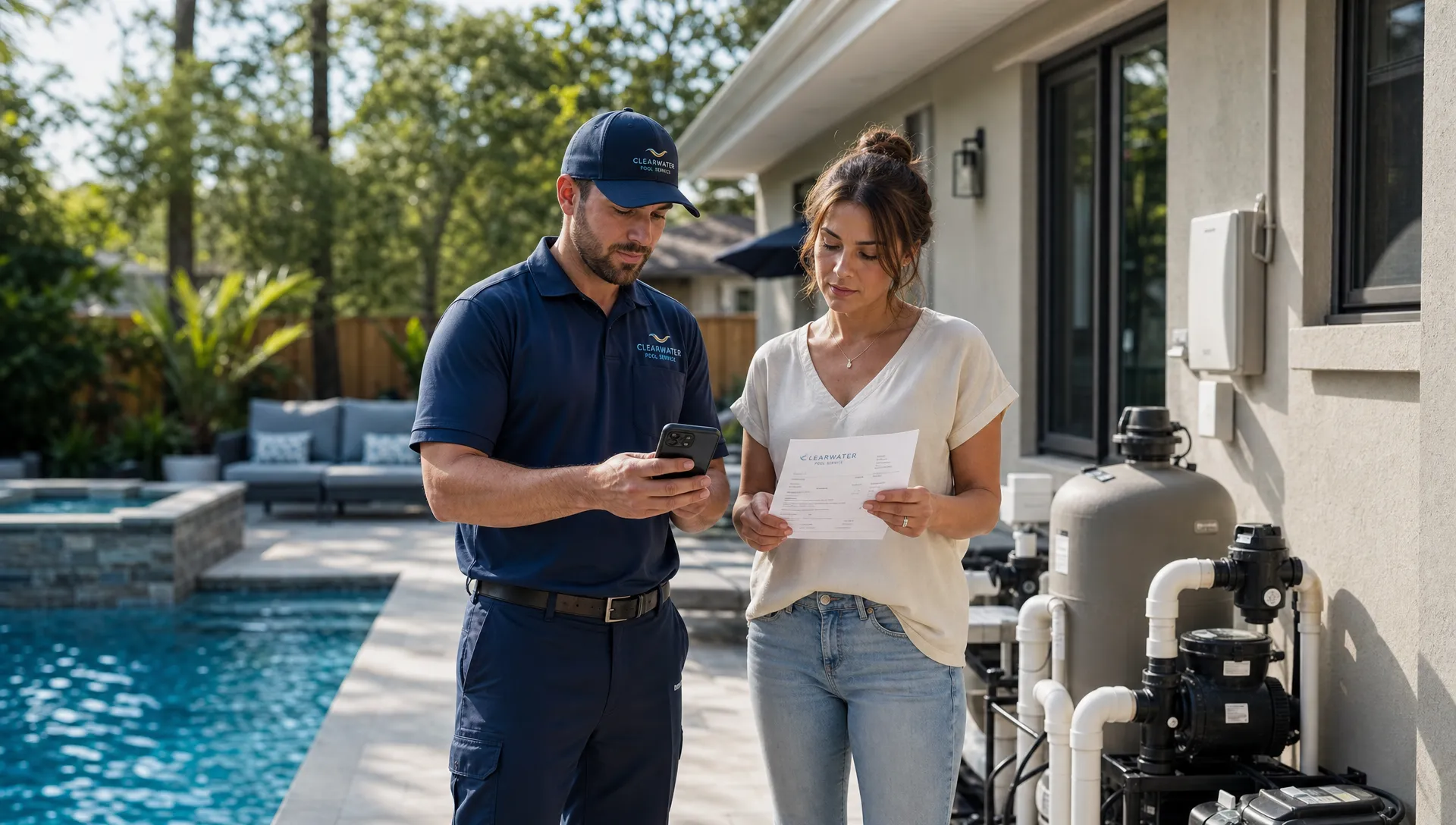
The most personal customer messages often start in the field. If the technician logs a clear note, captures a photo, records water-quality readings, and identifies the correct equipment, the office can communicate with confidence. If the field record is incomplete, even the best automation sounds empty.
For example, compare these two post-visit updates.
One says: Your pool was serviced today.
The other says: Your pool was brushed and skimmed today, the filter pressure was checked, chlorine and pH were logged, and the technician included a photo of the completed visit.
The second message feels personal because it is specific. It also reduces inbound calls because the homeowner has the answer before they ask. Specificity is especially important when homeowners are away, traveling, renting the property, or managing multiple homes.
Pool service companies should treat field data as the fuel for customer experience automation. That includes water-quality logs, equipment tracking, before and after photos, repair notes, and visit history. It also includes the less glamorous details that matter in real life: gate codes, preferred communication channels, dogs in the yard, lockbox instructions, and billing contacts.
An offline field app can matter here because many technicians work in backyards with weak signal. If the app can support work when connection is unreliable, the technician is more likely to capture data in the moment instead of reconstructing notes later. Better field data leads to better office follow-up, cleaner customer records, and more credible homeowner communication.
The same principle applies to repairs. A repair recommendation is not just a sales opportunity. It is a trust moment. Connecting photos, equipment history, approvals, and billing helps the homeowner understand what is needed and why. SplashIQ’s article on managing pool service and repairs explores that connected workflow in more detail.
Where automation helps, and where a human should step in
Personal automation does not mean automating every interaction. In fact, one of the fastest ways to damage trust is to keep sending cheerful automated messages when a customer is frustrated.
Use automation for predictable, low-risk, high-volume interactions. Use people for judgment, empathy, exceptions, and anything involving money, safety, or repeated dissatisfaction.
| Interaction | Good fit for automation? | Recommended approach |
|---|---|---|
| Appointment reminder | Yes | Send a clear reminder with access instructions and service window language |
| Service completion summary | Yes | Include visit notes, photos, and water-quality details when available |
| Payment receipt | Yes | Confirm payment and tie it to the correct invoice or property |
| First repair alert | Partly | Automate the notification, but provide enough context for office review |
| Angry complaint | No | Route to a manager or office lead for a direct response |
| Repeated missed access | Partly | Flag the account and trigger a human follow-up |
| High-cost equipment replacement | No | Use automation to organize documentation, then have a person explain options |
This balance is what makes customer experience automation feel personal instead of cold. The system handles consistency. Your team handles care.
Borrow operating discipline from logistics
Pool service companies may not think of themselves as logistics businesses, but they manage many of the same moving parts: routes, field teams, customer expectations, equipment, documentation, and time-sensitive updates.
In the logistics world, companies such as SHIPIT Logistics build trust by coordinating freight forwarding, warehousing, trucking, and 3PL services with clear documentation and communication. Pool service is obviously a different industry, but the lesson is relevant. Customers feel confident when the operation is organized enough to keep them informed without making them chase for answers.
That is the mindset to bring into customer experience automation. It is not just marketing automation. It is operational visibility turned into customer trust.
A practical rollout plan for small pool service teams
You do not need to automate everything at once. In fact, trying to do too much too quickly often creates messy templates, confused staff, and inconsistent customer experiences. Start with the moments where automation will have the clearest impact.
- Centralize customer and property records first: Make sure the team has one reliable place for customer names, properties, equipment, access notes, service history, invoices, and open follow-ups. If the data is scattered, automation will amplify the mess.
- Choose three high-value touchpoints: Start with lead response, visit completion summaries, and invoice or payment communication. These touchpoints affect revenue, trust, and cash flow.
- Write templates that sound like your company: Use plain language. Avoid corporate phrases. A good pool service message should be short, clear, and specific.
- Define when a human takes over: Create rules for complaints, expensive repairs, repeated access problems, and unclear technician notes. Automation should escalate exceptions, not bury them.
- Review messages from the homeowner’s perspective: Ask whether each message answers a real question. If it does not reduce uncertainty, simplify it or remove it.
- Measure adoption by the team: Automation only works if technicians and office staff capture the right information. Technician scorecards can help reinforce timely notes, completed visits, photo quality, and consistent documentation.
Once those workflows are stable, expand into repair approvals, seasonal opening and closing communication, review requests, financing information, or homeowner portal prompts if those match how your company operates.
Metrics that show whether automation feels personal
Open rates and click rates can be useful, but they do not tell the full story for a service business. The better question is whether automation is reducing confusion and improving trust.
| Metric | Why it matters | What improvement can indicate |
|---|---|---|
| Lead response time | Fast replies reduce lost opportunities | Better capture of new service and repair inquiries |
| Missed access rate | Access issues waste route time | Clearer reminders and better property notes |
| Inbound status calls | Customers call when they lack visibility | Service summaries and reminders are answering questions |
| Repair approval time | Delays slow revenue and customer outcomes | Photos and context are making decisions easier |
| Invoice collection time | Confusing billing slows payment | Clear payment links and invoice context are working |
| Complaint themes | Repeated issues reveal workflow gaps | Automation is helping identify what needs human attention |
| Retention and referrals | Trust compounds over time | Customers feel informed, respected, and easy to serve |
Review these metrics monthly. Then compare the numbers with customer comments, technician feedback, and office observations. A workflow can look efficient on paper and still feel awkward to customers. The goal is not simply to automate more. The goal is to make the service experience easier to understand.
Common mistakes that make automation feel impersonal
The most common mistake is using personalization tokens without personalized substance. A message that says Hi Sarah but contains no useful information is still generic. A message that says the technician found elevated pressure on the filter and attached a photo is personal, even if it was generated from a template.
Other mistakes are just as damaging:
- Sending updates from disconnected systems that do not match the actual schedule or invoice.
- Automating repair recommendations without photos, equipment context, or a clear next step.
- Using overly cheerful language when the customer has an unresolved complaint.
- Asking for reviews before confirming that the customer is satisfied.
- Letting technicians skip notes, then expecting the office to create a detailed customer update.
The fix is not more automation. The fix is better alignment between the field, office, and customer record.
Frequently Asked Questions
What is customer experience automation? Customer experience automation uses software to trigger timely customer updates, tasks, reminders, approvals, and payment steps based on real customer activity. In pool service, it should connect scheduling, field notes, water-quality logs, equipment details, photos, billing, and communication.
How can automation feel personal instead of robotic? It feels personal when the message includes accurate context, such as the property, service visit, technician notes, water readings, photos, repair details, or payment information. It feels robotic when it uses generic wording without answering the customer’s actual question.
Does customer experience automation replace office staff? No. It should reduce repetitive work so office staff can focus on exceptions, customer concerns, repair coordination, and relationship-building. The best systems automate routine updates while escalating sensitive situations to a person.
What should pool service companies automate first? Start with lead confirmation, visit reminders, service completion summaries, repair follow-ups, and payment requests. These touchpoints are frequent, easy to standardize, and closely tied to customer trust and revenue.
What customer data is needed for good automation? At minimum, you need clean customer and property records, service schedules, visit history, access notes, billing details, and communication preferences. For stronger personalization, add equipment tracking, water-quality logs, before and after photos, and repair documentation.
Make every automated touchpoint more useful
Customer experience automation works best when it is built on real operational data, not disconnected templates. For pool service companies, that means connecting the office, technicians, homeowners, schedules, water-quality logs, equipment records, photos, invoices, and payments in one workflow.
SplashIQ helps pool service businesses replace spreadsheets and paper checklists with an operating system built for the way pool teams actually work. If you want automation that keeps customers informed without losing the personal touch, start by giving your team one reliable place to run the customer experience from lead to final invoice.