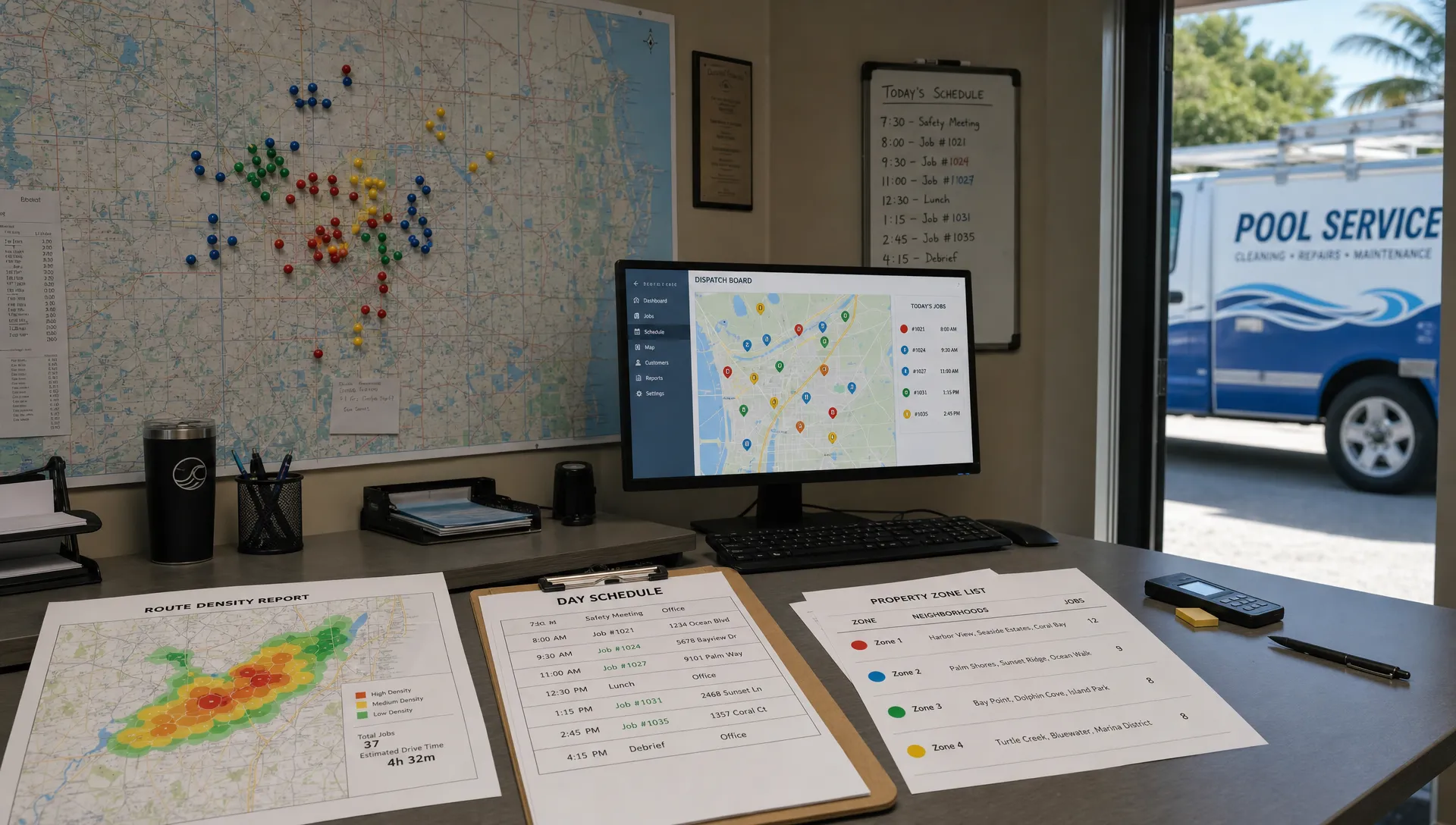
Route density is not just a scheduling problem. It is a customer selection problem.
A pool route becomes more profitable when the right accounts are clustered on the right days, with the right service expectations and the right revenue profile. That is where customer segmentation software changes the way a pool service company grows. Instead of treating every homeowner as a generic stop, you group accounts by geography, service type, equipment complexity, payment behavior, seasonality and growth potential. Then your marketing, sales, scheduling and technician workflows start pulling in the same direction.
For pool companies, the goal is not segmentation for prettier dashboards. The goal is practical: fewer windshield hours, cleaner handoffs, faster follow-up, better-fit customers and routes that get denser over time.
Why route density starts before the schedule
Most pool companies try to fix route density after the customer is already sold. A dispatcher looks at the weekly board, sees a technician crossing town for one stop and tries to rearrange the week. Sometimes that works. Often, the underlying problem started months earlier.
The company accepted leads from too many neighborhoods, promised days that did not match technician capacity or sold the same service tier to customers with very different needs. A homeowner with an automation system, a salt cell issue and a history of green-to-clean calls is not the same operational unit as a simple weekly chemical check three doors down from five other accounts.
Customer segmentation solves this earlier. It helps you decide who to target, how to qualify them, what to offer, what route to place them on and how to communicate with them after the first visit.
You can see the same pattern in contractor growth articles across HVAC, roofing, cleaning and lawn care: companies scale more smoothly when CRM data is tied to operations, not treated as a static address book. Reddit threads in communities like r/smallbusiness, r/sweatystartup and r/pools often surface the field-level version of the same issue. Operators complain about scattered notes, unprofitable drive time and customers who expect custom scheduling without paying for it. Homeowners complain when companies change days with no explanation. Segmentation helps bridge that gap because it gives the office a clearer reason for who gets which offer, which schedule and which message.
What customer segmentation software should do for a pool company
Generic segmentation software often focuses on email lists: new leads, past customers, high spenders, inactive buyers. Those are useful, but route-based service companies need more operational logic.
For pool service, segmentation software should connect CRM records to the route board, technician work, equipment history and billing status. If the software cannot influence scheduling decisions, it will not do much for route density.
The most useful customer segments for pool routes usually combine four layers: location, service demand, account value and operational fit. Location tells you where density is possible. Service demand tells you how much time the account will take. Account value tells you whether the route economics make sense. Operational fit tells you whether the customer matches your service model.
| Segment type | What it tracks | How it improves route density |
|---|---|---|
| Geographic zone | Neighborhood, ZIP code, subdivision, gate access, day restrictions | Helps sales and scheduling concentrate growth around existing stops |
| Service tier | Weekly service, chemical-only, full service, seasonal opening or closing | Keeps similar visit lengths and expectations grouped together |
| Equipment profile | Pumps, filters, heaters, automation, salt systems, warranty notes | Helps assign the right technician and avoid repeat trips |
| Revenue potential | Monthly service value, repair history, add-on potential, financing interest | Prioritizes accounts that strengthen the route instead of filling gaps poorly |
| Customer behavior | Payment speed, communication preference, cancellation history, access issues | Reduces friction that can throw off a technician’s day |
| Lead source | Referral, door hanger, local search, paid ad, neighborhood campaign | Shows which channels produce customers in the zones you actually want |
This is why a pool-specific CRM matters. A standard contact database may store names and phone numbers, but pool companies also need property records, equipment details, gate codes, visit history and follow-up tasks. SplashIQ’s pool service CRM is built around the customer and the property, which makes segmentation more useful for day-to-day routing.
The best segments for building denser pool routes
A good segmentation plan should be simple enough for the office to use and specific enough to change decisions. If your team needs a manual every time they tag a lead, the system will fail. Start with the segments that directly affect route density.
Zone-based customer segments
This is the foundation. Every customer and lead should belong to a service zone, not just a city or ZIP code. ZIP codes can be too broad, especially in markets with traffic, gated communities, hills, bridges or long residential stretches.
A practical zone might be a subdivision, a group of adjacent neighborhoods or a corridor that one technician can service efficiently. When a new lead comes in, the first question is not only, “Can we service this pool?” It is also, “Does this pool make an existing route stronger?”
Once zones are visible in the CRM, marketing becomes more disciplined. Instead of advertising across the entire metro area, you can focus homeowner outreach on neighborhoods where you already have profitable stops. If you want a deeper look at how marketing and CRM can work together for route growth, SplashIQ’s article on winning more routes with CRM marketing software covers that angle in more detail.
Service complexity segments
Not all weekly stops are equal. A route with 60 simple residential pools is very different from a route with 45 pools that include spas, automation systems, heaters, heavy debris, old plaster and frequent access problems.
Segmenting by service complexity helps you avoid overloading technicians with routes that look reasonable on paper but fall apart in the field. A pool company might use simple labels such as standard, high-detail, repair-prone or access-sensitive. The labels do not need to be fancy. They need to be consistent.
When service complexity is tracked, scheduling becomes more realistic. You can balance a day with a mix of quick stops and involved properties instead of accidentally stacking time-consuming pools on the same route.
Profitability and fit segments
Some customers are close together but still bad for route health. They may demand custom time windows, delay payment, reject necessary repairs or require repeated callbacks. Other accounts may be farther away but valuable because they include service, repairs, equipment upgrades and referrals inside a neighborhood you want to grow.
Customer segmentation software should help you see both sides. Revenue alone can mislead you if the account consumes too much technician time. Distance alone can mislead you if a higher-value customer anchors a target neighborhood.
The best route-building decisions come from combining value and fit. A profitable segment might include customers who pay on time, approve needed repairs, accept standard service windows and live near other accounts. A risky segment might include customers with repeated access issues, chronic late payments or service expectations that do not match the plan they purchased.
Lifecycle segments
Pool customers change over time. A new homeowner may need onboarding. A long-term customer may be ready for equipment replacement. A neglected pool may become a repair opportunity before it becomes a stable weekly service account.
Lifecycle segments help your team send the right message at the right time. New leads need fast follow-up and qualification. New customers need clear arrival notifications, service expectations and first-visit notes. Established customers need maintenance updates, repair recommendations and billing clarity.
This matters for density because churn can quietly hollow out a route. If you lose three accounts in the same neighborhood, the route may still look full on the schedule, but the drive pattern gets weaker. Lifecycle segmentation helps you protect the accounts that make each zone worth servicing.
How segmentation turns into denser routes
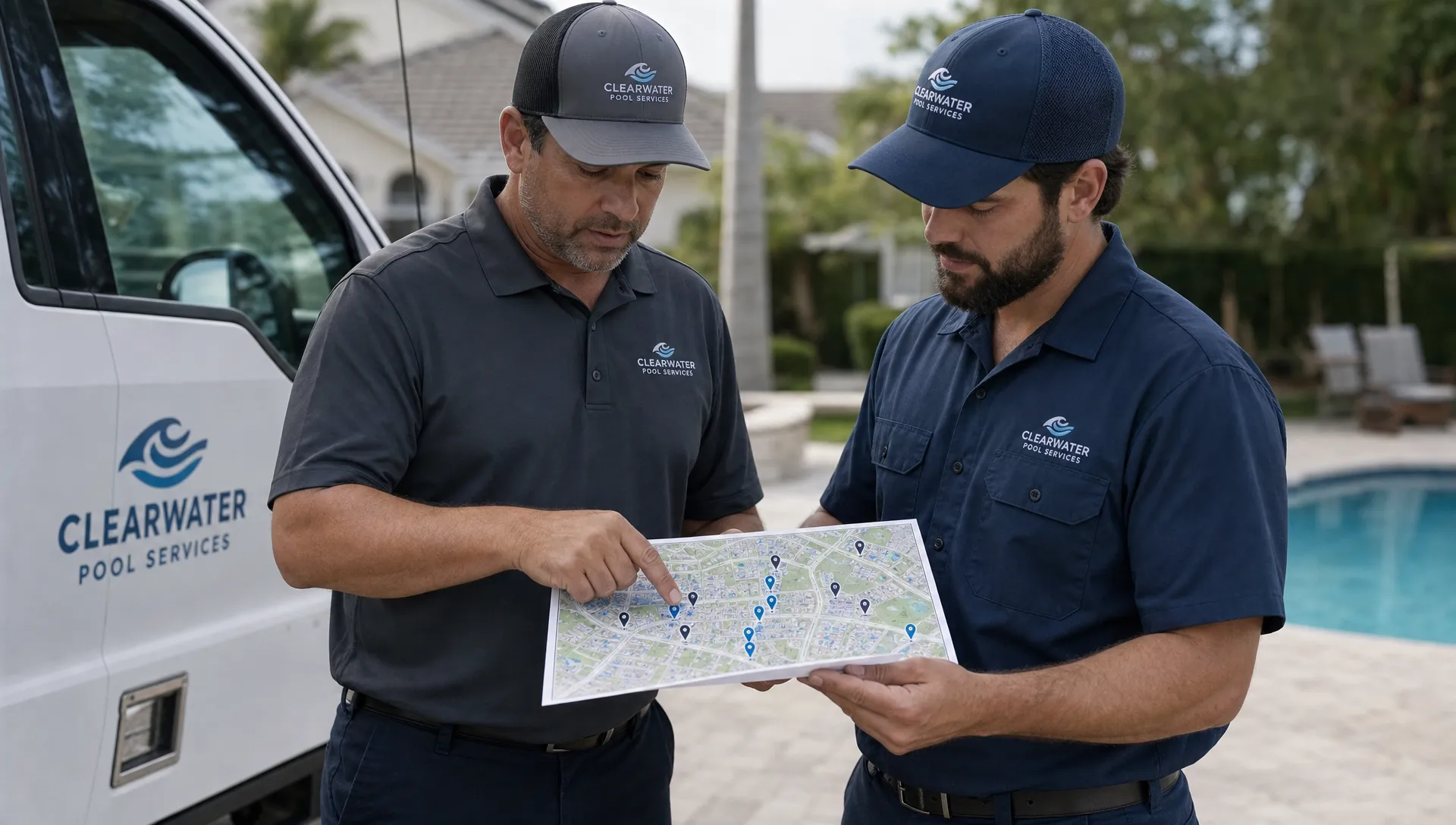
Segmentation only works if it changes behavior. A tag in the CRM is not enough. The segment should influence marketing, sales, scheduling, field service and billing.
For example, imagine a company has strong density in two neighborhoods but keeps accepting low-margin customers 25 minutes away because those leads come through the website. Without segmentation, those leads enter the same sales process as everyone else. With segmentation, the office can mark them as outside target density, offer a different price, route them to a specific day or decline if the economics do not work.
That may sound restrictive, but it is how route businesses protect margins. Contractors using CRM software to scale often make this shift as they mature. Early growth rewards saying yes. Sustainable growth rewards knowing which yes strengthens the business.
A pool company can use segments to make several decisions more consistent:
- Prioritize follow-up for leads inside target route zones
- Send neighborhood-specific campaigns near existing profitable stops
- Assign complex equipment accounts to technicians with the right experience
- Group customers with similar service expectations on the same day
- Flag accounts that need office review before renewal or price changes
- Trigger homeowner notifications that match the visit type and account stage
This is also where scheduling tactics and segmentation overlap. A smart route schedule is easier to build when customer data is already clean, tagged and tied to geography. SplashIQ’s guide to smart scheduling tactics that cut drive time pairs well with segmentation because both depend on better data before the truck leaves the shop.
What to look for in customer segmentation software
For a pool service business, the best customer segmentation software is usually not a standalone marketing tool. It should sit inside the operating system your team uses to run the day.
At minimum, it should make customer data easy to capture and useful across departments. Sales should see route fit before promising service. Dispatch should see equipment and access notes before assigning a technician. Technicians should see property history in the field. Homeowners should receive communication that reflects the actual visit.
Look for capabilities that connect segmentation to action. CRM tags are helpful, but they become much more valuable when they connect to scheduling, technician workflows, notifications, photos, invoices and payments.
| Software capability | Why it matters for route density |
|---|---|
| CRM tied to properties | Pool service decisions depend on the pool, equipment and access details, not only the homeowner contact |
| Smart route scheduling | Segments should help group stops by zone, visit type and technician fit |
| Field app access | Technicians need segment-relevant notes, even when connectivity is poor |
| Water-quality logs | Chemistry trends can identify high-maintenance accounts and recurring service needs |
| Equipment tracking | Equipment profiles help match skill level, parts planning and follow-up recommendations |
| Homeowner notifications | Clear arrival and service updates reduce office calls and missed access issues |
| Online payments | Billing behavior can be part of account health and renewal decisions |
| Reporting by segment | Owners need to see which neighborhoods, services and lead sources create profitable growth |
This is the difference between storing information and operating from it. If segmentation lives in one tool, scheduling in another and billing somewhere else, the office has to translate every decision manually. That is where errors creep in.
As companies grow, they also need to keep administrative workflows clean. Contractor operators often focus on leads and routes first, but compliance, tax and finance tools matter as volume increases. For businesses with federal excise filing obligations, an IRS-authorized option like e-filing IRS Form 720 online can be part of a cleaner back-office stack, separate from the CRM but aligned with the same goal of reducing manual admin work.
How to implement segmentation without overwhelming the team
The easiest mistake is creating too many segments too soon. If every customer gets 18 tags, no one trusts the data. Start with the categories that affect routing and revenue most directly.
A practical first version might include service zone, service tier, equipment complexity, lead source, account status and payment risk. That is enough to guide sales and scheduling without turning the CRM into a tagging project.
The next step is to define what each segment means. “High value” should not be a gut feeling. It might mean monthly service plus approved repairs, strong payment history and location inside a target zone. “Complex equipment” might mean automation, heater, salt system or recurring pump issues. Clear definitions help office staff and technicians classify accounts the same way.
You should also review segments on a schedule. Pool businesses change with the season. A customer who was difficult during a green pool recovery may become a simple maintenance account. A once-profitable route may lose density after cancellations. A neighborhood that looked promising may not produce enough qualified leads. Segmentation should reflect current operations, not last year’s assumptions.
Metrics that show whether segmentation is working
Customer segmentation software should improve measurable route outcomes. If it only creates cleaner lists, the business impact will be limited.
Track metrics that show whether your routes are getting tighter and healthier. You do not need complex analytics to start. You need consistent measurements and enough discipline to review them monthly.
| Metric | What it tells you |
|---|---|
| Stops per technician day | Whether routes are becoming more productive without overloading the team |
| Drive time per route | Whether geographic segmentation is reducing windshield time |
| Revenue per route day | Whether density is improving profitability, not just stop count |
| Callback rate by segment | Whether certain service types or equipment profiles need better handling |
| New customers by target zone | Whether marketing is filling the neighborhoods you actually want |
| Churn by route or zone | Whether weak communication, poor fit or pricing issues are damaging density |
| Payment speed by segment | Whether billing behavior should influence renewals, pricing or service terms |
The most useful review is not just, “Which technician is fastest?” It is, “Which customer segments make our routes stronger, and which ones make the day harder than the revenue justifies?”
This is where technician scorecards can add context. If one route has more callbacks, the issue may not be the technician. It may be a cluster of high-complexity pools, poor access notes or customers who were sold the wrong service tier. Better segmentation gives owners a fairer view of performance.
Common segmentation mistakes pool companies should avoid
The first mistake is segmenting only for marketing. Email campaigns matter, but pool routes are won or lost in operations. A customer segment should help decide whether to pursue a lead, where to schedule the account, which technician should handle it and what follow-up is needed.
The second mistake is using geography too broadly. City names and ZIP codes rarely capture the realities of traffic, gates, hills, road layouts and neighborhood density. Build zones that reflect how technicians actually drive.
The third mistake is treating all nearby customers as equally desirable. Density is valuable only when the accounts fit your business model. Ten difficult accounts in one subdivision can drain more profit than six well-fit accounts in a slightly wider route.
The fourth mistake is not explaining schedule changes to homeowners. Reddit pool and homeowner discussions often show how quickly trust erodes when service companies change days without context. If you are rebuilding routes for density, communicate it as a service improvement: more consistent technicians, tighter routes, better arrival reliability and clearer service windows.
The fifth mistake is letting old data linger. If gate codes, equipment records, billing status and service tiers are outdated, segmentation becomes a source of bad decisions. Route density depends on field-level accuracy.
Where SplashIQ fits
SplashIQ is built for pool service companies that need their CRM, routes, field work, homeowner communication and payments in one workflow. That matters because customer segmentation for pool routes cannot live in a spreadsheet forever. It needs to affect what the office sees, what the technician does and what the homeowner receives.
With SplashIQ, teams can manage customer records, schedule routes, log water quality, track equipment, capture before and after photos, send homeowner notifications, support online payments and keep field teams working with an offline app. Those functions make segmentation practical because the data is connected to the work.
If your company is moving beyond owner memory, paper checklists or disconnected spreadsheets, pool service software for route-based companies gives you the structure to turn customer data into better routes.
Frequently Asked Questions
What is customer segmentation software for pool service companies? Customer segmentation software helps pool companies group leads and customers by factors such as location, service tier, equipment complexity, revenue potential, account status and payment behavior. The goal is to make smarter sales, scheduling and retention decisions.
How does segmentation improve pool route density? Segmentation helps the office prioritize leads in target neighborhoods, group similar service types, avoid poor-fit accounts and assign the right technicians. Over time, this reduces unnecessary drive time and strengthens the economics of each route.
Should a pool company use standalone customer segmentation software? Some companies can use standalone tools for marketing, but route-based pool businesses usually benefit more when segmentation is connected to CRM, scheduling, field service, notifications and billing.
What customer segments should a pool company start with? Start with service zone, service tier, equipment complexity, lead source, lifecycle stage and account health. These segments are simple enough to maintain and directly relevant to route planning.
Can segmentation help with customer retention? Yes. Lifecycle and account health segments help teams identify new customers who need onboarding, long-term customers who need repair follow-up and accounts at risk because of access, billing or communication issues.
Build denser routes from the customer record up
Denser routes do not happen only on the dispatch board. They start when your company knows which customers to pursue, how each account fits the route and what the team needs to deliver consistent service.
Customer segmentation software gives pool companies a clearer way to grow. Instead of adding stops wherever demand appears, you can build around zones, service fit, technician capacity and account value. SplashIQ helps connect those decisions across CRM, scheduling, field operations, homeowner communication and payments, so your routes get stronger as your customer base grows.