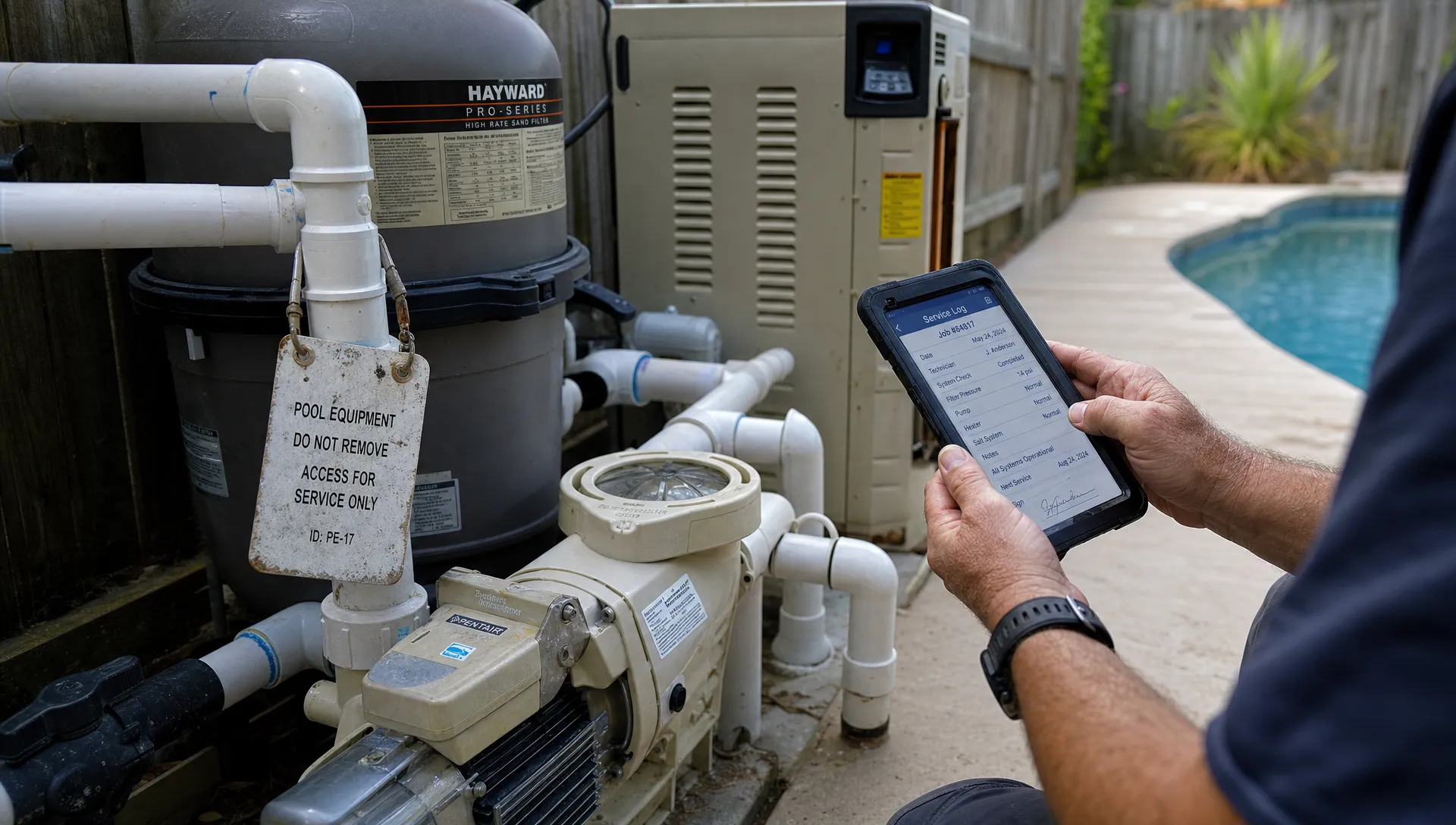
Pool service work rarely follows a clean software diagram. A lead may come from a neighbor referral, turn into a green-to-clean estimate, become weekly maintenance, trigger an equipment replacement and then create a billing question three months later. If the CRM only tracks names and phone numbers, the team still ends up living in texts, spreadsheets, paper checklists and memory.
That is where a customizable CRM earns its place. For a pool service company, customization does not mean endless tinkering or building software from scratch. It means the CRM can match the way the business actually runs, from route density and gate codes to water-quality history, equipment records, homeowner updates and invoice follow-up.
A good CRM should not force pool operators to choose between sales organization and field execution. It should connect both.
Why pool service workflows break generic CRMs
Most generic CRMs were built around a simple sales pipeline: lead, opportunity, proposal, closed won or closed lost. That works for some office-based sales teams, but pool service companies manage relationships through properties, visits and recurring operational details.
A homeowner is not just a contact. The useful record includes the property address, pool type, access notes, pets, equipment pad photos, service history, chemical readings, billing contact and communication preferences. One customer may own multiple properties. One property may involve a homeowner, a property manager, a tenant and a separate billing contact.
When a generic CRM cannot represent that structure, the company creates workarounds. Gate codes move into technician notes. Equipment models live in photos. Water readings sit in paper logs. Office staff chase technicians for visit details before answering homeowner questions. None of those problems look dramatic at first, but they compound as routes, technicians and customers grow.
A customizable CRM helps by shaping the system around the operational unit that matters most: the pool property.
What customizable really means in a pool CRM
Customization is often misunderstood. It is not about adding dozens of fields because the software allows it. Too much customization creates clutter and slows adoption. The goal is to capture the details that affect scheduling, service quality, communication and cash flow.
For pool service companies, the most useful CRM customization usually falls into a few practical categories.
| Workflow area | What needs to be customized | Why it matters |
|---|---|---|
| Lead intake | Source, service interest, pool condition, urgency and property type | Sales teams can prioritize real opportunities instead of treating every inquiry the same |
| Property records | Gate codes, access rules, pool size, surface type, pets and preferred visit window | Technicians arrive prepared and office staff stop repeating the same questions |
| Equipment tracking | Pump, filter, heater, automation system, install dates and warranty notes | Repair recommendations become faster and more accurate |
| Service visits | Checklist by visit type, water-quality logs, chemical additions and photos | Homeowners see proof of work and managers see consistency |
| Scheduling | Route zones, technician skills, recurring cadence and one-time jobs | Dispatch decisions support route density and fewer unnecessary drive miles |
| Billing | Billing contact, payment status, invoice history and follow-up steps | The company can reduce confusion between service completion and payment collection |
This is why a pool-specific system is different from a standard contact database. For example, SplashIQ’s pool service CRM software is built around customer, property, equipment and visit context rather than only a generic sales record.
The real workflow starts before the first visit
A customizable CRM should start working the moment a lead arrives. Pool leads are not all equal. A homeowner asking for weekly service is different from someone requesting a filter replacement, a one-time cleanup or a new homeowner orientation after buying a house with a pool.
If the CRM only stores the contact name and phone number, the estimator still has to reconstruct the situation later. If the CRM captures the service type, photos, address, access constraints and urgency during intake, the office can route the inquiry correctly from the start.
This matters because pool companies lose revenue in the gaps between interest and action. A voicemail sits unanswered. A Facebook message is never entered into a system. A technician hears about a neighbor referral but forgets to pass it to the office. Those gaps are exactly what a structured CRM strategy is meant to fix, which is why SplashIQ has a deeper guide on building a practical CRM strategy for growing pool service companies.
A customizable CRM should let the company define lead stages that match its own process. A maintenance-only company might use stages such as new inquiry, estimate scheduled, approved, first service booked and active customer. A company that handles repairs might need diagnosis scheduled, parts needed, quote sent, approved and ready to dispatch. The stages should reflect real next actions, not generic labels that nobody trusts.
Scheduling needs more than a calendar
Pool service scheduling is not just date and time. It is geography, cadence, skill, access and weather. A pool company may have weekly maintenance routes, biweekly service, repair calls, filter cleans, vacation coverage and urgent green pools competing for the same technicians.
A CRM that fits the workflow should connect scheduling to customer and property data. If a property has a locked gate, a large dog, a fragile heater or a homeowner who requires arrival notifications, those details should be visible before the job lands on the route. If a repair requires a technician certified or experienced with a certain automation system, that should affect assignment.
The customization here is less about fancy dashboards and more about decision quality. The dispatcher should not have to open five tabs or call a technician to know whether a job is ready to schedule. The CRM should make the constraints visible inside the workflow.
This is also where CRM and field operations overlap. A route is not successful just because a calendar item exists. It is successful when the technician can complete the visit, document the work and give the office enough information to support the customer afterward.
Field work is where CRM adoption is won or lost
Technicians will not use a CRM that feels like office software dumped onto a phone. They need a fast way to see the day’s route, confirm property details, log work and move on. If the process takes too long, the team will drift back to texts and shorthand notes.
A customizable CRM should allow visit checklists to match the job type. Weekly service, initial startup, green-to-clean, filter cleaning and equipment diagnosis do not require the same information. Forcing every technician through the same form creates bad data because people skip fields or enter placeholders.
The better approach is to standardize what must be consistent and customize what changes by service type. Water-quality logs, chemical additions and before-and-after photos can become part of the service record. Equipment issues can create follow-up tasks. Homeowner notifications can be triggered from real visit status rather than manual office updates.

Reddit is useful here as a raw complaint database. In communities such as r/pools and r/HomeImprovement, homeowners often ask what a pool service company should have done, whether a chemical reading looks right or how to handle a contractor who is hard to reach. In r/smallbusiness, service owners frequently discuss missed follow-ups, software adoption and the jump from owner-operated chaos to a managed team.
Those Reddit threads are not formal research, but they reveal the same pattern pool companies see every week: customers want clarity and contractors need a system that makes clarity easy.
Homeowner communication should be part of the workflow, not an afterthought
Many pool service callbacks are not caused by bad service. They are caused by missing context. A homeowner sees the water level low and asks if the technician noticed. Someone gets an invoice and does not remember approving the repair. A new owner wants to know what equipment they have. The office then has to interrupt the route to get answers.
A customizable CRM reduces that friction by connecting communication to the record of work. Arrival notifications, service summaries, photos, chemical readings and billing notes should be tied to the property and visit. The homeowner does not need every internal detail, but they do need enough information to trust that the work happened and understand what comes next.
This is one of the most practical places to customize templates. The message after routine service should not sound like the message after a failed pump diagnosis. A repair follow-up should include different context than a weekly maintenance summary. The office can keep the tone consistent while letting the content reflect the actual job.
If callback volume is one of the main pain points, it is worth looking at how CRM tools for customer service can cut callback chaos by keeping visit records, property notes, photos and billing context in one place.
Scaling contractors usually fix the same operating problem
Articles and case studies about contractors using CRM software to scale their businesses often focus on different trades, such as HVAC, plumbing, landscaping and remodeling. The trade details vary, but the operating lesson is consistent: growth gets harder when customer memory lives in the owner’s head.
The owner can personally remember which customers are picky, which jobs need special parts and which invoices require a nudge when the company has a small route count. That breaks down when the business adds technicians, office staff or multiple service lines. At that point, the CRM is not only a sales tool. It becomes the shared memory of the company.
For pool service businesses, scaling pressure usually shows up in specific ways. The owner becomes the only person who knows the history of a heater issue. The office cannot answer a homeowner without calling the field. Technicians use different service standards. Estimates do not convert because nobody follows up at the right time. Completed work does not always become an invoice quickly.
A customizable CRM helps by turning those owner-dependent decisions into visible workflows. The system does not replace judgment, but it gives each role the context to make better decisions without waiting on one person.
The best customization is role-based
A pool company has different users with different needs. The owner wants visibility into revenue, route completion, technician performance and customer risk. The office needs scheduling, communication and billing context. Technicians need accurate property details and fast visit documentation. Homeowners need clear updates and simple ways to pay.
If every role sees the same CRM screen, the system becomes noisy. Role-based customization keeps the CRM focused.
| Role | What they need from the CRM | What they do not need first |
|---|---|---|
| Owner or manager | Pipeline visibility, route completion, technician scorecards and payment status | Every minor field note unless it affects decisions |
| Dispatcher | Schedule, route zones, technician availability and job readiness | Long sales histories unrelated to the visit |
| Technician | Today’s route, property notes, equipment details, checklists and photo capture | Management reports |
| Office admin | Customer communication, invoices, payment status and service history | Technical settings that do not affect support |
| Homeowner | Arrival updates, service summaries, photos, invoices and payment options | Internal task notes or staff-only comments |
This is where customization should simplify, not complicate. Each person should see what helps them act correctly in the moment.
Avoid customizing around bad habits
There is a risk with every customizable CRM: companies can automate a messy process instead of improving it. If lead stages are unclear, custom fields will not fix them. If technicians disagree on what a completed service visit requires, software will only expose the inconsistency. If billing depends on someone remembering to check a paper stack at the end of the week, the CRM needs to change the workflow, not memorialize the bottleneck.
Before customizing, pool service owners should ask a few grounded questions:
- What information do we ask customers for more than once?
- What details do technicians need before arriving at a property?
- What service notes are required to defend quality if a homeowner calls later?
- Where do leads, estimates or invoices most often stall?
- Which decisions still require the owner because the context is not documented?
The answers should drive the CRM structure. A field, stage or automation is only useful if it prevents a real miss, speeds up a real task or improves a real customer interaction.
What to look for in a customizable CRM for pool service
The right CRM should feel like an operating layer for the company, not a separate admin chore. For pool service teams, that means the CRM should connect customer records, scheduling, field documentation, communication and billing in a way that reflects the full service lifecycle.
Look for customization that supports the work your team already performs every day. Property-specific records are essential. So are recurring routes, water-quality logs, equipment tracking, before-and-after photos, homeowner notifications and online payments. If technicians work in areas with spotty reception, offline field access also matters because incomplete documentation often starts with a weak connection.
It is also worth asking how easy the CRM is to change as the business grows. The workflow for a 2-truck maintenance company may not be the same as the workflow for a larger company with dedicated repair technicians, office staff and sales follow-up. A customizable CRM should let the business mature without starting over.
Frequently Asked Questions
What is a customizable CRM for pool service companies? A customizable CRM is a customer management system that can be configured around pool service workflows, including properties, routes, equipment, water-quality logs, service photos, homeowner communication and billing.
Why is a generic CRM often not enough for pool service? Generic CRMs usually focus on contacts and sales stages. Pool service companies also need property access notes, recurring visit history, equipment details, field checklists and service documentation tied to each pool.
How much should a pool company customize its CRM? Customize only around information that improves scheduling, service quality, follow-up, billing or customer communication. Too many custom fields can slow down technicians and reduce adoption.
Can a CRM help reduce homeowner callbacks? Yes. When visit notes, photos, chemical readings, equipment history and invoices live in one record, office staff can answer questions faster without interrupting technicians.
When should a growing pool service company move away from spreadsheets? A company should move away from spreadsheets when leads are missed, route changes are hard to track, customer history is scattered or the owner is the only person who knows key account details.
Build workflows your team will actually use
A customizable CRM works best when it fits the rhythm of the business: lead intake, route scheduling, field service, homeowner updates and payment collection. The goal is not to add more software to the day. The goal is to remove the hidden work created by scattered information.
SplashIQ brings CRM, scheduling, water-quality logging, equipment tracking, homeowner communication and payments into one system for pool service companies. If your team is ready to replace spreadsheets and paper checklists with a workflow built for pool work, explore SplashIQ and see how a pool-specific operating system can support your next stage of growth.