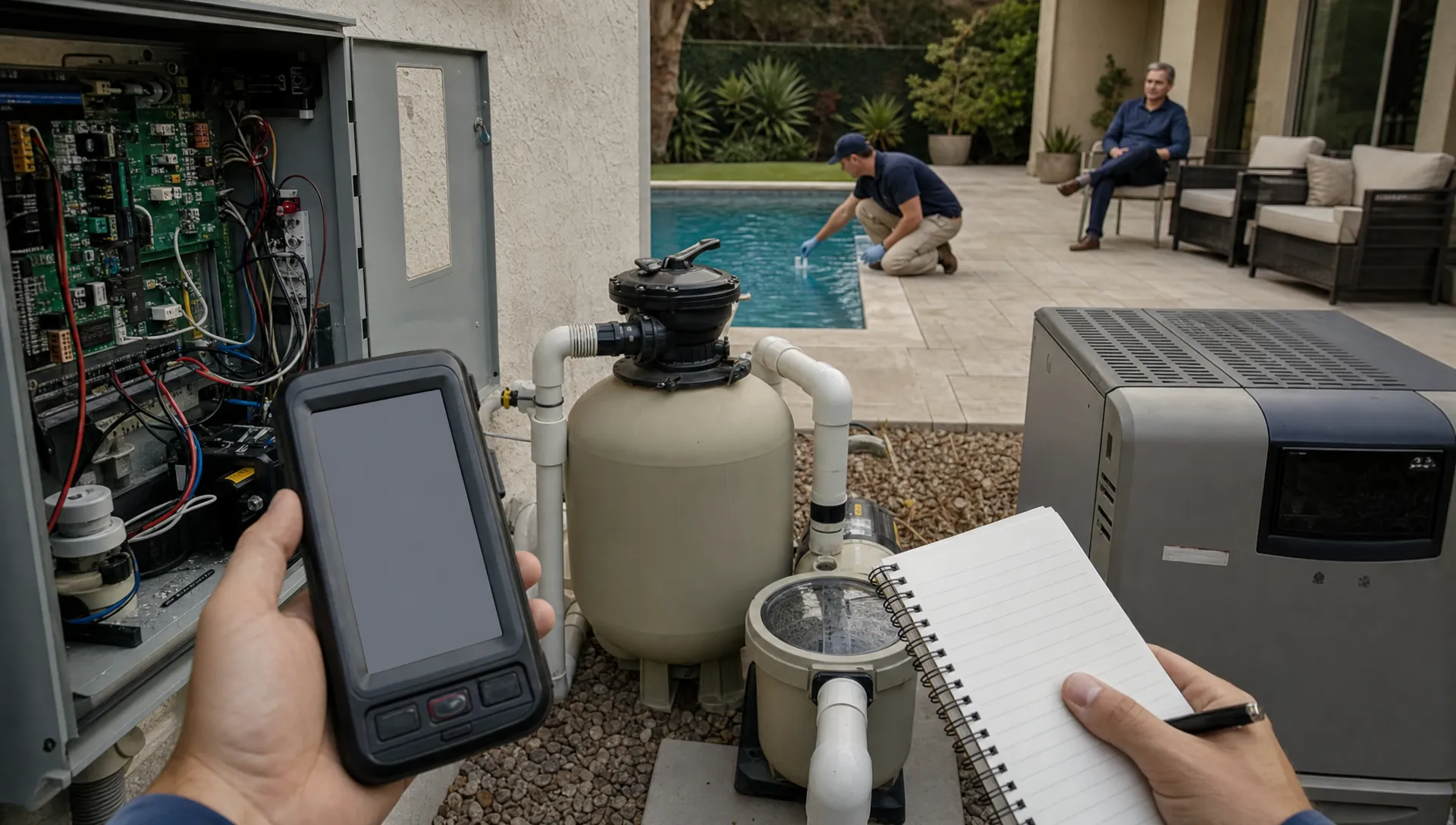
Callbacks are rarely caused by one bad service visit. In most pool service companies, callback chaos comes from missing context: a technician did not know the homeowner complained last week, the office could not see what chemical readings were logged, a repair note lived in a text thread, or nobody captured a clear before/after photo.
That is why the best CRM tools for customer service do more than store names and phone numbers. For pool service teams, the right CRM connects customers, properties, equipment, schedules, water-quality logs, field notes, photos, invoices, and follow-up tasks in one place. When everyone sees the same truth, callbacks stop feeling like detective work.
If you browse Reddit communities such as r/pools or r/poolservice, the pattern is familiar. Homeowners often complain less about the original pool issue and more about confusing communication: no proof of what was done, unclear return windows, different answers from different people, and uncertainty about charges. A CRM cannot eliminate every algae bloom, pump failure, or storm-related problem. It can eliminate the operational confusion that turns a routine issue into an angry callback.
What "callback chaos" really costs a pool service business
A callback is not just a second trip. It is a schedule interruption, a margin leak, and often a trust problem.
For a pool service company, a callback can trigger several hidden costs: office time to research the account, technician time to revisit the property, route disruption, extra chemical or parts usage, delayed invoices, and reputation risk if the homeowner feels ignored. The operational damage gets worse when your team does not know whether the visit is a warranty issue, a customer education issue, a recurring equipment problem, or a missed task.
Most callback chaos starts with one of these breakdowns:
- The customer record does not show recent complaints, promises, or preferences.
- The technician cannot see prior water readings, equipment details, or photos in the field.
- The office has to ask multiple people what happened before responding.
- Service notes are too vague to prove the work was completed.
- Follow-up tasks are not assigned to a clear owner.
- The homeowner receives no easy summary of what happened and what comes next.
CRM tools for customer service should reduce these breakdowns by making each account easy to understand at a glance. That matters even more in pool service, where customer service is tied to a physical asset with chemistry, equipment, weather, usage patterns, and recurring maintenance history.
Why generic CRMs often fail field service teams
Traditional CRMs were often designed around sales pipelines. That works for tracking leads, deal stages, and email sequences. It works less well when your customer service team needs to answer questions like, "What was the chlorine level last Tuesday?", "Which pump model is installed at this property?", or "Did the tech take a photo after brushing the steps?"
A generic CRM may give you contact fields and notes, but pool service teams need property context. The customer is not the only record that matters. The pool, the equipment pad, the route, the service history, the technician notes, and the payment status all affect how your team responds.
This is why service businesses should think beyond basic contact management. A stronger customer service CRM should combine office workflows with field operations. If you are still defining the basics, this guide on what customer service management software should include is a helpful companion because it breaks down the core pieces service teams need beyond a simple address book.
In practice, your CRM should answer three questions quickly:
- Who is the customer and what do they expect? This includes contact details, communication preferences, service plan, billing status, and recent issues.
- What is happening at the property? This includes pool type, equipment, water readings, photos, service history, access notes, and repair recommendations.
- What needs to happen next? This includes scheduled visits, assigned follow-ups, callback status, estimates, invoices, and homeowner updates.
When a CRM cannot answer those questions, your team fills the gaps with texts, memory, paper, and guesswork. That is where callback chaos grows.
The CRM capabilities that reduce callbacks fastest
Not every CRM feature has the same impact on customer service. For pool service companies, the biggest wins come from connecting the service visit to the customer conversation.
| Callback source | CRM capability that helps | Why it reduces chaos |
|---|---|---|
| Homeowner says work was not completed | Before/after photos and visit summaries | Creates clear proof of service and reduces disputes |
| Tech lacks property context | Equipment tracking and service history | Helps the tech understand recurring issues before arrival |
| Office cannot answer quickly | Shared customer and property timeline | Lets any team member respond with accurate details |
| Return visits disrupt routes | Smart route scheduling | Makes urgent follow-ups easier to assign without wrecking the day |
| Water issues keep recurring | Water-quality logs | Shows trends, not just one isolated reading |
| Customers keep calling for updates | Homeowner portal and automated communication | Gives customers self-serve visibility into service status |
| Payment questions delay closure | Online payments and billing records | Keeps service, invoices, and account status connected |
The key is not having more software. It is having fewer disconnected places where important information can hide.
A complete customer and property record
The customer record should not stop at name, address, phone number, and email. In pool service, the property record is just as important. Gate codes, pets, access restrictions, pool size, surface type, system configuration, heater details, pump model, filter type, and preferred communication style can all affect the quality of service.
When this information is available to the office and the technician, your team avoids repeat questions and unnecessary mistakes. A customer who has already explained a gate issue three times should not have to explain it again after every route change.
Water-quality logs that tell a story
A single water test is useful. A history of water-quality logs is much more powerful.
When readings are recorded consistently, customer service teams can spot patterns. Maybe chlorine keeps dropping after heavy usage. Maybe pH trends high after rain. Maybe a homeowner is asking why the pool is cloudy, but the history shows stabilizer, filter pressure, and phosphate concerns building over time.
A CRM that connects water-quality logs to the customer record gives your team a defensible explanation. Instead of saying, "The tech said it was fine," the office can explain what was measured, what changed, and what action was taken.
Photos that remove ambiguity
Photos are one of the simplest ways to reduce customer service friction. Before/after photos can show leaf removal, green-to-clean progress, equipment issues, storm cleanup, water level problems, damaged baskets, broken valves, or visible staining.
They also protect your technicians. If a homeowner calls about debris in the pool after a windy afternoon, photos from the completed visit can show the pool condition at the time of service. That does not mean the customer is wrong. It means the conversation starts from evidence instead of assumption.
A callback workflow with ownership
Many companies track callbacks informally. A customer calls, someone makes a note, a manager texts a tech, and everyone hopes the issue gets handled. That may work at a very small scale, but it breaks down as routes, technicians, and customer volume grow.
A better CRM workflow assigns each callback a status, owner, priority, and next action. The office should know whether a callback is new, scheduled, completed, awaiting parts, pending customer approval, or ready to invoice. The technician should know why they are returning and what outcome is expected.
This is also where technician scorecards can help. If callbacks cluster around a route, task type, or training gap, the goal is not to blame the tech. The goal is to see the pattern early enough to coach, standardize, and improve.
Customer communication is where callback chaos becomes visible
A messy internal workflow becomes a customer service problem when the homeowner has to chase you for answers. The best CRM tools for customer service make communication easier by keeping updates tied to the account and the visit.
For pool companies, a homeowner portal can be especially useful. Instead of calling to ask whether the tech came, what chemicals were added, or when the next visit is scheduled, the homeowner can see relevant service information in one place. If you want to go deeper on that topic, SplashIQ has a separate guide to CRM with customer portal features that reduce back-and-forth.
The point is not to hide behind automation. The point is to prevent avoidable calls so your team has more time for the conversations that actually need human judgment.
Clear communication also protects your brand. A pool service company that gives consistent answers, documents its work, and follows through quickly feels more professional than one that relies on vague updates. That operational consistency is part of brand trust, especially for growing service companies that want to stand out in a crowded local market. For companies thinking about how service experience and market positioning connect, a partner like Boil's branding and go-to-market agency can be relevant because brand growth depends on delivering a promise customers can feel.
How office and field alignment cuts callbacks before they happen
Callback prevention is not only about what happens after a customer complains. It starts before the visit.
When office and field teams use disconnected systems, technicians often arrive with partial information. They may know the address and service type, but not the recent complaint, the special access note, the unpaid estimate, or the equipment issue discussed with the homeowner. After the visit, the office may have no usable notes, no photos, and no clear recommendation to communicate.
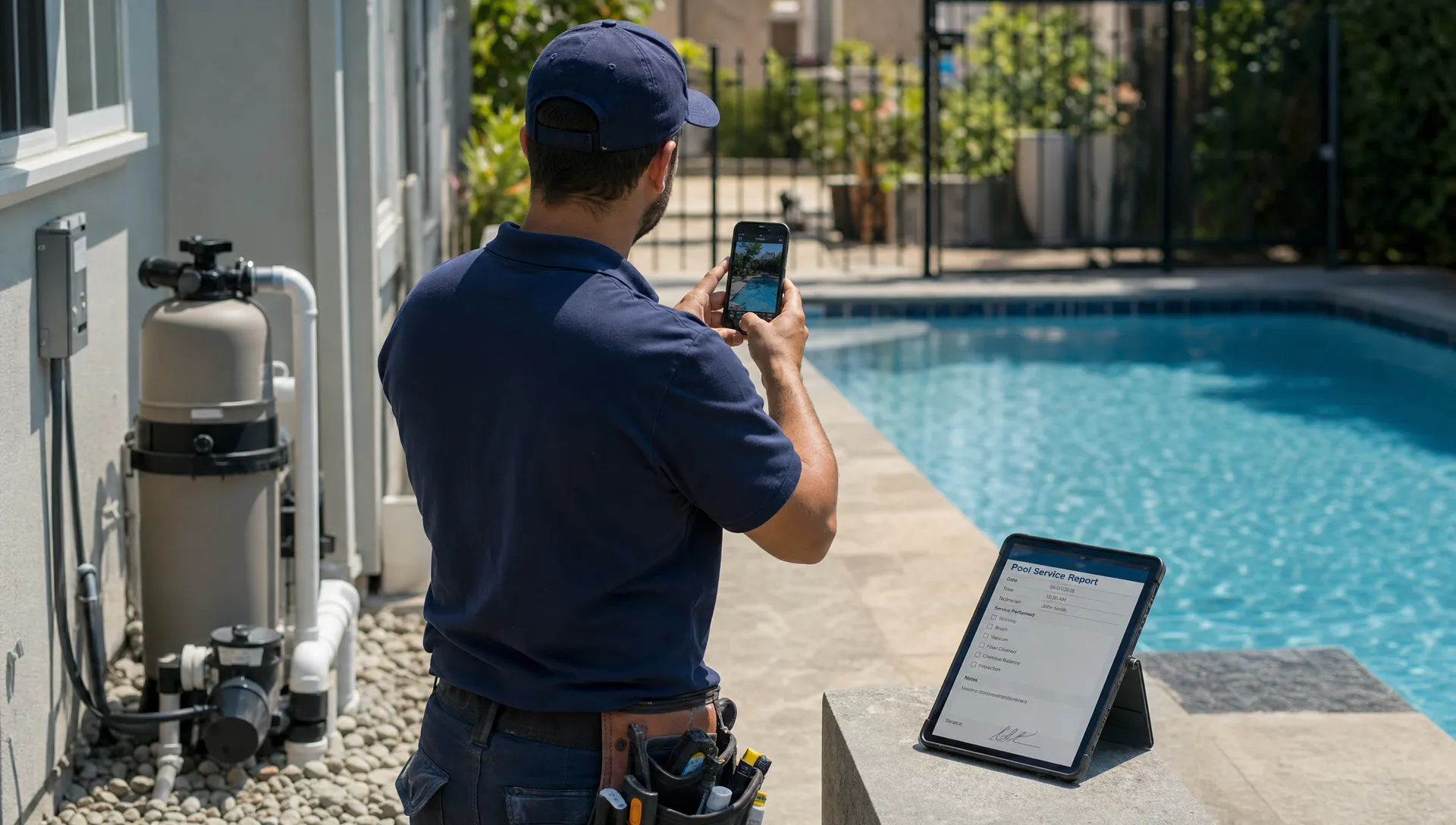
A connected CRM changes the rhythm of the day. The office schedules the work with context. The technician completes the visit with a mobile field app. Notes, photos, water readings, and repair recommendations flow back into the customer record. The office can follow up without asking the technician to reconstruct the visit from memory.
That is why CRM integration matters so much for service companies. If this is a current pain point, this article on how CRM integration connects office and field teams explains the operational impact in more detail.
For pool service teams, the ideal workflow looks like this:
- Lead or customer request enters the CRM.
- Office assigns the job, route, priority, and service details.
- Technician sees property notes, equipment, service history, and tasks in the field.
- Technician logs water readings, work completed, photos, and recommendations.
- Office reviews exceptions, sends updates, creates estimates, or invoices the customer.
- Homeowner can view relevant service information and pay online.
This flow does not remove the need for skilled people. It gives skilled people the information they need to do better work with less friction.
What to look for when choosing CRM tools for customer service
If your goal is to reduce callbacks, do not evaluate CRM software only by contact fields or email features. Evaluate it by how well it supports your real service day.
Start with field usability. If technicians will not use the app in the truck, at the gate, or beside the pool, the office will not get the data it needs. Offline access can matter when cell service is weak. Simple mobile workflows matter because technicians should not need to tap through ten screens to log basic visit details.
Then look at operational visibility. Your CRM should show what happened, who did it, what still needs attention, and what the customer has been told. If a manager has to open five tools to understand one complaint, the CRM is not doing enough.
Finally, examine the customer experience. A good service CRM should make customers feel informed without overwhelming them. Visit summaries, photos, schedule visibility, payment options, and clear follow-up messages can turn a potential complaint into a confident interaction.
Here is a practical evaluation checklist:
| Evaluation area | Questions to ask before choosing |
|---|---|
| Field adoption | Can technicians update visits quickly from a mobile app? |
| Pool-specific records | Can the system track equipment, water readings, photos, and property notes? |
| Callback management | Can issues be assigned, prioritized, scheduled, and tracked to completion? |
| Customer visibility | Can homeowners see useful updates without calling the office? |
| Scheduling | Can urgent returns fit into routes without manual reshuffling all day? |
| Billing connection | Are invoices, payments, and service records easy to connect? |
| Reporting | Can managers see callback patterns by route, tech, customer, or issue type? |
This checklist helps you avoid buying a CRM that looks good in a demo but does not survive a busy Monday morning.
Where SplashIQ fits for pool service companies
SplashIQ is built as an operating system for pool service businesses, which makes it different from a general-purpose sales CRM. It brings customer CRM, smart route scheduling, water-quality logs, equipment tracking, an offline field app, homeowner communication, before/after photos, billing, online payments, homeowner financing, and technician scorecards into one workflow.
That matters because callback chaos is usually a workflow problem. The office needs visibility. Technicians need context. Homeowners need clear updates. Managers need patterns they can act on.
For example, if a homeowner calls about cloudy water, the office should not have to search through text messages, paper notes, and a billing platform. The account should show recent visits, readings, technician notes, photos, equipment information, upcoming work, and payment status. The customer service answer becomes faster, more accurate, and more professional.
The result is not just fewer callbacks. It is a team that spends less time chasing information and more time running the business.
A simple callback prevention playbook
Software works best when it supports a clear operating standard. Before rolling out or changing CRM tools, define how your team handles the moments that most often lead to callbacks.
A practical playbook might include these standards:
- Every visit includes required service notes, even when nothing unusual happened.
- Water readings are logged consistently, not only when there is a problem.
- Before/after photos are required for visible issues, cleanups, repairs, and disputed conditions.
- Equipment concerns are documented with photos, recommendations, and next steps.
- Customer complaints become assigned callback records, not informal reminders.
- Homeowner updates are sent from the account record so the communication history stays intact.
The goal is consistency. When your team follows the same process every time, your CRM becomes a reliable source of truth instead of another database full of partial information.
Frequently Asked Questions
What are the best CRM tools for customer service in a pool service business? The best tools are the ones that connect customer records with field operations. For pool companies, that means CRM, scheduling, service history, water-quality logs, equipment tracking, photos, homeowner communication, billing, and payments in one workflow.
How does a CRM reduce callbacks? A CRM reduces callbacks by giving the office and field team the same customer and property context. When technicians can see history and log accurate visit details, the office can respond faster, prove what happened, and schedule follow-up without confusion.
Do small pool service teams really need a CRM? Yes, if customer details, service notes, and follow-ups are spread across texts, paper, spreadsheets, or memory. A simple CRM can help small teams avoid missed promises and create a more professional customer experience.
Should a customer service CRM include a homeowner portal? For many pool service companies, yes. A homeowner portal can reduce routine calls by giving customers access to service summaries, schedules, photos, invoices, and payment options when available.
What is the difference between a sales CRM and a service CRM? A sales CRM usually focuses on leads and deals. A service CRM focuses on ongoing customer relationships, scheduled work, field notes, property history, follow-up tasks, and service outcomes.
Turn callback chaos into a cleaner workflow
Callbacks will always be part of pool service. Weather changes, equipment fails, water chemistry shifts, and homeowners have questions. But callbacks do not have to create chaos.
With the right CRM tools for customer service, your team can connect every visit, note, photo, reading, invoice, and follow-up to the customer record. That gives your office better answers, your technicians better context, and your homeowners more confidence.
If your pool service business is ready to replace scattered spreadsheets, paper checklists, and text threads with one connected workflow, SplashIQ is built to help you run the full service operation from first lead to final invoice.