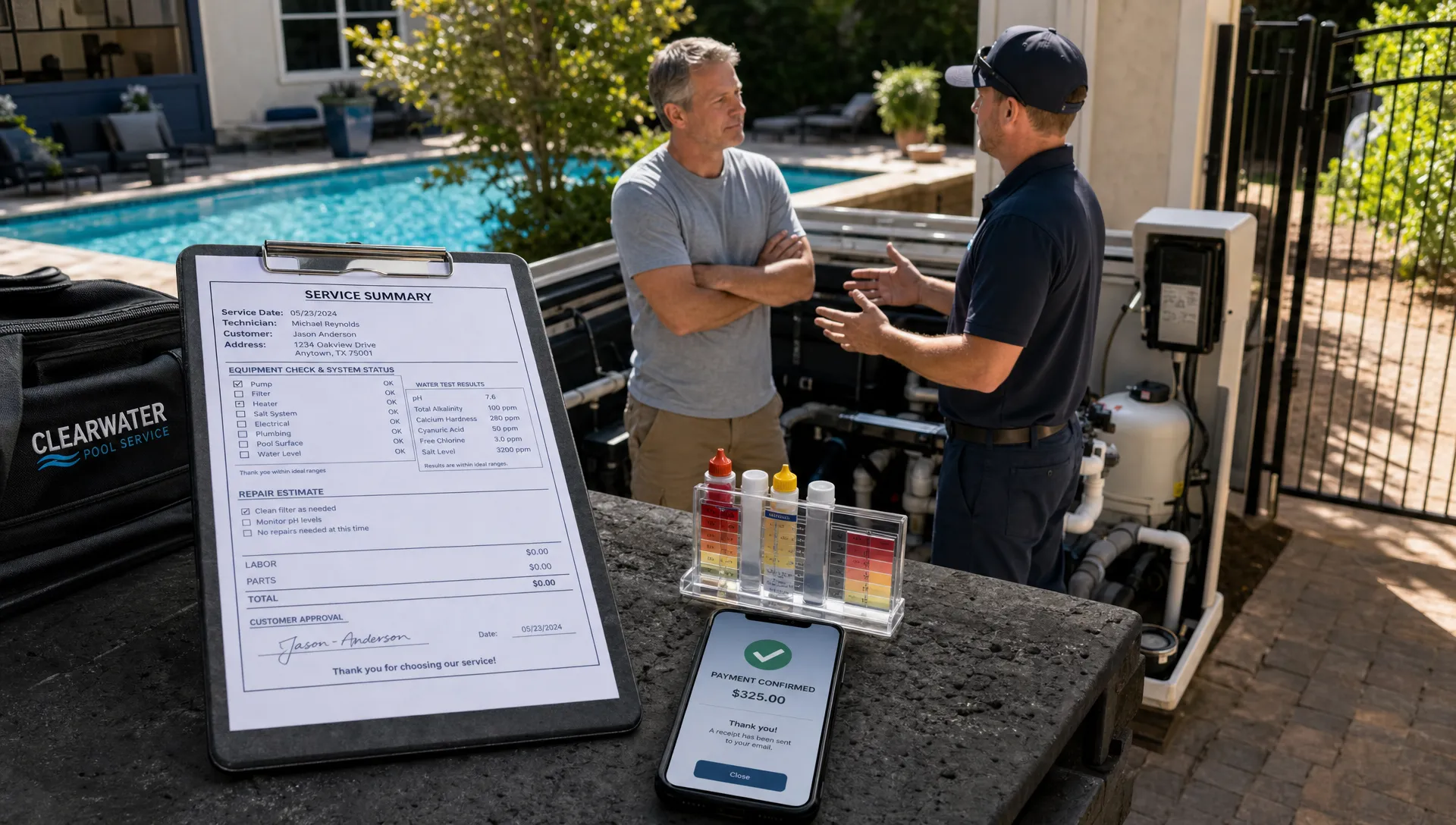
Customer service management software should do more than store names, phone numbers, and open requests. For a service business, customer service is the entire promise you make to the customer, from the first inquiry to the completed visit, follow-up note, invoice, and payment.
That is especially true for pool service companies. A homeowner may call about cloudy water, ask about a heater repair, request a schedule change, and then expect proof that the weekly visit happened. If those details live in separate spreadsheets, paper checklists, text threads, and accounting tools, your team ends up managing the gaps manually.
The best customer service management software connects the office, technicians, and customers around one operational record. It should help your team answer five questions quickly: who is the customer, what was promised, who is responsible, what happened on site, and what needs to happen next?
What customer service management software is responsible for
Customer service management sits at the intersection of CRM, scheduling, field operations, customer communication, billing, and reporting. It is not just a help desk, and it is not just a sales CRM. For service teams, it has to support the daily work that creates the customer experience.
A strong system should reduce repeat questions, prevent missed follow-ups, and make service history easy to trust. If a homeowner calls about a pool pump, the office should not have to ask three people for context. They should see the customer record, property details, previous repairs, technician notes, photos, water-quality history, open invoices, and upcoming appointments in one place.
That does not mean every business needs a huge enterprise platform. In fact, small service teams often need the opposite: a focused system that is simple enough for technicians to use in the field, but structured enough for owners and managers to see what is happening across the business.
Core features every buyer should evaluate
Before comparing brands, build a checklist around the workflows your team runs every day. The right software should support the full customer journey, not only one department.
| Capability | What to look for | Why it matters |
|---|---|---|
| Customer CRM | Contact records, property records, service history, preferences, tags, and notes | Keeps customer context in one reliable place |
| Scheduling and dispatch | Recurring routes, one-time jobs, technician assignments, route optimization, and schedule changes | Reduces missed visits and wasted drive time |
| Mobile field app | Technician access to jobs, notes, photos, checklists, and offline work | Helps the field team document work without calling the office |
| Service logs | Visit notes, chemical readings, equipment details, and repair history | Creates a defensible record of what happened on site |
| Customer communication | Reminders, updates, visit summaries, and follow-up tasks | Keeps homeowners informed without constant manual texting |
| Billing and payments | Invoices, payment links, status tracking, and optional financing workflows | Shortens the gap between completed work and collected revenue |
| Customer portal | Self-service access to schedules, service summaries, photos, and payment options | Reduces back-and-forth and improves transparency |
| Reporting | Operational dashboards, technician scorecards, follow-up tracking, and revenue visibility | Helps owners manage by facts instead of memory |
Customer records need more than contact fields
A basic contact database is not enough for a service company. Your customer record should include the people, properties, assets, and service history tied to the relationship.
For a pool service company, that may include the homeowner, billing contact, property address, gate access notes, pool type, equipment, service plan, preferred communication method, and recent concerns. It should also distinguish between a customer and a property. One customer may own multiple properties, and one property may have multiple contacts.
Clean data matters because every downstream workflow depends on it. Scheduling, routing, billing, customer communication, and reporting all become unreliable when records are duplicated or incomplete. If your team is currently outgrowing spreadsheets, this customer database software guide explains what small businesses should compare before switching systems.
The best systems also make data entry practical. If technicians have to type long notes after every stop, adoption will suffer. Look for structured fields, reusable checklists, photo capture, and simple mobile workflows that make documentation fast.
Scheduling should connect promises to routes
Scheduling is where many customer service problems begin. A customer is promised a visit, a repair, or an estimate, but the work never makes it onto the right calendar. Or it gets scheduled, but the technician does not have the context needed to complete it.
Customer service management software should include scheduling that handles both recurring and one-time work. It should help managers assign the right technician, group nearby jobs, adjust routes when emergencies happen, and see which visits are completed, skipped, or still pending.
For pool service teams, smart route scheduling can be a major operational advantage. Weekly maintenance routes, seasonal openings, repairs, inspections, and cleanup visits all compete for technician time. A good system helps the office understand capacity before making commitments.
It should also make schedule changes visible to everyone. If the office moves a visit, the technician should see the update. If a technician marks a job incomplete, the office should know whether the customer needs a follow-up. This is where scheduling becomes customer service, not just calendar management.
Field operations must be built for real job sites
A field service app has to work where technicians actually work. That means fast access to assigned jobs, property notes, customer history, equipment information, photos, and checklists. It also means offline access when cell service is weak.
Offline capability is not a luxury for mobile service teams. If a technician cannot open the job, capture readings, or record notes without a stable connection, the business loses documentation. Later, someone has to reconstruct what happened from memory.
The field app should also support proof of service. Before-and-after photos, timestamped notes, water-quality logs, and repair documentation can all help answer customer questions before they become disputes. The goal is not to micromanage technicians. The goal is to make great work visible.
Customer communication should be proactive and documented
Many customer complaints come from silence, not poor work. A homeowner may be happy to wait for a repair part if they know what is happening. They become frustrated when they have to ask for updates repeatedly.
Customer service management software should include communication tools that help teams send the right message at the right moment. That can include appointment confirmations, technician arrival windows, visit summaries, repair follow-ups, estimate updates, invoice reminders, and payment confirmations.
The most useful communication is tied to the service record. If a visit summary includes the technician note, water readings, and photos, the customer gets context without calling the office. If the customer replies with a question, that conversation should be saved to the account so the next person can respond intelligently.
A customer portal can make this even cleaner. Instead of sending every detail through text or email, customers can access schedules, visit history, photos, and payment options in one place. For a deeper look at how this reduces back-and-forth, see this guide to CRM with customer portal features.

Billing and payments should start from completed work
Billing should not feel like a separate end-of-week project. Once a visit, repair, or installation is completed, the information needed for billing should already be captured.
Good customer service management software connects completed work to invoicing and payment workflows. The office should be able to see what is ready to bill, what has already been invoiced, what is overdue, and which customers need follow-up.
Online payments are now a customer expectation in many home services categories. If customers can pay quickly from a portal or payment link, your team spends less time chasing checks and reconciling balances. For larger repairs or equipment upgrades, financing options may also help homeowners move forward with necessary work, provided the workflow is clear and compliant.
The key is visibility. A technician should not have to ask whether a customer has an overdue balance before recommending a repair. The office should not have to search through separate systems to confirm whether a payment was made. Connected billing protects cash flow and improves the customer experience.
Lead capture and follow-up belong in the same system
Customer service begins before someone becomes a customer. A missed lead, forgotten estimate, or slow callback creates a bad impression before your team ever visits the property.
Your software should track new inquiries, lead sources, estimate status, follow-up tasks, and communication history. If your business uses website forms, referrals, outbound campaigns, or partnerships, those opportunities should flow into a process that someone owns.
If your growth strategy includes outsourced prospecting or appointment setting, working with a B2B lead generation partner can help create more sales conversations, but your internal software still needs to turn those conversations into organized follow-up, scheduled estimates, completed service, and long-term customer relationships.
This is where many teams lose revenue. They invest in marketing, but leads fall into inboxes, sticky notes, or individual phones. A good system makes follow-up visible, assigns responsibility, and shows whether leads are moving forward. For service teams focused on execution, this article on how a customer management system improves daily follow-up is a useful companion.
Reporting should show service quality, not just revenue
Revenue matters, but it is only one part of customer service performance. Owners also need to know whether work is being completed on time, whether customers are getting updates, and whether technicians are documenting visits consistently.
The best reports are simple, actionable, and tied to daily decisions. A dashboard that looks impressive but does not change behavior is not useful. Focus on metrics that reveal bottlenecks.
| Metric | What it shows | Why it matters |
|---|---|---|
| First response time | How quickly new leads or customer questions get attention | Slow response reduces trust and conversion |
| Schedule completion rate | Whether planned visits are being completed as expected | Missed work creates customer frustration |
| Callback or return visit rate | How often the team has to revisit recent jobs | May indicate training, documentation, or quality issues |
| Average days to invoice | Time between completed work and billing | Delays hurt cash flow |
| Payment aging | How long invoices remain unpaid | Helps prioritize collections and reminders |
| Technician scorecard trends | Documentation, completion, quality, and customer-related performance | Supports coaching and accountability |
Technician scorecards should be used carefully. They work best when they support coaching, not blame. If one technician has more callbacks, the reason may be route complexity, equipment age, unclear job notes, or training gaps. Good data starts better conversations.
Security, permissions, and reliability are not optional
Customer service software holds sensitive business and customer information. Even small teams should think about permissions, data access, and reliability before buying.
At a minimum, look for role-based access, secure login practices, data backups, and a clear path for exporting your information if you ever need to change systems. Field staff may need access to job and property details, while owners and office managers may need billing, reporting, and administrative controls.
Reliability also includes support. If your team depends on the system every day, you need to understand how customer support works, what onboarding looks like, and how quickly issues are handled. The cheapest tool can become expensive if it creates downtime, duplicate work, or poor adoption.
What Reddit can teach you before a demo
Reddit articles are usually discussion threads rather than formal buyer guides, but they can still be useful when evaluating software. In communities such as r/smallbusiness, business owners often share candid complaints about tools that looked good in a demo but were too complex, too expensive to maintain, or difficult for employees to adopt.
For pool and home service businesses, Reddit discussions in homeowner communities such as r/pools can also reveal what customers care about: clear visit proof, reliable scheduling, fast answers, transparent pricing, and fewer repeated explanations. These conversations are not vendor-neutral research, and they should not replace a structured buying process. Still, they are valuable because they show the language customers and operators use when software fails them.
When researching, search recent Reddit posts for the product name plus terms like mobile app, offline, support, scheduling, billing, and QuickBooks. Look for patterns, not one-off rants. A single angry post may not mean much. Repeated complaints about the same workflow are worth investigating during your demo.
Red flags when comparing options
No software is perfect, but some gaps become expensive fast. Be cautious if you notice these issues during evaluation:
- The system cannot separate customers, properties, equipment, and service history cleanly.
- The mobile app is slow, confusing, or unusable without a reliable connection.
- Scheduling is disconnected from technician notes and customer communication.
- Billing requires manual re-entry after work is completed.
- Customer updates depend on individual employees remembering to send texts.
- Reporting depends on spreadsheet exports and manual cleanup.
- The vendor cannot clearly explain how service teams use the product day to day.
The biggest red flag is a workflow that only works if your best employee remembers every step. Good software should make the right process easier to follow, even on busy days.
How to choose the right depth for your team
A small team does not need software that takes months to configure. A growing team does need enough structure to avoid chaos. The right balance depends on your volume, number of technicians, service mix, and customer expectations.
During demos, ask vendors to walk through a real scenario from start to finish. For example, use a pool service scenario: a homeowner submits a repair request, the office schedules an inspection, the technician documents the equipment issue with photos, the customer receives an estimate, the work is approved, the job is completed, and the invoice is paid online.
Watch for handoffs. The value of customer service management software is not in any single feature. It is in the way information moves from lead to schedule, from schedule to field app, from field app to customer update, and from completed work to payment.
Where SplashIQ fits for pool service companies
SplashIQ is built for pool service businesses that need one operating system for the office, technicians, and homeowners. It brings together customer CRM, smart route scheduling, water-quality logs, equipment tracking, an offline field app, homeowner portal, before-and-after photos, online payments, homeowner financing, and technician scorecards.
That combination matters because pool service is highly operational. Customer satisfaction depends on accurate records, reliable routes, field documentation, clear communication, and timely billing. A generic CRM may help store contacts, but it often misses the service-specific details that determine whether the customer experience feels organized.
If your current process depends on spreadsheets, paper checklists, disconnected calendars, and scattered text messages, it may be time to evaluate a platform designed around the full pool service workflow.
Frequently asked questions
What is customer service management software? Customer service management software helps a business manage customer records, service requests, scheduling, communication, follow-up, billing, and reporting in one organized workflow.
How is customer service management software different from a CRM? A CRM usually focuses on customer and sales records. Customer service management software should go further by connecting those records to service delivery, field notes, scheduling, customer updates, and payments.
What should pool service companies prioritize first? Pool service companies should prioritize accurate customer and property records, route scheduling, mobile field documentation, water-quality logs, photos, customer communication, and connected billing.
Do small service teams need advanced software? Small teams do not need unnecessary complexity, but they do need a reliable system that prevents missed follow-ups, keeps service history organized, and makes daily work easier for technicians and office staff.
Bring your customer service workflow into one system
The right software should make your business easier to run, not harder to manage. If you run a pool service company and want CRM, scheduling, field documentation, customer communication, payments, and reporting in one place, SplashIQ is designed for that workflow.
Use your next software evaluation to look beyond feature lists. Ask whether the system helps your team keep promises, document work, follow up faster, and give homeowners a clearer experience from first call to final invoice.