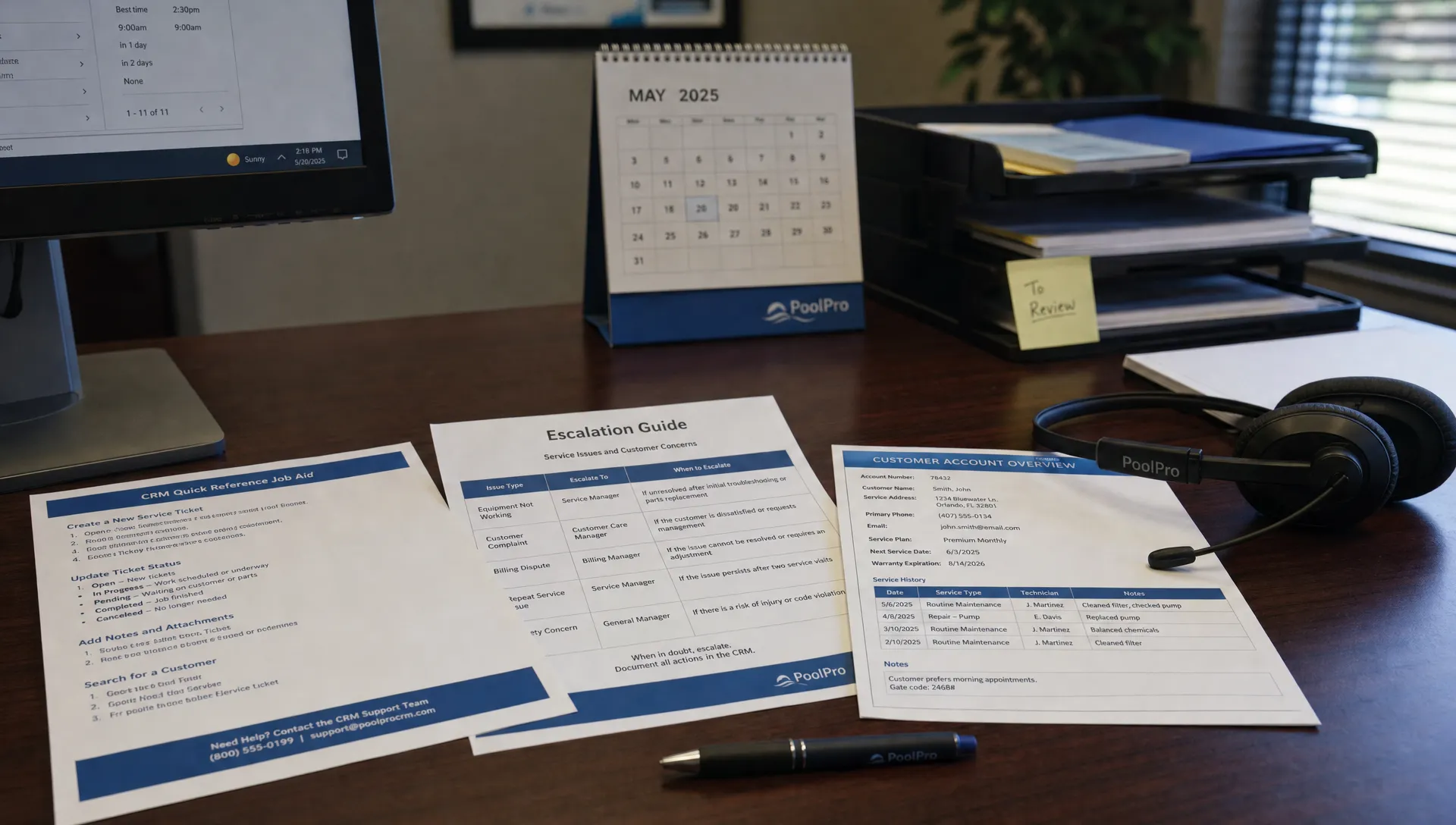
Training seasonal office staff on CRM programs works best when you teach the decisions behind each task, not just where to click. A new employee might find the scheduling screen quickly but still move the wrong appointment, promise an unsupported arrival time or send a billing question to a technician who cannot resolve it.
For a pool service business, the goal is straightforward: seasonal staff should handle routine customer requests accurately, keep office and field teams working from the same record and recognize when a supervisor needs to step in. Build training around those outcomes rather than a tour of every feature.
Define the Seasonal Role Before Opening the Software
Start with a short task description. What can this employee complete independently? What requires approval? What must always go to a technician, billing specialist or manager?
A seasonal receptionist might collect lead information, confirm appointment details and document customer calls. A more experienced coordinator might also reschedule visits within approved rules. Neither role should automatically include authority to approve refunds, change service pricing or give chemical-treatment advice.
Write these boundaries down before training begins. Otherwise, employees learn permissions informally, often from whoever happens to be nearby.
This is also a growth issue. SplashIQ’s article on how CRM tools help contractors scale without chaos explains the importance of connected workflows. Seasonal onboarding makes those workflows repeatable when call volume rises and permanent employees cannot review every action.
What Should Seasonal Staff Learn First in CRM Programs?
Prioritize five workflows that cover everyday office work. Teach each as a complete task: receive the request, verify the record, take the permitted action and document the outcome.
Find the Correct Customer and Service Address
Start with identity and property verification. One homeowner may have multiple service locations, while a tenant and property owner may contact the office about the same pool.
Have employees confirm the service address before editing anything. Show them how to distinguish the person calling, the service location and the billing contact. Searching only by surname is not enough when records look similar.
Capture a New Inquiry Without Creating Duplicates
Before creating a lead or customer record, search for an existing entry using the identifiers your business normally maintains.
Define the minimum intake information: caller name, contact details, service address, requested work and the next action. If the caller asks about a repair, record the reported symptom rather than inventing a diagnosis. “Pump makes a grinding noise” is useful; “pump needs replacement” requires a qualified assessment.
Handle Scheduling Requests Within Clear Rules
In CRM programs, rescheduling should follow your operating rules rather than whoever has an empty-looking calendar slot. Teach employees which changes they may make and which require a dispatcher’s approval.
Practice checking the correct property, existing appointment and customer request before making changes. Explain that moving a visit may affect the technician’s route and homeowner communications. Staff should use approved arrival language, not promise an exact time unless the business has authorized it.
Read Service History Without Giving Technical Advice
Show employees where to review visit notes, water-quality logs, equipment records and photos when those records are available. Their job is to locate information and relay documented facts.
A customer asking whether service occurred may need a visit confirmation. A customer asking whether cloudy water is safe for swimming needs a qualified response. Teach that distinction explicitly.
Route Billing Questions to the Right Person
Seasonal staff should know how to locate an invoice and document the customer’s question. Separately define who may confirm payment status, issue credits or change charges.
Teach employees not to infer payment from a customer’s statement or an incomplete transaction. If the status is unclear, record the question and send it to the designated billing owner.
Set Up Safe Practice and Appropriate Access
Before letting trainees work in CRM programs, give them individual logins and access appropriate to their duties where the platform supports it. Avoid shared accounts, which make it harder to identify who changed a record.
The FTC’s guide to protecting personal information recommends limiting access to sensitive information to employees who need it for their jobs. Apply that principle to customer records, payment information and any stored property-access details.
If your software offers a training environment, use it. Otherwise, demonstrate with scrubbed examples or supervise carefully selected real tasks. Do not fill the live customer database with fake accounts or trigger test messages to actual homeowners.
Before any practice action that could send a notification, confirm what the system will do. Scheduling changes, service updates and billing actions may have consequences beyond the screen the employee is using.
Give trainees an escalation contact for each shift. “Ask someone if unsure” is not a process when everyone is busy.
Use a Shift-Based Training Plan, Not a Completion Deadline
A short onboarding plan creates structure, but elapsed time does not prove readiness. Employees with previous dispatch experience may progress quickly; others need more repetition.
Use this sample plan for CRM programs as a starting point, then adjust it to the employee’s responsibilities and demonstrated accuracy.
| Training stage | Practice focus | Evidence of readiness |
|---|---|---|
| First shift | Find records, verify properties and read service history | Selects the correct customer and location without prompting |
| Second shift | Record inquiries and customer calls | Captures accurate details, avoids duplicates and assigns the next action |
| Third shift | Practice approved scheduling changes | Follows scheduling rules and recognizes requests needing approval |
| Fourth shift | Handle billing inquiries and unusual requests | Routes questions correctly without making unauthorized promises |
| Supervised live work | Complete approved tasks during normal office activity | Maintains accuracy while managing interruptions |
For each task, use a demonstration, a guided attempt and an independent attempt. Ask the trainee to explain their decision while working. This reveals misunderstandings that silent clicking can hide.
During live practice, the trainer should review consequential actions before they are finalized. Gradually remove that review only for tasks the employee has demonstrated reliably.
A training checklist should record the workflow, assessment date and reviewer. Marking “trained on scheduling” is less useful than recording which scheduling changes the employee can perform independently.
Test Exceptions Before Independent Work
Routine demonstrations are necessary, but they rarely expose the mistakes that disrupt a busy office. Assess whether employees can stop safely when a request falls outside their authority.
Testing CRM programs should include realistic interruptions and incomplete information. Use fictional scenarios without real customer details, then ask the trainee to describe the action they would take.
| Practice scenario | Expected response |
|---|---|
| Two customers share the same surname | Verify the service address before opening or editing a record |
| A caller wants today’s visit moved to tomorrow | Check scheduling rules and obtain approval when required |
| A homeowner reports cloudy water after service | Document the concern and route it to a qualified person |
| A customer disputes a charge | Capture the disputed item and send it to the billing owner |
| A caller changes a gate code | Follow your identity-verification process and store it only in the approved location |
| A customer says an invoice was paid, but the status is unclear | Avoid declaring it paid or unpaid until the responsible person verifies it |
For critical tasks, require a correct independent attempt before granting independence. Selecting the wrong property, disclosing sensitive information or making an unauthorized financial change should trigger more practice, not a passing score averaged across easier tasks.
Also test a correction. If the employee accidentally opens the wrong record or starts the wrong action, can they stop, explain what happened and get help without hiding the mistake?
Give Staff Short Job Aids They Can Use During Calls
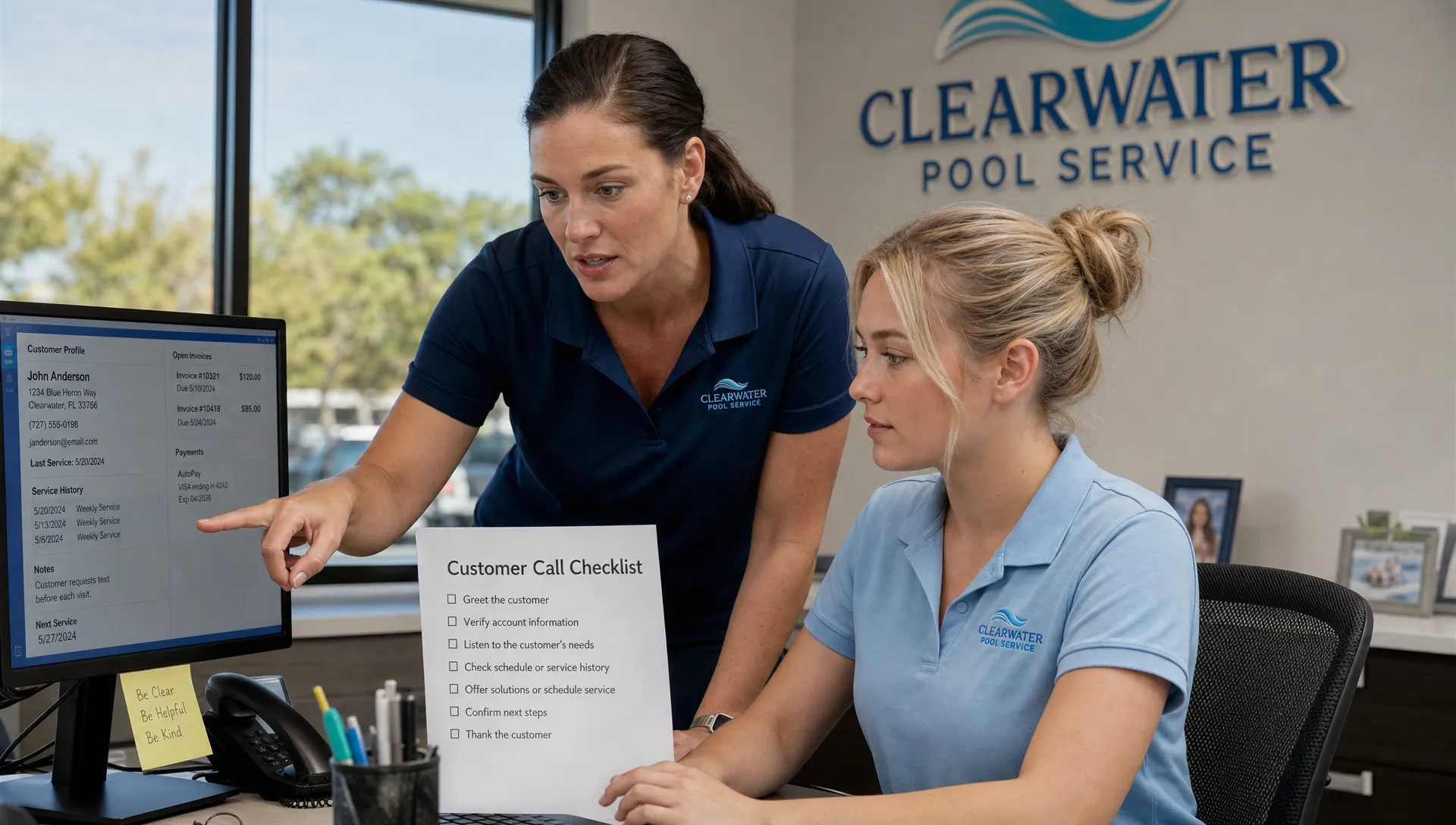
Long manuals are difficult to consult while a homeowner is waiting. Create a one-page guide for each high-frequency workflow, with the required checks and the escalation point near the top.
A useful call-note template might look like this:
Customer and service address confirmed: [details]. Request: [customer’s description]. Action taken: [completed action]. Follow-up owner: [name or role]. Customer told: [approved expectation].
Keep sensitive access information out of general notes if your business has a designated place for it. Likewise, do not store payment-card details in call notes.
For CRM programs, job aids should explain both the action and the stopping point. A scheduling guide should say when to contact dispatch. A billing guide should identify who can authorize an adjustment.
Keep screenshots and instructions aligned with the current interface. Assign one permanent employee to maintain the guides so seasonal staff do not receive conflicting versions from different coworkers.
Review Handoffs and Accuracy During the First Week
The office’s work is not finished when a note is saved. Someone must know whether a follow-up is required and who owns it.
During the first week, review a small daily sample of completed tasks. Check that the right property was used, notes describe the request accurately and any promised follow-up has an owner. Include a technician or dispatcher when reviewing scheduling handoffs.
SplashIQ’s explanation of how CRM integration connects office and field teams provides useful context for why these handoffs matter. Seasonal employees need to understand how their actions affect the next person, not just their own task list.
Evaluate CRM programs training with measures such as correction frequency, duplicate records, missed follow-ups and unnecessary escalations. Treat these as coaching signals rather than a competition. Speed matters only after employees can complete the work accurately.
For additional practice ideas, browse CRM discussions on Reddit’s r/smallbusiness. Relevant questions can inspire scenarios about confusing records or inconsistent follow-up. Treat individual comments as anecdotes, not verified software capabilities or company policy.
Plan for Returning Staff and End-of-Season Access
Returning employees still need a refresher. Review changes to service offerings, scheduling rules, billing responsibilities and software workflows before they resume independent work.
Use a short assessment to identify what they remember. Repeating the entire onboarding course may waste time, but assuming last year’s habits are still correct creates avoidable errors.
At the end of the season, reassign open follow-ups before the employee leaves. Review outstanding customer commitments and remove or adjust access according to your offboarding process. Preserve business records rather than deleting customer information to clean up an employee’s work.
Frequently Asked Questions
How long does it take to train seasonal office staff on CRM programs? Use several supervised shifts as an initial planning framework, not a guaranteed timeline. Readiness depends on the employee’s duties and demonstrated accuracy. Someone who handles intake alone needs a different assessment from someone authorized to change appointments.
Should seasonal staff learn every feature? No. Teach the workflows they will use, the information they need to interpret and the boundaries of their authority. Add other tasks after they can handle the core work reliably.
What if there is no training environment? Use scrubbed examples for demonstrations and supervised real work for practice. Confirm whether an action will affect appointments, invoices or customer communications before the trainee proceeds.
How can managers reduce repeated questions? Provide short job aids and a clearly named escalation contact. Track recurring questions and improve the instructions that caused them. Do not discourage questions about safety, identity verification or financial authority.
Connect Training to Your Pool Service Workflow
SplashIQ brings customer CRM, smart route scheduling, water-quality logs, equipment tracking, homeowner notifications and online payments into a platform built for pool service businesses. Those connected functions make it especially useful to teach how office decisions affect technicians and homeowners.
When evaluating CRM programs, look beyond whether seasonal staff can navigate the screens. Ask whether your training plan prepares them to verify records, complete authorized work and make reliable handoffs. Explore SplashIQ’s pool service software with those everyday office tasks in mind.