
The best simple CRM software is not the product with the fewest buttons. It is the one your team can use on the busiest day of the week, when phones are ringing, technicians are already in the field, and a customer is asking about a quote from three Tuesdays ago.
For small teams, CRM adoption usually fails for one reason: the system feels separate from the work. Someone has to remember to update it later, duplicate notes from a text message, or dig through a spreadsheet to find what happened last time. That is why busy service businesses, especially pool service companies, need a CRM that is less like a database and more like an operating rhythm.
Reddit posts in communities like r/smallbusiness, r/sweatystartup, and r/pools often reveal the same frustration in plain language. Owners do not usually complain that a CRM lacks advanced reporting. They complain that their team will not use it, customer notes are still scattered across phones, or follow-ups disappear when the office gets slammed. That is the real benchmark for simple CRM software: it has to lower friction immediately.
What simple CRM software should actually mean
Simple does not mean basic. A basic CRM might store names, phone numbers, and email addresses, but that is rarely enough for a small team that performs physical work at customer properties. Simple means the software is easy to learn, fast to update, and connected to the actions your team already takes every day.
A small pool service business, for example, does not just need to know who the homeowner is. It needs the property address, gate code, pool type, equipment details, service history, water-quality notes, open repair items, photos, billing status, and upcoming visits. If that information lives in five places, the CRM is not simple, even if the screen looks clean.
The right CRM should help a team answer practical questions in seconds:
- Who is this customer and what property do they belong to?
- What happened on the last visit?
- What follow-up is due next?
- Which technician is assigned?
- Are there unpaid invoices, photos, or repair notes attached?
For a service business, simplicity is not about hiding information. It is about putting the right information in the right place at the exact moment someone needs it.
Why small teams abandon CRMs
Most small teams do not wake up wanting a CRM. They want fewer missed calls, cleaner handoffs, faster quotes, better customer records, and less chaos during peak season. A CRM is only useful if it helps with those outcomes.
The most common adoption problem is duplicate work. If a technician writes notes on paper, texts a photo to the office, and then someone else retypes the summary into a CRM, the system becomes a burden. The same thing happens when leads arrive by phone, website form, Facebook message, and referral, but only some of them get entered into the database.
Another reason CRMs fail is that they are designed around sales teams instead of service teams. A sales CRM might be great for tracking deals, but a pool service company also needs route visibility, recurring visits, equipment history, photos, water readings, and homeowner communication. When the software does not understand the job, the team creates workarounds.
A third issue is too much customization too soon. Many owners try to build the perfect CRM before the team has developed the habit of using it. They add custom fields, complex stages, and dozens of tags. Then the first week gets busy, nobody remembers the rules, and the CRM becomes another half-finished project.
A simple CRM should start with the daily workflow, not with the software setup screen.
| What busy teams need | What gets in the way | What simple CRM software should do |
|---|---|---|
| Fast customer lookup | Notes spread across texts, paper, and spreadsheets | Keep customer, property, and visit history together |
| Reliable follow-up | Leads and repair requests depend on memory | Show next steps and open items clearly |
| Field updates | Technicians wait until the end of the day to report work | Make mobile updates quick, with photos and notes |
| Cleaner scheduling | Office staff manually juggle routes and availability | Connect customer records to scheduling and service history |
| Better billing | Invoices lack context or get sent late | Tie completed work, photos, and payment status to the customer |
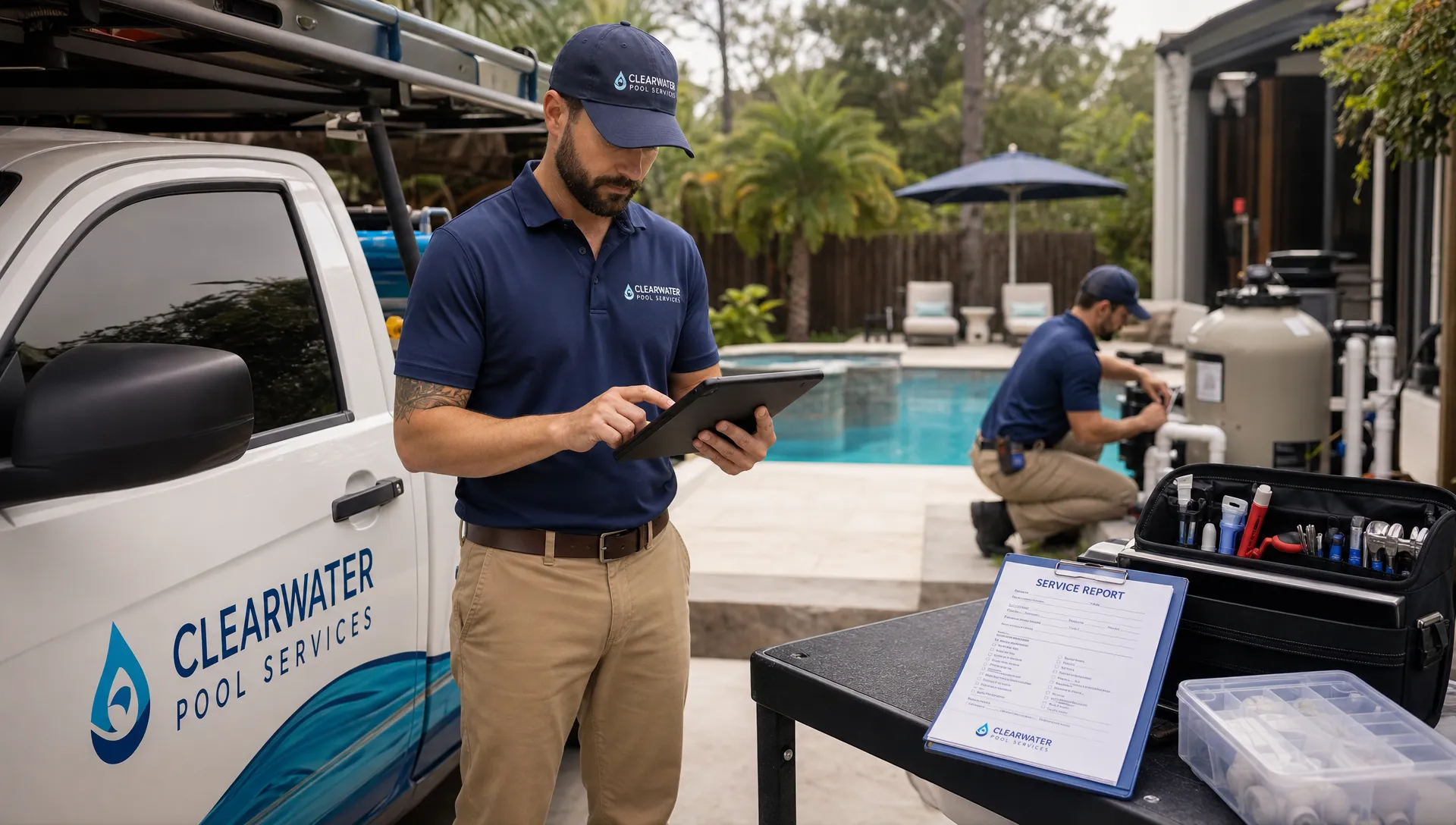
For service teams, the CRM has to connect people, property, and work
Small service businesses have a more complex customer record than many software buyers realize. The customer is not just a person in a pipeline. The customer is tied to a physical location, a service history, equipment, preferences, access instructions, billing details, and sometimes multiple contacts.
That asset-plus-customer problem is not unique to pools. A retailer that sells and delivers shipping containers also has to connect a buyer, delivery address, site access, photos, payment status, and post-sale questions. The CRM lesson is the same: when the work depends on a physical place and a physical asset, the customer record has to hold more than a phone number.
For pool service companies, this is where a general CRM can start to feel thin. A homeowner might call about cloudy water, a pump issue, a missed visit, or a quote for a repair. If the office cannot quickly see past readings, equipment details, technician notes, and photos, the conversation becomes slower and less confident.
That is why a dedicated pool service CRM is different from a generic contact manager. The CRM needs to organize customer and property information in a way that reflects how pool service work actually happens.
The practical feature set a small team will use
Simple CRM software should earn its place by helping with repeatable daily tasks. If a feature does not help the office, technician, or customer move work forward, it is probably not the first thing to implement.
Contact and property profiles
A small team should be able to open one record and understand the relationship immediately. Who owns the property? Who should receive invoices? Is there a gate code? What equipment is installed? What was done last week?
For pool companies, property context matters as much as contact context. A CRM that treats every customer like a generic sales lead misses the operational details that make service smoother.
Lead capture and follow-up
Small teams lose money when leads are handled informally. A missed callback or forgotten estimate can quietly leak revenue, especially during spring and summer when demand spikes. The CRM should make it easy to log a new inquiry, assign ownership, set a next step, and see which leads are waiting.
The key is not to create an overly complex pipeline. For many small teams, a few clear stages are enough: new inquiry, contacted, estimate sent, approved, scheduled, and closed. The point is visibility, not bureaucracy.
Scheduling that respects the route
If the CRM knows the customer but the schedule lives somewhere else, the team still has to stitch the day together manually. Service companies should look for a CRM that connects customer records to visits, routes, and technician assignments.
This is especially important in pool service because drive time can quietly consume profit. Better scheduling starts with clean customer and property data, then builds routes around geography, service frequency, technician capacity, and job type. If route efficiency is a major pain point, these smart scheduling tactics are a useful next step.
Field notes, photos, and service history
Technicians should not have to write a novel after every stop. But they do need a fast way to capture what matters: work completed, issues found, photos, water-quality readings, equipment observations, and follow-up recommendations.
Before-and-after photos are particularly valuable because they help the office answer questions, support invoices, and give homeowners confidence that work was completed. Over time, the service history also protects the business. If a customer asks what changed, your team can see the record instead of relying on memory.
Billing and customer communication
A simple CRM should reduce the gap between completed work and payment. When the office can see what happened in the field, confirm the job details, and send an invoice or payment request, cash flow improves and fewer details get lost.
For homeowner-facing businesses, communication matters just as much as internal organization. Customers want to know when the technician came, what was done, what needs attention, and how to pay. The CRM should support that handoff without forcing the office to rebuild the story from scratch.
The 10-minute adoption test
Before choosing any CRM, ask whether a new team member could perform the most common tasks after a short walkthrough. Not every advanced feature has to be obvious on day one, but the daily workflow should be.
| Task | A good sign | A warning sign |
|---|---|---|
| Add a new customer | It takes a minute or two and captures the essentials | The form has too many required fields |
| Find a property note | Gate codes, equipment, and history are easy to locate | Notes are buried in separate tabs or documents |
| Schedule a visit | The customer record connects naturally to the calendar | Scheduling requires a separate tool and manual copying |
| Record field work | A technician can add notes or photos from the field | Updates are delayed until someone returns to the office |
| Check follow-ups | Open tasks are visible and assigned | Follow-ups depend on memory or sticky notes |
If the CRM cannot pass this test, adoption will probably depend on constant reminders from the owner. That is not a system. That is another management chore.
How to roll out a CRM without overwhelming the team
The best rollout is intentionally small. Start with the records and workflows that create the most immediate relief. For many pool service companies, that means customer profiles, property details, scheduling, visit notes, photos, and billing status.
Do not migrate every historical detail on day one if it slows the project down. Bring over the information your team needs to operate this week, then improve the data as you go. A living CRM that the team uses is more valuable than a perfectly imported database that nobody trusts.
Set a few non-negotiable habits. Every new customer goes into the CRM. Every visit gets a basic note. Every repair opportunity gets a follow-up. Every important photo belongs on the customer or job record, not in someone’s camera roll. These habits are simple, but they create the foundation for better service.
It also helps to choose one person to own CRM hygiene. This does not mean they do all the work. It means they watch for duplicate records, missing property details, incomplete follow-ups, and unclear notes. Small teams move fast, so data quality needs light, regular maintenance.
What to avoid when buying simple CRM software
A clean user interface is not enough. Some tools look simple during the demo but become complicated when your actual workflow is loaded into them. Before committing, look for signs that the software matches your business model.
Be careful with systems that require heavy customization before they are useful. Customization can be powerful, but if you need weeks of setup just to track customers, visits, and follow-ups, the CRM may not be the right fit for a busy small team.
Also watch for CRMs that work well for the office but poorly for the field. If technicians cannot access job details, add notes, or capture photos easily, the office will end up chasing updates. For field service businesses, mobile usability is not a bonus feature. It is central to adoption.
Finally, avoid choosing software only for the owner’s dashboard. Reporting matters, but reports are only accurate when the team consistently enters good information. Prioritize the workflow first. The dashboards will become more useful once the daily habits are in place.
Why SplashIQ focuses on the whole pool service workflow
Pool service companies do not need another disconnected app. They need one place where customer records, scheduling, field operations, water-quality logs, equipment tracking, homeowner communication, and payments can support the same workflow.
SplashIQ is built for pool service businesses that want to move beyond spreadsheets, paper checklists, and scattered text messages. Instead of treating CRM as a standalone contact list, SplashIQ connects it to the work that happens before, during, and after each service visit.
That is what makes simple CRM software useful for busy small teams. It should help the office answer faster, help technicians document work more easily, and help homeowners understand what was done. When the CRM becomes part of the work instead of extra work, the team is far more likely to use it.
Frequently Asked Questions
What is simple CRM software? Simple CRM software helps a team manage customer information, follow-ups, scheduling, communication, and basic sales or service activity without unnecessary complexity. For service businesses, it should also connect customer records to jobs, field notes, photos, and billing.
Why do small teams struggle to use CRMs consistently? Small teams often struggle because the CRM adds data entry instead of reducing work. If notes, schedules, photos, and invoices live in separate places, the CRM becomes another task instead of the team’s source of truth.
What should a pool service company look for in a CRM? A pool service company should look for customer and property records, scheduling, visit history, water-quality logging, equipment tracking, field notes, photos, homeowner communication, and payment support. The CRM should fit both office and technician workflows.
Is a general CRM enough for a pool service business? A general CRM may work for basic contact management, but it often lacks the property, route, equipment, and field-service context that pool companies need. The more operational your workflow becomes, the more valuable an industry-focused CRM can be.
How can a small team improve CRM adoption? Start with the most common daily tasks, keep required fields limited, train around real scenarios, and make the CRM the default place for customer notes, visit updates, photos, and follow-ups. Adoption improves when the tool saves time quickly.
Make CRM simple enough for the busiest day
If your pool service team is still relying on spreadsheets, paper checklists, texts, and memory, the right CRM can create immediate breathing room. The goal is not to add software for its own sake. The goal is to give your office, technicians, and homeowners a clearer way to stay aligned.
SplashIQ brings CRM, scheduling, water-quality logs, equipment tracking, homeowner billing, online payments, field updates, and customer communication into one system built for pool service companies.