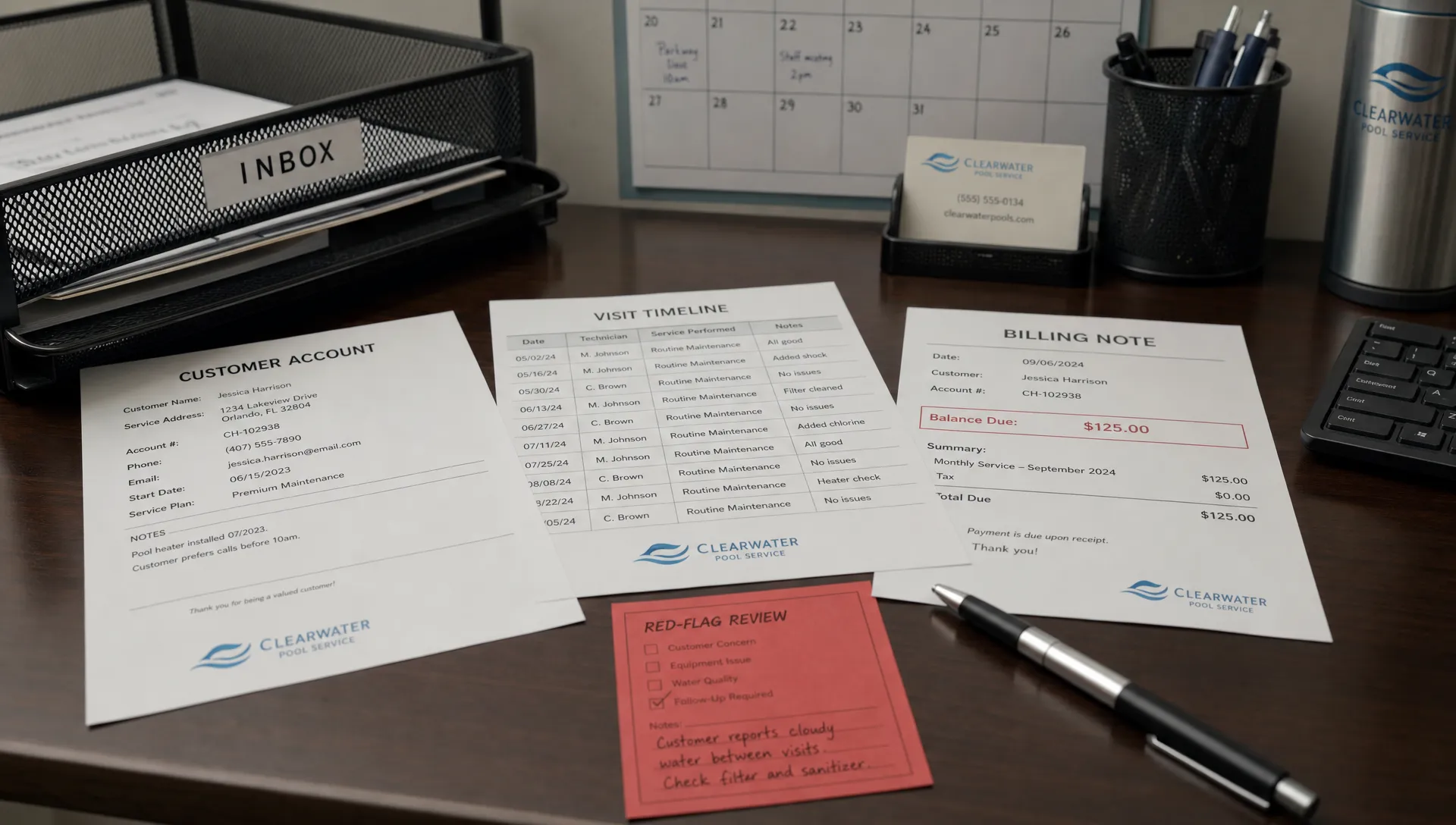
A homeowner rarely jumps from satisfied to canceled without something changing. Analytical CRM helps a pool service company spot those changes in its own records, such as unresolved complaints, repeated schedule disruptions or billing disputes. The goal is not to label difficult customers. It is to identify relationships that need attention before a cancellation notice arrives.
You do not need a predictive model to begin. A consistent review process, reliable service history and clear ownership of follow-up can turn everyday customer data into useful retention decisions.
Look for broken promises, not just unhappy messages
An explicit complaint deserves attention, but cancellation risk can also appear in the gap between what your company promised and what the homeowner experienced.
A customer expecting a regular Tuesday visit may become frustrated by unexplained route changes. Another may question an invoice because the service record does not explain an additional charge. Neither situation proves they will leave, but both give the office a specific issue to investigate.
The most useful warning sign is one that leads to a reasonable action. “Customer seems disengaged” is vague. “Customer asked twice about a charge and has not received an answer” tells someone exactly what to fix.
What analytical CRM adds to everyday service records
Operational CRM supports the work: maintaining customer records, scheduling visits, documenting service and handling communication. Analytical CRM examines patterns across those activities to help a manager decide where attention is needed.
For a pool company, the process can be straightforward:
- Bring service, communication and billing records together around the correct account and property.
- Identify recent changes or unresolved issues that could affect the relationship.
- Create a review queue with a reason, an owner and a next action.
- Record what happened after the intervention.
The distinction matters when choosing software. A system can hold useful customer data without providing a built-in cancellation prediction model. Likewise, exporting records into a spreadsheet does not make a risk score accurate.
Start with explainable rules that your office can check against actual customer situations. More advanced forecasting only becomes useful when historical records consistently distinguish cancellations, seasonal pauses and accounts that remain active.
Start with reliable customer and property data
Before building a score, establish one account identifier and a separate property identifier. A homeowner with two pools should not have complaints, equipment records or invoices accidentally merged into one service history.
Analytical CRM becomes less trustworthy when duplicate contacts, missing timestamps or incomplete field records create false signals. For example, an unfinished visit record may reflect a technician’s delayed offline sync rather than a missed service.
At minimum, connect the following information:
| Record | Useful details | Check before interpreting it |
|---|---|---|
| Service agreement | Frequency, agreed service window, included work | Was the homeowner promised something different? |
| Visit history | Scheduled date, completion status, exceptions | Has the field record finished syncing? |
| Customer communication | Issue category, response date, resolution status | Was the issue actually resolved or merely marked closed? |
| Billing | Invoice, due date, dispute, payment status | Is there a processing error or an agreed payment arrangement? |
| Account status | Active service, pause, cancellation date, reason | Is this a departure or an expected seasonal change? |
Review a small sample manually before trusting a report. Open the underlying visits, messages and invoices to confirm that each flag describes a real problem.
For growing teams, a practical CRM strategy for pool service companies should establish these recordkeeping responsibilities before adding more analysis. Otherwise, growth produces a larger collection of inconsistent records rather than better decisions.
Build a small, explainable risk model
A first version of analytical CRM can use a simple rules-based score. The following is an illustrative starting point, not a validated prediction model or a claim about any software’s built-in capabilities.
| Confirmed signal | Example review rule | Illustrative points |
|---|---|---|
| Unresolved service complaint | Still unresolved after two business days | 3 |
| Repeated missed service | Two confirmed, unapproved missed visits within 30 days | 3 |
| Unresolved billing dispute | Customer has questioned a charge and needs a decision | 2 |
| Repeated schedule disruption | Two company-initiated changes outside the agreed window within 30 days | 1 |
You might review accounts scoring 3 or 4 during the weekly retention meeting and prioritize those scoring 5 or more for prompt contact. Adjust those thresholds to your service commitments and available staff.
The score sets review priority, not cancellation probability. Five points does not mean a customer is 50% likely to leave.
Avoid double-counting one incident. If two schedule changes caused the same unresolved complaint, count the highest-severity signal for that issue rather than adding both. Let staff escalate an explicit cancellation request regardless of points. Equipment damage, safety concerns and serious service failures also require immediate handling outside a routine retention queue.
Separate avoidable churn from expected departures
Seasonality can make a healthy customer relationship look like a retention problem. Pool closing, a home sale or a planned service pause should not automatically trigger a save campaign.
Use analytical CRM to compare customers with relevant peers and their own history. A seasonal account should be evaluated against its agreed season, not against a year-round service schedule. A new homeowner may need onboarding, while a long-standing customer with a sudden cluster of complaints may need a manager’s attention.
Do not treat unopened emails, lack of portal activity or declining an optional repair as proof of cancellation intent. Those behaviors have many explanations.
Record departure reasons separately from risk signals. “Moved away,” “planned seasonal pause” and “unresolved service quality issue” call for different responses and should not be combined into one unexplained cancellation category.
A hypothetical account: from raw records to a useful action
Consider a year-round homeowner who has used your company for eight months. During a weekly review, the account appears to have an incomplete visit, two schedule changes, an unresolved complaint and a disputed invoice.
The office first verifies the records. The visit was completed, but its documentation arrived after an offline sync. That removes the apparent missed-service signal.
The schedule changes and complaint concern the same problem: visits repeatedly happened outside the agreed window. Count that as one unresolved service issue worth 3 points. Separately, the homeowner disputes a duplicate charge, adding 2 points.
In this example, analytical CRM produces a five-point review flag with two clear reasons, not a vague warning that the customer is unhappy.
The service manager owns the follow-up. They contact the homeowner, investigate and correct the duplicate charge if confirmed, then agree on a realistic service window. The next visit includes clear documentation and a notification through the customer’s established communication channel.
The manager checks back after seven days and reviews the account again after 30 days. If the customer remains active, record that outcome alongside whether the original issues stayed resolved. Do not claim the outreach prevented cancellation, because the customer’s alternative decision is unknown.

Turn every flag into an owned follow-up
A retention queue should contain more than a customer name and a red indicator. Include the verified reason for review, the supporting records, the responsible employee and the next contact date.
The action should match the issue. A scheduling problem needs a workable route commitment. A disputed charge needs an explanation or correction. Repeated concerns about water condition need a review of service notes, water-quality logs and any necessary field follow-up.
Analytical CRM is useful only when those findings change what the team does. Sending a generic discount email to every flagged account may leave the original problem untouched while reducing revenue.
A direct opening is usually more helpful: “You asked about the extra charge on your last invoice, and we have not resolved it yet. I’m reviewing it today and will contact you by tomorrow afternoon.” Only promise a deadline your team can meet.
Keep the follow-up connected to the original issue. The workflow described in CRM tools for customer service that reduce callback chaos is especially relevant here: scattered calls and disconnected notes can make an attempted resolution feel like another failure.
Measure resolution quality and retention together
Start with a small set of measures that connect activity to outcomes. Counting outreach attempts alone rewards a busy team without showing whether customers received better service.
For analytical CRM, useful measures include the share of reviewed flags confirmed as genuine issues, time to resolution, repeat complaints and account status after 30 or 60 days. Track the cost of concessions and extra visits as well.
Define your churn calculation consistently. For example:
Monthly customer churn rate = customers who cancel during the month ÷ active customers at the start of the month × 100.
Document how you handle planned pauses, property sales and seasonal closures. Report those categories separately so a change in customer mix does not look like a service-quality failure.
Also distinguish an account that remains active from an issue that is genuinely resolved. A homeowner may continue paying while the same frustration builds.
To assess whether the program helps, compare results over time and, where feasible, use a phased rollout across similar routes. Account for season, tenure and service frequency. A before-and-after improvement can be encouraging, but it does not by itself establish that your retention process caused the change.
Use contractor growth stories and Reddit as research inputs
Contractor-growth articles can help owners think beyond software features. ServiceTitan publishes contractor customer stories, including coverage of A1 Garage Door Service’s use of its platform. These vendor-published accounts offer context on organizing operations as a business scales, but they are not independent proof that CRM alone causes growth.
When reading such articles, look for the operating changes behind the result: clearer responsibilities, consistent records and follow-through. Those are more transferable than a headline revenue figure.
For owner perspectives, this Reddit search for contractor CRM discussions is a starting point rather than a verified source of performance data. Individual posts can suggest questions about staff adoption, administrative workload and customer follow-up. Check dates, business context and possible promotional interests before relying on a recommendation.
Bring those questions back to your own analytical CRM workflow. A useful test is whether the team can explain a flagged account and take the appropriate action without hunting through several disconnected systems.
Protect customer information during retention work
Use information needed to deliver and manage the service. Pool access instructions, contact details and payment-related records should not be copied into broadly shared retention spreadsheets.
Limit analysis to relevant fields and give each employee only the information needed for their role. When evaluating tools, verify access controls, export practices and retention settings rather than assuming they are included.
Avoid speculative notes about a homeowner’s finances, health or personal circumstances. Record observable facts, such as “invoice disputed on October 12,” instead of judgments such as “cannot afford service.”
Honor communication preferences and applicable messaging rules. A service-resolution call and a promotional campaign are not interchangeable. If information is incorrect, provide a way for staff to correct it and ensure the correction reaches any reports used for review.
Frequently asked questions
Do small pool companies need analytical CRM? They can benefit from the approach without needing advanced software. A weekly review of verified service issues, billing disputes and unresolved promises can be enough to start. The essential requirement is consistent records and someone responsible for follow-up.
Can a rules-based score predict who will cancel? It can organize review priorities, but it is not automatically predictive. You need reliable historical outcomes and testing before interpreting a score as a cancellation probability. Keep human review in place, especially when records are incomplete.
Should every at-risk customer receive a discount? No. Fix the underlying issue first. An incorrect invoice needs correction, while unreliable scheduling needs a workable commitment. Use concessions selectively and track their cost rather than making discounts the default retention action.
How often should the team review flagged accounts? A weekly review is a reasonable starting routine, with urgent complaints handled sooner. Match review frequency to your service commitments and staff capacity. Revisit thresholds when the queue contains too many false alarms or misses known problems.
Build the workflow before adding prediction
SplashIQ brings customer CRM, smart route scheduling, water-quality logs, equipment tracking, homeowner notifications and online payments into one pool service platform. Those operational records can support a more disciplined retention review.
Start by choosing two or three signals, assigning a follow-up owner and checking outcomes consistently. When evaluating SplashIQ for your pool service workflow, confirm how you would review or export the relevant records and whether your proposed scoring process requires a separate analysis step. Do not assume a built-in churn prediction feature.