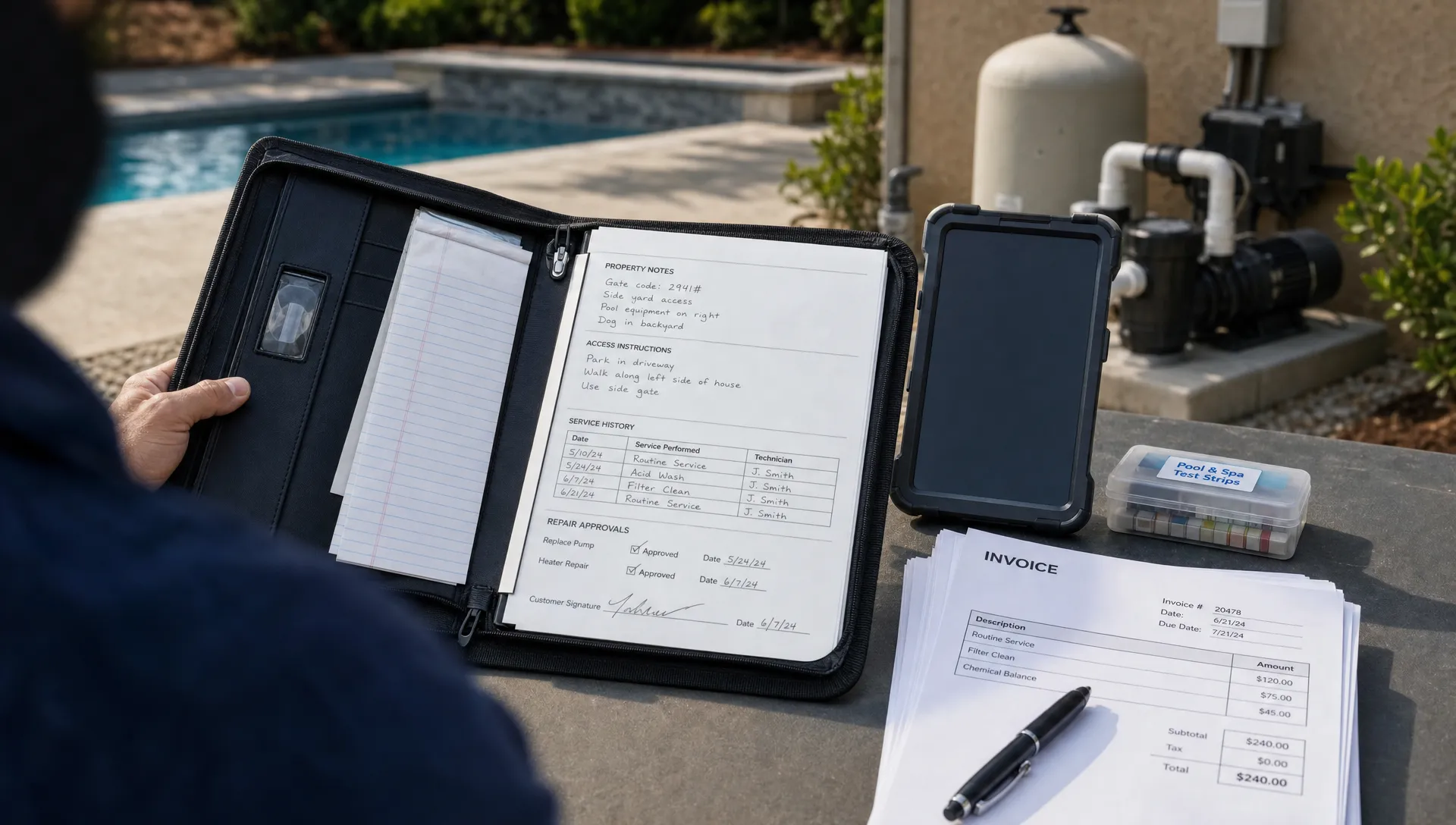
The best customer management software for a pool company is not just a place to store names, phone numbers and email addresses. It should help your office know what was promised, help technicians know what to do onsite, give homeowners confidence that work was completed and keep billing from turning into a weekly scramble.
That makes pool service different from many other local trades. A lawn care company may track a recurring visit and a gate code. A pool company also needs chemical readings, equipment history, before and after photos, access notes, repair opportunities, seasonal openings, winterization records and homeowner updates that make service feel transparent.
Choosing the best customer management software for Pool Companies
A good CRM can help any business follow up with leads. Pool companies need a CRM that is connected to operations. If the software only helps the sales team, it will not solve the daily problems that cause missed calls, unclear service notes, delayed invoices and frustrated homeowners.
The first question is whether your team manages customers or properties. Pool service work is property-based. One homeowner might own several homes. One property might have a tenant, property manager, billing contact and gate code. Your software needs to keep those relationships clean instead of forcing everything into one generic customer profile.
For that reason, the best customer management software should act like a shared source of truth for the whole route. The office, service manager, technician and homeowner should all be working from the same job history rather than from a mix of spreadsheets, texts, sticky notes and memory.
If contact organization is already a source of friction, this guide on CRM contact management for every pool property and owner goes deeper into the property-first structure pool companies need.
Quick Comparison: Customer Management Options for Pool Service Teams
Before comparing brand names, compare software categories. A small pool company can run for a while on spreadsheets, but the cracks usually show when the owner stops doing every route personally. A growing company needs repeatable workflows that survive employee turnover, route changes and peak-season volume.
The best customer management software depends on how much of the business you want to manage in one system. Some tools are strong sales CRMs. Others are broad field service platforms. Pool companies often need a tighter connection between customer records, route scheduling, field documentation and billing.
| Software category | Best fit | Common limitation for pool companies | What to ask before buying |
|---|---|---|---|
| Pool-specific operating system | Companies that want CRM, scheduling, field work and billing in one workflow | May require process changes if the team is used to paper | Can it track water chemistry, equipment, photos and homeowner notifications? |
| General field service platform | Mixed home-service companies needing dispatch and invoices | Pool-specific service records may feel bolted on | Can recurring routes and repair opportunities live in the same customer record? |
| Sales CRM | Teams focused mainly on leads and marketing | Field operations usually need separate tools | Can technicians use it easily from the field? |
| Spreadsheets and paper | Very small owner-operated routes | Breaks down when you add technicians or office staff | What happens when the owner is unavailable? |
This is why a simple contact database rarely holds up. The software has to support the rhythm of pool work, from weekly maintenance to one-off repairs and homeowner questions after the visit.
Features the Best Pool Company CRM Should Include
Pool service companies should evaluate customer management software through the lens of daily workflow. A feature list matters, but the better test is whether the system reduces handoffs between the office and the field.
Property-Based CRM Records
Every customer record should connect people, properties and service history. That includes billing contacts, preferred communication methods, access instructions, pets, gate codes, pool type, service level, equipment notes and open estimates.
The best customer management software makes those details easy to find before the technician arrives. If important notes are buried in old texts or only known by a senior employee, the business is exposed. One missed access note can waste a truck roll. One forgotten equipment detail can delay a repair.
Smart Route Scheduling
Route scheduling is where customer management becomes operational. Pool companies do not just need appointments on a calendar. They need dense routes, realistic technician workloads, recurring service schedules and flexibility when weather, absences or urgent repairs change the day.
A strong system should help the office see who is going where, which jobs are complete and what still needs attention. This is also where growth becomes easier. When the software shows route density and service patterns, managers can make better decisions about which neighborhoods to target and when to add another technician.
For a broader look at how software supports expansion, SplashIQ covers these operational growth patterns in how pool service business software supports growth.
Field Documentation for Technicians
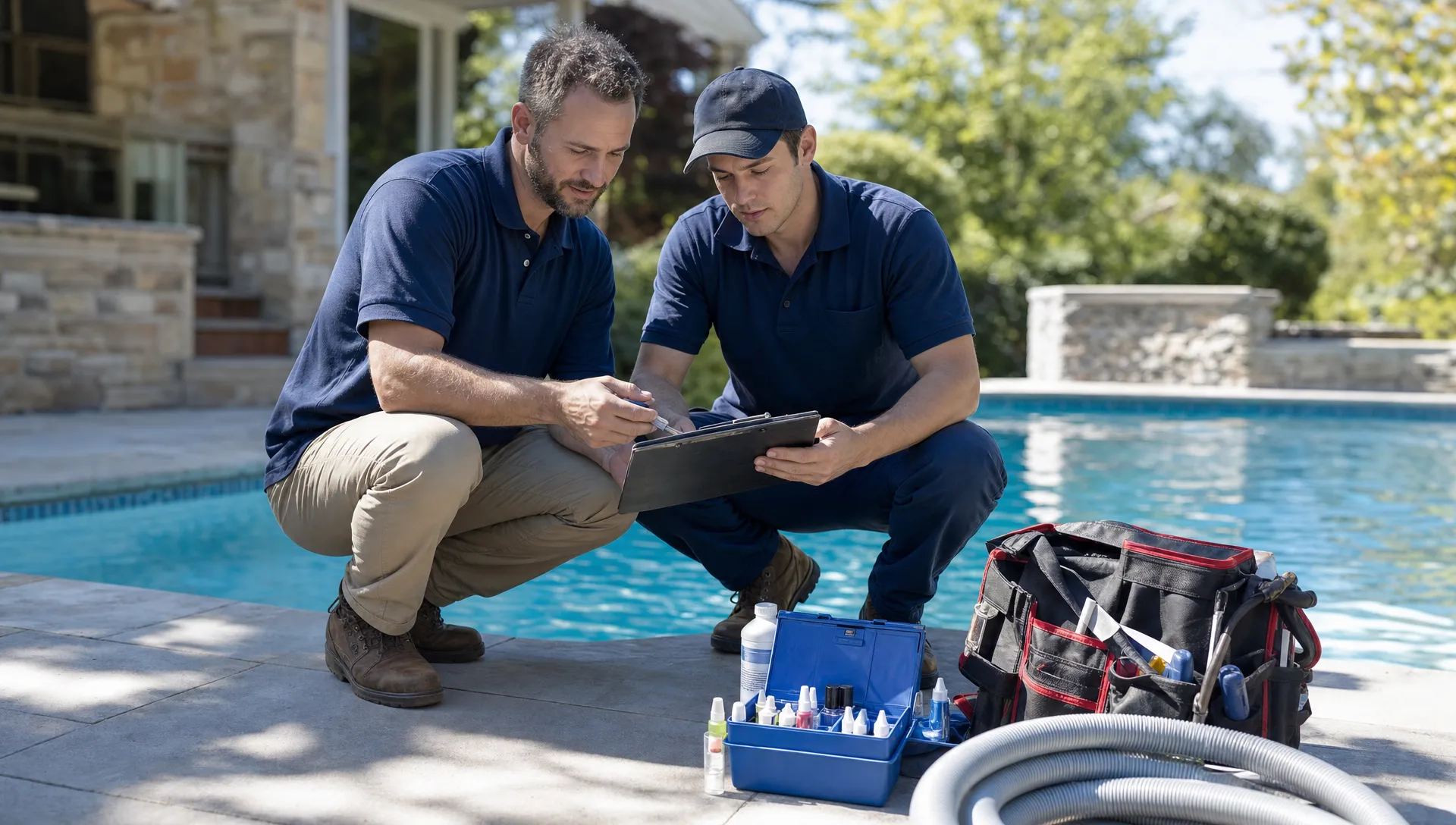
Technicians need a field app that is fast enough to use at every stop. If logging service takes too long, the team will skip steps during busy season. If the app does not work in areas with poor signal, notes may be delayed or lost.
Look for water-quality logging, chemical dosage notes, equipment tracking, repair recommendations and before and after photos. These records protect the company when a homeowner asks what was done, and they create useful history when equipment starts failing repeatedly.
Homeowner Communication
Homeowners want to know when service is happening and what was completed. They do not want to chase your office for basic updates. Arrival notifications, service summaries, photo documentation and a homeowner portal can reduce inbound calls while making the service feel more professional.
The best customer management software should help your team communicate consistently without asking office staff to manually send dozens of messages every day. Automation is not about removing the personal touch. It is about making sure the basic promise is kept every time.
Billing and Payments
Customer management is incomplete if invoices and payments live somewhere else. When the service record, repair note, estimate, invoice and payment status are disconnected, the office spends too much time reconciling what happened.
Online payments and clear homeowner billing help cash flow. If your company offers repair work, renovations or larger equipment replacements, homeowner financing may also help reduce friction for higher-ticket jobs. The key is to keep billing connected to the work record so customers can understand what they are paying for.
Where SplashIQ Fits for Pool Companies
SplashIQ is built as an operating system for pool service businesses rather than a generic contact manager. It brings together CRM, scheduling, field operations, homeowner communication and payments so offices and technicians are not working from separate systems.
For pool companies comparing the best customer management software, SplashIQ is strongest when the business needs one app to manage the full workflow from lead to invoice. The platform supports marketing tools, homeowner outreach, customer CRM, smart route scheduling, water-quality logs, equipment tracking, an offline field app, before and after photos, online payments, homeowner financing and technician scorecards.
That combination matters because pool service companies often grow into software chaos. A company may start with one tool for leads, another for routes, a spreadsheet for equipment, text messages for homeowner updates and paper checklists for field work. Each tool might be reasonable by itself, but the gaps between them create the real cost.
SplashIQ is designed to close those gaps for pool service companies. If you want to understand the baseline features a system should include, the article on what customer service management software should include is a useful companion to this buying guide.
How to Use Reddit and Contractor CRM Articles in Your Research
Reddit can be useful for software research, but it should not be your only source. Posts about service business software often reveal real frustrations that polished review sites miss, such as slow mobile apps, poor support, confusing invoices or systems that look good in demos but fail in the field.
Searches like pool service software on Reddit and CRM for contractors on Reddit can help you spot common complaints and buying criteria. Treat those Reddit articles and posts as conversation starters, not final verdicts. A solo operator, a renovation contractor and a 20-truck pool service company may need very different systems.
Contractor CRM articles can also help frame the decision. For example, contractor-focused CRM guides, including HubSpot's construction CRM overview, usually emphasize centralized customer records, better sales follow-up and cleaner pipeline visibility. Those lessons apply to pool companies, but they are not enough on their own.
The best customer management software for a pool company has to go beyond sales pipeline management. It must handle recurring maintenance, service proof, chemical logs, equipment history, repair follow-up and homeowner communication in a way that technicians will actually use.
Buying Checklist for Pool Company Owners
Once you narrow your options, test each platform against real scenarios from your business. Do not judge software only by a demo account with clean sample data. Use your messiest customer record, your busiest route day and a recent billing dispute as test cases.
Ask these questions before you commit:
- Can one customer record support multiple properties, contacts and billing relationships?
- Can technicians log water chemistry, equipment notes, photos and repairs from the field?
- Does the mobile app work when cellular service is weak?
- Can the office see route progress without calling every technician?
- Can homeowners receive arrival and service notifications automatically?
- Are estimates, invoices and payments connected to the service record?
- Can managers review technician performance and follow-up quality?
- Will the system still make sense when the company doubles its route count?
If the answer is unclear, ask for a workflow demonstration. The vendor should be able to show how a lead becomes a customer, how the first service is scheduled, how the technician completes the visit, how the homeowner is notified and how the invoice gets paid.
Implementation Tips That Prevent Software Failure
Even the best customer management software will fail if the rollout is treated as a side project. Pool companies are seasonal, route-driven businesses, so implementation should be practical and staged.
Start by cleaning the most important customer data first. Focus on active properties, billing contacts, service levels, gate codes and equipment notes. Historical data is useful, but perfect data migration should not delay the move away from paper or spreadsheets.
Next, standardize technician expectations. Decide which fields are required at every stop, which photos should be captured and how repair recommendations should be logged. If each technician documents work differently, the software will collect inconsistent data.
Finally, explain the homeowner experience. If customers will receive arrival notifications, service summaries or portal access, tell them what is changing and why it benefits them. A smoother rollout builds trust with both employees and homeowners.
Frequently Asked Questions
What is the best customer management software for a small pool service company? The best choice is usually the system that matches your next stage of growth, not just your current size. A small company should look for software that can handle property records, recurring routes, field notes, homeowner communication and payments before operations become too complex.
Is a general CRM enough for a pool company? A general CRM can help with leads and follow-up, but it often falls short for daily service operations. Pool companies need route scheduling, water-quality logs, equipment history, before and after photos and homeowner updates tied to each property.
When should a pool company replace spreadsheets with software? Replace spreadsheets when customer details, route changes, service notes or invoices are regularly missed or duplicated. Another sign is when the owner becomes the only person who knows where critical information lives.
Should technicians use the CRM in the field? Yes. If technicians cannot easily update records onsite, the office will always be working from stale information. A mobile field app helps turn every service stop into a useful customer record.
How should I compare software demos? Use real workflows from your business. Ask each vendor to show lead intake, scheduling, technician documentation, homeowner notification, repair follow-up, invoicing and payment in one connected flow.
Ready to Manage Customers, Routes and Service Work in One Place?
The best customer management software should make your pool company easier to run, not add another disconnected tool to the stack. If your office is juggling spreadsheets, paper checklists, text threads and separate billing workflows, it may be time to move to a system built for pool service operations.
SplashIQ helps pool companies manage CRM, scheduling, field documentation, homeowner communication and payments in one platform built around real pool service work.