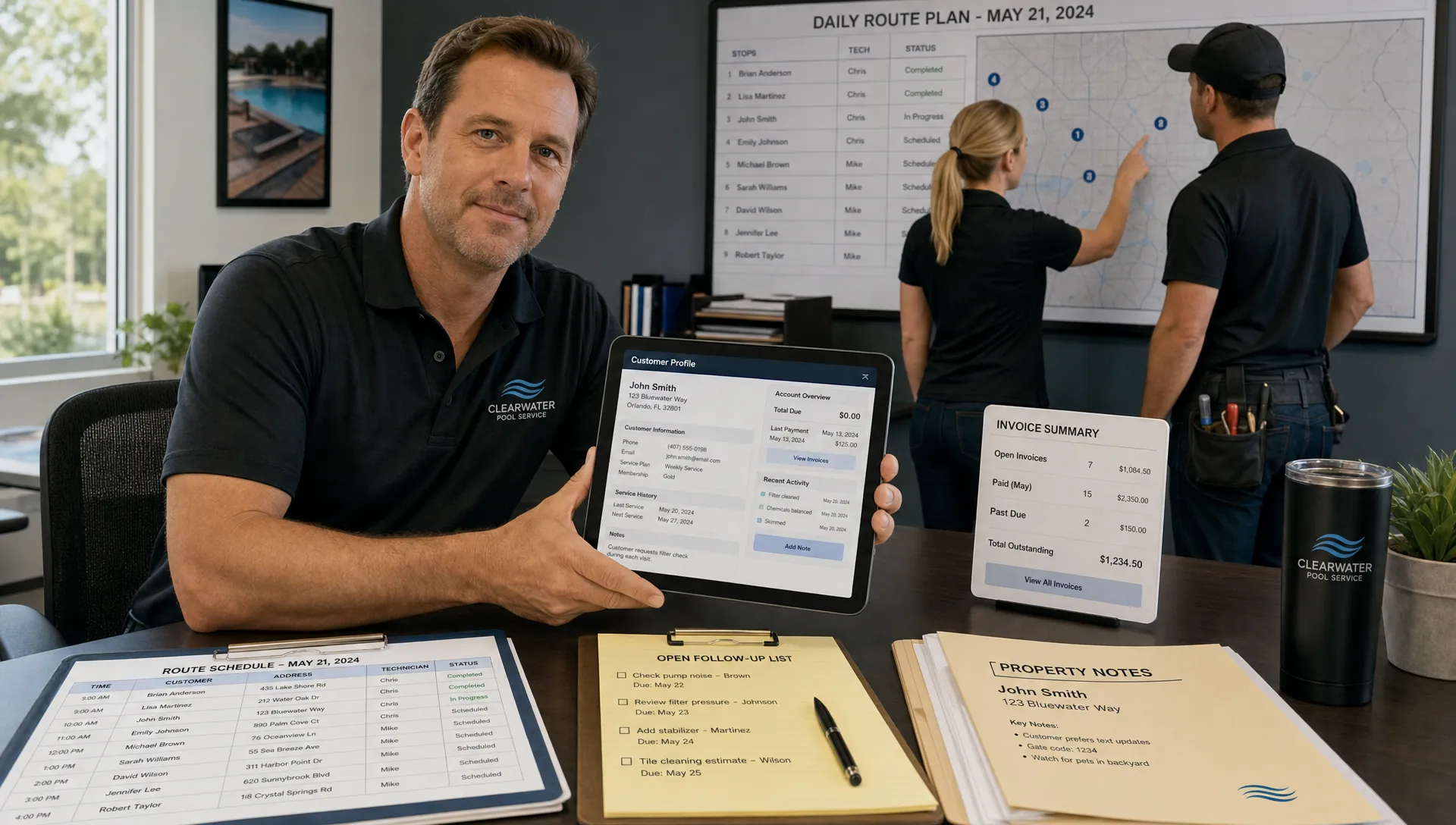
Visibility problems rarely appear all at once. They show up as small daily frustrations: a missed callback, a technician asking for gate codes, an office manager hunting through text threads, a homeowner asking whether a repair was approved, or an owner realizing too late that a route is overloaded.
For service businesses, CRM best practices are not just about selling more. They are about knowing what is happening across customers, properties, schedules, technicians, invoices, and follow-up without relying on memory. That matters even more for pool service companies, where work happens in the field, customer trust depends on proof, and every account has property-specific details that generic notes cannot handle well.
The goal is simple: build a CRM workflow that gives your team better visibility before problems become customer complaints.
What “visibility” should mean in a service business CRM
A CRM should not be a digital filing cabinet that only the office uses. In a service business, visibility means anyone with the right permissions can quickly answer practical questions like:
- Which leads need a response today?
- Which customers are waiting on estimates, approvals, repairs, or invoices?
- Which technician is assigned to each stop?
- What happened during the last visit?
- What equipment is installed at the property?
- What photos, notes, water readings, or service history support the work performed?
- What revenue is stuck because follow-up or billing has not happened yet?
If your CRM cannot answer those questions, your business may still be running on hidden systems: the owner’s memory, the dispatcher’s notebook, technician text messages, and customer emails scattered across inboxes.
That is why the best CRM practices for service businesses focus less on adding fields and more on creating a shared operating rhythm.
Start with one source of truth
The first CRM best practice is also the hardest: choose where customer and job information lives, then make that system the default.
Many service companies drift into a messy setup because every tool solves one small problem. Leads sit in email. Customer details live in a spreadsheet. Routes are managed in a calendar. Equipment notes are buried in technician texts. Invoices come from accounting software. Photos stay on phones.
That creates the illusion of organization while hiding the full picture.
A CRM should become the place your team checks before making decisions. For a pool service company, that means each customer record should connect to the property, service history, equipment, access notes, billing status, and follow-ups. If a homeowner calls about a pump issue, the office should not need to ask three people what happened last week.
This does not mean every employee needs access to everything. It means the system of record is clear. When information has a home, your team can stop debating where to look and start acting faster.
Standardize customer, property, and equipment data
Visibility depends on clean data. If every team member writes notes differently, the CRM becomes searchable in theory but chaotic in practice.
For residential service businesses, customer data is often not enough. Pool service teams also need property-level data because one customer may have multiple locations, and one property may have equipment, access details, water history, service preferences, and recurring issues.
Useful standard fields often include customer contact information, property address, gate or access instructions, service level, equipment type, install details, warranty notes, preferred communication method, billing status, and recurring service schedule. For pool companies, water-quality logs and equipment tracking are especially valuable because they turn field work into a history your team can verify later.
The best practice is to standardize the fields that actually affect service quality. Do not create a 60-field record if technicians will only update 10. Instead, identify the data that prevents mistakes, speeds up service, or improves customer communication.
| Visibility area | What your CRM should answer | Best practice |
|---|---|---|
| Leads | Who needs follow-up and how urgent is it? | Use clear lead stages and response owners |
| Customers | What relationship, history, and preferences matter? | Keep contact and communication details current |
| Properties | What should the technician know before arrival? | Store access notes, service plan, and site-specific details |
| Equipment | What is installed and what has been repaired? | Track model details, service history, and photos where useful |
| Field visits | What happened at the job? | Capture notes, photos, readings, and completion status |
| Billing | What is approved, invoiced, paid, or overdue? | Connect job status to billing follow-up |
The table is simple, but it reflects a powerful idea: visibility is built at the point where work happens, not at the end of the month when someone tries to reconstruct it.
Make lead stages impossible to misunderstand
A CRM cannot improve visibility if every person defines the pipeline differently. “Interested,” “quoted,” “pending,” and “follow-up” may sound obvious, but they often mean different things to owners, admins, and sales reps.
Service businesses should use lead stages that match real operational decisions. For example, a pool service company might track new inquiry, qualified, estimate scheduled, estimate sent, customer approved, job scheduled, won, lost, and nurture. The exact terms matter less than the clarity behind them.
Each stage should answer three questions: what has happened, who owns the next action, and what should happen next. If a lead is “estimate sent,” someone should know when to follow up. If a repair is “customer approved,” scheduling should know it is ready to place on the calendar.
This is where many businesses leak revenue. They do not lose the customer because the customer said no. They lose the customer because no one followed up while the job was still warm. If that is a recurring problem, a deeper look at CRM lead management tips for stopping pipeline leaks can help tighten the handoff from inquiry to booked work.
Connect scheduling to customer records
For service businesses, the schedule is not separate from the CRM. It is one of the clearest signals of what is happening.
When scheduling lives outside the customer record, visibility breaks down. The office can see that a job exists, but not what the technician needs. The technician can see the stop, but not the customer’s history. The owner can see a full calendar, but not whether the route is profitable, logical, or realistic.
A better practice is to connect each scheduled job to the customer and property record. That way, route planning, technician assignments, site notes, and visit history all reinforce each other. For pool companies, this is especially important because technicians often move through dense recurring routes where small inefficiencies add up quickly.
Good scheduling visibility should help you answer questions like whether a technician has too many stops, whether a repair can be grouped near existing work, whether drive time is eating margin, and whether urgent customer requests are disrupting the week. If route efficiency is a major concern, the same CRM data can support smart scheduling tactics that cut drive time across the whole operation.
Design field updates for real-world conditions
CRM adoption fails when field teams see the system as office paperwork. This is a common theme in Reddit posts from small business owners and field service operators: the company buys a CRM, but technicians keep using texts and memory because the mobile workflow is too slow, too complicated, or unreliable on job sites.
Reddit is not a formal research source, but those discussions are useful because they reveal the same operational truth again and again. If the CRM is not easy to update in the field, the data will always be late, incomplete, or filtered through someone else after the fact.
For service teams, field updates should be simple enough to complete between stops. The best practice is to define a minimum visit record that every technician can complete consistently. That may include job status, service notes, before/after photos, water readings, parts used, equipment observations, and recommended follow-up.
Pool service companies should also consider connectivity. Backyards, rural routes, and equipment rooms do not always have strong reception. An offline field app can help technicians capture information when service is performed rather than waiting until later, when details are easier to forget.

Use photos and logs as proof, not clutter
Before/after photos, water-quality logs, and equipment notes can dramatically improve visibility, but only if they are organized.
Photos are useful when they answer a question: Was the pool serviced? What did the water look like before and after? What part failed? What condition was the equipment in? What issue should the customer approve? Random photo dumping creates clutter. Structured photo capture creates proof.
The same principle applies to logs. Water readings are not just compliance or technician detail. They help the office explain service, identify trends, and reduce disputes. Equipment tracking is not just inventory detail. It helps your team recommend repairs with confidence because the history is attached to the property.
This is where a pool service CRM should reflect how the work actually happens. Generic customer notes are rarely enough. Service businesses need job evidence connected to the customer, property, technician, and billing flow.
Turn follow-up into a daily operating habit
Visibility is only useful if it triggers action. A CRM full of overdue tasks is just a more expensive to-do list.
The best service businesses build follow-up into the day’s rhythm. That means someone reviews new leads, pending estimates, unapproved repairs, unfinished jobs, overdue invoices, and customer questions on a regular cadence. For smaller companies, that may be a daily morning review. For larger teams, it may be divided by role.
The key is to avoid vague ownership. “Someone should call them” is not a CRM process. Every follow-up should have an owner, a due date, and a next step. This is especially important for repair work, where jobs can stall between diagnosis, estimate, approval, scheduling, completion, and payment.
A good CRM should help prevent the silent middle, the stage where the customer assumes nothing is happening because no one has communicated the next step.
Keep automation helpful and human
Automation can improve visibility, but only when the underlying process is clear. If your team does not agree on stages, owners, or completion rules, automation simply moves confusion faster.
Start with practical automation rather than complicated campaigns. Examples include reminders for uncontacted leads, prompts when estimates need follow-up, notifications when a visit is completed, or payment reminders after invoices are sent. For pool service companies, homeowner communication is often most valuable when it confirms what happened and what happens next.
A homeowner portal can also reduce visibility gaps by giving customers a place to see relevant service information without calling the office for every update. Online payments can shorten the gap between completed work and collected revenue. For larger repairs, keeping financing conversations attached to the customer record helps the team avoid restarting the same discussion.
The best rule: automate repetitive communication, but keep judgment calls human.
Measure leading indicators, not just revenue
Revenue tells you what already happened. Visibility improves when you also track leading indicators that show whether the business is operating cleanly.
For a service business, useful CRM indicators may include lead response time, estimate follow-up time, open repair approvals, jobs completed per technician, revisit rate, unpaid invoices, missing visit notes, and percentage of completed jobs with photos or logs.
Technician scorecards can be valuable here if they are used for coaching rather than blame. A scorecard should help managers identify training needs, route issues, data gaps, and operational bottlenecks. If one technician has more missing notes, the issue may be training. If one route consistently runs late, the issue may be scheduling density. If one service category creates more callbacks, the issue may be process, equipment, or customer expectations.
Visibility is not about watching people more closely. It is about seeing the system clearly enough to improve it.
Train the team like the CRM is part of the job
Many CRM rollouts fail because training happens once. A manager gives a walkthrough, the team nods, and everyone returns to old habits as soon as the week gets busy.
CRM training should be role-specific and repeated. Office staff need to know how to manage leads, follow-ups, billing handoffs, and customer communication. Technicians need to know how to read job details, update visit records, capture photos, and flag issues. Managers need to know how to review exceptions and coach the team.
Borrow from the way certification programs teach complex workflows: short modules, practice scenarios, and repeated review, similar to the study guides and practice quizzes offered by MindMesh Academy. Service teams do not need academic training, but they do need repetition until the right workflow becomes automatic.
This is also where usability matters. If the CRM is too complicated, training becomes a workaround for bad design. If adoption is already a challenge, it is worth revisiting why a user-friendly CRM matters for adoption and ROI, especially for mobile teams that have limited time between jobs.
Audit the CRM weekly before it gets messy
Data quality declines slowly unless someone owns it. A weekly CRM audit can prevent small errors from becoming operational blind spots.
Keep the audit focused. Look for leads without owners, jobs without statuses, completed visits missing notes, invoices not connected to completed work, duplicate customer records, outdated equipment details, and follow-ups with no due date. The goal is not perfection. The goal is trust.
When a team trusts the CRM, they use it. When they use it, visibility improves. When visibility improves, the business can scale without depending on constant verbal updates.
A simple weekly review also gives owners a clearer view of capacity. You can see whether growth is creating stress in lead response, routing, technician workload, repair approvals, or billing. That is the kind of visibility that helps you make decisions before customers feel the strain.
Common CRM mistakes that reduce visibility
Even a strong CRM can become messy if the workflow is unclear. Watch for these patterns:
- Too many custom fields that no one updates consistently
- Lead stages that do not reflect real next steps
- Customer notes that mix sales, service, billing, and repair information in one unstructured timeline
- Field teams using texts because mobile updates are too slow
- Photos stored outside the customer or job record
- Completed jobs that do not trigger billing or follow-up
- Reports that show activity but not exceptions
The fix is usually not to add more software. It is to simplify the workflow until the right behavior is easier than the workaround.
Frequently Asked Questions
What are the most important CRM best practices for service businesses? The most important practices are using one source of truth, standardizing customer and job data, connecting scheduling to customer records, making field updates easy, assigning clear follow-up owners, and reviewing CRM data regularly.
Why do service businesses need more CRM visibility than traditional sales teams? Service businesses manage work after the sale, including scheduling, property details, technician notes, photos, repairs, billing, and customer communication. A CRM must show both relationship history and operational status.
How can a pool service company improve CRM adoption with technicians? Keep the field workflow simple, mobile-friendly, and relevant to the job. Technicians are more likely to use the CRM when it helps them access property notes, capture photos, log water readings, and complete visits quickly.
How often should a service business audit CRM data? A weekly audit is usually enough for small and mid-sized teams. Focus on missing owners, overdue follow-ups, incomplete job records, duplicate customers, and completed work that has not moved to billing.
Should a service business choose a general CRM or an industry-specific CRM? It depends on the workflow. General CRMs can work for simple sales tracking, but service businesses often need scheduling, field notes, equipment history, photos, payments, and property-level details connected in one system.
Bring more visibility into every pool service workflow
If your office, technicians, and homeowners are working from different notes, calendars, texts, and spreadsheets, your CRM is not giving you the visibility your business needs.
SplashIQ is built for pool service companies that need customer records connected to scheduling, water-quality logs, equipment tracking, field updates, photos, homeowner communication, payments, and more. To see how that foundation comes together, explore SplashIQ’s pool service CRM software and consider where your current workflow still leaves the team guessing.