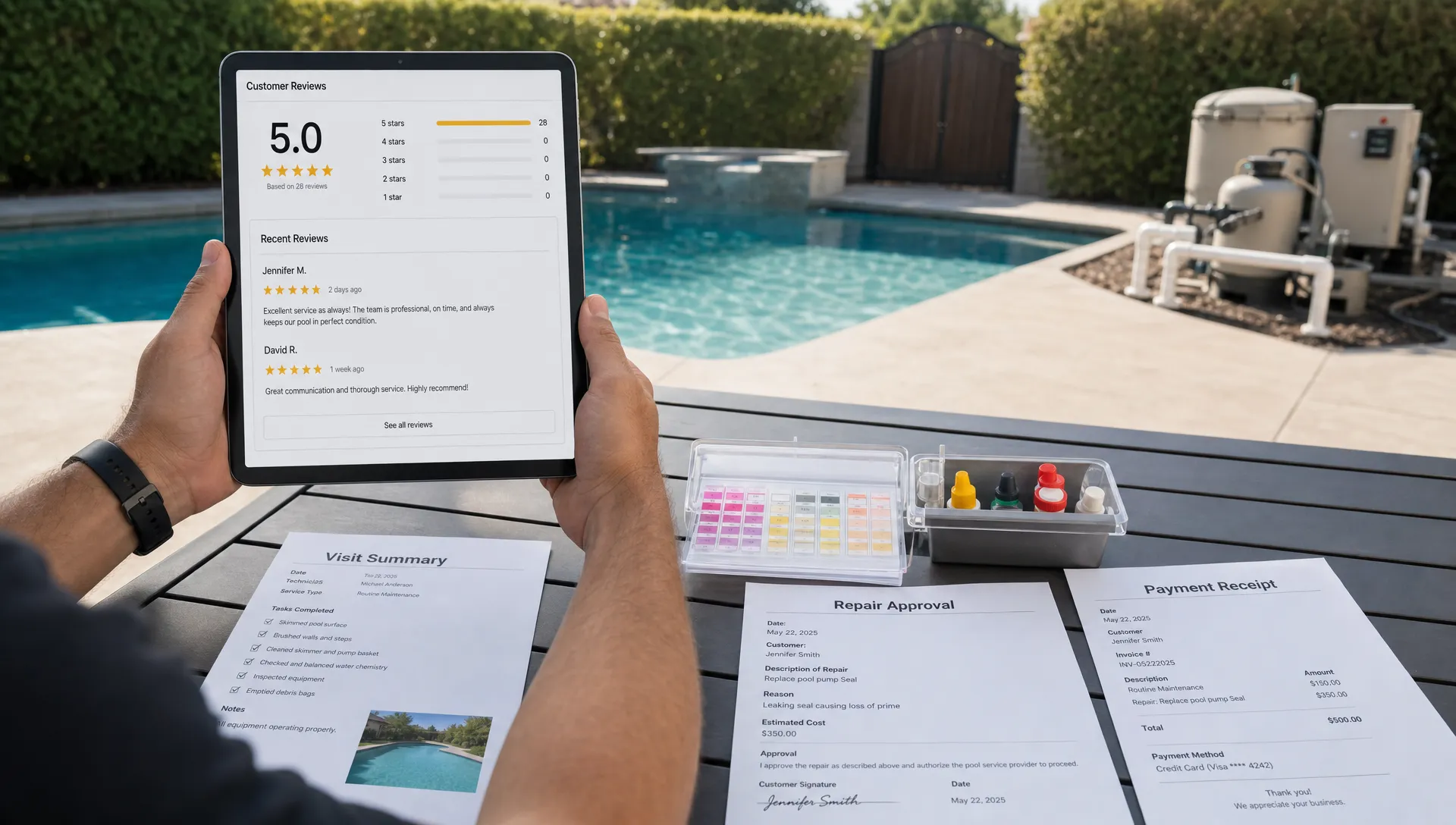
A homeowner portal should not feel like another login customers have to remember. For pool service companies, the best portal is a quiet confidence builder: it answers the questions homeowners ask after every visit, makes billing simple, and gives them proof that their pool is being cared for correctly.
That matters because pool service is recurring, visual, and trust-based. A homeowner may not be home when the technician arrives. They may not understand chemistry readings. They may only notice the pool when something looks wrong. A useful portal closes that gap without forcing your office team to send five follow-up texts per stop.
If you read pool-owner discussions on Reddit communities like r/pools, the same themes appear again and again: “What did the tech actually do?”, “Are these chemical readings okay?”, “Why did my invoice change?”, “Is this equipment problem urgent?”, and “How do I know the pool is safe to use?” Those are the real portal requirements. Not flashy dashboards. Not complicated account settings. Just clear answers at the right time.
For pool businesses, the goal is simple: build a homeowner portal around customer anxiety, not internal software menus.
What homeowners actually want from a portal
Most homeowners do not wake up excited to use a portal. They use it because they need information, reassurance, or action. That is an important distinction.
A homeowner portal succeeds when it helps customers answer practical questions quickly:
- When was my pool serviced?
- What did the technician find?
- What chemicals were added?
- Is there a photo of the work?
- When is the next visit?
- Do I owe anything?
- Do I need to approve a repair?
- Who do I contact if something looks off?
This is why a portal should be connected to the operational system your team already uses. If the portal pulls from your CRM, route schedule, field notes, water-quality logs, equipment records, and billing history, the homeowner sees a single, reliable version of the truth. If it requires duplicate entry, it becomes another source of mistakes.
That connection is especially important for pool companies trying to reduce customer back-and-forth. A portal that surfaces visit details, photos, service history, and invoices can support the same outcomes covered in this guide to CRM with customer portal features that reduce back-and-forth, while keeping the homeowner experience simple.
The must-have homeowner portal features
The best homeowner portal features are not necessarily the most advanced. They are the ones customers use repeatedly because they remove uncertainty.
| Feature | What the homeowner wants | Why it matters for the business |
|---|---|---|
| Service schedule | “When are you coming?” | Reduces arrival-time calls and scheduling confusion |
| Visit summary | “What happened today?” | Builds trust after every completed stop |
| Water-quality logs | “Is my pool balanced?” | Turns technical service into understandable proof |
| Before/after photos | “Can I see the result?” | Documents work and reduces disputes |
| Equipment history | “What has been repaired before?” | Helps explain recommendations and replacement timing |
| Online payments | “Can I pay quickly?” | Speeds up collections and improves convenience |
| Repair approvals | “What am I approving and why?” | Shortens decision cycles for add-on work |
| Messaging or requests | “How do I reach you?” | Keeps communication organized and visible |
A portal does not need to launch with every feature at once. But each feature should serve a customer-facing purpose. If the customer cannot understand why it exists, it probably belongs in the back office, not the portal.
Service schedules with realistic visit windows
The schedule is often the first thing customers look for. They want to know when the technician is coming, whether the visit happened, and when the next one is planned.
For recurring pool service, this does not always require a precise minute-by-minute arrival time. In fact, overly specific ETAs can create frustration when routes change due to weather, traffic, chemical issues, or repair delays. A better portal experience gives customers a realistic visit window and updates the status when the technician is en route, on site, or completed.
Customers also appreciate seeing upcoming visits in plain language. “Weekly cleaning scheduled for Thursday morning” is more useful than an internal route code. If service is skipped or rescheduled, the portal should show the reason clearly, especially when weather or access issues are involved.
The customer benefit is convenience. The business benefit is fewer “Are you coming today?” calls.
Visit summaries that read like a human wrote them
A completed-service notification is only useful if it explains the work in a way homeowners understand. Too many portals treat visit summaries as a dump of technician notes. That is not customer-friendly.
A good visit summary should answer three questions: what was done, what was observed, and whether the customer needs to do anything.
For example, “Skimmed pool, brushed walls, vacuumed floor, emptied baskets, tested water, added chlorine and acid. Filter pressure is slightly elevated, so we recommend a filter cleaning soon.” That is better than a cryptic internal note like “svc complete, chem adjusted, filter PSI high.”
The tone matters too. Homeowners want professionalism, not jargon. This is where customer experience automation can help when it is grounded in real field data. If you are building more consistent service communication, it is worth thinking through how customer experience automation can feel personal instead of robotic.
Water-quality logs that explain the numbers
Water chemistry is one of the biggest opportunities for a homeowner portal because it turns invisible work into visible value.
Many homeowners do not know what pH, chlorine, alkalinity, calcium hardness, cyanuric acid, or phosphates mean. They just want to know whether the water is safe, balanced, and being handled by a professional. Showing chemical readings without context can create more questions than it answers.
The best portal experience includes both the readings and a short interpretation. For example, “pH was slightly high and was adjusted during today’s visit” is more helpful than only showing “pH: 8.0.” If a reading is outside the target range, the portal should explain what action was taken or what follow-up is recommended.
This is also useful when homeowners compare notes online. Reddit pool threads are full of people posting test strip photos and asking strangers what to do next. A professional portal gives your customers a better source of truth: their own service history, logged by the company responsible for the pool.
Before/after photos that prove the work
Photos are one of the simplest ways to increase homeowner confidence. They are especially valuable when the customer is not home, the property is a vacation rental, or the pool has had recurring issues.
Before/after photos help document green-to-clean progress, storm cleanup, filter issues, equipment leaks, tile cleaning, and debris removal. They also protect the service company when there is a misunderstanding about the condition of the pool before the visit.
The key is to make photos easy to understand. A portal should show them in the context of the visit, not as a random gallery. The homeowner should be able to see the date, service type, technician note, and related photos together.
Equipment history customers can understand
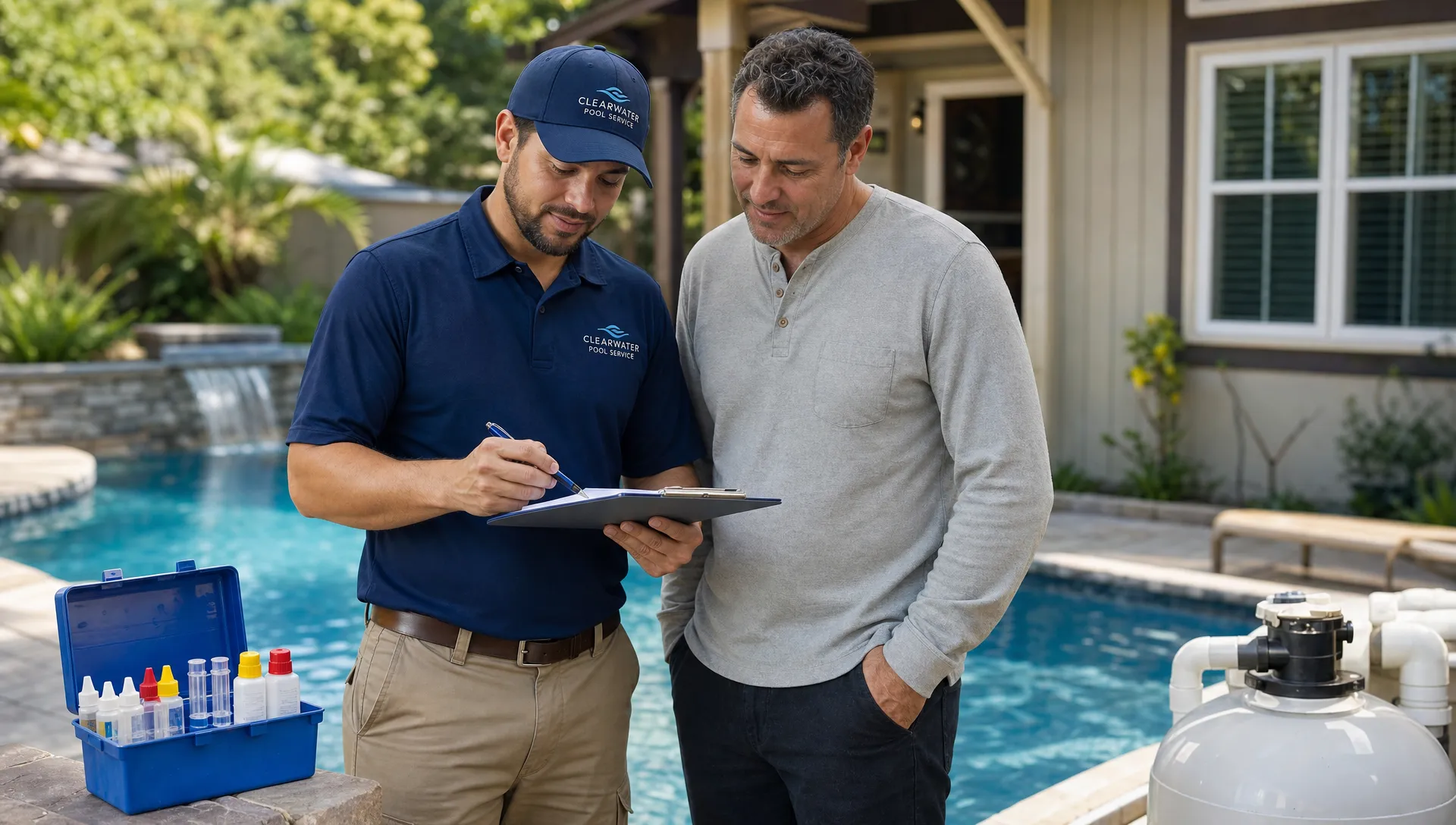
Pool equipment is expensive, technical, and often confusing for homeowners. A portal that tracks equipment history can make repair conversations much easier.
At minimum, homeowners should be able to see important equipment records such as pump, filter, heater, automation system, chlorinator, cleaner, and major repair history. If your team has documented model numbers, installation dates, photos, or warranty details, that information can reduce confusion when something breaks.
This is particularly helpful when customers ask, “Didn’t we just fix this?” or “Why do I need a replacement?” Instead of relying on memory, your team can reference the actual service history.
A portal should not overwhelm homeowners with every internal equipment field. It should summarize what they need to know: what equipment they have, what work has been done, what issue exists now, and what decision is needed.
Online payments that feel effortless
Customers expect online payments to be easy. If they can pay their utility bill, order groceries, or renew insurance online, they expect the same from a pool service company.
A homeowner portal should make it easy to view invoices, understand charges, pay securely, and see payment status. It should also reduce the need for the office to resend invoices manually or answer basic balance questions.
For recurring service, payment convenience can have a meaningful impact on cash flow. Customers are more likely to pay promptly when the invoice is easy to find, the amount is clear, and the payment action is simple.
If your company offers larger repairs or remodel-related work, financing information can also belong in the portal when it helps the homeowner make a decision. The important thing is clarity. Customers should understand what is due now, what is optional, and what requires approval.
Repair approvals with photos, notes, and pricing context
Repair approvals are one of the highest-value portal features because they connect customer experience directly to revenue.
A vague repair text can stall for days: “Your pump may need work. Please call us.” A strong portal approval flow gives the homeowner enough context to say yes or ask an informed question.
The approval view should include the problem, technician observations, supporting photos, the recommended fix, the quoted price if available, and any urgency. If there are options, those options should be easy to compare. For example, “repair existing pump seal” versus “replace aging pump” should be explained in customer language.
This is also where your portal can reduce disputes. When the customer approves work through a documented process, your office has a clear record of what was presented and accepted.
Messaging that does not create another inbox nightmare
Many homeowners want a simple way to contact their pool company. But that does not mean every portal needs a live chat system that your office cannot support.
A practical portal communication feature can be as simple as structured requests. Customers can report an issue, ask a billing question, request a repair estimate, update gate access instructions, or notify your team about a party or vacation. The key is routing the message to the right place and tying it to the customer record.
This is where many businesses go wrong. They add more communication channels without centralizing the information. Suddenly, messages are spread across texts, emails, voicemails, technician phones, and portal notes.
If you add messaging, make sure it strengthens your customer record instead of fragmenting it. A pool service CRM that organizes customers, properties, equipment, and follow-ups can make the portal more useful because the office and field team are working from the same information. SplashIQ’s pool service CRM is built around that kind of connected customer and property context.
Notifications customers can control
Notifications are useful until they become noise. Homeowners want important updates, not a message for every tiny internal status change.
Good portal notifications usually include upcoming service reminders, completed visit summaries, repair approval requests, invoice availability, payment confirmations, and urgent access or equipment issues. Customers should be able to choose how they receive updates, such as email, text, or portal-only notifications if your system supports those options.
The best notification strategy is selective. Send fewer, better messages. Make each one actionable. If a customer receives a notification, they should immediately understand whether they need to read, approve, pay, or simply file it away.
Modern customer communication is moving in this direction across industries. For example, ecommerce brands often rely on automation tools to generate and test customer messaging at scale, and AI-powered marketing platforms such as Needle show how teams can create more consistent outreach without adding unnecessary manual work. Pool companies can apply the same principle at a smaller scale: automate the routine updates, but keep the message relevant and useful.
Portal features customers usually do not care about
It is tempting to add features because they look impressive in a demo. But more features do not always mean a better homeowner experience.
Most pool customers do not need a complex analytics dashboard, a social feed, a detailed map of every technician movement, or deep configuration menus. They also do not want to download a separate app unless the value is obvious.
The features to be careful with are the ones that create work for the customer. If the portal requires too many clicks, too many passwords, or too much interpretation, people will go back to texting the office.
A good filter is this: would the customer use this feature after a normal weekly service visit? If not, it may be less important than clearer summaries, better photos, or easier payments.
How to prioritize your homeowner portal roadmap
If you are adding or improving a homeowner portal, prioritize features based on call reduction, trust, and revenue impact. Start with the workflows that create the most repeated customer questions.
| Priority | Portal capability | Best reason to build it first |
|---|---|---|
| High | Visit summaries, photos, schedule, invoices | Customers ask about these constantly |
| High | Water-quality logs with explanations | Shows professional value after each visit |
| Medium | Repair approvals and equipment history | Helps convert and document repair work |
| Medium | Customer requests and access notes | Keeps communication organized |
| Lower | Advanced dashboards or custom reports | Useful for some customers, but rarely urgent |
For many pool businesses, the strongest first version of a homeowner portal includes five things: schedule, completed visit summary, water logs, photos, and payments. That alone can remove a large amount of repetitive communication.
Once adoption is strong, add repair approvals, equipment records, financing visibility, and more structured requests. Avoid building the “perfect” portal before customers have adopted the basics.
How to tell if homeowners like your portal
Customer preference is not just what people say. It is what they use.
Track portal performance by looking at simple operational signals. Are customers opening visit summaries? Are fewer people calling about service status? Are invoices paid faster? Are repair approvals coming back with fewer clarification calls? Are customers mentioning photos or service notes in positive reviews?
You can also ask customers directly after a few weeks of portal use. Keep the question specific. Instead of “Do you like the portal?”, ask “What information do you wish you could see after each pool visit?” or “Was anything hard to find?”
Reddit conversations are useful here too. Pool owners often describe frustrations in plain language, which can help you avoid building around internal assumptions. When homeowners complain about pool service communication online, they rarely ask for a more complicated portal. They ask for clearer proof, faster answers, and fewer surprises.
The best portal feels simple because the operations behind it are organized
A homeowner portal is only as good as the data behind it. If technicians skip notes, chemical logs are inconsistent, invoices are delayed, or equipment records are incomplete, the portal will expose those gaps.
That is why portal success depends on the full operating workflow. The office needs accurate customer records. Technicians need an easy field app. Routes need to stay current. Visit summaries need to be captured at the job site. Billing needs to connect back to completed work.
When those pieces work together, the portal becomes more than a customer convenience. It becomes a trust engine. Homeowners can see what happened, understand what matters, and take action without chasing your team.
Frequently Asked Questions
What is a homeowner portal for pool service companies? A homeowner portal is a secure customer-facing space where pool service customers can view schedules, completed visit summaries, water-quality logs, photos, invoices, payment options, repair approvals, and important property or equipment information.
Do pool service customers actually use homeowner portals? Yes, when the portal answers practical questions. Customers are most likely to use it for visit updates, service proof, water chemistry details, invoices, payments, and repair approvals. They are less likely to use it if it feels complicated or does not contain current information.
What homeowner portal feature reduces the most office calls? Service schedules, completed visit summaries, and invoice visibility usually reduce the most repetitive calls. Water-quality logs and before/after photos also help because they answer common “what did you do?” and “is my pool okay?” questions.
Should a homeowner portal replace texting and email? Not completely. A portal should centralize important records and actions, while texts and emails can still notify customers that something is ready to review. The goal is to reduce scattered communication, not force every interaction into one rigid channel.
What should a small pool company add first? Start with the features customers ask about most: upcoming service dates, completed visit notes, photos, water-quality logs, invoices, and online payments. Add repair approvals, equipment history, and structured requests once the basics are working well.
Build a portal around the customer, not the software menu
The homeowner portal features customers actually want are the ones that make pool ownership feel easier. They want proof after service, clear water-quality information, simple payments, transparent repair approvals, and a reliable place to find answers.
For pool service companies, that means the portal should be connected to daily operations, not bolted on as a separate customer login. SplashIQ helps pool businesses bring CRM, scheduling, field operations, water-quality logging, equipment tracking, homeowner billing, and customer communication into one operating system.
If your team is ready to replace scattered spreadsheets, paper checklists, and disconnected messages with a clearer experience for both technicians and homeowners, explore SplashIQ.