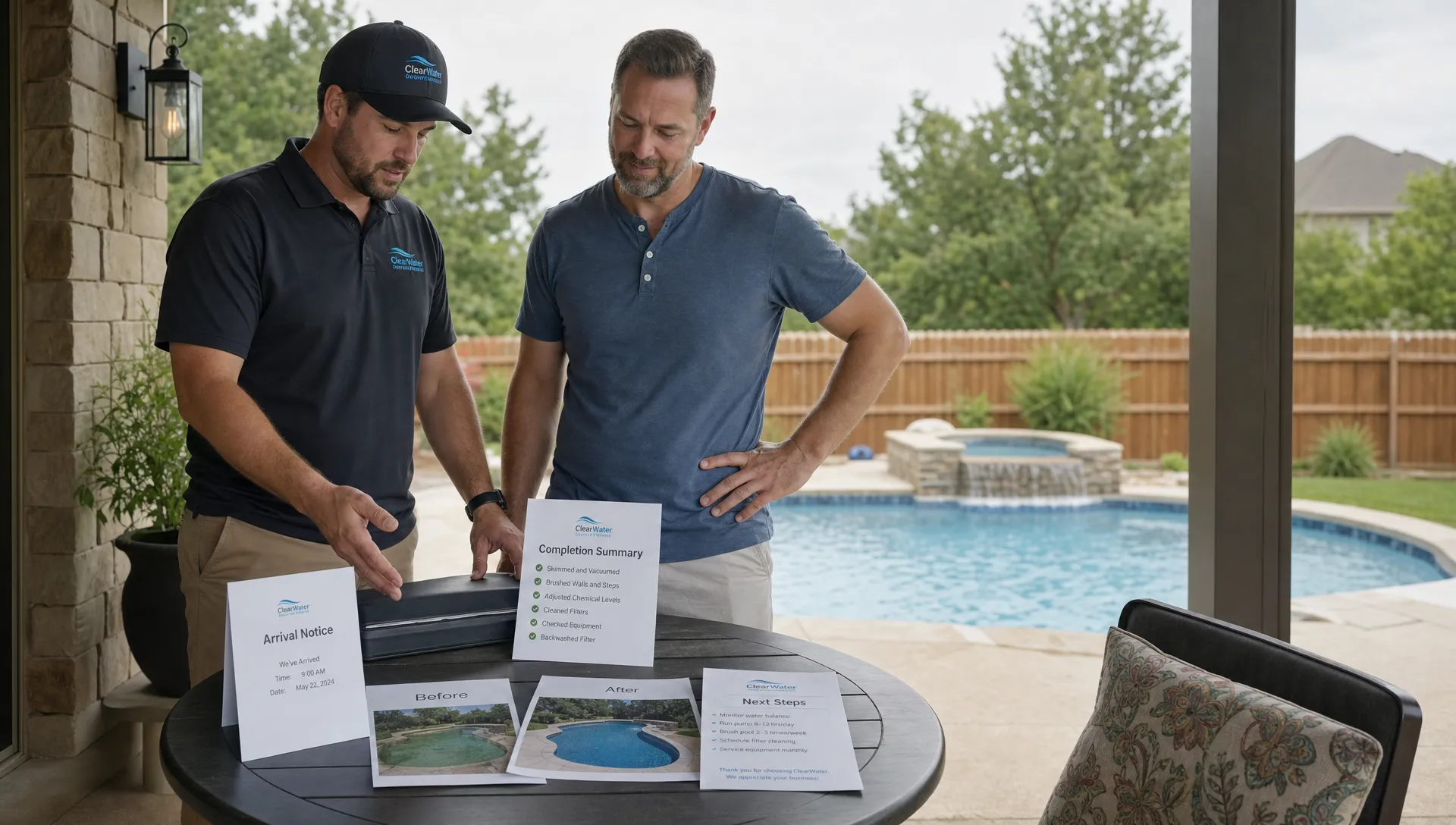
Standardizing residential pool cleaning across routes is not about turning every property into the same job. A screened-in pool under oak trees, a salt pool with automation and a vacation rental with heavy weekend use will never need identical service.
The goal is simpler and more profitable: every technician should follow the same core process, capture the same evidence and escalate the same problems in the same way. When that happens, customers get a consistent experience, dispatchers stop decoding personal shorthand and owners can compare route performance without guessing.
For a small pool service company, inconsistency can feel manageable because the owner still remembers every gate code, filter issue and picky homeowner. Once you add routes, technicians or neighborhoods, informal knowledge turns into risk. Missed baskets become callbacks. Unlogged chemical readings become liability. A forgotten gate latch becomes a bad review. Standardization protects the customer experience and makes growth less dependent on one person’s memory.
Why residential pool cleaning gets inconsistent across routes
Most inconsistency starts with good intentions. A senior technician develops shortcuts that work on their route. A newer technician copies some of them but misses the judgment behind them. One route has detailed notes, another relies on text messages. One tech sends great photos, another only logs chemicals. The office learns to trust certain people and double-check others.
That pattern is common across home services. Articles about contractors using CRM software to scale their businesses often point to the same issue: growth breaks when customer history lives in notebooks, texts, spreadsheets or individual memory instead of a shared operating system. For residential pool cleaning, the customer record is not only a sales record. It is the property history, route context, water-quality baseline, equipment profile and service promise.
Homeowners notice the gaps. Reddit can be useful here because it shows unfiltered customer language. In Reddit discussions in r/pools about pool service complaints, homeowners often focus on basics: whether the tech actually showed up, whether the pool looked cleaner afterward, whether chemicals were explained, whether the gate was secured and whether the company communicated before or after service. Not every thread applies to your market, but the themes are useful raw material for your SOP.
Define the company standard before you define the route standard
A standard route process starts with one question: what must be true after every normal service visit?
The answer should be specific enough that technicians can follow it, dispatchers can audit it and homeowners can recognize it. Avoid vague standards like perform full service or leave pool in great shape. Those phrases create room for personal interpretation.
A better company standard for weekly residential service might include:
- The technician follows the assigned service scope for that property
- Required cleaning tasks are completed or a reason is logged
- Water readings and chemical additions are recorded
- Obvious equipment issues are documented with notes or photos
- The homeowner receives the expected arrival, completion or exception communication
- The gate, access point and property are left secure
This is not a training manual yet. It is the minimum acceptable outcome. Once leadership agrees on that outcome, you can build route procedures, checklists, software workflows and scorecards around it.
Build one repeatable visit workflow
The easiest way to standardize routes is to standardize the order of operations. A technician should not have to decide from scratch how to start, what to record or when to notify the office.
Here is a practical workflow for residential pool cleaning teams:
| Visit stage | What to standardize | Evidence to capture |
|---|---|---|
| Pre-arrival | Property notes, access instructions, hazards, service scope and last-visit issues | Route record reviewed, arrival status updated |
| Initial inspection | Water appearance, visible debris, access problems and obvious equipment concerns | Photo or note when conditions are abnormal |
| Cleaning work | Skimming, brushing, vacuuming, tile line attention, baskets and net debris removal based on scope | Checklist completion and exceptions |
| Water-quality work | Test readings, chemicals added, salt level when relevant and follow-up needs | Water-quality log |
| Equipment review | Pump, filter, heater, automation, cleaner and visible leaks based on service agreement | Equipment note or issue flag |
| Departure | Gate locked, property secured, after photo when required and homeowner notification sent | Completion status and message history |
The exact tasks will vary by your service package and local conditions. The order should not. When technicians move through the same flow every time, you reduce missed steps and make it easier to train substitutes when someone is sick or a route changes hands.
If your current process still depends on paper route sheets or loose notes, this is where software becomes more than an office convenience. A field workflow can prompt the right tasks at the right property, which is why route-heavy companies often look for pool maintenance software that helps techs stay consistent as they add technicians.
Standardize water-quality logging as a shared language
Water chemistry is one of the biggest differences between a casual clean and a professional service visit. It is also one of the easiest areas to standardize because the record should be structured.
At a minimum, your water-quality log should make it clear what was tested, what was added and what needs attention. If a customer calls two days later with cloudy water, the office should be able to review the visit without tracking down the technician.
A good water log supports three groups at once. Technicians use it to make better decisions on the next visit. Managers use it to spot training issues or recurring route problems. Homeowners use it as proof that the service was real, not just a quick stop in the driveway.
Standardization does not mean every technician makes the same chemical decision in every scenario. It means they use the same units, record the same fields, follow the same escalation thresholds and leave a trail that another trained person can understand.
Create property profiles for every pool
Routes become much easier to standardize when each property has a clean profile. A property profile is the difference between service knowledge and technician trivia. The profile should stay with the account, not with the person who usually services it.
Important property profile fields include gate codes, dog notes, parking instructions, pool type, finish type, service level, normal debris load, equipment details, filter type, automation notes, homeowner preferences and recurring issues. Photos of the equipment pad can also help new technicians understand the system before they touch anything.
Equipment tracking matters because many callbacks are not really cleaning problems. They are pump, filter, valve, cleaner or automation problems that were seen before but not documented clearly. When equipment notes live in a shared record, the office can quote repairs, schedule follow-ups and explain problems without asking the technician to reconstruct the visit from memory.
Make route standards realistic by accounting for geography and workload
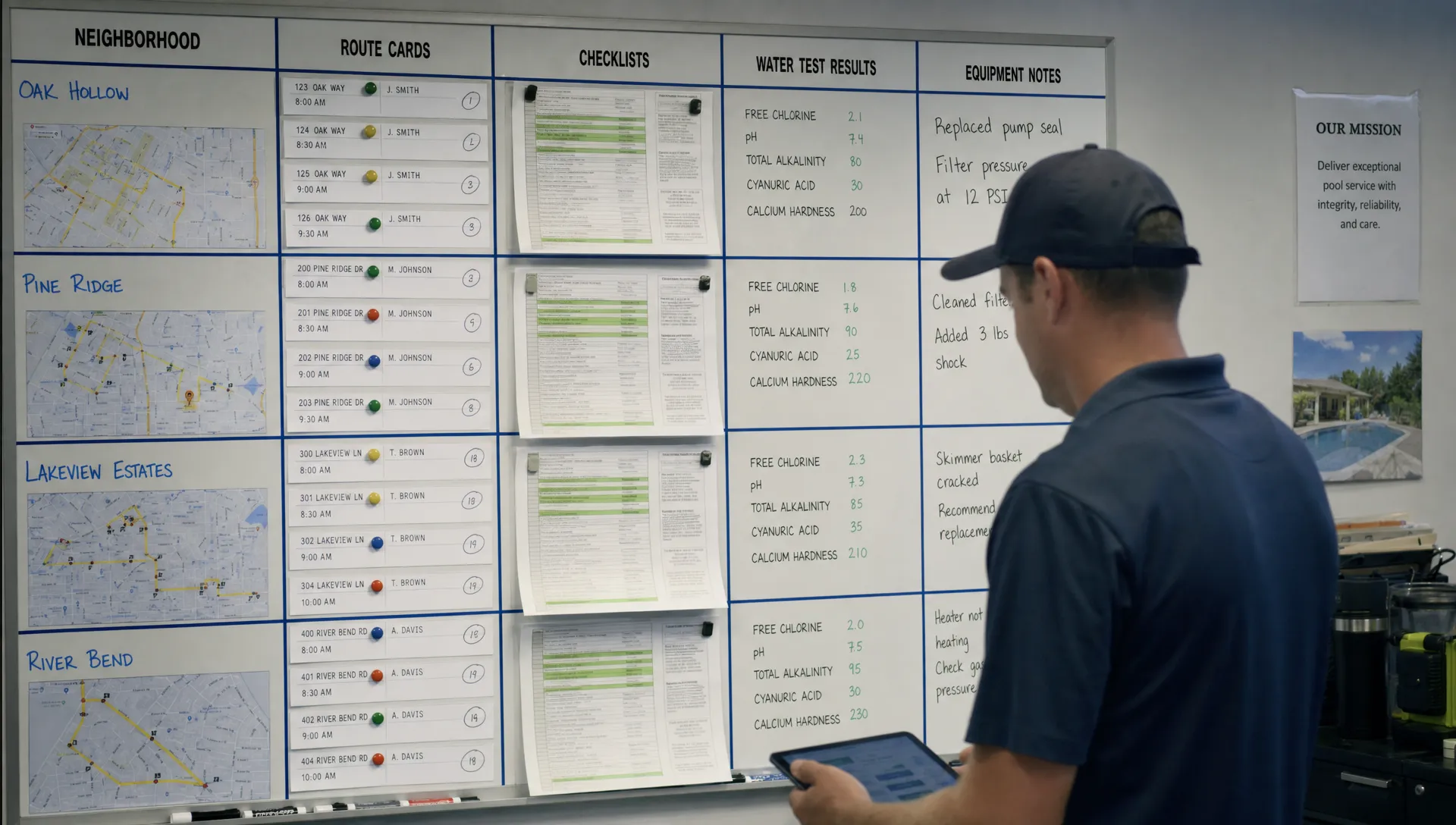
A standardized checklist will fail if the route design makes it impossible to complete. The same technician cannot drive across town, handle multiple heavy-debris pools, document every visit properly and still finish on time without cutting corners.
Route standardization has to include workload planning. Group nearby customers when possible, balance complex pools across the week and review drive time separately from service time. If a route is consistently rushed, the answer is not always more training. Sometimes the route is poorly built.
Residential pool cleaning companies should review three types of route balance:
- Geographic balance, meaning the route makes sense on a map
- Service complexity balance, meaning difficult pools are not stacked without enough time
- Administrative balance, meaning the tech has enough time to document work, send required updates and flag issues
For a deeper look at route density and drive time, SplashIQ covers practical ways pool companies can cut drive time across cleaner routes. Standard service quality is easier to maintain when the schedule is not fighting the technician all day.
Use exception rules so technicians do not improvise under pressure
The best SOPs do not pretend every visit will be normal. They define what happens when the visit is not normal.
Create exception rules for the problems your team sees most often: locked gates, aggressive dogs, unsafe equipment, green pools, heavy storm debris, low water level, broken skimmer baskets, failed pumps, loose pool lights, missing chemicals or homeowner requests outside the service scope.
Each exception should answer four questions. What should the technician do on-site? What should they not do? What should they document? Who gets notified?
For example, a locked gate rule might say the technician must attempt the approved access method, log the failed access with a photo when appropriate, notify the office and mark the visit according to company policy. The technician should not climb a fence, enter through an unapproved door or silently skip the stop.
This protects the technician and keeps the customer conversation consistent. It also helps new hires because they are not forced to make policy decisions alone in the field.
Train from the standard, not from personal preference
Many pool companies train by ride-along. That can work, but only if the trainer is teaching the company standard rather than their own habits.
A better onboarding process combines shadowing with a written or in-app checklist. The trainee sees the work, performs the work, then gets reviewed against the same standard used for every technician. This creates a fairer system because feedback is based on visible expectations.
Training should include route judgment, not only task completion. A technician needs to know when a cloudy pool is a chemistry issue, when it is an equipment issue, when to alert the office and when to tell the homeowner that a separate repair visit may be needed. Standardization should make judgment easier, not remove it.
Technician scorecards can help when they are used carefully. The goal is not to punish people for having harder routes. The goal is to identify coaching opportunities, spot overloaded routes and reward technicians who deliver consistent service.
Audit quality with metrics that connect to the route
You cannot standardize what you never measure. That does not mean you need dozens of dashboards. Start with a small set of quality and route metrics that tell you whether the process is being followed.
Useful metrics include completion rate, photo compliance, missing water logs, callbacks by route, average service time, skipped stops, customer complaints, unpaid invoice holds and equipment issue follow-up time. The point is to compare patterns, not shame individual technicians for one bad day.
| Metric | What it reveals | How to use it |
|---|---|---|
| Missing water logs | Visits that lack basic service evidence | Coach techs or fix app workflow friction |
| Callback rate by route | Possible quality, equipment or scheduling issues | Compare route complexity before blaming performance |
| Average time per stop | Rushed routes or inefficient stops | Adjust route load or service scope |
| Photo completion | Whether required visual proof is being captured | Clarify when photos are required |
| Issue follow-up time | How quickly equipment and service problems move forward | Improve office handoff and customer communication |
SplashIQ has a separate guide on the metrics every pool maintenance business should track, which is useful once your checklist and route workflow are in place. Metrics work best after the team agrees on what good service looks like.
Keep customer communication consistent
Homeowners judge service quality partly by what they see and partly by what they are told. If one technician sends detailed visit summaries and another sends nothing, the company feels inconsistent even when the physical cleaning is solid.
Standardize the communication points. Decide when customers should receive arrival alerts, completion notices, photos, chemical summaries, repair recommendations and billing updates. Use templates where they help, but leave enough room for technician notes when something unusual happens.
Clear communication also reduces office interruptions. If the homeowner receives a completion message with the relevant details, they are less likely to call asking whether the pool was serviced. If the office can see the same message history, they can answer questions without contacting the field.
Put CRM, scheduling and field notes in one workflow
Standardization breaks when your systems are separated. A spreadsheet has the schedule, a notebook has the equipment notes, a technician has the gate code, the office has the invoice question and the homeowner has the complaint history in a text thread. That is not a system. It is a daily scavenger hunt.
A CRM helps pool companies scale when it becomes the shared source of truth for customers and properties. For pool service, that CRM needs to connect to the route schedule, field visit notes, water-quality logs, equipment tracking, homeowner communication and payments. Otherwise, the team still has to stitch the job together manually.
This is the same lesson many contractor CRM articles make for growing trades businesses: scaling depends on repeatable handoffs. Leads need to become customers. Customer promises need to become scheduled work. Field findings need to become estimates, follow-ups or invoices. If you are formalizing that process, SplashIQ’s guide to building a practical CRM strategy for pool service companies is a natural next step.
A 30-day rollout plan for route standardization
You do not need to rebuild the whole company in one week. A focused 30-day rollout is usually enough to expose the biggest gaps and get the team moving in the same direction.
Days 1 to 7: audit the real workflow
Ride along on several routes, review recent complaints and compare how technicians currently document visits. Look for differences in task order, chemical logs, photos, homeowner messages and issue escalation. The goal is not to catch people doing things wrong. It is to understand what the company is actually doing today.
Days 8 to 14: define the standard visit
Write the core checklist, required water log fields, photo rules, exception rules and homeowner communication points. Keep the first version practical. A checklist that takes too long will be ignored, especially during peak season.
Days 15 to 21: pilot on one or two routes
Choose a strong technician and a newer technician for the pilot. This gives you feedback from both experience levels. Track where the workflow feels natural and where it creates friction. If techs are skipping a field, ask whether the field is unclear, unnecessary or too hard to complete in the field.
Days 22 to 30: roll out with coaching
Train the team, explain why each standard exists and review the first week of data quickly. Fix route notes, adjust service times and clarify exception rules. Standardization succeeds when technicians see that the process helps them avoid callbacks and confusing customer disputes.
Common mistakes to avoid
The first mistake is building a checklist for the owner instead of the technician. If it does not match the real field workflow, adoption will be weak.
The second mistake is treating every deviation as a discipline issue. Sometimes the technician skipped a step. Sometimes the route is overloaded, the app workflow is clunky or the account notes are wrong.
The third mistake is standardizing tasks without standardizing proof. A completed checkbox is useful, but water logs, photos, timestamps, notes and homeowner messages create the fuller record that protects the business.
The fourth mistake is ignoring the office handoff. If a technician flags a broken pump and nothing happens, the standard loses credibility. Field documentation needs a path to customer communication, estimates, billing or follow-up work.
Frequently Asked Questions
What should be standardized in residential pool cleaning? Standardize the visit sequence, cleaning checklist, water-quality log, photo rules, equipment notes, exception handling, homeowner notifications and office follow-up process. Leave room for property-specific service needs.
How detailed should a pool cleaning checklist be? A checklist should be detailed enough to prevent missed steps but short enough for technicians to use on every stop. Start with the required evidence and core service tasks, then add property-specific notes where needed.
How do you standardize routes without slowing technicians down? Remove duplicate data entry, keep property notes clean, group stops intelligently and use field workflows that match the order of service. Standardization should reduce confusion, not add paperwork.
What is the best way to handle exceptions like locked gates or green pools? Create written rules that explain what the technician should do, what they should document and who should be notified. Exceptions should be logged consistently so the office can respond quickly.
Can CRM software help standardize pool service routes? Yes. A CRM connected to scheduling, field notes, water-quality logs, equipment records and customer communication gives the whole team one shared record instead of scattered spreadsheets, texts and paper checklists.
Turn route consistency into a system
Standard residential pool cleaning does not happen by reminding technicians to be more consistent. It happens when the business gives every route the same operating backbone: clean property records, clear visit steps, structured water logs, equipment history, customer communication and measurable follow-up.
SplashIQ is built for pool service companies that want to replace spreadsheets and paper checklists with one app for the office, technicians and homeowners. From CRM and smart route scheduling to water-quality logs, equipment tracking, homeowner notifications, online payments and an offline field app, it helps teams run the same high-quality process across every route.