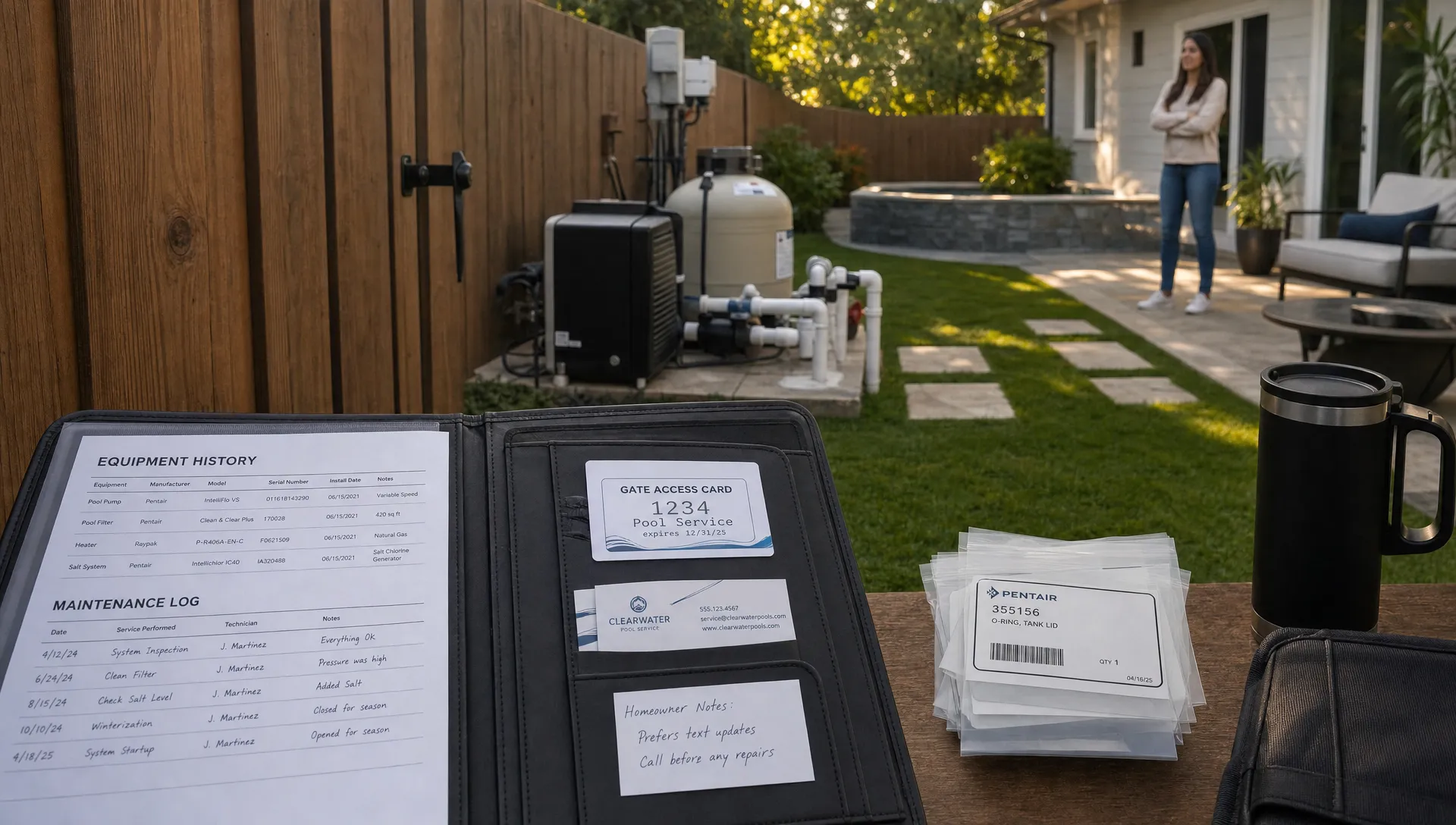
Repair work is where a pool service company’s back office, field team and customer communication either come together or fall apart. A homeowner reports a pump losing prime. A technician sees a heater error code during a weekly stop. Someone texts a photo of a leaking filter clamp to the owner. If those requests land in different places, the repair may still get done, but it moves through the business with too much friction.
A CRM ticketing system gives every repair request a home. It connects the customer, property, equipment, service history, photos, notes, schedule and payment path so the next action is clear. For pool service companies, that matters because repairs are rarely just “one task.” They involve triage, parts, technician availability, homeowner approval, documentation and follow-up.
Generic ticketing tools can track issues. A pool service operation needs more than an issue tracker. It needs a workflow that keeps repair requests moving from the first report to the final invoice without forcing the office to chase text messages, decode field notes or re-enter the same information three times.
Why repair requests stall in growing pool service companies
Most repair delays do not come from laziness. They come from invisible handoffs.
A customer may call the office about a noisy pump, but the pool tech who knows the equipment is already on route. A tech may notice an actuator problem, but the repair manager does not see the note until the end of the day. A homeowner may approve the work by text, but the billing person cannot find the message when it is time to invoice.
That kind of delay is common when a company is still running on a mix of whiteboards, spreadsheets, paper checklists, personal phones and memory. The system works when the owner can personally supervise every exception. It starts breaking when the company adds routes, hires more technicians or takes on more repair volume.
Reddit is a useful place to see these frustrations in plain language. Current threads and searches in communities like r/smallbusiness and r/pools often show the two sides of the same problem: contractors asking how to organize customer follow-up as they grow and homeowners complaining about missed updates, unclear timelines or no-shows. The details vary, but the operational gap is familiar.
Contractor-focused publications make the same point from a business growth angle. For example, Forbes Advisor’s guide to construction CRM software frames CRM as a way for contractors to organize customer relationships, bids and job activity instead of letting work scatter across inboxes. Pool repair is a different trade, but the scaling problem is similar: more customers create more handoffs, and handoffs need structure.
What a CRM ticketing system should do for pool repairs
A strong ticketing workflow starts by capturing the repair request in context. “Pump issue” is not enough. The office needs to know which property, which body of water, which piece of equipment, what the customer reported, what the technician observed and what has happened before.
For a pool service business, useful repair tickets often include:
- Customer and property details
- Equipment type, model details or known service history
- Reported problem and urgency
- Photos, before and after documentation or technician notes
- Water-quality logs when chemistry may affect the issue
- Required parts or follow-up diagnosis
- Homeowner communication and approval status
- Scheduled technician, visit date and completion status
- Invoice or payment status after the work is done
That structure turns a ticket from a reminder into an operational record. The office can see what is waiting. The technician can see what to diagnose. The homeowner can receive clearer updates. The owner can spot bottlenecks before they become angry phone calls.
SplashIQ is built around this kind of connected workflow for pool service companies, bringing CRM, scheduling, water-quality logging, equipment tracking, homeowner communication and payments into one operating system for the business.
The repair ticket lifecycle, from request to invoice
The best way to evaluate a CRM ticketing system is to follow a real repair request through the business. If the system cannot support each step, the team will create workarounds.
1. Intake: capture the request once
Repair requests arrive from everywhere: phone calls, email, text, homeowner portal messages, technician notes and routine service observations. A good CRM ticketing system reduces the need to copy those details into multiple places.
The intake record should answer the basic question: “What needs attention and where?” That means connecting the request to the right customer and property immediately. In pool service, one customer may have a pool, spa, water feature, automation panel and multiple pieces of equipment. The more specific the intake, the less time the technician wastes on arrival.
2. Triage: decide what happens next
Not every repair request deserves the same response. A leaking equipment pad may need fast scheduling. A noisy pump motor may need diagnosis before parts are ordered. A green pool complaint may require both chemistry review and customer education.
A CRM ticketing workflow should make triage visible. The office should be able to sort open requests by urgency, job type, location, skill required, customer status and whether the homeowner has approved work. Without triage, every repair becomes a memory test.
This is where many companies lose margin. The job is not technically difficult, but the wrong tech gets assigned, the right part is not on the truck or the office schedules a follow-up without checking the previous service notes.
3. Scheduling: match the ticket to the right route
Repair scheduling is different from weekly maintenance scheduling. Repairs require skill matching, parts awareness, travel efficiency and sometimes a longer appointment window. If repairs are scheduled in a separate calendar from recurring routes, conflicts appear quickly.
Smart route scheduling can help pool service companies group work geographically and assign tickets based on technician availability. For a deeper look at the service side of this workflow, SplashIQ’s guide to a better way to manage pool service and repairs explains why repair work should stay connected to customer records, field notes, scheduling and approvals.
4. Field work: give technicians the full story
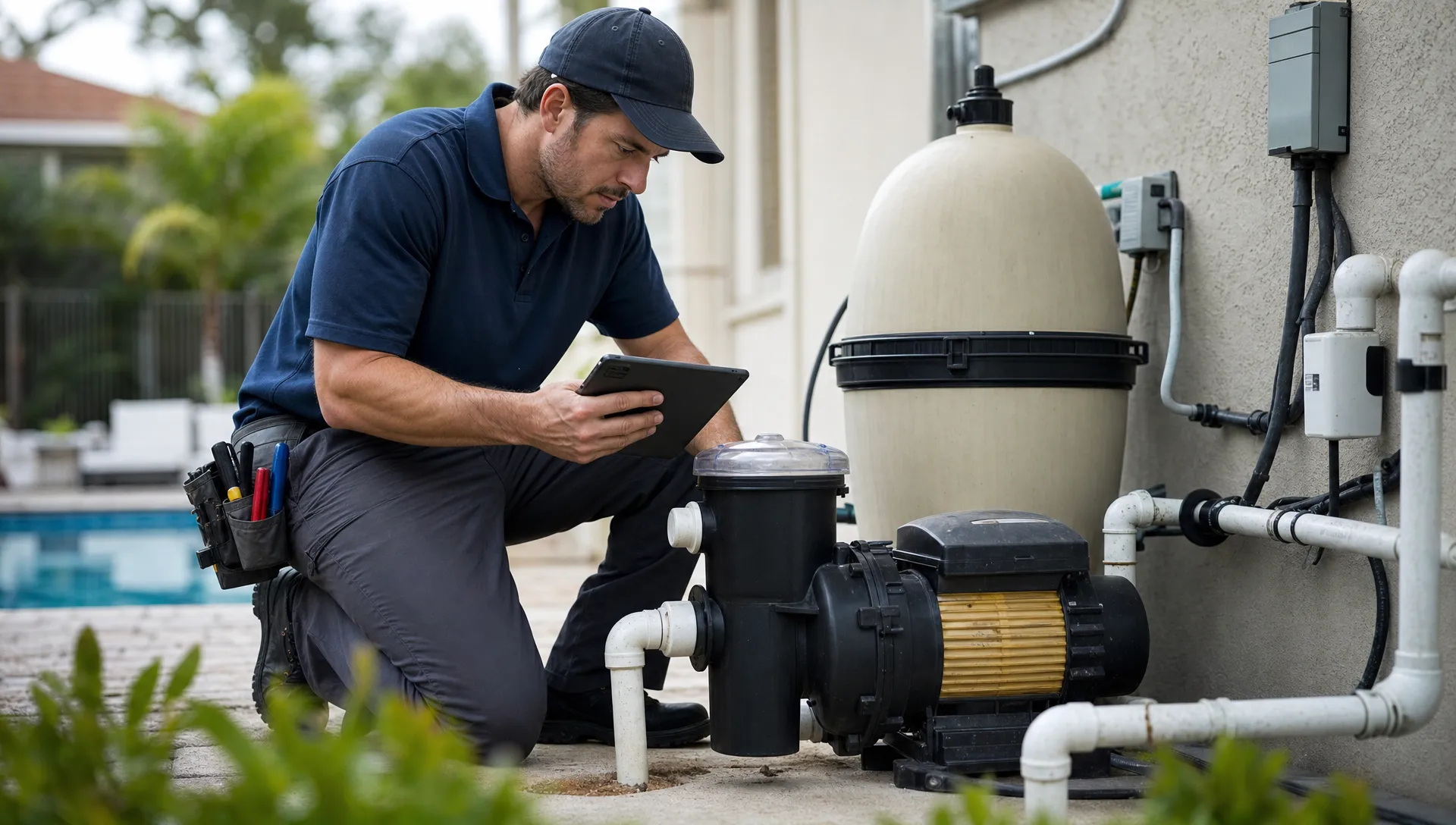
A technician should not have to call the office to ask what the customer said, whether the equipment is under warranty or what happened last time. The ticket should travel with the job.
For pool repairs, field context is especially valuable. A heater fault may be related to flow. A salt system issue may be tied to water balance. A recurring pump problem may show up in past notes, photos or equipment history. When technicians can see the full record, diagnosis improves and callbacks decrease.
An offline field app also matters for pool routes because not every backyard has reliable signal. If the tech cannot access or update the ticket on-site, the business ends up back in the same pattern: notes written later, photos sent by text and missing details when the office needs them.
5. Documentation: prove what happened
Repair documentation protects the company and improves the customer experience. Before and after photos, water readings, equipment notes and service summaries make the work easier to explain.
Homeowners may not understand the difference between a failed capacitor, a clogged impeller and an undersized pump. They do understand clear photos, plain-language notes and a record of what was checked. Documentation also helps internally when a customer calls back weeks later or another technician visits the same property.
Good documentation should not feel like paperwork. It should be part of the ticket flow so the field team captures the right details while the job is fresh.
CRM ticketing vs basic service tickets
Many tools can create a ticket. The question is whether the ticket is connected to the business.
A standalone service ticket may tell you that a customer needs a repair. A CRM ticketing system should show the full relationship around that repair: service history, communication, property details, equipment, schedule and billing.
| Capability | Basic ticketing tool | CRM ticketing system for pool service |
|---|---|---|
| Customer context | Usually limited to contact details | Connects customer, property and service history |
| Field documentation | Often added manually | Supports technician notes, photos and visit records |
| Scheduling | May require a separate calendar | Ties repair tickets to routes and technician availability |
| Equipment details | Often stored elsewhere | Keeps repair work connected to equipment records |
| Homeowner updates | Usually manual | Can support arrival and service notifications |
| Billing handoff | Often disconnected | Helps move completed work toward invoice and payment |
The difference matters more as volume increases. A small company can survive with manual updates because the owner remembers the details. A growing company needs the system to remember.
How CRM ticketing reduces callbacks and customer frustration
Callbacks are expensive because they create unpaid time, scheduling disruption and customer doubt. Some callbacks are unavoidable. Others happen because the company did not capture enough information the first time or failed to communicate the next step.
A CRM ticketing system helps reduce callback chaos in several ways. It gives the office a single place to see unresolved issues. It helps technicians review prior notes before returning to a property. It creates a clearer communication trail when homeowners ask for updates. It also helps separate true repeat failures from new issues that only look related.
This is closely tied to customer service. If your team is trying to reduce missed follow-up, repeated customer calls and “who talked to them last?” confusion, SplashIQ’s article on CRM tools for customer service that cut callback chaos covers that angle in more detail.
In 2026, homeowners expect contractor communication to feel more like the rest of their digital life. They want arrival notices, quick status updates, photos and easy payment options. That does not mean every customer needs a long explanation. It means they should not have to chase the company to find out whether their repair is scheduled, waiting on approval or complete.
The role of equipment tracking in repair ticketing
Pool repairs are equipment-heavy. The customer relationship matters, but the asset history matters too.
A property may have a variable-speed pump, a cartridge filter, automation, heater, chlorinator, booster pump and lighting system. Each component has its own age, condition, maintenance history and failure pattern. If equipment details live in a technician’s head or a photo buried in a phone, the company cannot build a reliable repair process.
Connecting equipment tracking with CRM ticketing helps answer practical questions:
- Has this pump had the same issue before?
- Which technician last worked on this heater?
- Is the repair likely to require a specific part?
- Was the homeowner already warned about replacement?
- Are repeated issues tied to water quality, installation or age?
When parts and equipment details stay connected to the customer record, the repair workflow becomes less reactive. SplashIQ’s article on how CRM and inventory management work better together explores that connection for teams that want fewer parts-related delays.
What managers should measure in a repair ticket workflow
A CRM ticketing system is not just for tracking individual jobs. It should also help managers see whether repair operations are improving.
The most useful metrics are simple. Track how long tickets sit before triage, how long they wait for scheduling, how many require a second visit, how often tickets wait on homeowner approval and how quickly completed work turns into an invoice.
| Metric | What it reveals | Why it matters |
|---|---|---|
| Time to first review | How quickly the team sees new requests | Prevents urgent repairs from sitting unnoticed |
| Time to schedule | How efficiently requests become appointments | Shows whether dispatch is keeping up |
| First-visit resolution | How often repairs are completed without return trips | Highlights training, parts and diagnosis issues |
| Approval wait time | How long tickets sit with the homeowner | Helps improve estimates and follow-up |
| Completion to invoice time | How quickly finished work becomes revenue | Protects cash flow |
Technician scorecards can also help, as long as they are used carefully. The goal is not to punish techs for complex jobs. The goal is to spot patterns: who documents well, who resolves certain repairs efficiently, which job types need better training and where the process creates avoidable return trips.

Choosing a CRM ticketing system for a pool service business
The right system should fit the way a pool company actually works. A generic CRM may be strong for sales follow-up but weak in the field. A generic help desk may be strong for support tickets but disconnected from routes, equipment and invoices.
When evaluating software, look for a workflow that connects the office, technicians and homeowners. The most important question is not “Can it create tickets?” It is “Can it move repair requests through our entire business without duplicate entry?”
A practical CRM ticketing system for pool service should support:
- A customer CRM that connects people, properties and service history
- Smart route scheduling for recurring service and repair work
- Water-quality logs that can inform diagnosis
- Equipment tracking for asset-specific repair history
- Homeowner notifications for arrival and service updates
- Before and after photos for documentation
- Online payments so completed repair work does not sit uncollected
- A field app technicians can use even when connectivity is poor
This is where purpose-built software has an advantage. Pool service companies do not just manage contacts. They manage water, equipment, routes, repairs, seasonal demand, homeowner expectations and technician capacity. A CRM ticketing system should reflect that reality.
Implementation advice: start with the bottleneck
The easiest way to roll out CRM ticketing is to begin with the repair bottleneck that hurts most.
If requests are getting lost, start with intake. If jobs are waiting too long, focus on triage and scheduling. If callbacks are high, improve field documentation and equipment history. If cash flow is the issue, tighten the handoff from completed ticket to invoice and payment.
Do not try to redesign every process in one week. A better approach is to standardize the few fields every repair ticket must include, train the office and field team on when statuses change, then review open tickets daily until the habit sticks.
For many pool companies, the first big win is visibility. Once all open repair requests are in one place, the owner no longer has to ask five people what is pending. That alone can reduce stress and make the business feel more scalable.
Frequently Asked Questions
What is a CRM ticketing system? A CRM ticketing system connects customer records with service or repair requests. Instead of tracking issues separately from customer history, it keeps the request, communication, scheduling, notes and follow-up tied to the same record.
Why does a pool service company need ticketing inside its CRM? Pool repairs involve customers, properties, equipment, technicians, water conditions, photos, approvals and invoices. Keeping ticketing inside the CRM helps the team manage the full workflow instead of chasing information across texts, spreadsheets and paper notes.
How is a CRM ticketing system different from a help desk? A help desk usually focuses on support requests. A CRM ticketing system for field service needs to connect those requests to routes, technicians, property history, equipment details, service documentation and billing.
Can CRM ticketing help reduce callbacks? Yes, when it improves intake, technician context, documentation and follow-up. It will not eliminate every callback, but it can reduce avoidable return trips caused by missing information, unclear communication or poor handoffs.
What should pool companies track in repair tickets? At minimum, track the customer, property, issue, urgency, equipment involved, photos, technician notes, schedule status, approval status and invoice status. Water-quality readings and prior service history can also be important for diagnosis.
Keep repair requests moving with SplashIQ
Repair work should not depend on memory, scattered texts or a spreadsheet that only one person understands. A CRM ticketing system gives pool service teams a clearer path from request to triage, schedule, field work, documentation, invoice and payment.
SplashIQ helps pool service companies replace disconnected tools with one operating system for CRM, scheduling, water-quality logging, equipment tracking, homeowner communication, field operations and payments. If your repair requests are growing faster than your current process can handle, it may be time to give every ticket a workflow your whole team can trust.