
If you are comparing crm solutions for a pool service company, skip the feature bingo for a moment and follow one real job. A homeowner calls about cloudy water, the office captures the request, a technician diagnoses the pool, chemicals and equipment notes are logged, photos are sent, the invoice is created and payment is collected. If that chain breaks anywhere, your team pays for it in callbacks, delayed billing and duplicate data entry.
For growing pool service companies, the best CRM is not just a contact database. It is the operational record that keeps sales, routes, service proof, homeowner communication and billing tied to the same customer and property. That matters because office work and field work are not separate businesses. They are two sides of the same service promise.
The crm solutions test: can one job move without re-entry?
A useful CRM should answer a simple question: can one customer request move from lead to job to invoice without someone retyping the same information into another spreadsheet, calendar, text thread or accounting queue?
That is where many service businesses feel the limits of generic software. A traditional CRM may store names, phone numbers and follow-up tasks well, but it often struggles with property details, route schedules, technician notes, water readings, equipment history and job photos. For pool service companies, those details are not extras. They are the work.
The practical test for crm solutions is whether every team sees the same version of the job. The office needs scheduling status and billing readiness. The technician needs gate codes, equipment notes, previous readings and open customer concerns. The homeowner needs timely notifications, clear service proof and an easy way to pay.
Where disconnected systems create friction
Disconnected systems usually fail in small, ordinary moments. A technician writes a filter pressure note on paper, but the office never sees it. A homeowner asks about a recent algae treatment, but the CSR has to search through photos, text messages and invoices. A manager wants to know which routes are profitable, but labor, chemicals and billing live in separate places.
The result is not just inconvenience. It becomes slower cash collection, inconsistent customer experience and less confidence in the data managers use to make staffing decisions.
| Workflow area | Disconnected process | Connected process |
|---|---|---|
| Lead intake | Notes in email or spreadsheet | Customer and property record created once |
| Scheduling | Manual calendar updates | Route-aware scheduling tied to job status |
| Field work | Paper checklist or scattered texts | Mobile service record with photos and readings |
| Billing | Office rebuilds invoice from memory | Invoice uses verified service details |
| Customer updates | Manual calls and texts | Arrival, completion and service notifications |
From first call to final invoice
For a pool company, crm solutions should connect the entire job lifecycle, not only the sales conversation. A request for weekly service, a one-time green-to-clean job or a repair estimate all need a common path from intake to payment.
Office: capture the right information once
The office is usually where data quality begins. If a lead comes in through a form, call or referral, the customer profile should capture more than contact details. The system should store property information, service type, pool access instructions, preferred communication method and any notes that help the field team show up prepared.
This is also where marketing and homeowner outreach matter. A CRM that supports outreach can help an owner keep prospects warm, follow up on estimates and reduce the number of opportunities that disappear because nobody remembered to call back.
Field: turn route work into usable records
Field teams create the most valuable operational data in the business. They see the pool, equipment pad, homeowner concerns and actual conditions. If that information stays on paper or inside a technician’s phone, the company loses leverage.
A connected field app should make it simple to record water-quality logs, equipment notes, before and after photos, chemical usage and job completion status. Offline access is especially important for pool routes where signal can be unreliable behind homes, in gated communities or in rural service areas.
Billing: invoice from what actually happened
When crm solutions connect billing to field records, the invoice is not a reconstruction project. The office can bill from documented service details instead of chasing technicians for clarification at the end of the day.
This is where many contractors leak revenue. Add-on work, parts, repairs and trip fees are easy to miss when the billing team depends on memory or handwritten notes. A connected workflow helps turn completed work into accurate invoices faster, then gives homeowners a clearer path to online payment. For a deeper look at this issue, SplashIQ explains why contractors need CRM and accounting in one workflow.
What to look for before you choose a platform
Buying software because it has a long feature list is risky. A better approach is to map the actual movement of work through your company and identify where information gets lost. Then evaluate the CRM against those handoffs.
Good crm solutions for field service companies should support a few core operating needs. A pool service business does not need a bloated enterprise sales system if it cannot handle the route, the property and the invoice.
A shared customer and property record
Every customer should have one record that connects contact details, service history, property notes, equipment, photos, billing status and communication history. If your office has to open three tabs and ask a technician for the rest, the CRM is not doing enough operational work.
This shared record is especially useful when a homeowner calls with a question. The office can see the latest visit, water readings, photos and open follow-up items without interrupting the route team.
Scheduling that understands routes
Pool service is route-based, so scheduling needs are different from a desk-based sales team. The system should help manage recurring visits, one-time work, technician assignments and daily route changes. Smart route scheduling can reduce wasted drive time and help managers adjust capacity as the company grows.
SplashIQ’s approach is built around this operating reality, with CRM, scheduling, field operations, homeowner communication and payments in one pool-service-focused workflow. If you want a broader explanation of field-team requirements, see the guide to CRM software for small businesses with field teams.
Service proof homeowners can understand
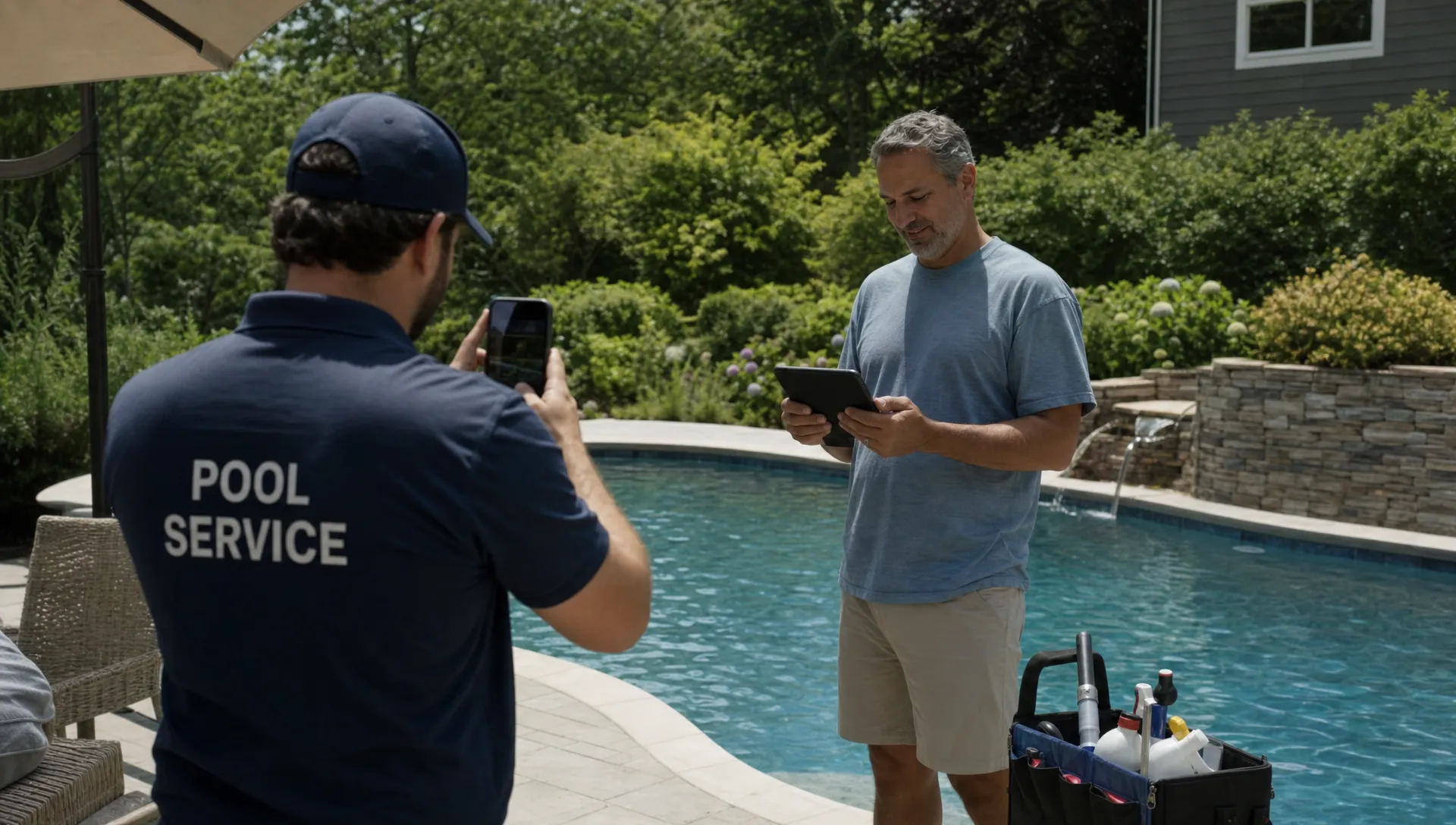
Customers rarely see the full effort behind a service visit. Clear documentation helps close that gap. Before and after photos, visit notes, water-quality logs and arrival or completion notifications show that the work happened and make it easier to explain recommendations.
A homeowner portal can reduce routine back-and-forth by giving customers access to relevant service details, invoices and payment options. That does not remove the need for human service. It simply gives the office fewer repetitive questions to answer.
How connected CRM helps contractors scale
Scaling a service business usually exposes weak processes. What worked with one owner, two trucks and a shared spreadsheet often breaks when the company adds routes, office staff and more complex service lines.
Contractor-growth articles often make the same point in different language: scale requires repeatable systems. SplashIQ’s article on CRM tools that help contractors scale without chaos focuses on that transition from owner-held knowledge to documented workflow. The lesson applies directly to pool service companies because recurring service, repairs and homeowner communication all depend on reliable handoffs.
Connected data also changes management. Instead of relying only on gut feel, an owner can review route completion, callbacks, technician notes, customer response patterns and billing delays. Technician scorecards, when used thoughtfully, can help identify coaching opportunities and recognize strong performers.
The goal is not to micromanage every movement. It is to make the business less dependent on memory, heroics and after-hours cleanup.
What Reddit conversations reveal about CRM pain
Public Reddit communities such as r/smallbusiness regularly include owners asking which CRM to use, why employees resist software and how to stop losing track of follow-ups. The exact industries vary, but the complaints are familiar to field service operators: too many apps, poor adoption, duplicate entry and software that looks good in the demo but does not match daily work.
Contractor discussions about crm solutions tend to be less interested in abstract sales pipelines and more focused on whether crews will actually use the tool. A system that creates more admin for technicians will struggle, no matter how strong its reporting looks. A system that saves time in the field has a much better chance of becoming part of the routine.
SplashIQ also summarized what contractors on Reddit say about CRM for service businesses, including common complaints about generic tools and disconnected operations. The useful takeaway is simple: adoption follows workflow fit. If the CRM does not match how jobs are sold, scheduled, performed and billed, teams will route around it.
A practical rollout plan for office, field and billing teams
Choosing the platform is only part of the work. Implementation succeeds when the company introduces the system around real processes, not vague software goals.
Start with one high-value workflow, such as weekly service visits or repair jobs, then define exactly what must happen at each handoff. Decide what the office must capture, what technicians must document, what homeowners should receive and what billing needs before an invoice goes out.
| Rollout step | What to define | Why it matters |
|---|---|---|
| Intake standard | Required customer, property and service details | Prevents weak job records from the start |
| Route workflow | Assignment rules, status updates and offline needs | Helps technicians use the system consistently |
| Field documentation | Required photos, notes, readings and equipment updates | Creates proof of work and billing accuracy |
| Customer communication | Arrival alerts, completion summaries and follow-up timing | Reduces confusion and phone tag |
| Billing trigger | What marks work ready to invoice | Speeds cash flow and reduces missed charges |
Once the first workflow is stable, add the next. That staged approach is easier for technicians and office staff than a full-process overhaul in one week.
FAQ
What makes CRM software different for pool service companies? Pool service companies need customer records, property details, route scheduling, water-quality logs, equipment tracking, field documentation, homeowner communication and billing to work together. A generic sales CRM may not support those operational needs without extra tools.
How do crm solutions improve billing speed? They improve billing speed by connecting completed field work to invoice-ready records. When service notes, photos, chemicals, repairs and job status are already documented, the office spends less time chasing information before sending invoices.
Do technicians actually use CRM software in the field? Adoption depends on workflow fit. Technicians are more likely to use a field app when it is fast, mobile-friendly, available offline and clearly reduces follow-up calls or duplicate paperwork.
Should a small pool company adopt CRM before it has multiple routes? Yes, if the owner wants clean records before growth creates complexity. Even a small company benefits from consistent customer history, service documentation, scheduling and payment tracking.
Bring your pool service workflow into one operating system
SplashIQ is built for pool service companies that want the office, field and homeowner experience connected in one place. The platform brings together CRM, smart route scheduling, water-quality logs, equipment tracking, homeowner notifications, before and after photos, online payments, homeowner financing and an offline field app.
If spreadsheets, paper checklists and disconnected apps are slowing down your team, SplashIQ can help you run the full workflow from first lead to final invoice with fewer gaps and cleaner handoffs.