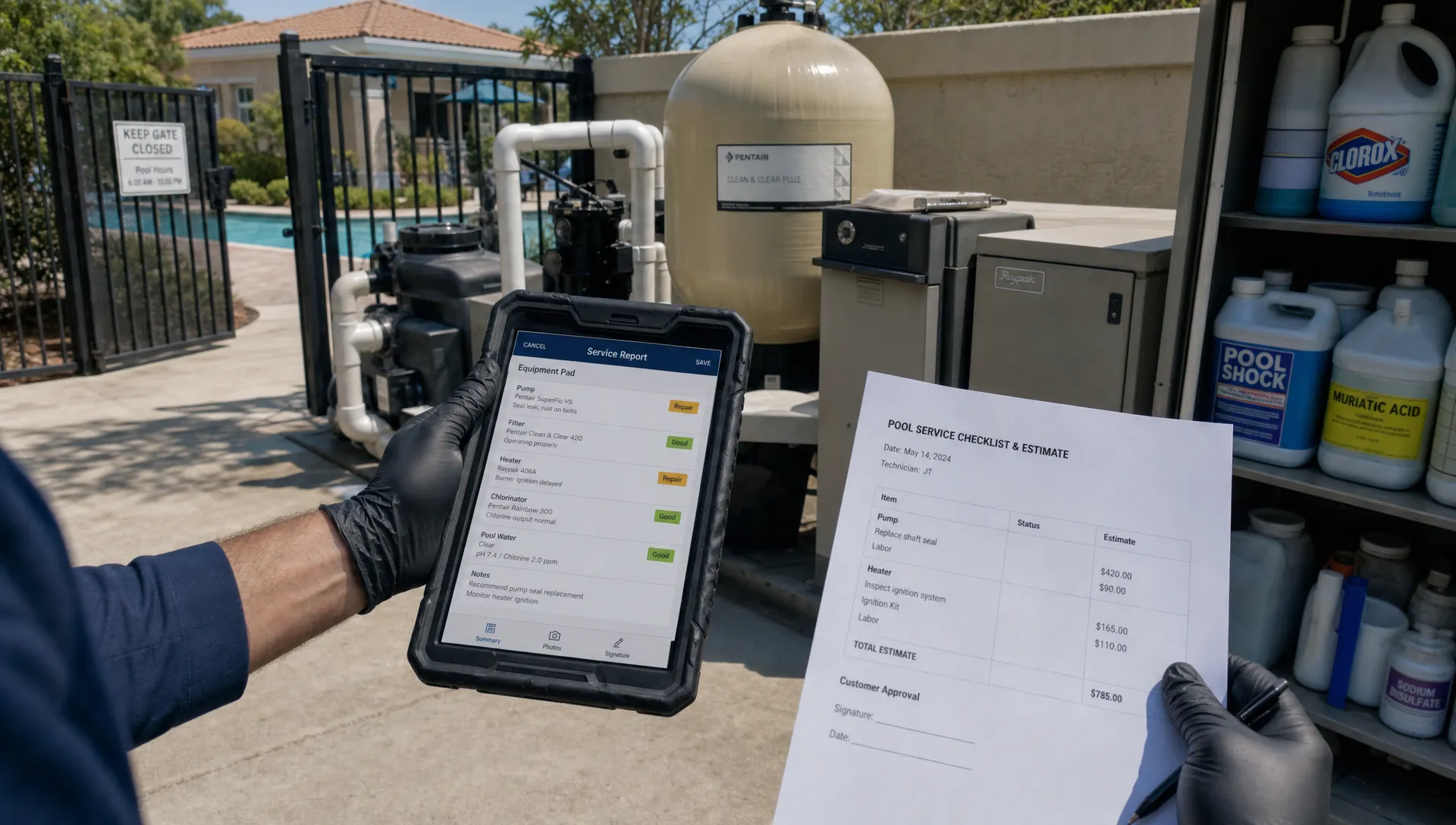
An HOA pool account can outgrow a homeowner-style contact record quickly. B2B CRM helps pool contractors manage the association as a business customer, with separate records for the property, decision-makers, service requirements and billing responsibilities. That structure matters when the person requesting a repair is not the person authorized to approve it.
A typical account might involve a community manager, a board liaison, an accounts-payable contact and technicians servicing several shared facilities. Those people need different information. The board may want a maintenance summary, while accounting needs an invoice tied to an approved estimate.
The goal is not to send everyone more messages. It is to make each service visit, approval and invoice traceable to the right property and responsible person, even when board members or management companies change.
Why B2B CRM fits HOA pool accounts
Residential customer management often starts with one owner and one property. HOA work requires a clearer distinction between the organization buying the service, the facilities receiving it and the people acting on its behalf.
For example, a management company may oversee several associations, but each association can have its own contract, budget and approval process. Combining everything under the manager’s name makes records difficult to separate when that manager leaves.
A useful account structure distinguishes:
| Record | What it should establish | HOA example |
|---|---|---|
| Customer organization | The contracting customer | Oak Ridge Homeowners Association |
| Management company | The organization administering the account | A third-party community management firm |
| Service location | Where work happens | Clubhouse pool and separate spa |
| Contact role | Who receives information or authorizes work | Community manager, board liaison or billing contact |
| Service agreement | What the contractor has agreed to provide | Visit schedule, included tasks and repair exclusions |
These are requirements to evaluate, not features to assume every platform supports. SplashIQ’s guide to CRM contact management for pool properties and owners explains the underlying value of keeping people and property information connected.
Build the account around responsibilities, not just names
A B2B CRM should help your office answer three questions without searching email: who requested the work, who can approve it and who receives the invoice?
Record each contact’s role, communication preferences and authority as established by the contract or written instructions. A community manager might coordinate access and receive service updates but need board approval for certain repairs. An accounts-payable contact may process invoices without having authority to approve additional work.
Keep those distinctions explicit. A contact label such as “primary” does not explain whether that person can authorize an equipment replacement.
Also record the account’s handoff process. When management changes, confirm the new contacts, billing instructions, emergency escalation details and outstanding estimates. Preserve prior service history rather than starting a disconnected customer record.
Changing the contact should not erase the account’s memory. Your team still needs to know which equipment was serviced, what work remains pending and which commitments are already in place.
Turn the service agreement into a field workflow
For recurring HOA work, B2B CRM becomes useful when the agreement informs what technicians actually do at the property. A contract stored in a folder is not enough if the route team cannot see its operational requirements.
Translate the scope into clear visit instructions. Include service locations, access arrangements, scheduled tasks, documentation requirements and exceptions that require office attention. Distinguish routine maintenance from separately authorized repairs.
A shared facility may also have operating hours, events or access restrictions that affect scheduling. Route efficiency should not override a contractual service window or a required visit.
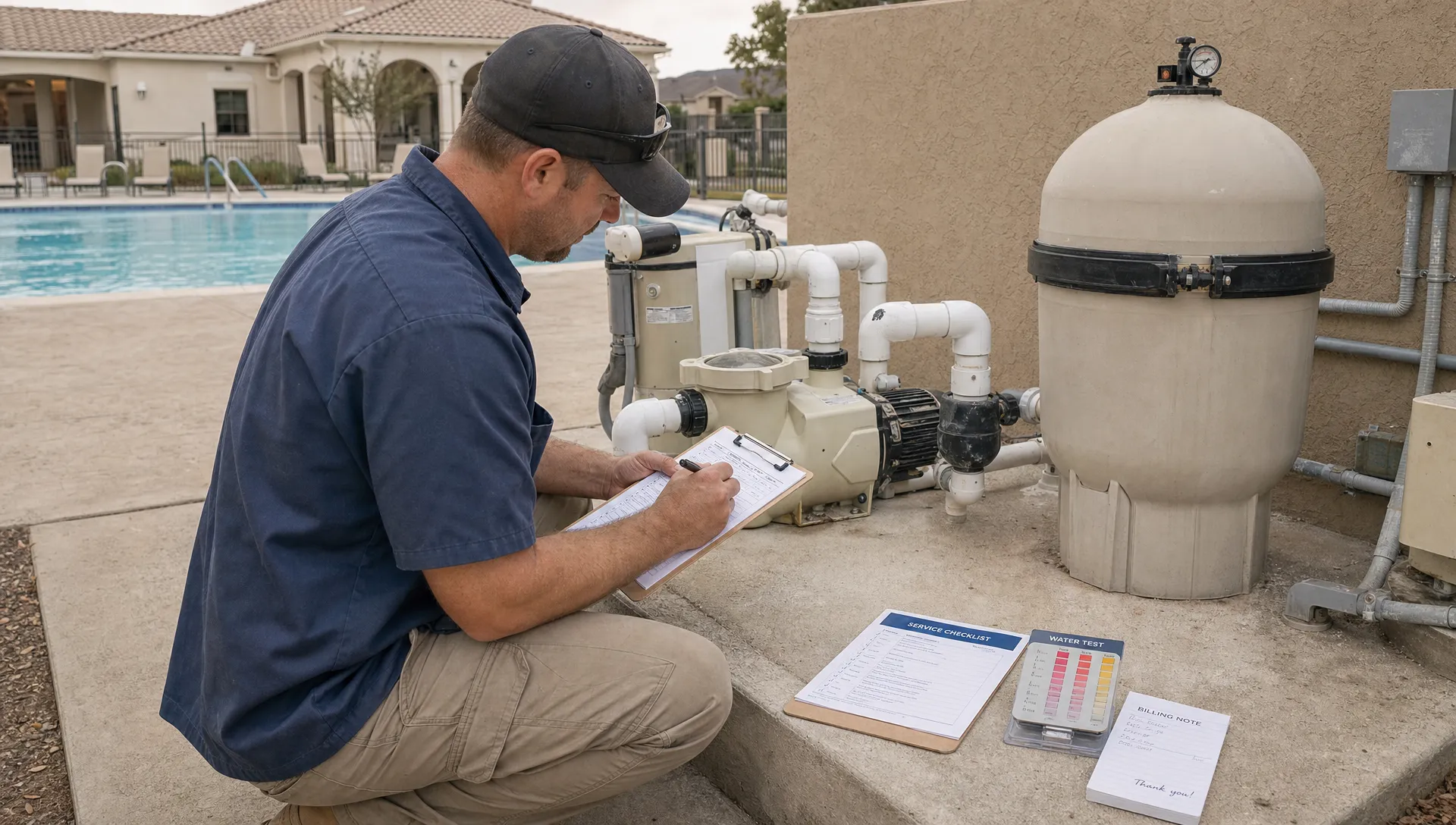
Technician records should capture what happened, not merely that someone arrived. Relevant evidence can include water-quality readings, equipment observations, completed tasks, photos and unresolved issues. Document when access was unavailable or a task could not be completed, including the reason.
For facilities subject to public-pool requirements, check the applicable jurisdiction’s rules. The CDC’s Model Aquatic Health Code provides guidance, but local adoption and requirements vary. Software documentation supports the work; it does not establish compliance by itself.
Keep service updates separate from repair approvals
B2B CRM helps organize communication, but a service notification is not authorization to perform additional work. Treat those as separate processes.
An arrival message or completed-service update tells the designated contact what happened. A repair request needs a defined scope, price, supporting evidence and a response from someone authorized to approve it.
For example, a technician might document a leaking pump seal during a scheduled visit. The office can then prepare an estimate, send it to the authorized contact and record the decision before scheduling work outside the existing agreement.
Record any approval limits and emergency procedures established with the customer. Do not infer permission from silence or assume that someone copied on an email has approved the expense.
Distribution also matters. An association contact list should not automatically become a resident-wide notification list. Confirm who should receive routine updates, urgent notices and financial information. Resident-facing communications should follow the association’s agreed process.
This separation reduces a common source of disputes: everyone knew about the problem, but nobody clearly authorized the proposed solution.
Make invoices traceable to approved work
The billing value of B2B CRM comes from connecting the invoice to the agreement, service record and authorization. A correct total can still be disputed if the customer cannot identify the property or understand the charge.
Confirm the legal customer and bill-to instructions during onboarding. A management company handling administration is not necessarily the entity responsible for paying under the contract.
For additional work, preserve the estimate reference, approval date, authorized contact and completion evidence. Include a purchase-order number when the customer requires one. Keep recurring maintenance distinguishable from separately approved repairs, whether they appear on separate invoices or clearly separated line items.
Before sending an invoice, check that its supporting documents match the work actually performed. If the approved scope changed, resolve the authorization gap instead of expecting accounting to explain it afterward.
SplashIQ’s article on connecting CRM and accounting in a contractor workflow explores this handoff. For HOA accounts, the practical test is whether an office employee can explain a charge without calling the technician who performed the work.
Use account history to prepare for renewals
Renewal conversations should not depend on the manager remembering every successful visit. Build a concise account summary from the records collected throughout the agreement.
Useful measures include scheduled visits completed, access-related exceptions, unresolved equipment issues, repair approval turnaround and overdue invoices. Define each measure consistently. A missed visit caused by a locked gate needs a different explanation from a scheduling failure.
Compare the contracted scope with the work being delivered. Repeated extra requests may indicate that the agreement needs clarification or repricing, rather than simply asking technicians to absorb more work.
The history in a B2B CRM can also support a forward-looking maintenance discussion. Recurring equipment observations may justify an inspection or replacement proposal, but they should not be presented as proof of a specific remaining lifespan.
Before renewal, confirm the current decision-makers and the customer’s actual review timetable. Working backward from that date gives the office time to prepare documentation, resolve open disputes and submit a clear proposal.
Scale HOA work without losing account context
Adding associations creates more than additional stops. It introduces more approval paths, reporting expectations and administrative handoffs. Growth becomes difficult when each account’s rules exist only in one employee’s memory.
B2B CRM supports a more repeatable approach: use a consistent onboarding structure while documenting the exceptions for each association. Standardize the information your team collects, not the assumption that every HOA operates identically.
SplashIQ’s article on using CRM marketing to win more pool routes covers contractor growth through better follow-up and route density. For HOA work, add another qualification question before pursuing an account: can your team meet its service windows, documentation expectations and approval process profitably?
For practitioner perspectives, Reddit discussions about contractor CRM can help generate evaluation questions about adoption and office workload. Treat individual posts as anecdotes, not verified evidence that software will produce the same growth for your business.
The useful scaling test is straightforward: can another trained employee manage the account using the shared record, without reconstructing its history from private messages?
Pilot one account before expanding
Test a B2B CRM workflow with one representative HOA before moving every association into it. Choose an account with recurring service, multiple contacts and occasional repairs so the pilot exercises more than scheduling.
Use a short acceptance checklist:
- Contact handoff: Can another office employee identify the service contact, repair approver and billing recipient?
- Field documentation: Can a technician find access instructions and record readings, photos and unresolved issues?
- Repair authorization: Can the office retrieve the approved scope and the person who authorized it?
- Billing review: Can accounting connect the charge to the correct association and supporting work?
- Renewal preparation: Can the account owner summarize performance without searching several systems?
Ask vendors to demonstrate these scenarios. Some requirements may need configuration, integrations or a documented manual step. Identify those gaps before promising the customer a reporting or approval process your team cannot reliably deliver.
Frequently asked questions
Does an HOA account need a separate record from its management company? Usually, keeping them distinct makes responsibilities clearer. The association may be the contracting customer while the management company administers service. Confirm the structure against the actual agreement and billing instructions.
Can B2B CRM replace pool compliance records? Not automatically. The system may help store readings and service history, but required records, retention periods and reporting obligations depend on applicable rules. Verify that your workflow meets those requirements.
Should every board member receive service notifications? Not by default. Agree on recipients for routine updates, repair approvals and urgent issues. Sending every message to everyone can create conflicting instructions and unnecessary disclosure of financial information.
What should change when a new property manager takes over? Verify contacts, authority, notification recipients, access information and billing instructions. Retain the association’s service history and confirm how pending estimates and unpaid invoices will be handled.
Bring HOA service into one workflow
SplashIQ provides customer CRM, smart route scheduling, water-quality logs, equipment tracking, an offline field app, before-and-after photos and online payments for pool service businesses.
When evaluating SplashIQ for your pool service operation, use a real HOA account to review the workflow from scheduled visit to documentation and payment. Confirm how your contact roles, approval records and reporting requirements will be handled before rollout. The right fit should make the account easier for your whole team to manage, not just easier to enter into a database.