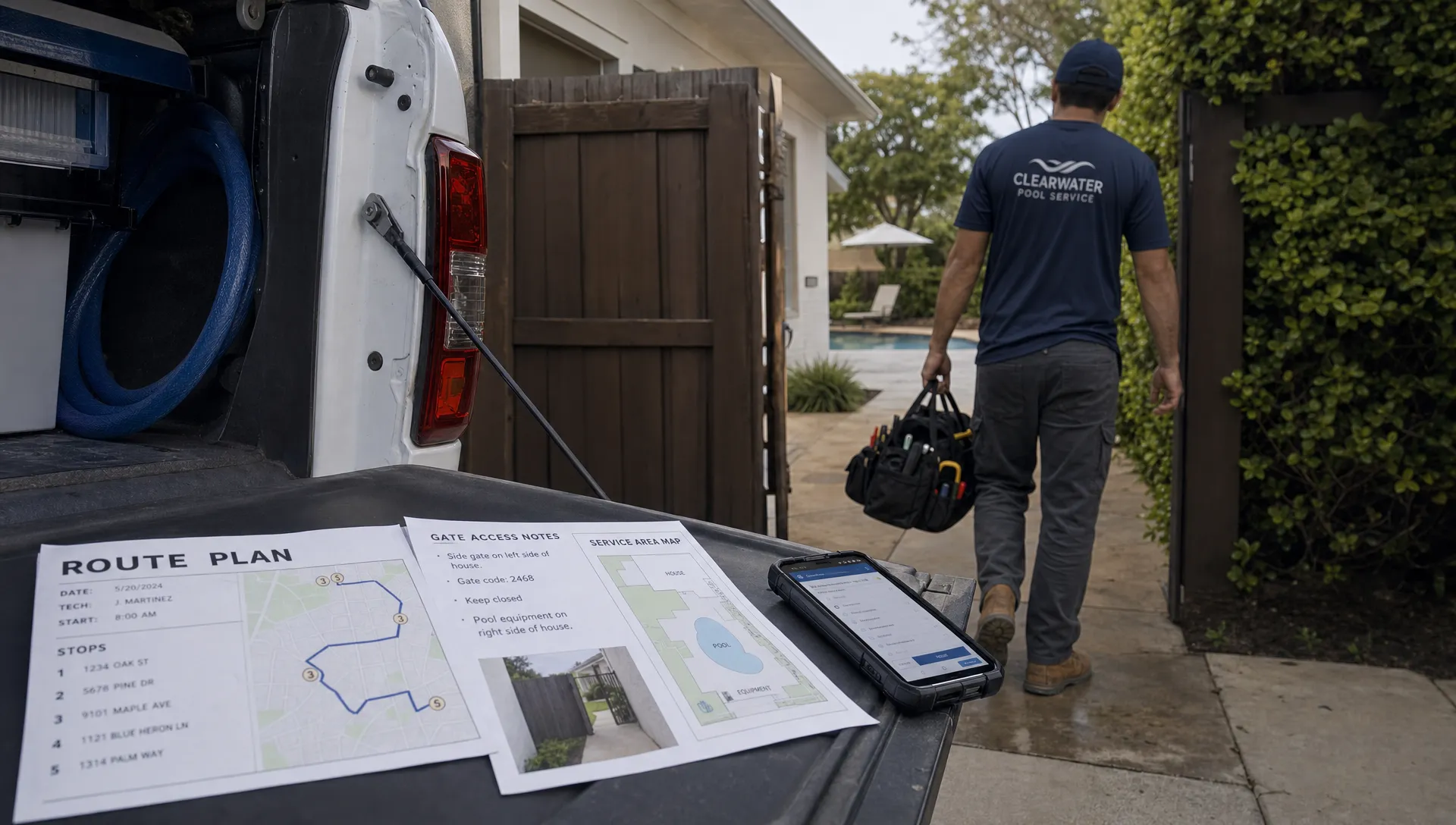
Callbacks rarely start at the pool. They usually start earlier, when a gate code lives in a text thread, a filter pressure note stays on paper, a repair recommendation never reaches the office or a homeowner does not know what happened during the visit.
A smart pool service workflow is not about making technicians move faster at any cost. It is about giving the office, field team and homeowner the same context before a problem turns into a second truck roll. For pool service companies, that matters because callbacks burn route capacity, create awkward billing conversations and weaken trust with customers who may already be comparing providers.
Reddit can be a useful place to see this from both sides. In r/pools discussions about pool service, homeowners often ask whether their technician actually tested, balanced, brushed or diagnosed the pool correctly. In r/smallbusiness CRM threads, contractors regularly describe the same scaling problem in different language: once jobs, notes and follow-ups live in separate apps or in someone’s memory, quality becomes harder to repeat. Those threads are anecdotal, but they reflect real operational friction.
The goal is simple: reduce preventable callbacks by turning every service visit into a closed loop.
Why callbacks happen even when the technician did good work
Most callback problems are not caused by a lack of effort. They come from workflow gaps that make good work hard to verify, repeat or explain.
A technician may balance the water correctly, but if the homeowner does not receive a clear service summary, the first cloudy day can trigger a complaint. A repair issue may be obvious in the field, but if the office never gets the photo, equipment details and recommendation, the customer only sees another failure. A pool may need a special sequence after heavy rain, high bather load or equipment downtime, but the next technician may not know the history.
That is why callback reduction is not just a training issue. It is a systems issue. Training tells people what good work looks like. Workflow makes good work easier to complete, document and hand off.
| Service stage | Common callback risk | Smart workflow fix |
|---|---|---|
| Customer intake | Missing gate codes, pool details or expectations | Capture property notes, contact preferences and service scope in the CRM |
| Scheduling | Wrong technician, wrong time window or inefficient route | Match route, skill set, job type and homeowner availability |
| Pre-visit review | Technician arrives without history | Surface recent notes, photos, water logs and equipment records before arrival |
| Field service | Work is completed but not documented consistently | Use standardized water logs, photos and visit checklists |
| Repair handoff | Needed repair is discussed but not quoted or scheduled | Send photos, equipment data and approval status back to the office |
| Follow-up | Homeowner calls because they lack context | Trigger service notifications, summaries and next-step messages |
Build customer records technicians can trust
A pool service CRM should be more than a digital address book. If the record only shows a name, phone number and billing status, the technician still has to depend on memory or scattered messages.
The useful customer record includes property access notes, pets, preferred communication method, service plan, pool type, equipment details, recent complaints, before and after photos, open repair recommendations and payment status. That information should be easy to find before the visit, not reconstructed after something goes wrong.
This is a common lesson across contractor industries. Jobber’s contractor CRM software guide focuses on organizing client details, job history, quotes and invoices as contractors grow. Salesforce’s small business CRM guide makes the broader point that centralizing customer interactions helps teams serve customers more consistently. For pool service companies, the practical takeaway is that callbacks increase when the customer record cannot answer basic operational questions.
If callback chaos is mostly a data problem, the first fix is to make customer history visible to everyone who touches the account. SplashIQ covers this angle in more detail in its guide to CRM tools for customer service that cut callback chaos.
Schedule for quality, not just route density
Dense routes matter, but a full route can still create callbacks if the wrong work lands on the wrong day. Smart scheduling should account for geography, skill set, job type, service windows and known problem accounts.
For example, a route with several green-to-clean follow-ups, a suspected pump issue and a high-maintenance homeowner may need more buffer than a route of stable weekly cleanings. If the schedule treats every stop as the same unit of time, the technician is more likely to rush documentation, skip context or leave a repair lead underdeveloped.
Good scheduling also prevents access-related callbacks. If the homeowner needs to unlock a side gate, put up pets or approve a repair in person, the visit should be scheduled with that context attached. Otherwise, the company pays for a trip that produces no progress.
For pool teams trying to reduce both callbacks and wasted windshield time, route design is its own operating discipline. SplashIQ’s article on smart scheduling tactics that cut drive time goes deeper on service zones, route density and appointment windows.
Standardize water-quality logging
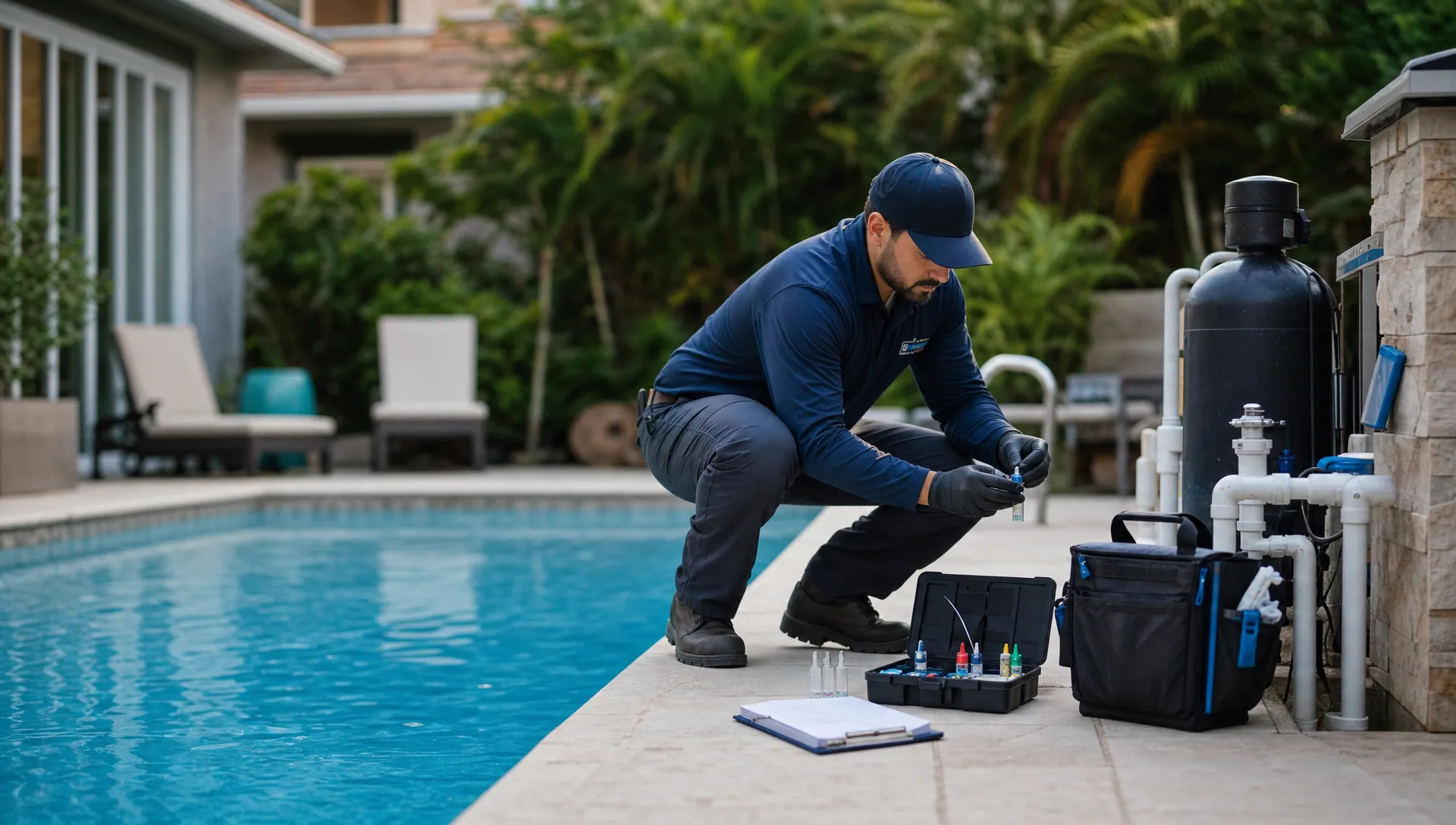
Water problems are one of the easiest areas to under-document because testing becomes routine. The technician may know exactly what they did, but the business needs a durable record that explains the condition of the pool before service, the readings taken, chemicals added and next recommended action.
A useful water log should capture the core readings relevant to the pool, such as sanitizer, pH, alkalinity, stabilizer, calcium hardness and salt when applicable. It should also connect those readings to action. If pH has drifted for three visits, or chlorine demand keeps spiking after storms, the next technician needs that pattern before arriving.
This is where smart pool service workflows move beyond checklists. The log is not just proof that testing happened. It becomes the history that helps the team spot recurring issues, explain recommendations and avoid treating every visit as a new mystery.
Connect equipment tracking to service and repairs
Many callbacks are really unresolved equipment issues. A pool may look fine after the weekly visit, then lose circulation because the filter, pump, chlorinator or valve problem was not escalated clearly enough.
Equipment tracking reduces that risk by keeping the service history tied to the physical system. The record should make it easy to see the equipment type, model information when available, normal filter pressure after cleaning, recent repair history, recurring symptoms and photos of the pad. When a technician sees the same weak flow or high pressure pattern twice, the workflow should turn that observation into a repair recommendation rather than another note that disappears.
| Callback pattern | Likely workflow gap | Prevention workflow |
|---|---|---|
| Pool turns cloudy after service | Chemical action was logged without context or follow-up | Record readings, treatment, visible condition and next visit note |
| Homeowner says the issue was not fixed | Repair recommendation was verbal only | Attach photos, equipment notes and approval status to the account |
| Technician repeats the same diagnosis | Equipment history is not visible in the field | Keep equipment records and past repairs tied to the service visit |
| Office cannot explain the invoice | Field work and billing are disconnected | Convert completed work, photos and notes into clear billing detail |
| Access failure creates another trip | Gate, pet or homeowner instructions were not in the schedule | Attach access notes to the visit before dispatch |
Filters are a good example because pressure trends, cleaning frequency and debris return can tell a story before an emergency happens. SplashIQ’s guide to pool filter repairs that help avoid emergency calls explains how proactive repair habits can catch those patterns earlier.
Make homeowner communication automatic, but specific
Automation only helps if the message answers the homeowner’s real question. A generic note saying service completed may be better than silence, but it does not reduce callbacks as well as a summary that includes what was done, what was found and what happens next.
A strong homeowner communication workflow usually includes an arrival notification, completion message, service summary, water-quality information, before and after photos when useful and a repair recommendation if something needs approval. This gives the homeowner context before they decide to call the office.
Specific communication also protects the technician. If a backyard was inaccessible, the pool had heavy debris, the pump was off or the technician found a cracked part, the summary and photos create a shared record. That reduces the chance of a disagreement days later when memory is weaker and conditions have changed.
The tone matters. A homeowner should feel informed, not flooded. The best messages are short, clear and tied to the visit. If a repair is urgent, say why. If the pool needs time to clear, say what was done and when the team will check back.
Turn repair handoffs into a closed loop
A common callback failure looks like this: the technician sees a problem, tells the homeowner, texts a photo to the office and moves on. The office gets busy. The customer assumes the company is handling it. A week later, the problem gets worse and everyone feels like the ball was dropped.
A smarter workflow defines exactly what happens after a repair issue is found. The technician documents the symptom, captures photos, links the issue to the equipment record and sends the recommendation into the office process. The office creates the estimate, tracks approval, schedules the repair and keeps the homeowner updated. If billing or financing is part of the conversation, that should be handled in the same workflow rather than in a separate thread.
This is where pool companies often feel the pain of growth. One owner can remember ten pending repairs. A dispatcher may remember fifty for a while. But once the company has multiple technicians, routes and office roles, repair follow-up needs a system.
Use technician scorecards to coach patterns, not assign blame
Callbacks should be measured, but raw callback counts can be misleading. A technician on difficult pools, older equipment or dense storm-hit routes may have more return visits than someone servicing stable accounts. Scorecards are most useful when they separate preventable process misses from legitimate follow-up work.
A practical technician scorecard can review whether required fields were completed, water logs were submitted, photos were attached, repair recommendations were created and homeowner notes were clear. It can also show callback reasons by category, such as access issue, water clarity, equipment failure, missed repair handoff or customer communication.
That level of detail turns performance conversations into coaching. Instead of saying callbacks are too high, a manager can say that a technician is strong on water testing but needs more consistent equipment photos, or that a route needs more time because repair leads are being rushed.
Track the metrics that reveal workflow gaps
You do not need dozens of metrics to reduce callbacks. Start with the numbers that connect field behavior to customer outcomes.
| Metric | Why it matters | How to use it |
|---|---|---|
| Callback rate by route | Shows whether certain routes are overloaded or complex | Adjust route design, timing or technician assignment |
| Callback reason | Separates water, access, repair and communication issues | Fix the workflow causing the repeat visit |
| Repeat issues by property | Reveals accounts with unresolved root causes | Review service plan, equipment condition or homeowner expectations |
| Repair recommendation follow-up time | Shows whether repair leads are stalling | Tighten estimate and approval workflow |
| Missing water logs or photos | Identifies documentation gaps | Coach technicians and simplify required fields |
| Homeowner questions after service | Indicates unclear communication | Improve completion summaries and next-step messages |
The point is not to create a surveillance culture. The point is to find the step where work stops moving. If the callback reason is unclear, improve categorization. If repair approvals sit too long, improve office follow-up. If customers keep asking what happened, improve the visit summary.
Roll out smarter workflows without overwhelming the team
The best workflow is the one your team will actually use. Start by fixing the highest-callback category rather than redesigning everything at once.
In the first week, clean up customer and property records for the accounts that generate the most repeat calls. Add missing access notes, equipment details, service expectations and recent history. This gives technicians immediate value instead of another administrative task.
Next, standardize field documentation for the visits most likely to create disputes or repeat work. That may mean water-quality logs for chemistry issues, before and after photos for debris-heavy pools or equipment photos for repair recommendations. Keep the required fields tight enough that technicians can complete them consistently.
Then connect repair handoffs. Decide what information must be captured before the office can quote, who owns follow-up and how the homeowner will be updated. A repair workflow that is clear for both the technician and office can prevent many callbacks that are really unresolved approvals.
Finally, review callbacks weekly by reason. Do not wait until the end of the month to learn that a route has an access problem or that repair photos are missing. A short weekly review helps managers adjust schedules, coach documentation and fix customer communication before frustration builds.
Where SplashIQ fits
SplashIQ is built as an operating system for pool service businesses, connecting the office, technicians and homeowners in one workflow. Instead of relying on spreadsheets, paper checklists and scattered messages, teams can manage customer CRM, smart route scheduling, water-quality logs, equipment tracking, homeowner notifications, before and after photos, online payments, homeowner financing and technician scorecards in one place.
That connected workflow is what makes callback reduction practical. The office can see what happened in the field. Technicians can see what happened before they arrived. Homeowners can receive clearer updates about the work completed and the next step.
For a growing pool company, fewer callbacks do not come from one magic checklist. They come from consistent records, smarter scheduling, better field documentation, cleaner repair handoffs and customer communication that removes uncertainty.
Frequently Asked Questions
What is a smart pool service workflow? A smart pool service workflow connects scheduling, customer records, technician tasks, water-quality logs, equipment history, communication and billing so each visit is easier to complete, document and follow up.
What type of callback is easiest to reduce first? Access failures and unclear homeowner communication are often good starting points because they usually require workflow fixes, not technical retraining. Accurate gate notes, arrival alerts, service summaries and photos can prevent many avoidable calls.
Do pool service technicians still need checklists? Yes, but checklists work best when they are connected to customer history, equipment records and follow-up actions. A checklist that lives alone can confirm tasks were done, but it may not help the office quote repairs or explain the visit.
How does CRM software help pool contractors scale? CRM software helps pool contractors scale by keeping customer information, job history, communication, estimates and billing details organized as more technicians and office staff join the business. Without that shared record, growth often creates more callbacks and missed follow-ups.
Can software eliminate callbacks completely? No. Storms, equipment failures, access issues and unusual water conditions will still happen. The goal is to reduce preventable callbacks and make unavoidable follow-ups easier to manage.
Run fewer repeat trips with a smarter service system
If your team is outgrowing spreadsheets, paper notes and scattered text messages, it may be time to connect the workflow. SplashIQ helps pool service companies manage CRM, routes, field documentation, homeowner communication, payments and technician performance in one operating system built for pool service work.