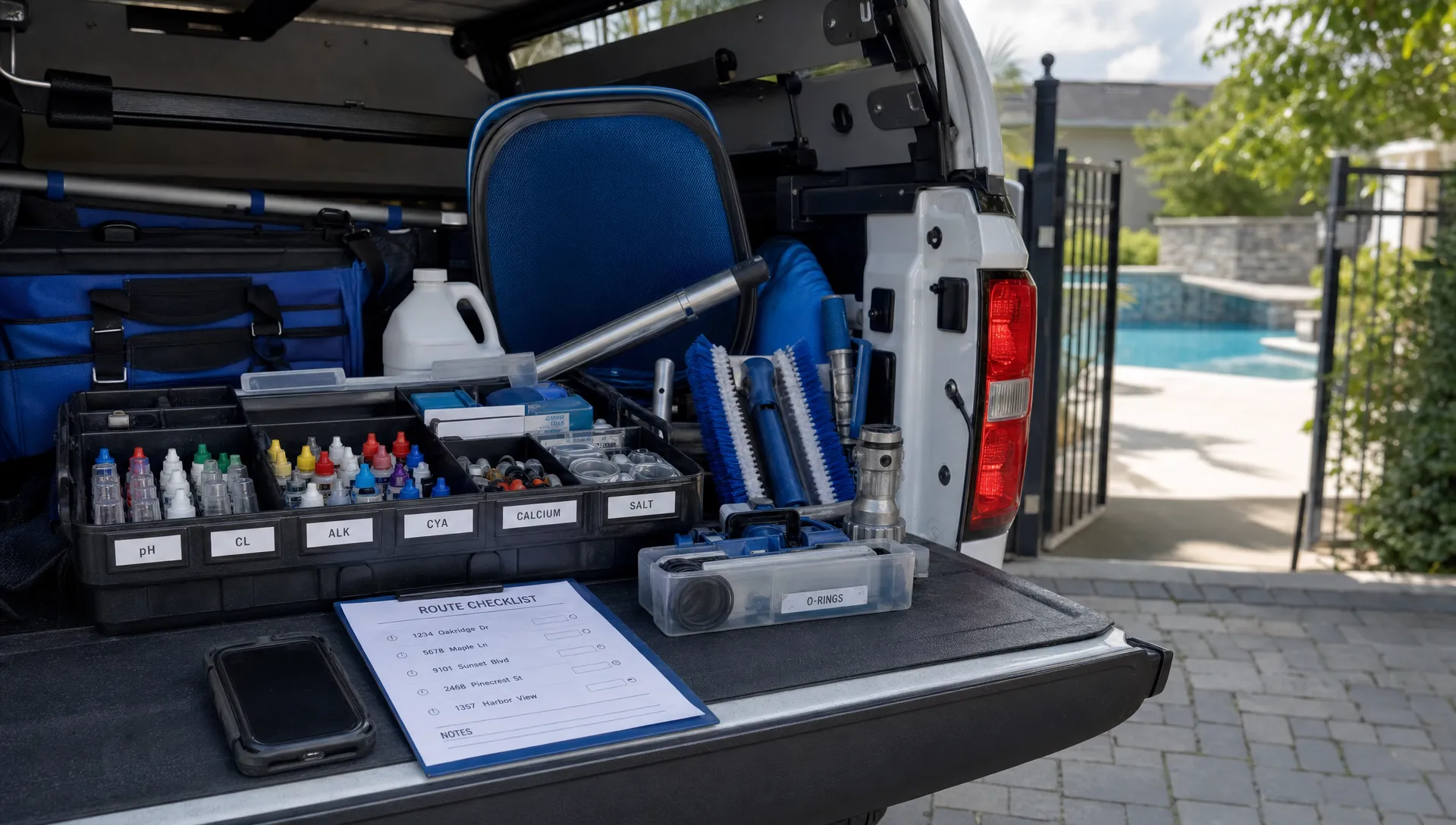
Pool service companies rarely lose time on one dramatic mistake. The real drag comes from small delays repeated across every stop: looking for the right brush head, retesting water because a result was not logged clearly, calling the office for a gate code, explaining the same repair twice or chasing payment after the technician has already left.
The best tools for pool maintenance do more than make cleaning easier. They protect the route from friction before, during and after the visit. If a tool saves five minutes on 80 weekly stops, that is more than six hours back for the business. If it also prevents one callback or one confused homeowner, the payoff is even bigger.
In 2026, a strong pool maintenance toolkit is a mix of field equipment, truck organization, digital records and homeowner communication. The goal is not to buy every gadget on the market. It is to build a repeatable visit that a technician can complete cleanly, document quickly and hand off to the office without extra cleanup.
Time gets lost in handoffs, not just in cleaning
A pool visit has more moving parts than it looks like from the driveway. The technician needs to know where to park, how to access the yard, which equipment is on site, what happened last visit, which chemicals were added, whether a repair is pending and what the homeowner was promised. When any of that information is missing, the tech improvises. Improvisation slows routes down.
Reddit is useful here because it captures unfiltered homeowner and operator language. In r/pools, homeowners often ask what a water reading means, why a pool is still cloudy after service or whether a pump noise is normal. In contractor and small-business discussions on r/smallbusiness, owners frequently describe the point where texts, spreadsheets and paper invoices stop scaling. Treat those posts as field notes, not formal research: they show how much time is wasted when service history, communication and expectations are scattered.
Articles about contractors using CRM software to scale their businesses make the same point from a different angle. Jobber's field service CRM guide frames CRM as a way for home service teams to centralize customers, jobs and communication. Salesforce's CRM overview explains the broader principle: shared customer data helps teams work from the same record instead of reconstructing context from memory. For pool maintenance, that principle shows up at the gate code, the pump pad, the water log and the invoice.
What makes a pool maintenance tool worth the truck space?
A time-saving tool should pass a simple test: does it reduce decisions, prevent repeat work or remove a handoff? If it only looks impressive but adds setup time, training complexity or another place to store information, it may not help the route.
The most valuable tools tend to do one of four things. They make testing faster and more consistent. They shorten physical cleaning tasks. They keep site context available in the field. They turn a completed visit into a clear update, invoice or next step without back-office retyping.
That is why the right toolkit includes both tangible equipment and software. A better filter cleaning nozzle might save time at the equipment pad. A mobile field app might save the same technician from calling the office, rewriting notes later or losing service data when reception drops.
| Tool category | Where it saves time | Why it matters on every visit |
|---|---|---|
| Professional water testing | Faster readings and fewer retests | Clear chemistry decisions reduce guesswork and disputes |
| Organized cleaning tools | Less walking back to the truck | Techs complete the physical work with fewer interruptions |
| Route scheduling software | Shorter drive time and cleaner appointment flow | More of the day is spent servicing pools instead of navigating |
| Offline field app | Fewer missed notes in low-signal areas | Visit records stay complete even when the backyard has poor reception |
| Water-quality logs | Faster trend review | Techs can see whether a pool is improving or drifting |
| Equipment tracking | Quicker diagnosis at the pad | Model history and past issues are easier to confirm |
| Homeowner updates | Fewer follow-up calls | Customers see what happened and what needs attention |
| Online payments | Less billing cleanup | The office spends less time chasing completed work |
Field tools that shorten the physical visit
Professional water testing kit
Fast, reliable water testing is the starting point for a clean visit. Test strips may be useful for quick checks, but many service companies rely on professional drop kits, digital testers or photometers because repeatable readings help technicians make better chemical decisions.
The time savings come from confidence. If a tech trusts the test result, they do not waste minutes retesting, calling a manager or adding chemicals based on habit. Clear readings also make homeowner communication easier because the service note can show what was measured, what was adjusted and what should happen next.
The CDC's healthy swimming guidance emphasizes the importance of proper disinfectant and pH levels. Pool service companies still need to follow their own standards, local requirements and manufacturer guidance, but the operational lesson is straightforward: chemistry should be measured, logged and explainable.
Chemical measuring and transport setup
Chemicals save time only when the truck setup is disciplined. A route slows down when a technician has to search for a measuring cup, move containers to reach the right product or guess how much was added because the amount was not recorded.
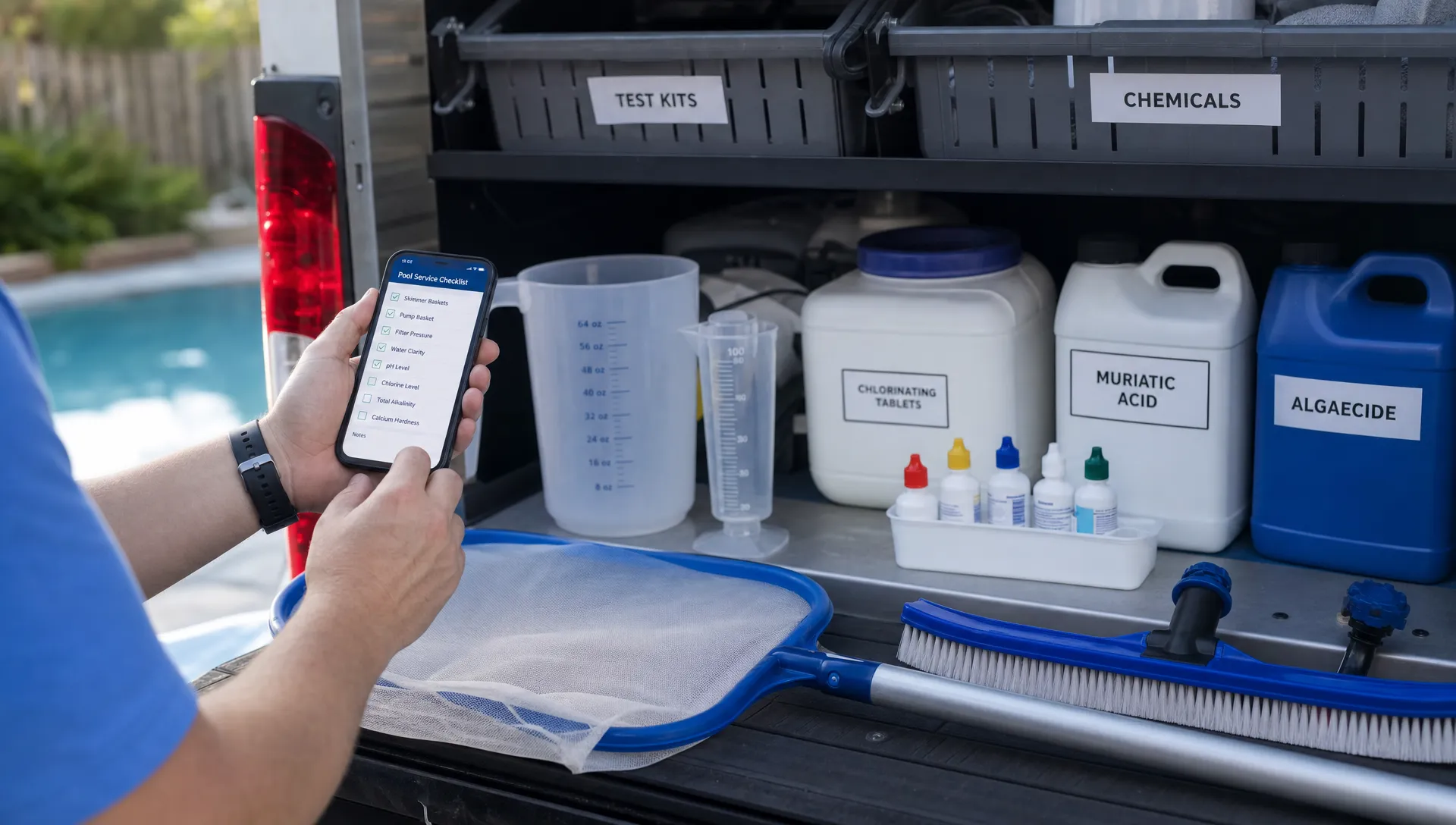
A practical setup includes labeled containers, clean measuring tools, spill-control supplies and a consistent place for every chemical used on the route. The truck should make the correct action the easiest action. When techs handle chemicals the same way every time, the office gets cleaner records and customers get more consistent care.
Pole, brush and net attachments that match the route
A cheap brush can cost more in labor than it saves in purchase price. The right wall brush, leaf rake, skimmer net, tile brush and quick-connect setup can cut small amounts of time from almost every stop.
The key is matching tools to the route. A neighborhood with heavy tree cover may need faster debris removal. A route with many plaster pools may require different brush priorities than a route heavy with vinyl or fiberglass. If techs are constantly swapping worn tools or fighting weak attachments, the visit gets longer and service quality drops.
For a broader look at field equipment beyond the time-saving lens, SplashIQ's guide to pool technician tools that improve service quality covers the service quality side of the toolkit.
Filter cleaning and inspection tools
Filter work becomes a time sink when technicians are not equipped to clean, inspect and document issues on the first pass. A proper filter cleaning nozzle, replacement O-rings for common scenarios, lubricant, pressure gauge awareness and basic inspection tools help techs handle routine findings without turning every issue into a second trip.
This does not mean every technician should perform every repair on the spot. It means they should be able to recognize common warning signs, document them clearly and trigger the right next step. A photo of a cracked cartridge, a logged pressure trend or a note about weak return flow can help the office quote or schedule repair work faster.
Digital tools that save time before and after the visit
Smart route scheduling
Drive time is one of the most expensive forms of wasted time because it cannot be recovered at the pool. Better routing starts with clean customer addresses, realistic service zones and appointment windows that do not force technicians to zigzag across town.
Smart route scheduling helps pool companies group nearby stops, rebalance overloaded days and adjust when weather, repairs or technician availability change the plan. Even small route improvements can create room for more stops, better lunch breaks or fewer late-day rushed visits.
If drive time is a major constraint for your team, the tactics in SplashIQ's article on how pool cleaner companies can cut drive time pair well with the tool recommendations here.
Mobile field app with offline access
Pool techs often work in backyards with weak cell service. If the visit checklist, customer notes, water log or equipment history requires a live connection, the technician may postpone documentation until later. Later usually means less detail, more errors and more office follow-up.
An offline field app solves that by letting techs complete the visit record in the moment. Arrival notes, service tasks, readings, photos, equipment observations and next steps can be captured while the technician is still standing at the pool. When the connection returns, the data syncs instead of disappearing into a notebook or text thread.
Water-quality logs
Water-quality logs are one of the highest-leverage tools in pool maintenance because they turn each visit into a trend, not just a one-time note. A technician can see whether chlorine is holding, whether pH keeps drifting, whether stabilizer is affecting treatment decisions or whether a pool has changed after heavy rain, high usage or equipment trouble.
The time saved is not always visible during a perfect visit. It becomes obvious when something goes wrong. Instead of asking three people what happened last month, the tech can review the record and act faster. The office can also answer homeowner questions with specifics rather than vague reassurance.
Equipment tracking
Equipment tracking is especially useful for pumps, filters, heaters, automation systems, salt cells and cleaners. A technician who can see equipment details, install history, previous issues and photos does not have to start from zero at every visit.
This matters because many time-consuming visits are really diagnosis visits. The tech notices a leak, weak flow, a loud motor or an error code. If the equipment record is available in the field, the technician can document the issue with context and help the office move toward approval, parts or scheduling without multiple calls.
Before-and-after photos
Photos protect time in two ways. First, they help homeowners see that the visit happened and understand the condition of the pool. Second, they protect the company when there is a question about debris, weather, staining, equipment condition or skipped access.
The best photo process is simple. Require the same few photos for the same kinds of visits, make them easy to attach to the service record and avoid turning the technician into a photographer. A fast photo workflow is far better than a perfect process no one follows.
Homeowner notification and update tools
Many post-visit calls happen because the homeowner does not know whether the technician arrived, what was done or whether anything needs approval. Arrival notifications, service completion messages and homeowner portals reduce that uncertainty.
A strong update should include the basics: arrival or completion confirmation, service tasks, water readings when appropriate, photos, equipment notes and any recommended next step. For more detail on the customer communication side, SplashIQ's guide to pool updates homeowners appreciate breaks down what customers actually want after a visit.
Online payments and billing tools
The visit is not truly complete if the office still has to rebuild the invoice from paper notes, send a payment link manually or chase overdue balances. Online payments save time by connecting completed work to billing while the job context is still fresh.
For recurring maintenance, cleaner billing workflows also reduce customer friction. For repairs, the right record of photos, equipment notes and service history can make approvals easier because the homeowner can see why the work is being recommended.
A simple time-saving workflow for each pool stop
Tools work best when they are attached to a standard visit flow. Without a flow, even good equipment becomes optional. With a flow, the technician knows what to do and the office knows what information to expect.
A practical route workflow can look like this:
- Confirm access notes, gate codes, pets and service instructions before arrival.
- Mark arrival and start the visit record in the field app.
- Test and log water chemistry before treatment decisions.
- Complete cleaning tasks with the right brush, net, vacuum or specialty attachment.
- Inspect visible equipment and record issues with photos when needed.
- Add chemicals, log quantities and note anything the next tech should know.
- Capture required completion photos and send the homeowner update.
- Trigger invoice, payment or repair follow-up from the same record.
This workflow is not complicated, which is the point. The fewer places a technician has to write, remember or repeat information, the faster the route moves.
How to choose the right tools for your company size
A solo operator and a 20-tech company need different levels of process, but they are solving the same problem: how to complete each stop without losing time to missing information.
For a solo route, the priority is usually organization. The owner needs reliable field tools, clean records, repeatable water logs and simple customer communication. A spreadsheet may feel manageable until a busy week, vacation, illness or hiring decision exposes how much knowledge lives only in the owner's head.
For a growing team, the priority shifts to consistency. Each technician needs the same checklist structure, the same customer context and the same way to report problems. Managers need visibility into route progress, service quality, callbacks and technician performance. That is where CRM, scheduling, field operations and reporting begin to matter more than another isolated app.
| Company stage | Best first upgrades | Why they save time |
|---|---|---|
| Solo operator | Organized truck setup, reliable testing, digital water logs | Reduces memory-based work and makes records easier to find |
| First hires | Mobile checklists, access notes, homeowner updates | Helps new techs follow the owner's standard process |
| Multi-route team | Smart scheduling, equipment tracking, photo documentation | Keeps routes consistent as customer count grows |
| Scaling company | CRM, payments, technician scorecards, integrated workflows | Gives managers visibility without constant check-ins |
Where SplashIQ fits in the toolkit
SplashIQ is built for pool service businesses that want the office, technicians and homeowners working from one system instead of scattered spreadsheets, paper checklists and text threads. It brings together CRM, smart route scheduling, water-quality logging, equipment tracking, an offline field app, homeowner notifications, before-and-after photos, online payments and technician scorecards.
That matters because time savings compound when the tools are connected. A technician should not have to enter water readings in one place, send photos from another, text the office about equipment and wait for someone else to create an invoice. The more a completed visit can flow into customer communication, billing and future service history, the less administrative drag the business carries.
Frequently Asked Questions
What tools save pool technicians the most time? The biggest time savers are reliable water testing tools, organized cleaning equipment, smart route scheduling, an offline field app, water-quality logs, equipment tracking, before-and-after photos, homeowner notifications and online payments.
Is pool maintenance software worth it for a small route? It can be, especially if the owner is preparing to hire, wants cleaner records or spends too much time answering customer questions after visits. Small companies benefit when software replaces memory, paper notes and scattered texts with one repeatable workflow.
How do water-quality logs save time? Water-quality logs help technicians see trends instead of treating every visit like a fresh problem. They make it easier to understand recurring chemistry issues, explain treatment decisions and answer homeowner questions with actual history.
How can pool companies reduce homeowner calls after service? Send clear service updates that include arrival or completion confirmation, tasks performed, water readings, photos, equipment notes and next steps. Many calls happen because the homeowner lacks proof or context.
What should every pool tech keep in the truck? At minimum, a tech should have a dependable test kit, labeled chemical measuring tools, core cleaning attachments, filter cleaning supplies, basic inspection tools, safety supplies and a mobile app for checklists, notes, photos and customer history.
Turn every visit into a cleaner workflow
Saving time on pool maintenance is not about rushing technicians. It is about giving them the right tools, the right information and a workflow that does not create extra work after the truck leaves.
If your team is ready to connect scheduling, CRM, field notes, water-quality logs, equipment history, homeowner communication and payments, SplashIQ helps pool service companies run the full workflow in one place.