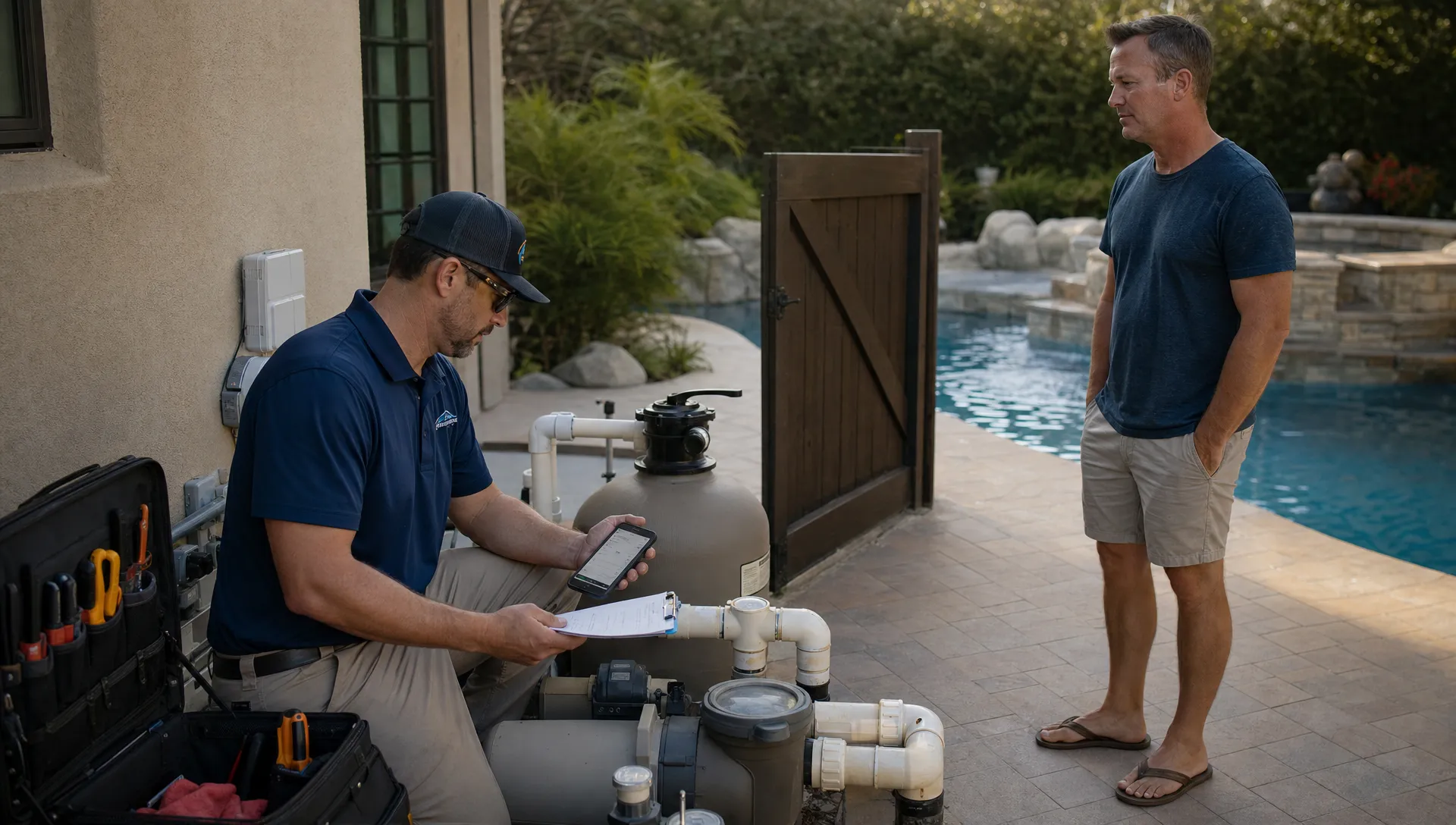
Great pool service is not just a clean basket, brushed walls, and a balanced test at the end of the visit. Homeowners judge quality by consistency, communication, and confidence. Did the technician show up on time? Were the readings documented? Was the equipment issue explained clearly? Will the same problem come back next week?
That is why the best pool technician tools are no longer limited to poles, nets, vacuums, and test kits. The most valuable tools help technicians make better decisions in the field, prove the work was done, and keep the office aligned without chasing paper forms or text messages.
You can see this clearly in Reddit threads across communities like r/pools, r/swimmingpools, and r/poolmaintenance. Homeowners regularly post questions such as why their water is still cloudy after service, whether a technician used the right chemicals, or how to interpret a repair recommendation. Reddit is anecdotal, not a formal data source, but it is useful voice-of-customer research. The recurring theme is simple: customers want visibility, not guesswork.
Below are the pool technician tools that make the biggest difference in service quality, especially for growing pool service companies trying to standardize work across multiple techs and routes.
Service Quality Starts With Repeatability
Pool service quality breaks down when each technician has a different version of “done.” One tech may take detailed readings while another writes “OK.” One may photograph a cracked lid while another mentions it verbally and forgets to follow up. One may know a customer’s equipment pad from memory, while a newer technician arrives with no context.
The goal is not to turn skilled technicians into robots. It is to give them a repeatable system that protects their judgment. When the right tools are in place, technicians spend less time guessing, the office spends less time clarifying, and homeowners receive a more professional experience.
This process-first mindset applies far beyond the pool industry. In high-stakes cleaning environments, companies such as IWC, a provider of sustainable contamination-control solutions, focus on repeatable methods, process expertise, and measurable outcomes because cleaning quality depends on consistency at scale. Pool service companies can use the same principle: define the standard, equip the team, and document the result.
If your business is still relying on memory, spreadsheets, paper checklists, and scattered photos, even strong technicians will eventually miss details. A better tool stack reduces that risk.
The Core Pool Technician Tools That Improve Quality
The right mix depends on your routes, customer base, and service model, but most companies benefit from tools in these categories.
| Tool category | Quality problem it solves | What it should capture or improve |
|---|---|---|
| Professional water testing tools | Inconsistent chemistry decisions | Accurate readings, dosage notes, trends over time |
| Digital water-quality logs | No proof of readings or treatment history | Test results, chemicals added, timestamps, tech notes |
| Digital checklists | Missed steps and uneven service | Required tasks by visit type, pool type, and season |
| Offline field app | Lost notes when cell service is weak | Visit data, photos, signatures, and updates without signal |
| Equipment tracking | Poor repair context and repeated diagnosis | Model numbers, serial numbers, photos, age, condition |
| Before and after photos | Homeowners unsure what was done | Visual proof of cleaning, repairs, and problem areas |
| Smart route scheduling | Rushed visits and inefficient days | Route density, appointment windows, service zones |
| Homeowner communication tools | Confusion after the visit | Service summaries, repair updates, payment links |
| Technician scorecards | Hard-to-coach field performance | Completion rates, callbacks, notes, photo usage |
The best tools share one trait: they make quality easier to repeat. If a tool creates more admin than clarity, technicians will work around it. If it helps them finish better visits with less friction, adoption becomes much easier.
Water Testing Tools That Turn “Looks Good” Into Proof
Water chemistry is one of the clearest areas where tools affect service quality. A pool can look clear and still be drifting toward a problem. A homeowner can also see cloudy water and assume nothing was done, even if the real issue is filtration, stabilizer level, phosphates, circulation, or recent weather.
Professional test kits, fresh reagents, calibrated meters, and digital photometers can all improve accuracy when used correctly. The tool itself matters, but the process matters just as much. Technicians need a consistent routine for sampling, testing, recording, and explaining results.
At minimum, a quality-focused water testing workflow should capture:
- Free chlorine, combined chlorine, pH, alkalinity, calcium hardness, and stabilizer when relevant.
- Salt, phosphates, metals, or other readings when the pool condition calls for deeper diagnosis.
- Chemicals added, dosage amounts, and technician reasoning.
- Before and after notes for cloudy water, algae, staining, or unusual demand.
- Follow-up recommendations when chemistry is outside the normal service pattern.
Digital records are especially important because water chemistry problems often unfold over multiple visits. If every reading is trapped on a paper slip or in a technician’s memory, the company loses pattern recognition. For a deeper look at how inconsistent testing and documentation create callbacks, see these common pool water chemistry mistakes that lead to repeat visits.
The practical takeaway is simple: a test result is not fully useful until it is recorded, connected to the customer account, and visible to the team.
Digital Checklists That Standardize the Visit
A checklist may sound basic, but it is one of the highest-leverage pool technician tools for service quality. The reason is that pool routes are repetitive until they suddenly are not. A tech may clean 15 pools in a day, then encounter a low water level, noisy pump, leaking filter, locked gate, green pool, or confused homeowner.
A digital checklist keeps the standard visit from disappearing under pressure. It also helps newer technicians learn what experienced technicians do automatically.
A strong pool service checklist should adjust based on the type of work. Weekly maintenance, green-to-clean service, openings, closings, filter cleaning, and repair visits should not all use the same task list. The checklist should also make it easy to flag exceptions rather than forcing technicians into generic notes.
For example, a weekly service checklist might include skimming, brushing, vacuuming as needed, basket cleaning, filter pressure check, equipment inspection, water testing, chemical treatment, photo capture, and customer-facing notes. A repair checklist may focus on symptoms, diagnosis, parts, photos, authorization, and follow-up.
This is where software becomes more than a digital clipboard. A connected system can tie the checklist to the customer record, route, equipment history, and invoice. If consistency is a current pain point, this guide to pool maintenance software that helps techs stay consistent explores that workflow in more detail.
Equipment Tracking and Photos That Reduce Disputes
Many service quality issues come from missing equipment context. A technician sees a pump issue, but does not know whether it is new, under warranty, previously repaired, or already discussed with the homeowner. The office then has to call the tech, search old messages, or ask the homeowner for a model number.
Equipment tracking prevents that. Each account should have a clear record of key assets, including pumps, filters, heaters, automation systems, salt cells, valves, cleaners, lights, and major plumbing features. Photos should show both the overall equipment pad and close-ups of labels, gauges, leaks, corrosion, cracks, or unsafe conditions.
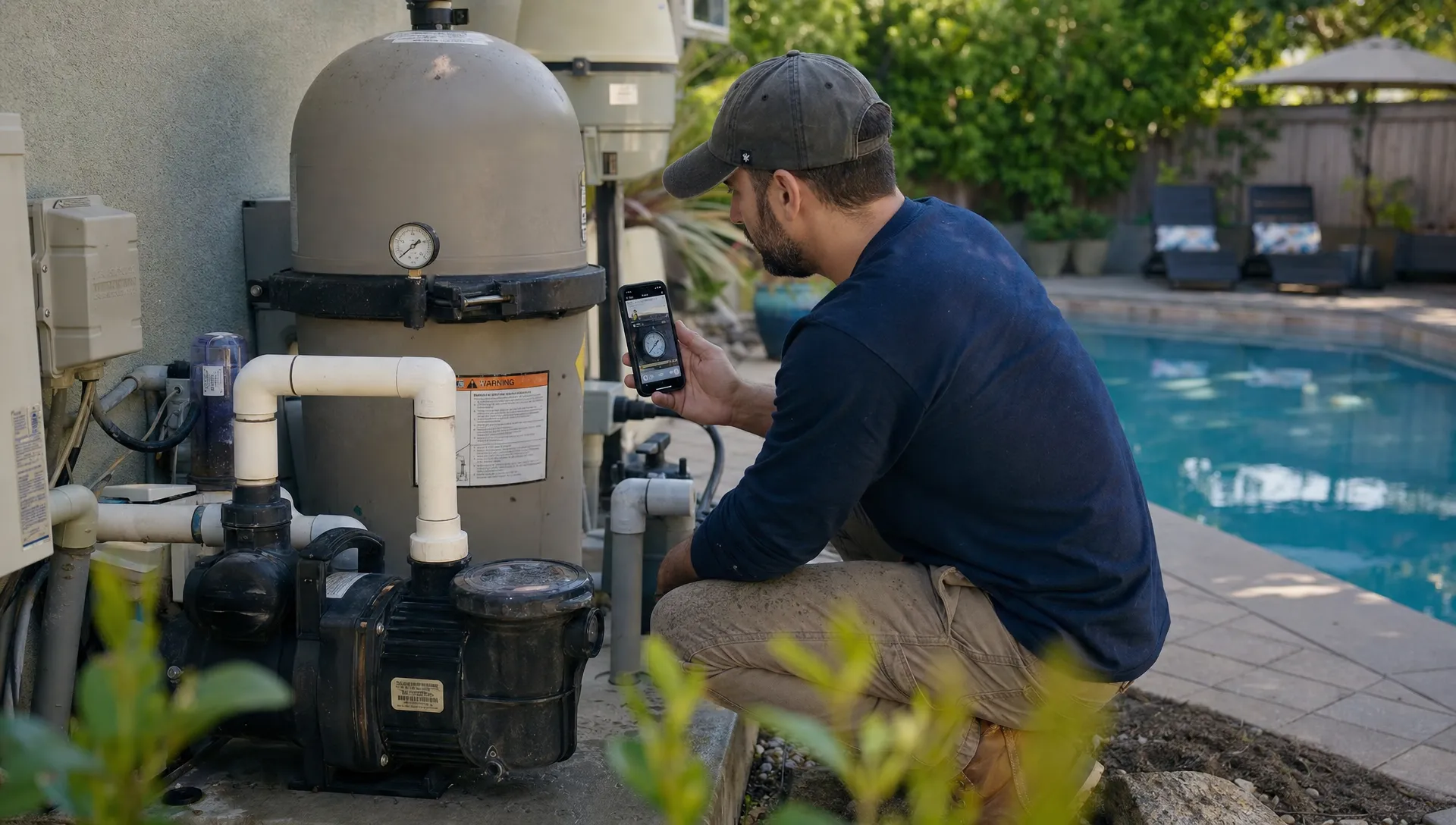
Before and after photos also change the customer experience. They show the homeowner what was done, what was found, and why a recommendation matters. Instead of saying “your filter is leaking,” the technician can show the leak, attach equipment details, and send a clear repair request.
This is especially useful for repair approvals. Homeowners approve faster when they understand the problem, the risk of waiting, and the proposed next step. If approvals are slowing down your team, review these tactics for pool equipment repairs homeowners approve faster.
Route and Field Tools That Protect the Technician’s Day
Route scheduling is often treated as an efficiency tool, but it is also a service quality tool. When a route is poorly built, technicians rush. Rushed visits lead to skipped notes, missed photos, incomplete cleaning, and weaker communication.
Smart route scheduling helps companies group work by geography, appointment window, technician skill, service type, and route density. It also makes it easier to respond to urgent issues without wrecking the entire day.
Field tools matter just as much. A mobile app should allow technicians to see the day’s stops, customer notes, gate codes, service history, equipment records, checklist items, and open issues. Offline access is important because many properties have weak cell signal near equipment pads, side yards, or rural routes. If a tool fails when the technician needs it most, the workflow falls apart.
Physical organization still matters too. A quality-focused truck setup should make common items easy to find and restock. Test supplies, O-rings, baskets, fittings, safety gear, cleaning tools, and frequently used chemicals should have a predictable place. Digital systems help, but a disorganized vehicle can still turn a simple visit into a delay.
For companies trying to improve efficiency without sacrificing quality, better routing is often one of the fastest wins. These smart scheduling tactics that cut drive time can help service managers rethink daily route planning.
Communication Tools That Make Homeowners Feel Informed
A common Reddit theme in pool-related discussions is uncertainty. Homeowners ask whether their tech came, what chemicals were added, why the pool still looks off, or whether a repair is truly urgent. In many cases, the underlying issue is not bad service. It is invisible service.
Homeowner communication tools solve that by turning each visit into a clear service summary. The homeowner should not need to call the office to learn what happened. A strong post-visit update can include the date and time of service, technician name, completed tasks, water readings, chemicals added, photos, repair notes, and any recommended action.
This does not mean every message needs to sound automated or generic. The best communication systems combine structure with technician-specific notes. A templated summary keeps the essentials consistent, while a short custom note adds context.
For example, “Cleaned filter basket and adjusted chlorine” is useful, but “Cleaned filter basket, adjusted chlorine after heavy rain, and recommend monitoring water level before next visit” feels more professional and specific.
Homeowner portals can also reduce back-and-forth by giving customers a place to view visit history, approve work, and pay invoices. That visibility builds trust over time.
Repair Approval and Payment Tools That Keep Work Moving
Service quality does not end when a technician identifies a problem. If the repair process is slow or unclear, the customer still experiences friction. The technician may have done everything right, but the job stalls because the office needs photos, parts information, pricing approval, or payment.
Repair tools should help technicians document the issue while they are still on site. That documentation should include symptoms, likely cause, photos, equipment details, urgency, and recommended next step. The office can then turn that field information into a professional repair proposal without rebuilding the story from scratch.
Online approvals and payments also improve the experience. Homeowners are more likely to respond when the next step is simple. For larger repairs, financing options can reduce hesitation by giving customers a practical path forward, especially when equipment failure is unexpected.
The quality benefit is significant: fewer forgotten recommendations, fewer delayed repairs, and fewer emergency calls caused by unresolved issues.
Technician Scorecards That Support Coaching
Technician scorecards can be sensitive if they are used only to pressure the team. Used well, they are coaching tools. They help managers spot process gaps before they become customer problems.
A scorecard does not need to be complicated. It should focus on behaviors that improve service quality and can be measured fairly.
| Scorecard area | Why it matters | Example signal |
|---|---|---|
| Checklist completion | Confirms the standard visit was followed | Required tasks completed per stop |
| Water log completion | Improves chemistry history and accountability | Missing or incomplete readings |
| Photo documentation | Builds homeowner trust and repair context | Before and after photos captured |
| Callback trends | Shows where quality is breaking down | Repeat visits tied to same issue |
| Note quality | Helps office and customers understand work | Clear, specific field notes |
| Route execution | Protects punctuality and visit time | On-time stops and skipped visits |
The point is not to punish every missed field. The point is to identify patterns. If multiple technicians skip the same step, the checklist may be too long, unclear, or poorly timed. If one technician has a high callback rate on chemistry issues, that person may need training on testing technique or dosage decisions.
Scorecards are most effective when paired with field coaching, not just reports. Reviewing real visits, photos, and notes with technicians can turn abstract metrics into practical improvement.
How to Choose the Right Pool Technician Tools
Not every company needs to buy everything at once. The right starting point depends on where quality is currently breaking down. If homeowners question whether work was done, start with photo documentation and visit summaries. If callbacks are high, focus on water logs, checklists, and equipment history. If technicians feel rushed, improve route scheduling and field access.
Before adopting a new tool, ask a few practical questions:
- Will technicians actually use it during a wet, busy, outdoor workday?
- Does it reduce duplicate entry for the office?
- Can it work when cell service is unreliable?
- Does it connect field work to customer records, approvals, and invoices?
- Does it create clearer communication for the homeowner?
- Can managers use the data to coach quality without micromanaging?
The best tool stack should feel like support, not surveillance. It should make the right action easier than the shortcut.
Frequently Asked Questions
What are the most important pool technician tools for service quality? The most important tools are accurate water testing equipment, digital water-quality logs, mobile checklists, equipment tracking, photo documentation, route scheduling, and homeowner communication tools. Together, they help technicians deliver consistent work and prove what happened during each visit.
Are digital pool technician tools better than paper checklists? Digital tools are usually better for growing teams because they preserve records, standardize visits, and make information available to the office in real time or after offline sync. Paper can work for very small operations, but it becomes harder to search, share, and analyze as volume grows.
How do pool technician tools reduce callbacks? They reduce callbacks by improving testing accuracy, documenting recurring issues, standardizing service steps, and giving technicians better equipment history. When managers can see patterns across visits, they can fix root causes instead of repeatedly reacting to the same problem.
What should a pool technician field app include? A strong field app should include schedules, customer details, gate codes, service history, water-quality logs, digital checklists, equipment records, photo capture, notes, and offline access. It should also make it easy to send visit summaries or repair information back to the office.
How can a small pool service company start improving quality without overcomplicating operations? Start with the biggest source of confusion or rework. For many companies, that means recording water readings consistently, taking before and after photos, and using a simple digital checklist. Once those habits are stable, add route optimization, equipment tracking, repair approvals, and scorecards.
Improve Service Quality Without Adding More Paperwork
Pool technician tools should help your team deliver better visits, not bury them in admin. SplashIQ brings CRM, smart route scheduling, water-quality logs, equipment tracking, an offline field app, homeowner communication, photos, payments, financing, and technician scorecards into one operating system for pool service companies.
If your team is ready to replace scattered spreadsheets, paper checklists, and missing field notes with a more consistent workflow, explore how SplashIQ helps pool service businesses run cleaner operations from first lead to final invoice.