A pool tracking app should capture more than a checked box that says “service completed.” Each visit needs a usable record of the water conditions, work performed, chemicals added, equipment observations and any issue that still needs attention. That record should help the next technician understand the pool without calling the person who serviced it last.
The challenge is deciding what belongs on every visit and what belongs only when conditions warrant it. Require too little and the office has to chase missing details. Require too much and technicians start entering placeholders just to finish the form.
The right approach is a short, consistent baseline with additional fields for treatments, problems and follow-up. Here is what that baseline should include and how to keep the information useful after the technician leaves.
Start with a visit record, not just a checklist
Every service entry should connect to the correct customer, property and pool. That distinction matters when one property has multiple bodies of water or when several technicians cover the same account.
Keep permanent information, such as pool volume and equipment model numbers, in the account profile. The visit should reference that information rather than ask technicians to reenter it.
| Record component | What to capture on each visit |
|---|---|
| Visit identity | Property, pool or spa, service date and assigned technician |
| Visit status | Completed, partially completed, inaccessible or another defined exception |
| Timing | Actual arrival and departure times, distinct from the scheduled appointment |
| Water conditions | Required test results, units and relevant visual observations |
| Work and treatment | Tasks performed, chemicals added and changes made |
| Equipment condition | Checks completed, abnormal observations and supporting evidence |
| Follow-up | Unresolved issue, responsible person and next action |
A pool tracking app should distinguish a scheduled appointment from an actual service record. Being assigned to a stop does not prove that work happened there.
Log water measurements separately from treatment
Preserve the readings taken before adding chemicals
Water test entries should show what the technician actually measured, not what they expected the water to look like after treatment.
For routinely serviced chlorinated pools, free chlorine and pH are common baseline measurements. Other tests depend on the pool, sanitizer system, service plan and applicable requirements. Commercial facilities may have different testing and documentation obligations from residential accounts.
Useful fields include the parameter, measured value, unit where applicable and test time. Record the testing method when it helps explain differences between results. A drop-based kit, test strip and electronic instrument should not be treated as interchangeable sources of precision.
Total alkalinity, calcium hardness, cyanuric acid and salinity may belong on a defined testing schedule rather than every visit. Distinguish “not tested today” from a measured value of zero. Never carry forward an old result as though it were a new measurement.
A pool tracking app should preserve the original readings even when a technician later records a retest. SplashIQ’s guide to pool water test records explains how a consistent history makes chemistry easier to interpret.
Record chemical additions as separate actions
“Added chlorine” is not enough detail for the next technician or the office.
Record the product, formulation or concentration where relevant, quantity and unit. Also capture the reason for treatment and any related operating change. A product name without a dose leaves the record incomplete; a dose without a unit can be misleading.
Post-treatment readings should appear only when someone actually retested after appropriate circulation and according to the testing procedure. An estimated result is not a measurement. Keep dosing decisions tied to product instructions, verified pool information and your company’s treatment procedures.
Capture what was done, skipped or blocked
A task checklist needs more than a completed-or-incomplete toggle. “Not applicable,” “not needed today” and “could not complete” mean different things.
For example, a technician might inspect a filter but determine that cleaning is not due. Another might be unable to reach the equipment because access is blocked. Neither situation should be recorded as “filter cleaned.”
Use task names that describe observable work: skimmed surface, brushed walls, emptied baskets, vacuumed debris or inspected equipment. Avoid a catch-all entry such as “cleaned pool” when the service agreement contains distinct responsibilities.
When work is skipped, capture a short reason. When additional work is performed, record whether it was included in the service plan or requires office review before billing.
The pool tracking app should make exceptions visible without forcing technicians to write a paragraph about every routine task. Reserve detailed notes for changes, unresolved conditions and anything the next person needs to know.
This protects the customer relationship as well as the internal record. A partial visit caused by a locked gate should not generate the same completion message as a fully serviced pool.
Tie equipment observations to the right asset
Equipment notes become more useful when they identify the component involved. “Pump noisy” is better than nothing, but it still leaves questions if the property has separate circulation, spa and feature pumps.
Connect observations to the equipment profile where possible. Permanent details such as manufacturer, model and installation information belong with the asset. Visit-specific details belong in the service history.
Capture the operating condition at the time of inspection. For filter pressure, for example, pump speed and operating mode can affect how useful the reading is. A pressure number alone should not automatically trigger a diagnosis.
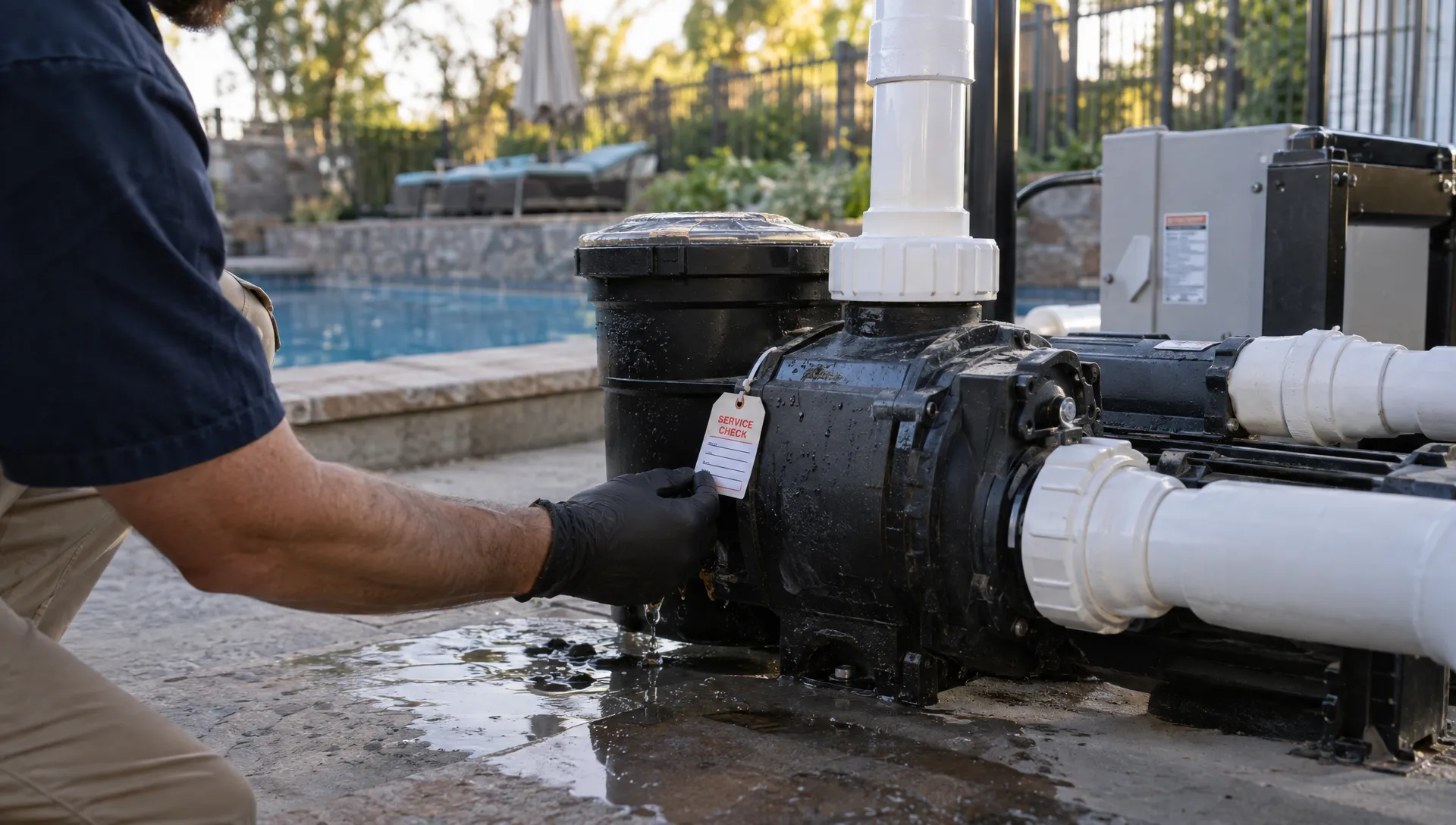
Record what the technician observed: a visible leak, an unusual sound, an error code or a controller display. Separate those observations from an unconfirmed explanation. “Water visible beneath pump housing” is more defensible than “seal failed” before diagnosis.
A pool tracking app should link the observation to a photo and follow-up when the condition warrants it. That gives the office enough context to arrange a qualified assessment rather than asking the technician to reconstruct the visit later.
Do not turn documentation into permission to perform unfamiliar work. Electrical faults, gas equipment concerns and other hazardous conditions should follow the company’s escalation procedures and applicable licensing requirements.
Give every exception an owner and a next step
An issue buried in visit notes is easy to miss. An issue assigned to someone, with a clear next action, is easier to manage.
A useful exception record contains:
- Observed condition: What happened or what the technician found.
- Service impact: Whether work was completed, limited or stopped.
- Immediate action: What the technician did within their authority.
- Responsible person: Who needs to review or resolve the issue.
- Next step: The specific action required, with a due date when appropriate.
- Customer communication: What the homeowner was told and whether approval is still needed.
Keep observed facts separate from customer statements. If a homeowner reports that a heater stopped working overnight, identify that as a report unless the technician independently confirms the condition.
The pool tracking app should also distinguish a newly reported issue from one already awaiting repair. Otherwise, the office may create duplicate follow-ups while the original problem remains unresolved.
A recurring exception should stay connected to its history. The next technician needs to see that a leak was reported last week, who owns the follow-up and whether a repair has been approved.
Use photos as evidence, not decoration
A useful photo answers a question: What did the technician find? What changed? Which component needs attention?
Choose images that document the visit rather than uploading several nearly identical views. An arrival image may establish visible water conditions. A completion image may show the cleaned surface. A close-up can document an equipment label, error code or leak location.
Attach photos to the relevant task or issue and add a short caption when context is unclear. Appearance alone does not prove balanced water chemistry or completed maintenance.
Keep unrelated people, neighboring properties and personal belongings out of the frame where practical. Access codes and other sensitive account information belong in restricted account records, not photo captions or customer-facing reports.
Make the visit understandable to both the office and homeowner
The internal record and the homeowner update serve different purposes. Technicians need technical detail and unresolved issues. Homeowners need a clear explanation of what was done, what needs attention and whether they must take any action.
Those views should agree, but they do not need to expose the same information. Internal pricing discussions, staff notes and sensitive access details should not appear in an automatic service summary.
A pool tracking app should preserve that distinction while keeping both views connected to the same visit. Avoid maintaining one version in the field app and another in a text message that nobody else can find.
For example, an internal entry might document the test results, exact treatment, tasks completed and a photo of a suspected equipment leak. The homeowner summary might say that routine service is complete and the office will contact them about the equipment concern. It should not present a suspected fault as a confirmed diagnosis.
SplashIQ’s guide to pool updates homeowners appreciate covers how to turn detailed service records into useful customer communication.
How a pool tracking app should preserve the visit history
Keep corrections traceable
Technicians sometimes select the wrong unit, attach a photo to the wrong visit or discover that a note needs correction. The solution is not to make records impossible to edit. It is to preserve enough history to understand what changed.
When evaluating software, ask whether significant corrections retain the original entry, identify the person making the change and show when it happened. Also ask whether the office can retrieve a complete visit record without assembling screenshots from several systems.
For businesses with separate audit obligations, AuditReady’s approach to traceable evidence and responsibility illustrates why document storage alone is not the same as an accountable record. A pool service history has a narrower purpose, but the practical lesson applies: keep evidence connected to its context and owner. A visit log does not, by itself, establish regulatory compliance.
Protect work captured without a connection
A completed form is not useful if it disappears when the technician leaves an area with poor reception.
During a software demonstration, test the workflow without connectivity. Check whether readings, notes, photos and completion status remain available, whether pending uploads are visible and how duplicate submissions or conflicting edits are handled.
A pool tracking app should make the difference between “saved on this device” and “available to the office” clear. Do not assume that every offline feature handles attachments or synchronization in the same way.
Make records useful as the company grows
Adding customers and technicians makes undocumented knowledge harder to manage. The owner can no longer be the person who remembers every equipment problem, customer preference and promised repair.
For further reading on contractors using CRM software to scale, ServiceTitan’s contractor business articles are a relevant starting point. For pool companies, the practical test is whether customer information stays connected to field work, follow-up and billing. A larger contact database alone does not solve missing visit records.
A pool tracking app becomes more valuable when the office can use its records to identify unfinished work, recurring problems and services that need billing review. Consistent capture also supports the metrics a pool maintenance business should track, rather than leaving managers to count scattered notes manually.
For homeowner-language research, Reddit’s r/pools discussions can help you identify questions to address in service summaries. Treat individual posts as anecdotal input, not verified chemistry guidance or evidence of what all customers want.
Frequently asked questions
Should every water parameter be tested on every visit? Not necessarily. Define a baseline and additional testing schedule for the pool type, sanitizer system, service agreement and applicable requirements. Record untested parameters as untested, not as zero or copied values from a previous visit.
How many photos should a technician take? Take enough to document meaningful conditions, completed work and exceptions. The purpose is useful evidence, not a fixed photo count. An equipment concern may need several views; a routine visit may need fewer.
Should technicians record chemical costs? Capture the product and quantity used. Those details can support cost analysis if the business has reliable pricing information and a workflow for connecting usage to costs. Do not assume the app calculates that automatically.
What happens when a technician cannot access the pool? Record the attempted visit, access problem and notification or follow-up required. Keep it distinct from completed service and apply the company’s agreement and billing policy.
Review your visit workflow with SplashIQ
Use a normal service stop and one exception scenario to evaluate any pool tracking app. Check whether the resulting records explain what was measured, done, observed and left unresolved without a follow-up phone call.
SplashIQ supports water-quality logs, equipment tracking, an offline field app, before-and-after photos and homeowner communication alongside CRM, scheduling and payments. Compare your current visit form with those workflows, then review how your required fields, exception handling and customer updates would work before moving your routes into a new system.